An important part of every CI/CD pipeline is having a testing phase. In this article I show how to use GNU gcov (coverage) with an embedded target, using Visual Studio Code as front end:
GNU gcov with VS Code
With this, I can run the code on the embedded target which stores the coverage data on the host.
It is interesting to see that modern tools and agile development workflows are getting more and more into the embedded world. CI/CD is a strategy where code changes to an application get automatically integrated, tested and released automatically into a production environment.
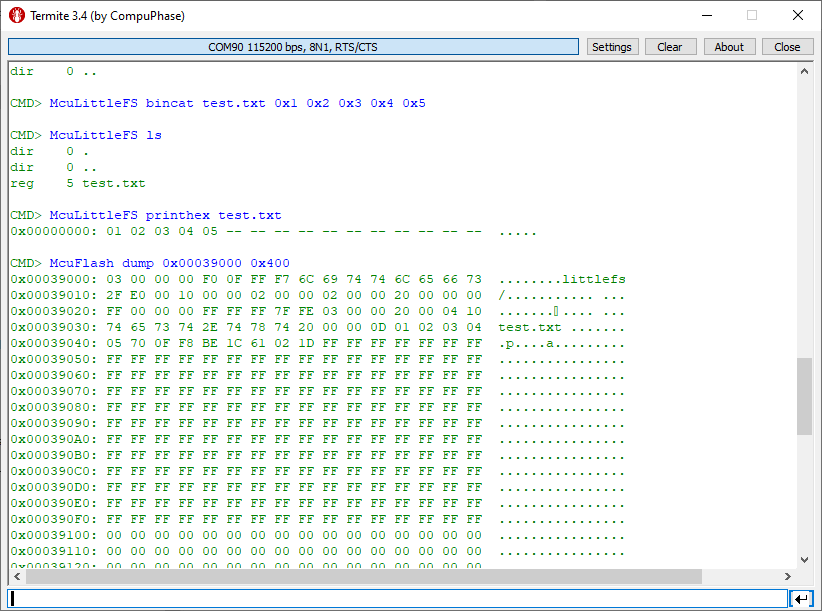
In many of my embedded projects I need persistent data or storage for settings. If using an SD card, then FatFS is usually my choice for the file system. But if using an external FLASH memory device, then my preferred choice is usually LittleFS: it is a little fail-safe filesystem, designed for micro-controllers, which I’m using with external flash memory devices.
In the case where there is enough MCU flash, or if there is no external FLASH device available in a design, it can use the MCU internal FLASH as storage storage too. This is the topic of this article:
The ARM Cortex M architecture has many features which are underused, probably simply because engineers are not aware of it. SWO (Single Wire Output) is a single trace pin of the ARM Cortex-M CoreSight debug block. trace pin uses the ITM (Instruction Trace Macrocell) on ARM Cortex. It provides a serial output channel, at a high speed higher than the usual UART, because it is clocked at half or a quarter of the core clock frequency, depending on the core and implementation.
As such, it is an ideal high speed output channel to send text or data to the host. This is how it is usually used, but what is unknown to many: it can be used in a bidirectional way with the help of the debugger.
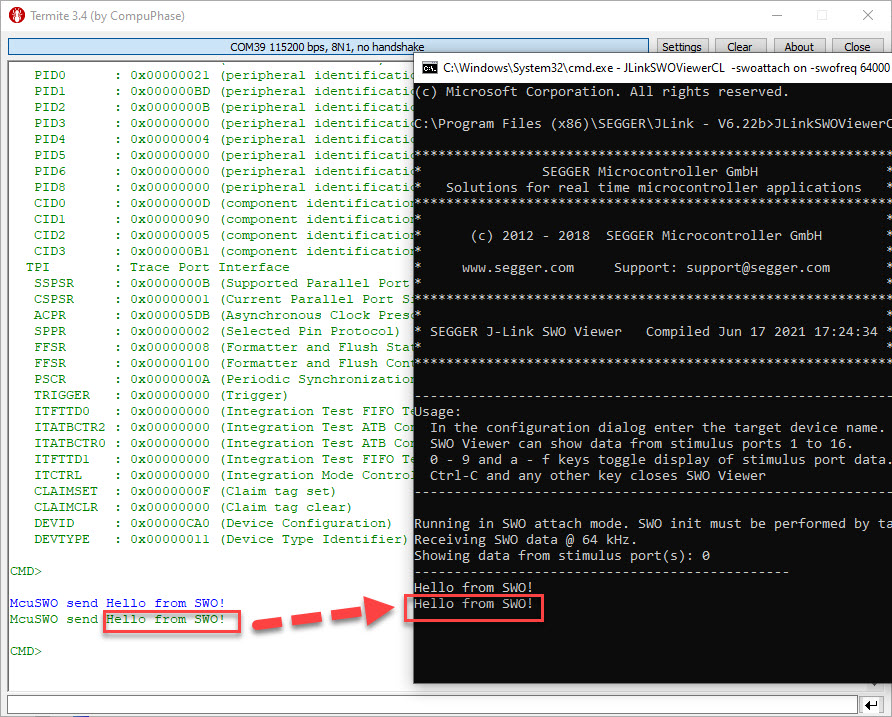
The topic of this article: how to redirect standard I/O like printf() or scanf() using the SWO ITM console: means both sending *and* receiving data over the SWO debug channel: that way I can use it as a kind of UART with a single pin only.
While developing applications, it can happen that things go wrong. And in my case I ended up with two LPC55Sxx EVK boards on my desk, which seemed not to be usable any more. The issue: the boards were not accessible with the debug probe, because right after main they muxed the pins in a wrong way :-(.
bricked board with set of debut probes
The standard GDB debug connections (both on-board and off-board) were not able to regain access of the board, because the MCU was running into the fault condition pretty much right out of reset.
Luckily, after a lot of trial-and-error, I have found a way to recover them.
LoRaWAN is getting more an more popular, both for terrestrial and increasingly with low-orbit satellite systems. The ‘Long Range’ in ‘LoRa’ makes it an ideal solution for low-power and low data rate applications. For a university research project we selected the Semtech SX1261/62 transceiver together with the NXP LPC55S16 mikrocontroller. Because the board used for that project is not available for the public (yet), I share here how you can run the LoRaWAN stack with the NXP LPC55S16-EVK.
SWO (Single Wire Output) in ARM cores is probably one of the most under-used features. Which is surprising, because SWO can be very useful. In a nut shell: SWO is a single wire output pin/signal channel which can provide lots of different data, like PC sampling for coverage information, interrupt tracing data or ‘uart-like’ text packets.
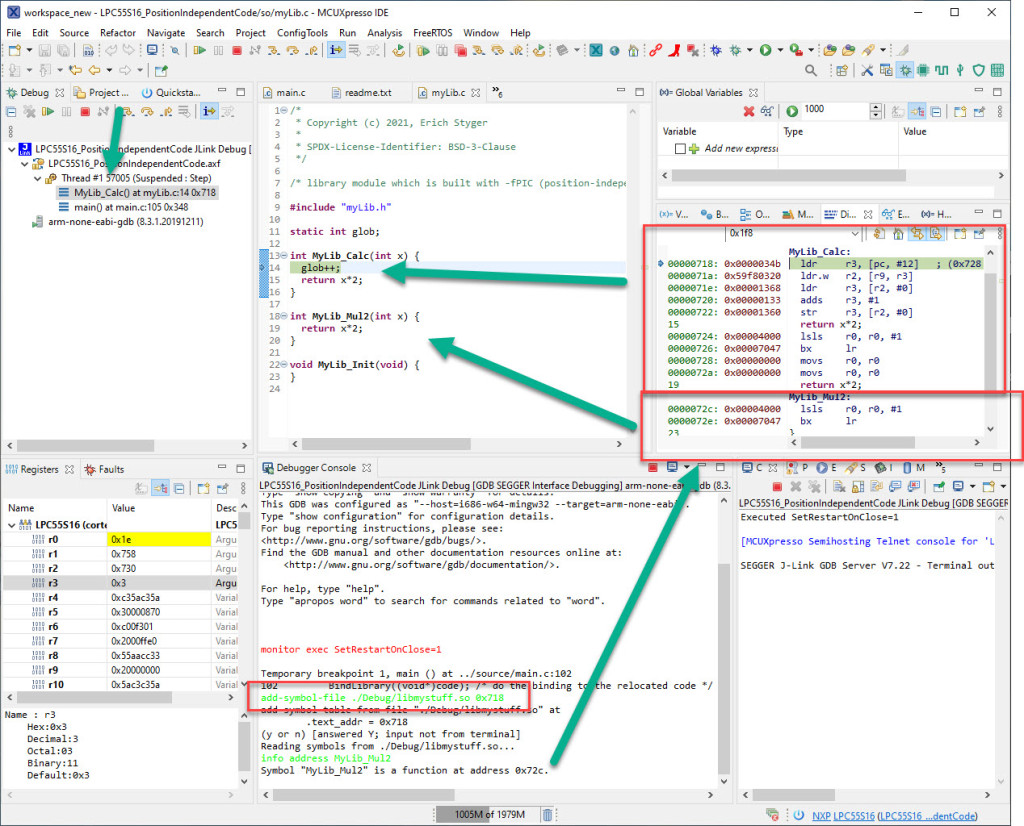
Welcome to ‘Alice in Wonderland‘! For a university research project using an ARM Cortex-M33 we are evaluating position-independent code as way to load applications or part of it with a bootloader. It sounds simple: just add -fPIC to the compiler settings and you are done.
Unfortunately, it is not that simple. That option opened up a ‘rabbit hole’ with lots of wonderful, powerful and strange things. Something you might not have been aware of what could be possible with the tools you have at hand today. Leading to the central question: how is position-independent code going to work with an embedded application on an ARM Cortex-M?
Let’s find out! Let’s start a journey through the wonderland…
Managed linker scripts are great on one side: the simplify the otherwise complex GNU linker script handling. On the other side it requires knowledge how to tweak them in case ‘non-standard’ behavior is needed.
One major concern of embedded system development is performance. Microcontroller have more MHz than in the past, but embedded applications are all about timing and real-time aspects.
The challenge is: how to get data off the target in realtime? SWO can help with this….






 MCU on Eclipse