There is a new feature in the SEGGER SystemView: the ability to plot any data provided by the application, for example sensor data or any other useful data:


There is a new feature in the SEGGER SystemView: the ability to plot any data provided by the application, for example sensor data or any other useful data:
If you are developing Linux or desktop applications with GNU tools, you very likely are familiar with gcov: the GNU coverage tool. It collects data what parts of the code gets executed and represents that in different formats, great to check what is really used in the application code or what has been covered during multiple test runs.
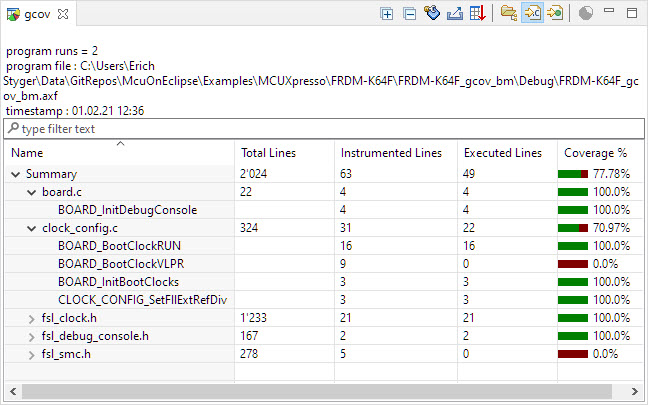
Coverage Information with gcov
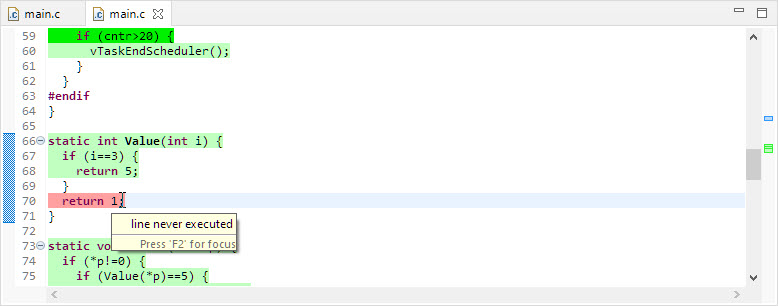
line never executed
GNU coverage is possible for resource constraint embedded systems too: it still needs some extra RAM and code space, but very well spent for gathering metrics and improves the firmware quality. As I wrote in “MCUXpresso IDE V11.3.0 for 2021” things are now easier to use, so here is a short tutorial how to use it.
In “Tutorial: MCUXpresso SDK with Linux, Part 1: Installation and Build with Maked” I used cmake and make to build the SDK application. In this part I’m going to use the command line gdb to debug the application on the board.

Cross-Debugging with GDB
I admit: my work laptop machine is running a Windows 10 OS by default. But this does not prevent me running Linux in a Virtual Machine (VM). Each host platform has its benefits, and I don’t feel biased to one or the other, but I have started using Ubuntu more and more, simply because I have worked more on Embedded Linux projects. While I have used mostly Windows with Eclipse for NXP LPC, Kinetis and i.MX platforms in the past, I started using Ubuntu too from last year with the NXP MCUXpresso SDK. I did not find much documentation about this on the web, so I thought it might be a good idea to write a tutorial about it. So here we go…

Building NXP MCUXpresso SDK on Linux Ubuntu
My mantra is *not* to use any floating point data types in embedded applications, or at least to avoid them whenever possible: for most applications they are not necessary and can be replaced by fixed point operations. Not only floating point operations have numerical problems, they can lead to performance problems as in the following (simplified) example:
#define NOF 64Continue reading
static uint32_t samples[NOF];
static float Fsamples[NOF];
float fZeroCurrent = 8.0;
static void ProcessSamples(void) {
int i;
for (i=0; i < NOF; i++) {
Fsamples[i] = samples[i]*3.3/4096.0 - fZeroCurrent;
}
}
Sometimes I start a project with an ARM microcontroller, and in the middle of the project I find out that it was a wrong choice at the beginning and I need to switch the microcontroller derivative or even the used ARM core. With little knowledge of the project structure and the files needed, such a switch is not the easiest thing, but definitely possible.

switching cores
You might wonder what ‘Zork‘ is? Zork is one of the first and earlist fictive computer games, written around 1977 and 1979, written in MDL on a DEC PDP-10 by members of the MIT Dynamic Modelling group (see https://en.wikipedia.org/wiki/Zork). I believe the first time I have played Zork was around 1984 on a Commodore 64.

Zork
With Eclipse as IDE it is very easy to debug an application on a board. Still sometimes it is useful to get one level down and control the GDB server directly.

Monitor Flash Download
Unit testing is a common practice for host development. But for embedded development this still seems mostly a ‘blank’ area. Mostly because embedded engineers are not used to unit testing, or because the usual framework for unit testing requires too many resources on an embedded target?
What I have used is the μCUnit framework which is a small and easy to use framework, targeting small microcontroller applications.
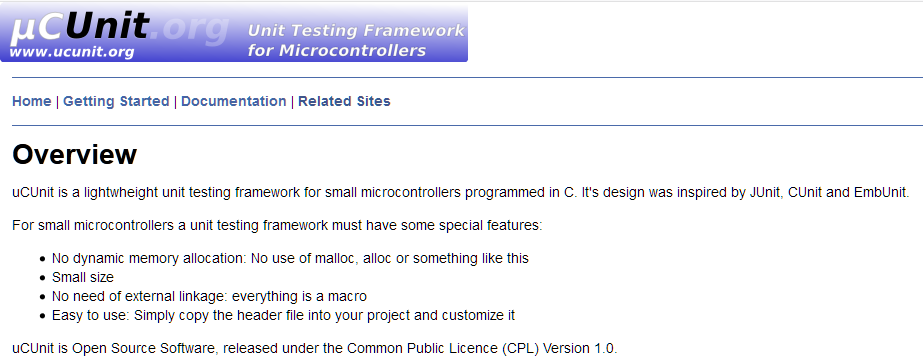
uCUnit
In my “Tutorial: Catching Rogue Memory Accesses with Eclipse and GDB Watchpoints” I have used Eclipse/CDT and GDB watchpoints. I used a conditional watchpoint, but this comes with a performance hit. In this article I show how to use the ARM Cortex trace hardware to catch specific writes to a memory location. Without severe performance degradation. But for this I need a little helper: the DEADBEEF catcher!

0xdeadbeef catcher
 MCU on Eclipse