The latest FreeRTOS V11 release includes an interesting feature: a heap protector feature, which can help detect memory corruption early at runtime.


The latest FreeRTOS V11 release includes an interesting feature: a heap protector feature, which can help detect memory corruption early at runtime.
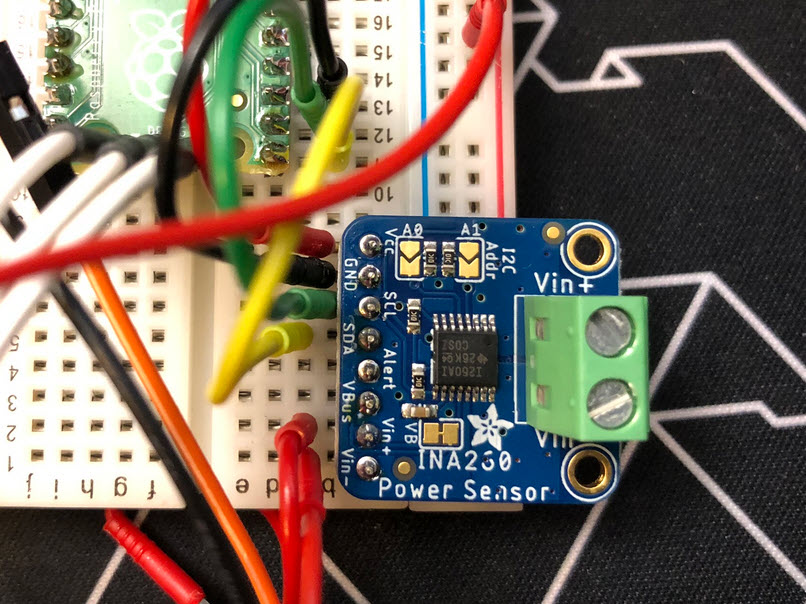
For a research project and demonstrator at HSLU university I have to measure voltage a DC voltage and current. For this I’m planning to use the Texas Instrument Texas Instruments INA260, so I had to quickly develop a software driver for it.
Maybe you are using a multi-core device in your projects, but have not tapped into multi-core usage yet? FreeRTOS V11.0 is out, and the big news is that it has finally Symmetric Multi-Processing (SMP) integrated into the mainline. This greatly simplifies FreeRTOS usage, as I finally can use the same RTOS for my SMP targets and boards, and I can easily switch between single-core and multi-core applications.

One key element of a CI/CD pipeline is the automatic testing phase: whenever I check in new source code or manually trigger it, I can run a test suite to make sure that the changes do not break anything. For this, I have to run automated tests. For an an embedded target, it means that I have to run some tests on the board itself too.

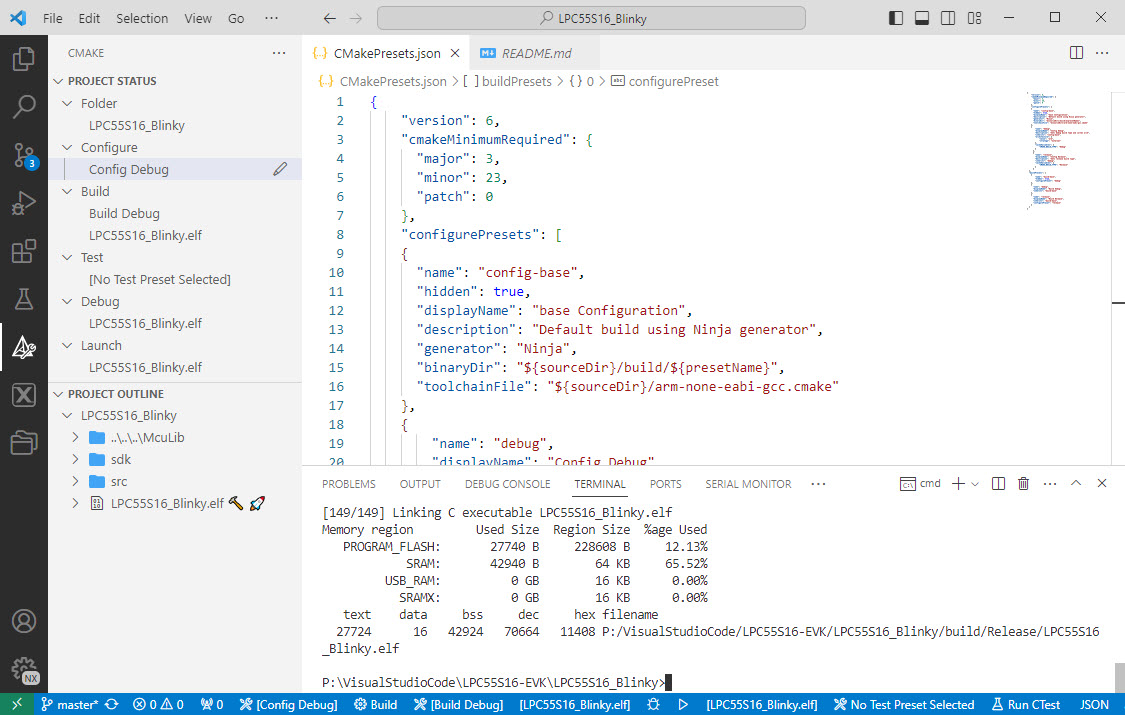
I’m getting my head more and more around CMake and its features. After having so many issues with VS Code dealing with CMake Kits, I have found feature in CMake which really is a game changer for me: CMake Presets.
An important part of every CI/CD pipeline is having a testing phase. In this article I show how to use GNU gcov (coverage) with an embedded target, using Visual Studio Code as front end:

With this, I can run the code on the embedded target which stores the coverage data on the host.
Continue readingThere are many cases where setting a breakpoint on a line of code does not help much. Cases like data or variables get modified from somewhere. That can be data in a linked list somewhere, and all what I have found out so far that it gets changed or corrupted. But I do not know what piece of code is responsible for it.
The solution for such problems are ‘data breakpoints’ or ‘watchpoints‘. Still, not many developers seem to be aware of watchpoints? They are incredibly helpful. And VS Code has at least some basic support for it.

What makes Microsoft Visual Studio Code really useful is the concept of Extensions: Probably for every problem or use case you might find an extension. There are more than 40K extensions available for VS Code. And VS Code asks to install extensions:

The issue with this is: more and more extensions get added, making VS Code slower and slower, caused by that ‘extension creep’. Even worse: extensions can cause conflicts, and clutter the development flow. Luckily, there is a cure for this in VS Code: Profiles.

One important thing in using VS Code and CMake projects is that one needs to have a CMake kit assigned to the project. But after a restart of VS Code or if I re-load a project, VS Code has lost the previously assigned CMake kit:

This is very annoying, but luckily I have found a fix for this.
Continue readingI’m working recently on a new lecture module using the Raspberry Pi Pico (RP2040) board, which highlights several aspects of modern software engineering, including DevOps and CI/CD. An important part of any CI/CD pipeline is testing. For a host application, one could pass arguments to the application, e.g. ‘myapp --test=module1‘, or let it read such information from a configuration file which describes the tests. Or write GNU gcov data to a file to collect coverage information.
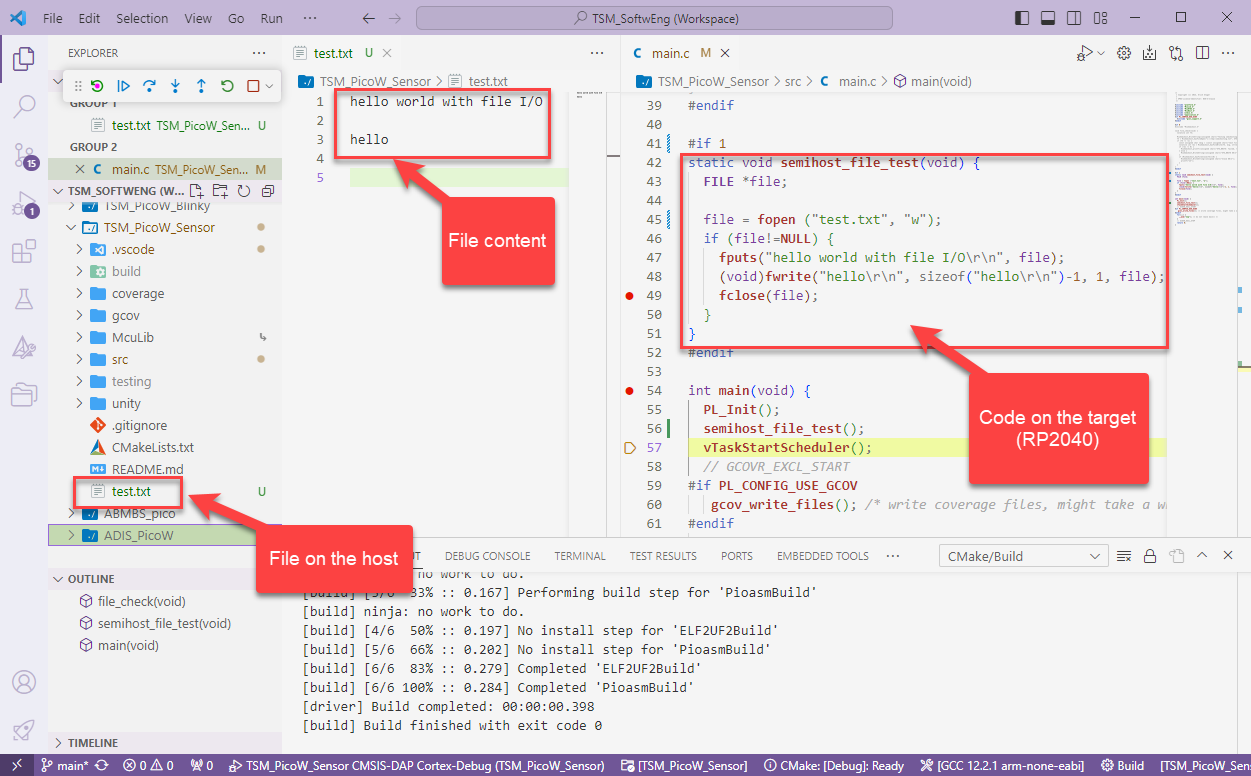
Unfortunately, a normal embedded application has no argv[], and many system have no file system. A solution to this problem would be using semihosting with file I/O. Unfortunately for the Raspberry Pi Pico SDK 1.5.1 for the RP2040, there is no semihosting file I/O implemented :-(.
I have now implemented and added file I/O to the SDK, making it possible for the RP2040 to access and use files on the host, among other things. This greatly extends the capabilities of the device, and is very useful for testing, including gathering test coverage information.
 MCU on Eclipse