Optimized and Easy-to-Use Eclipse Toolbars and Menus

I love Eclipse because as an IDE it can do pretty much everything. Up to the point that some call it an ‘Eierlegende Wollmilchsau‘: something which can do anything. But with all the tools, menus and features, it can be daunting for a someone new to Eclipse. But the good news is: Eclipse is very versatile and can be customized to make it easier and simpler to use too. In this article I show how I’m tweaking it the way I want it, with just the menus and buttons I need:

Eclipse Optimized Menus and Toolbars

Eclipse Optimized Menus and Toolbars

Continue reading

Tutorial: Maximum Clock Frequency for Kinetis using MCUXpresso Clock Tools

The tinyK22 board with the NXP K22FN512 is a bread-board-friendly small board with a 8 MHz external oscillator:

tinyK22 Board

tinyK22 Board

This tutorial is about how to use the NXP MCUXpresso Clock configuration and configure the board to the maximum clock frequency of 120 MHz. The same steps apply to many other boards, including the FRDM-K22F one.

Continue reading

Visualizing Data with Eclipse, gdb and gnuplot

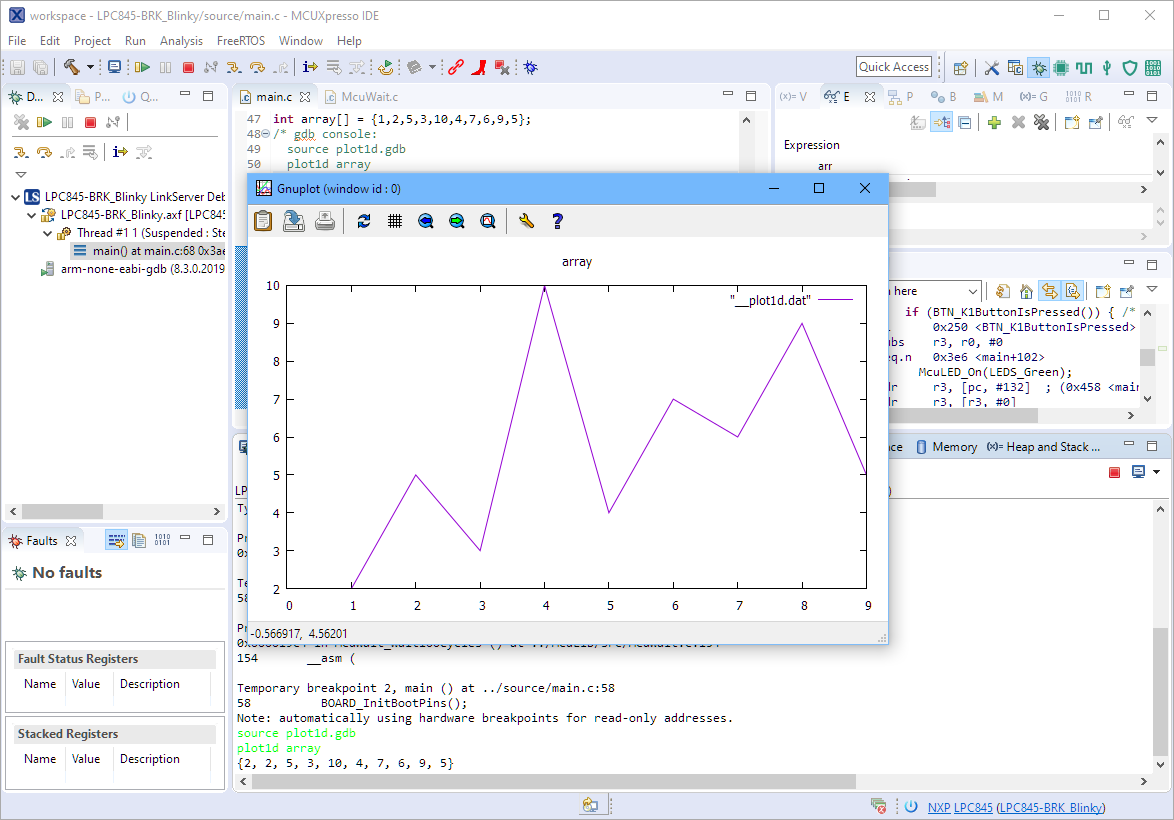
The gnuplot is a versatile and powerful tool to plot and visualize all kind of data. I wish there would be a plugin for it in Eclipse. But as this is not (yet?) the case, here is how I’m using it with gdb and Eclipse, using the MCUXpresso IDE as example.

Gnuplot with Eclipse

Gnuplot with Eclipse

Continue reading

Enable Default FreeRTOS Debugging for LinkServer Debug Connections

Most of my projects are using FreeRTOS, and I’m using different Debug Probes (SEGGER, P&E and LinkServer) to debug NXP devices.

The NXP LinkServer debug connection is able to show the RTOS threads in Eclipse/MCUXpresso IDE which is incredibly helpful:

FreeRTOS Thread Aware Debugging with LinkServer Connection

FreeRTOS Thread Aware Debugging with LinkServer Connection

However, by default this is turned off. In this article I show how to turn this on by default.

Continue reading

Ways to apply Eclipse CDT C/C++ Project Settings

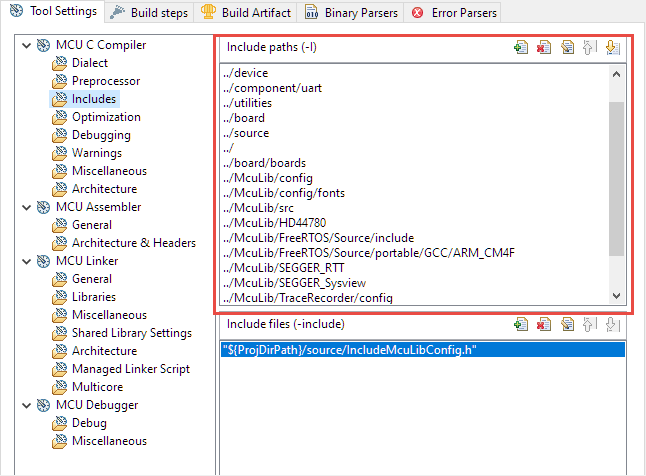
Eclipse with its CDT managed Make system makes it easy to build projects, because it can handle a lot of the background tasks and settings between the project and the build setting. It can get a bit difficult if I want to include a library or other sub-source project for which I have to add extra compiler #define or add extra includes path settings.

Eclipse project settings for incliude paths

Eclipse project settings for include paths

This article show the different ways I have found to make such imports (and exports) easier.

Continue reading

Listing Code and Data Size for all Files with the GNU size Utility in a Post-Build Action

The GNU size utility which is part of the GNU build tools shows code and data size for archive or object files. It is usually used as a post-build step in Eclipse CDT to show text, data and bss at the end of the build:

Detailed size information for each file

Detailed size information for each file

Continue reading

MCUXpresso IDE V11.1.0

Right before Christmas 2019, NXP has released a new version of the MCUXpresso IDE, the version 11.1.0. This gave me time to explore it over the Christmas/New-Year break and evaluate it for the next university semester. There are several new features which will make my labs using it easier, so I plan to get the course material updated for it.

MCUXpresso IDE V11.1.0 Welcome Screen

MCUXpresso IDE V11.1.0 Welcome Screen

After the break you will find the highlights …

Continue reading

Implementing FreeRTOS Performance Counters on ARM Cortex-M

When using an RTOS like FreeRTOS, sooner or later you have to ask the question: how much time is spent in each task? The Eclipse based MCUXpresso IDE has a nice view showing exactly this kind of information:

FreeRTOS Runtime Information

FreeRTOS Runtime Information

For FreeRTOS (or that Task List view) to show that very useful information, the developer has to provide a helping hand so the RTOS can collect this information. This article shows how this can be done on an ARM Cortex-M.

Continue reading

DIY ‘Meta Clock’ with 24 Analog Clocks

Human since 1982 claims

“Human since 1982 have the copyright to works displaying digital time using a grid arrangement of analog clocks…”

I’m not a lawyer, but without obligations (imho) I have removed the content.

You can read more of the details here: Copyright Law for Makers and Educators

Thanks for understanding,

Erich