Accessing GNU Linker Script Symbols from C/C++

With the GNU compiler and linker I can place variables into custom sections (see “Defining Variables at Absolute Addresses with gcc“). This article is about how to get the section start and end address so I can for example access that range in my code. Or in general ways: how to use symbols defined in the linker script accessible in the C source code.

Using Linker Script Symbols in Source Code

Using Linker Script Symbols in Source Code

Continue reading

Tutorial: Updating Embedded Linux on Toradex i.MX7 Colibri Module using SD Card

My Toradex i.MX7Dual module comes with a preflashed Linux distribution (see “Tutorial: First Steps with NXP i.MX7 and Toradex Colibri Board“). As with any other things, Linux gets updated from time to time, and Toradex publishes new firmware. In this article I’m documenting how I can update Linux in the external FLASH on that module.

NXP i.MX7Dual Module

NXP i.MX7Dual Module

Continue reading

Tutorial: Running FreeRTOS on NXP i.MX7Dual Cortex-M4F

In my previous article (see “Tutorial: First Steps with NXP i.MX7 and Toradex Colibri Board“) I have booted the i.MX7 on a Toradex CPU module. In this post I’m showing how to run a FreeRTOS application on that board.

UART-A and UART-B Connections

UART-A and UART-B Connections

Continue reading

Tutorial: Using Single Wire Output SWO with ARM Cortex-M and Eclipse

As a standard procedure, I add some console functionality to my embedded applications. That way I have a command line interface and can inspect and influence the target system. One interesting hardware feature of ARM Cortex-M is Single Wire Output (SWO): it allows to send out data (e.g. strings) over up to 32 different stimulus ports, over a single wire.

swo-pin-on-arm-debug-header

swo-pin-on-arm-debug-header

Continue reading

FreeRTOS Kernel Awareness with Ozone

In my first post about Segger Ozone (see “First Steps with Ozone and the Segger J-Link Trace Pro“) I missed the fact that it includes support for kernels like FreeRTOS. So here is how to show the FreeRTOS (or any other RTOS) threads with Ozone:

freertos-threads-in-ozone

freertos-threads-in-ozone

Continue reading

Tutorial: RFID Tags with the NXP NFC Controller PN7120 and Eclipse

Playing with RFID and NFC is definitely fun :-), and they are everywhere! For a research project I’m exploring different RFID tags and solutions. I several types around for a long time, but never found the time to actually work on it, so last nightI thought I give it a try, and I have it working with GNU ARM and Eclipse, powered by the NXP FRDM-K64F board 🙂

NXP NFC PN7120S

NXP NFC PN7120S with a FRDM-K64F Board

Continue reading

ARM Cortex-M, Interrupts and FreeRTOS: Part 2

In “ARM Cortex-M, Interrupts and FreeRTOS: Part 1”  I started with the ARM Cortex-M interrupt system. Because the ARM implementation cann be very confusing, I confused myself and had to fix and extend the description in Part 1 :-). Thank for all the feedback and comments!

Originally I wanted to cover FreeRTOS in Part 2. Based on the questions and discussions in Part 1 I thought it might be a good idea to provide visual examples.

NXP KV58F ARM Cortex-M7

NXP KV58F ARM Cortex-M7

Continue reading

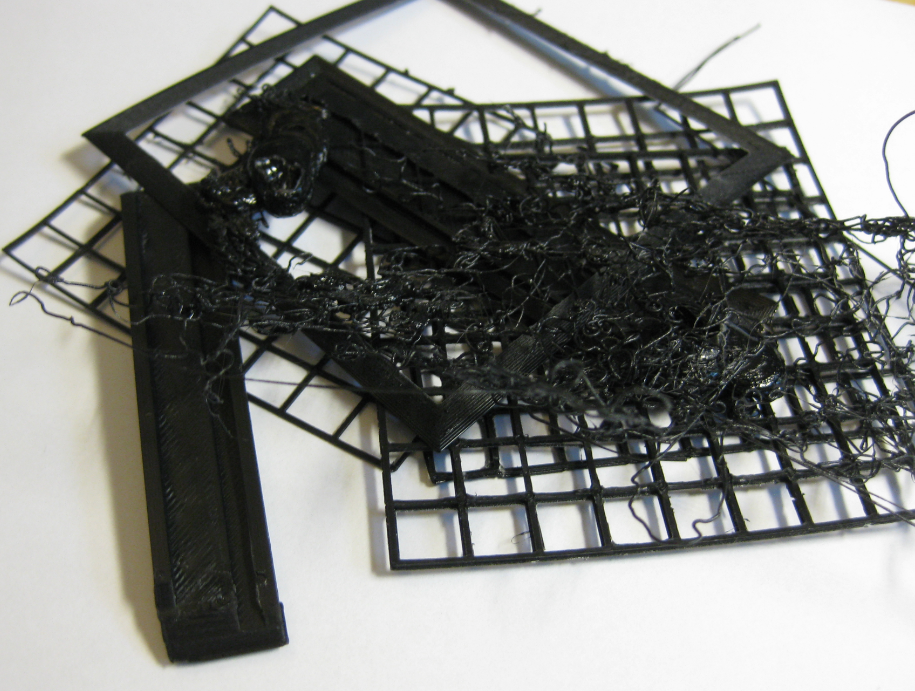
Avoid Warping ABS on Ultimaker 2

3D printing is like cooking or like BBQ: It is more about barometric pressure, humidity and temperature than you might  think of. To me, printing (and cooking) is a combination of art and science. And as with cooking, sometimes the result is not usable.

I’m very happy with the Ultimaker 2 printing PLA material. For a LED matrix project I have to use ABS as this material is suitable for higher temperature: PLA simply will not stand the heat produced by the LEDs I’m going to use. And here the joy ended: printing using ABS was definitely no fun. While the first small test print came out OK, I produced afterwards a pile of unusable parts because of warping :-(.

Pile of bad ABS Parts

Pile of bad ABS Parts

Continue reading