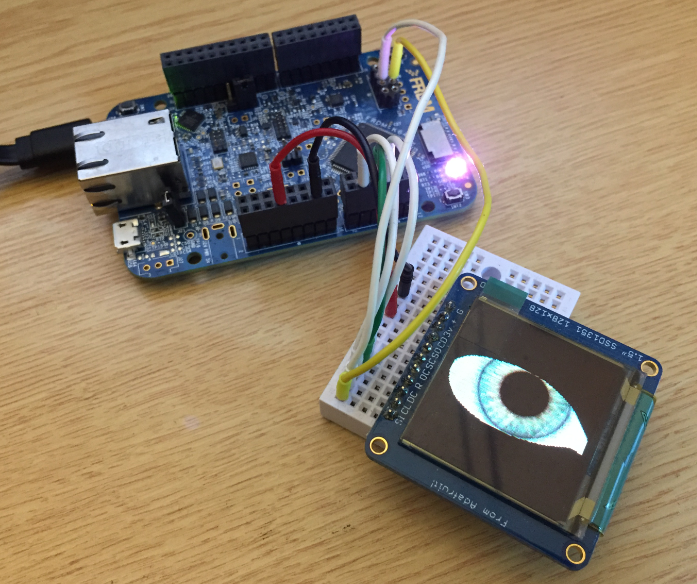
First Steps with the NXP i.MX RT1020 EVK Board

Powerful ARM Cortex-M7 microcontroller are on the rise, bridging the gap between traditional microcontroller and Embedded Linux systems. I already published articles for the NXP i.MX RT1052 which is an ARM Cortex-M7 running at 600 MHz. Because the RT105x is available in BGA196 package only, I have as oredered the i.MX RT 1050 EVK which has a similar device on it, but in LQFP package:

i.MX RT1021
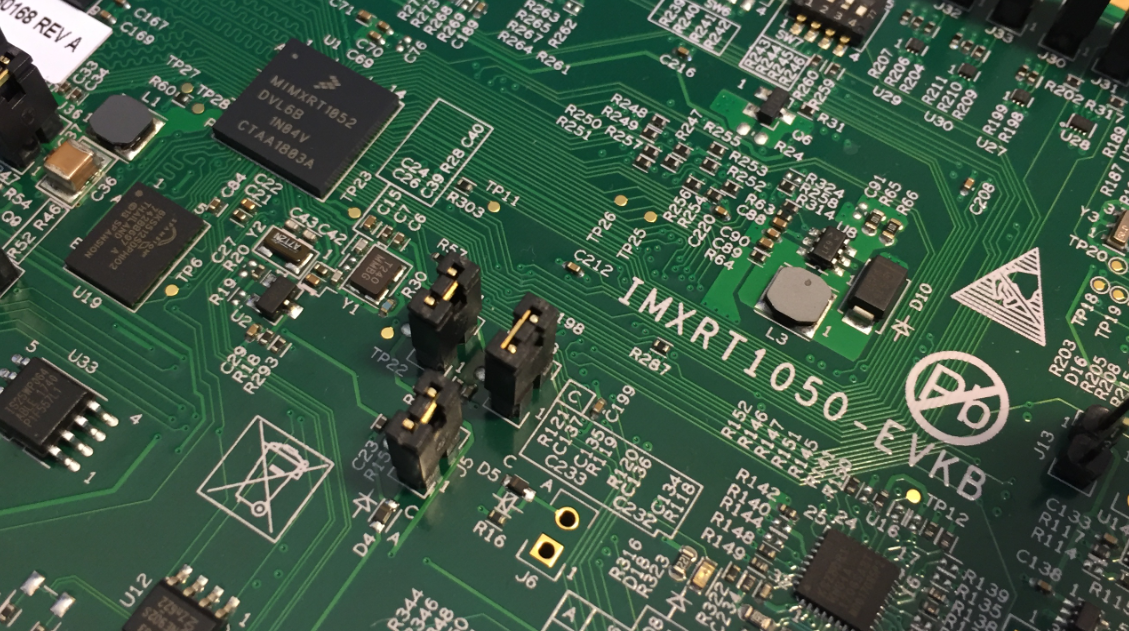
i.MX RT1021

Continue reading

i.MX RT1050 EVK vs. EVKB

I noticed on Mouser.com that there is a new i.MX RT1050 board: the EVKB one. I have used the EVK (the one without the ‘B’) for several weeks (see “MCUXpresso IDE V10.1.0 with i.MX RT1052 Crossover Processor” and “Adding a Rocktech Capacitive Touch LCD to the NXP i.MX RT1052 EVK“). I needed anyway a second board, so I ordered that EVKB from Mouser, and after some delay and waiting it arrived on my desk. So far this boards seems to be a better one:

i.MX RT1050 EVKB Board

i.MX RT1050 EVKB Board

Continue reading

Display Library Function Help Text in Eclipse C/C++ Projects

In this short article I show you how to enable one of the hidden gems in Eclipse: how to get a description of the library function used in the code

Library Hover

snprintf() help text

Continue reading

Tutorial: Using Runtime Statistics with Amazon FreeRTOS V10

FreeRTOS includes a nice feature to give me information about how much time every task is spending running on the system:

FreeRTOS Runtime Information

FreeRTOS Runtime Information

This tutorial explains that FreeRTOS Runtime Statistics feature and how it can be turned on and used.

Continue reading

Debug the Last Launched Application with Eclipse and other Debug Tricks

My usual workflow is: edit – build – debug and repeat. And this for the same project again and again. So here are a few tips how to make these iterations faster with Eclipse. One thing is to use the F11 shortcut to debug the last launched/debugged application:

Debug Last Launched

Debug Last Launched

Continue reading

Porting Processor Expert Projects to MCUXpresso IDE

The McuOnEclipse GitHub repository hosts many Processor Expert projects and is very popular (cloned more than 1000 times, thank you!). Processor Expert is a powerful framework which generates driver and configuration code, simplifying application development for a wide range of microcontroller and families. But Processor Expert won’t be developed further by NXP and is not part of MCUXpresso IDE. While it is possible to install Processor Expert into MCUXpresso IDE 10.2, how can these projects used ini an IDE *without* Processor Expert? This article describes how to port an existing Processor Expert project into the NXP MCUXpresso IDE.

Adafruit SSD1351 with FRDM-K64F

Ported Project with FRDM-K64F using Adafruit SSD1351 and Processor Expert

Continue reading

GNU Link Time Optimization finds non-matching Declarations

By default, the GNU compiler (gcc) optimizes each compilation unit (source file) separately. This is effective, but misses the opportunity to optimize across compilation units. Here is where the Link Time Optimization (LTO,  option -flto) can help out: with a global view it can optimize one step further.

The other positive side effect is that the linker can flag possible issues like the one below which are not visible to the compiler alone:

type of '__SP_INIT' does not match original declaration [enabled by default]
Warning by LTO

Warning by LTO

Continue reading

Do you Speak Klingon? How to change the Eclipse IDE UI Language with Babel

We in Switzerland are proud about the fact that our country has four official languages: Italian, French, German and Romansh. Most of Swiss people speak at least two of them, plus the inofficial fifth language (English).

Eclipse is even better than that and speaks 46 different languages. If you are not happy with the default language, try out Babel! And yes, Eclipse has a language pack for Klingon too:

Babel Language Packs in Klingon

Babel Language Packs in Klingon

🙂

Continue reading

Overview of MCUXpresso IDE v10.2.0

Decisions, decisions! Such long weekends like Pentecost are a real challenge for a family with engineers:

  1. Should we join that record long traffic jam to Italy and be stuck for more than 4 hours and analyze it?
  2. Or: should we stay home, turn the BBQ smoker engine on fire, load it with baby back pork rib racks for a slow-and-low smoke treatment, while doing some on-the-side IDE and technology exploration?

Well, my family vote was kind of clear: they have chosen that second option. Not to mention that hidden technology piece in it, but that was part of the deal ;-).

And I’m sorry: this article is not about BBQ (for this see “Smoking BBQ Baby Back Ribs – Swiss Style“), it is about technology: I’m using the NXP MCUXpresso IDE and tools for many of my projects (see “Eclipse MCUXpresso IDE 10.1 with integrated MCUXpresso Configuration Tools“). Right before the this extended weekend, NXP has released the new v10.2.0 version, so here is where that technology exploration piece comes into play. Checking the release notes, this version number change includes so many cool stuff I decided to have a look and to check it out. Of course always having an electronic eye on the baby back ribs!

MCUXpresso IDE v10.2.0

MCUXpresso IDE v10.2.0

Continue reading

Debugging ARM Cores with IP based Debug Probes and Eclipse

Using IP (Ethernet) based debug probes is a very handy thing: I don’t have to be directly connected to the debug probe (e.g. with the USB cable). This article explains how to use an IP-based Segger or P&E probe with the Eclipse based MCUXpresso IDE.

LAN Based Debugging

LAN Based Debugging

Continue reading