Tutorial: Adafruit WS2812B NeoPixels with the Freescale FRDM-K64F Board – Part 3: Concepts

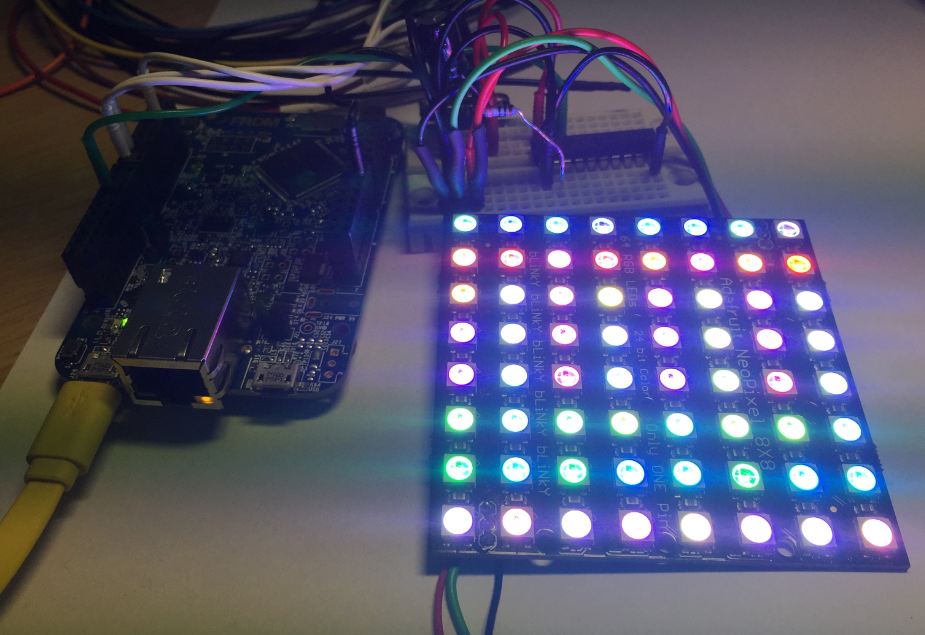
This is Part 3 of a Mini Series. In Part 2, I described how to set up the development tools and to debug the first project (see “Tutorial: Adafruit WS2812B NeoPixels with the Freescale FRDM-K64F Board – Part 2: Software Tools“). Now it is time to look into the software concepts. The goal is to drive Adafruit’s NeoPixel (WS2812B) with the Freescale FRDM-K64F board:

Adafruit 8x8 NeoPixel Shield with Freescale FRDM-K64F Board

Adafruit 8×8 NeoPixel Shield with Freescale FRDM-K64F Board

Continue reading

Tutorial: Adafruit WS2812B NeoPixels with the Freescale FRDM-K64F Board – Part 2: Software Tools

This is Part 2 of a Mini Series. In Part 1, I described how to set up the hardware (see “Tutorial: Adafruit WS2812B NeoPixels with the Freescale FRDM-K64F Board – Part 1: Hardware“). Now it is time to have the software tools ready. In this post I describe to have the IDE (Freescale Kinetis Design Studio) with the Freescale SDK installed, along with the correct firmware on the FRDM-K64F Board. The goal is to drive Adafruit’s NeoPixel (WS2812B) with the Freescale FRDM-K64F board:

Freescale FRDM-K64F with NeoPixels

Freescale FRDM-K64F with NeoPixels

Continue reading

Tutorial: Adafruit WS2812B NeoPixels with the Freescale FRDM-K64F Board – Part 1: Hardware

This is Part 1 of a Mini Series. Manya has challenged herself to use the Adafruit NeoPixels (WS2812B RBG LEDs) with the Freescale FRDM-K64F board and the Kinetis SDK (see “Let’s play with Freescale FRDM-K64F“). I did a while back that with the FRDM-KL25Z board (see “NeoShield: WS2812 RGB LED Shield with DMA and nRF24L01+“). I used Processor Expert in my project (without the Kinetis SDK), and with this setup it is very easy. However, Manya wanted to do this with the Kinetis SDK and without Processor Expert. No surprise to me, she has found out that this setup with the Kinetis SDK and without the usage of Processor Expert is much more challenging (see “Not done yet!!“). I promised to Manya to give her a helping hand, so here we go! 🙂

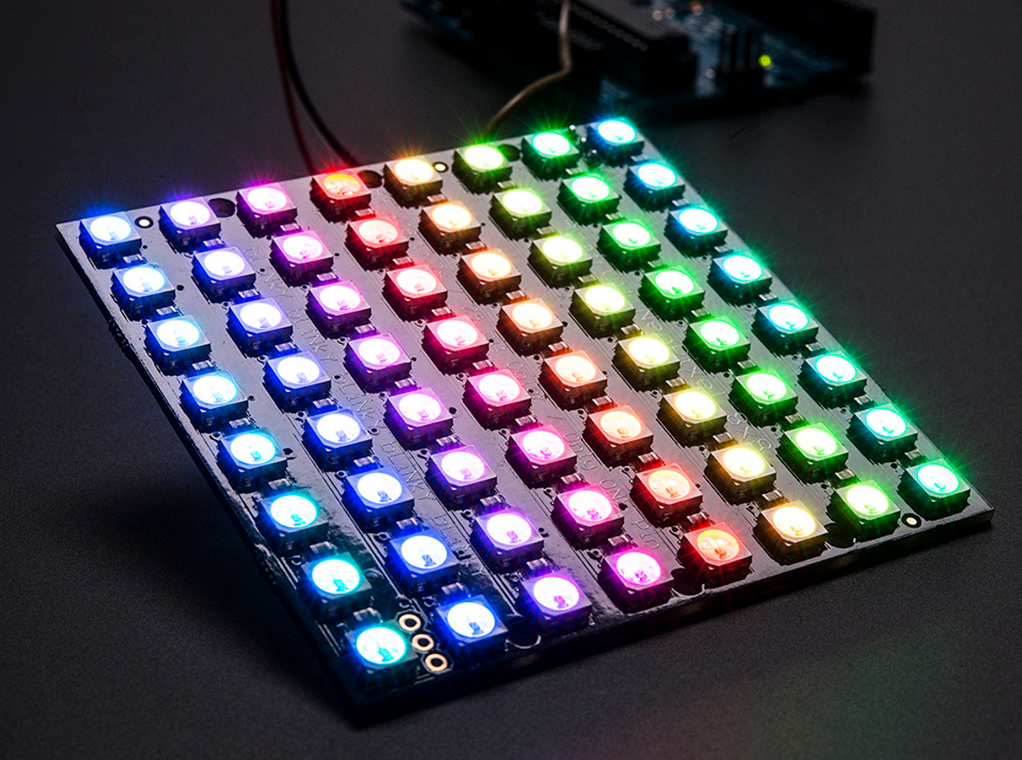
Adafruit 8x8 NeoPixel Shield with Freescale FRDM-K64F Board

Adafruit 8×8 NeoPixel Shield with Freescale FRDM-K64F Board

Continue reading

To write a program using KDS with Kinetis SDK!!

Starting from the baby steps for our project seems like a good idea but not very helpful though. Learning and understanding Kinetis SDK seems like a lot of work. Meanwhile, I would like to share an important piece of information that I found on my path of working on this project. Many of you might already know, but being a first time user of Kinetis SDK 1.2.0, I found that there are few differences between Kinetis SDK 1.1.0 and Kinetis SDK 1.2.0. I was trying my hands on to use the KDS with KSDK.

So, In order to create a KDS project with Kinetis SDK, I need to create new folders, add different files and the libraries to my project. I didn’t look into all this with much detail before. I would recommend all to go through this link in order to understand using KDS with Kinetis SDK1.1.0 and Kinetis SDK 1.2.0.

This is how it looks after you have added everything:
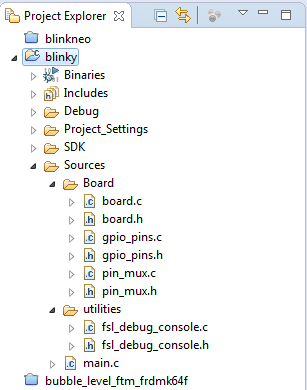
Project Explorer view

Project Explorer view

  Continue reading

Unboxing the Freescale FRDM-KL43Z Board

I’m preparing for the next semester at the university starting in September this year. As part of that, I’m currently evaluating the Freescale Kinetis FRDM-KL43Z board:

FRDM-KL43Z Board Unpacked

FRDM-KL43Z Board Unpacked

Continue reading

Freescale Freedom Board Tutorials on Element14

I have found several excellent tutorials created by Bheema Rao on element14: He uses many of the McuOnEclipse components, features Kinetis Design Studio/Eclipse and shows how to use the Kinetis SDK, toggling/dimming LED’s on Freescale Freedom Boards.

element14

element14

Continue reading

How to use Kinetis Design Studio!!

Getting the hands on an embedded project has always been exciting for me. So, here I am again with my blog trying to provide you with an easy to use guide for the Kinetis Design Studio 3.0.0 (KDS_3.0.0). Well, as you all know I am an intern at Freescale working for the first time on KDS, I will tell you what all we can do to start working on it with a perspective of a novice. But personally I feel KDS is one of the most encouraging IDE you can work on. So how do I start with my code for our NeoMatrix board? I am currently working with one of the demo codes for the NeoMatrix:

https://mcuoneclipse.com/2015/07/10/lets-play-with-freescale-frdm-k64f/

So, my first task is to write the code in KDS for the NeoMatrix_Demo. How do I do that? After opening the KDS 3.0.0, I need to go to File and select New and then Kinetis Project. You can see that the New Kinetis Project wizard appears once you click the File>New> Kinetis Project. Type a name and click next.

b6f10 Continue reading

Learning about Kinetis SDK!!:)

We all know that for an application to develop, for a project to work we need hardware along with the software.  So here we are with our FRDM-K64F development boards, but the question is-how to make them work? I wrote in my second blog about the new getting started process by Freescale for the FRDM-K64F: http://www.freescale.com/webapp/sps/site/prod_summary.jsp?code=FRDM-K64F&tab=In-Depth_Tab

This link gives me the opportunity to download the very helpful Kinetis Software Development Kit (SDK) along with the Integrated Development Environment which includes the toolchain Kinetis Design Studio. Let us talk a bit about the Kinetis SDK in this blog. So what does Kinetis SDK is responsible for? In simple terms, it is just software framework which helps us in developing applications across all Kinetis Microcontrollers. It is a package of pre-written code that developers can re-use in order to minimize the amount of unique code that they need to develop themselves.

Continue reading

Let’s play with Freescale FRDM-K64F

Hello Again!

In my previous blog I talked about the new getting started process for Kinetis FRDM-K64F development board. Here I am with my next blog going one step further and introducing you to the target application that I have planned for this summer using the awesome FRDM K-64 development board from Freescale. I am planning to work on some really cool stuff that we can do from this board. And I came up with an idea for making an Adafruit NeoPixel NeoMatrix Signboard!!adafruit LED

Wait….does it sound boring to you? Nah… we are not planning some ordinary signboard. This Adafruit NeoPixel NeoMatrix signboard is really cool. It will display what you want to display and it will change the displayed text with just the movement of your hand. Sounds interesting now?? Continue reading

Tutorial: Using Processor Expert and FreeRTOS with Kinetis SDK V1.2

Freescale has released the new Kinetis SDK v1.2 back in May. Because of the changes in v1.2, previous applications (or my tutorials) do not work any more :-(. So time to write a new tutorial: how I can use Processor Expert with FreeRTOS for the Kinetis SDK v1.2.

Blinky Task with FreeRTOS and Kinetis SDK in KDS v3.0.0

Blinky Task with FreeRTOS and Kinetis SDK in KDS v3.0.0

Continue reading