A new eclipse-based NXP MCUXpresso IDE v11.10 is available With this new release, it includes an even easier firmware update mechanism for the MCU-Link (LinkServer) debug probes.

A new eclipse-based NXP MCUXpresso IDE v11.10 is available With this new release, it includes an even easier firmware update mechanism for the MCU-Link (LinkServer) debug probes.

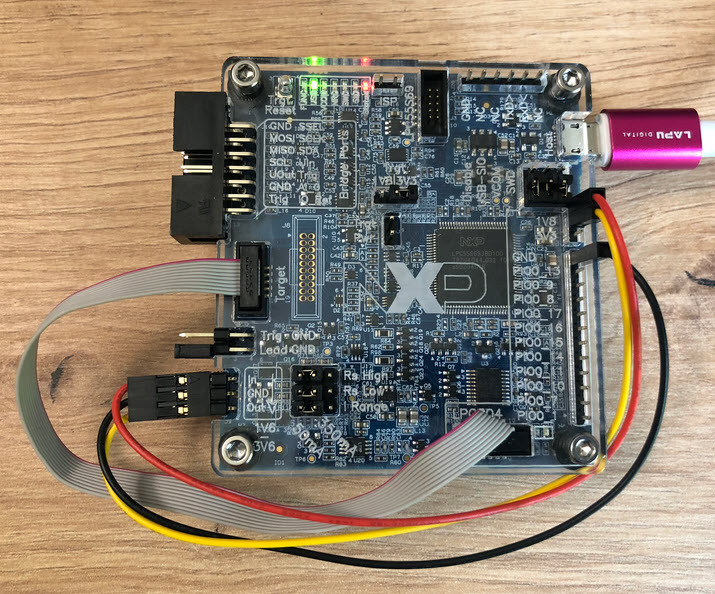
The NXP i.MX RT685 is an interesting device: an ARM Cortex M33 with a Cadence Xtensa audio DSP. To explore the features of the device, I’m using the NXP EVK board:

I have used it so far with the on-board MCU-Link debug probe and LinkServer. This article describes how I have added pyOCD as debug interface for the RT685, as well how to patch and use custom DFP (Device Family Pack) files with pyOCD and Eclipse.
Continue readingEurope is currently facing an ‘Energy Crisis,’ and ‘Sustainability’ is a popular topic among companies. However, embedded engineers go beyond talking—they take action and make tangible changes in the world. With the increasing use of electronic devices, minimizing their energy and power consumption is crucial. Optimizing systems for deep low power or deep low energy is a challenging task. Nonetheless, as I will demonstrate in this article, it is possible to reduce energy consumption by a factor of 100 or more. This article provides a brief overview of the foundational concepts and then applies them step-by-step to an ARM Cortex microcontroller.

This week I have received the new PCBs for the MCU-Link MR for drones and robots and have populated the parts on the PCB, and it works fine as UART bridge and debug probe for the PixHawk i.MX RT:

The MCU-Link debug probes are versatile and very useful debug probes from NXP. This article describes how to update the firmware on it, both the ‘traditional’ way with using the ISP jumper, and the new way using a command line script without the need to use a jumper.

Need to debug your robot or drone? In a HSLU university research project I’m using a Pixhawk and PX4 based drone hardware. Pixhawk and PX4 is an open standard for drone hardware and firmware and runs with NuttX RTOS. It is mainly used for drones, but is very capable for any other kind of mobile robots.
With the Pixhawk 6x-RT there is a powerful flight controller, using the NXP i.MX RT1176 dual-core processor. While this and other controller hardware do offer a hardware debug probe, it is not a simple task as there are different pin-outs and connectors, making debugging a mess with different cables and adapters. To simplify this, I have now a unified debug CMSIS-DAP debug probe using the NXP LPC55S69 as processor, with all the different headers and UART adapters included: the MCU-Link-MR (Mobule Robots) debug probe.

Who needs a debug probe, if you have printf()? If doing serious development, you most likely want a hardware debug probe. We at the HSLU IET use different hardware, boards and kits, and for many of the classroom equipment it is very useful to have the debug probe embedded on the target board: less cables, easier to use. For this we have developed a new Open Source Hardware (OSHW) debug probe in KiCad which can used in different ways: as external debug probe, integrated and soldered on top of the target board, or fully integrated and embedded into a custom design.

Maybe you are using a multi-core device in your projects, but have not tapped into multi-core usage yet? FreeRTOS V11.0 is out, and the big news is that it has finally Symmetric Multi-Processing (SMP) integrated into the mainline. This greatly simplifies FreeRTOS usage, as I finally can use the same RTOS for my SMP targets and boards, and I can easily switch between single-core and multi-core applications.

An important part of every CI/CD pipeline is having a testing phase. In this article I show how to use GNU gcov (coverage) with an embedded target, using Visual Studio Code as front end:

With this, I can run the code on the embedded target which stores the coverage data on the host.
Continue readingFor systematic debugging, an engineer needs a debug probe. For the Raspberry Pi Pico (RP2040) device there are plenty of debug options with VS Code.

In this article I show different options, from professional tools to DIY solutions and the settings in VS Code I’m using.
Continue reading