Debugging ARM Cores with IP based Debug Probes and Eclipse

Using IP (Ethernet) based debug probes is a very handy thing: I don’t have to be directly connected to the debug probe (e.g. with the USB cable). This article explains how to use an IP-based Segger or P&E probe with the Eclipse based MCUXpresso IDE.

LAN Based Debugging

LAN Based Debugging

Continue reading

Recovering OpenSDA Boards with Windows 10

Windows 8 and 10 have added a ‘feature’ to scan and index devices attached to the host machine. This means that bootloaders or MSD (Mass Storage Device) programming implementations on evaluation boards developed in the Windows 7 age might not be prepared for that. Up to the point that it can impact the bootloader as outlined in “Bricking and Recovering OpenSDA Boards in Windows 8 and 10“. So far one of the easiest way to get out that situation was to use a Windows 7 machine. But if you only have a Windows 10 machine available, this article describes the needed steps to update the bootloader with Windows 10 host machines.

OpenSDA LED

OpenSDA LED

Continue reading

Tutorial: CRC32 Checksum with the KBOOT Bootloader

In “Flash-Resident USB-HID Bootloader with the NXP Kinetis K22 Microcontroller” I presented how I’m using the tinyK22 (or FRDM-K22F) with a flash resident USB HID bootloader. To make sure that the loaded application is not corrupted somehow, it is important to verify it with a Cyclic redundancy Checksum (CRC). The NXP KBOOT Bootloader can verify such a CRC, but how to generate one and how to use it is not really obvious (at least to me), so this article explains how to generate that CRC.

CRC Values for KBOOT

CRC Values for KBOOT

Continue reading

Flash-Resident USB-HID Bootloader with the NXP Kinetis K22 Microcontroller

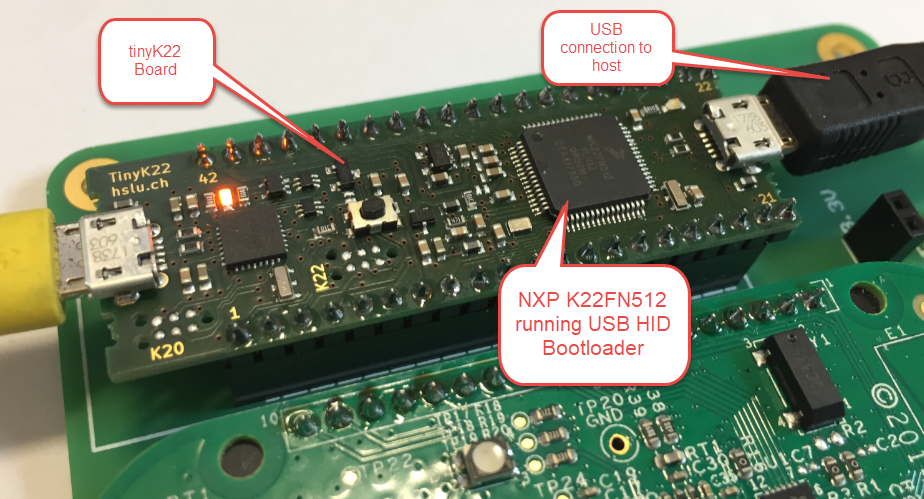
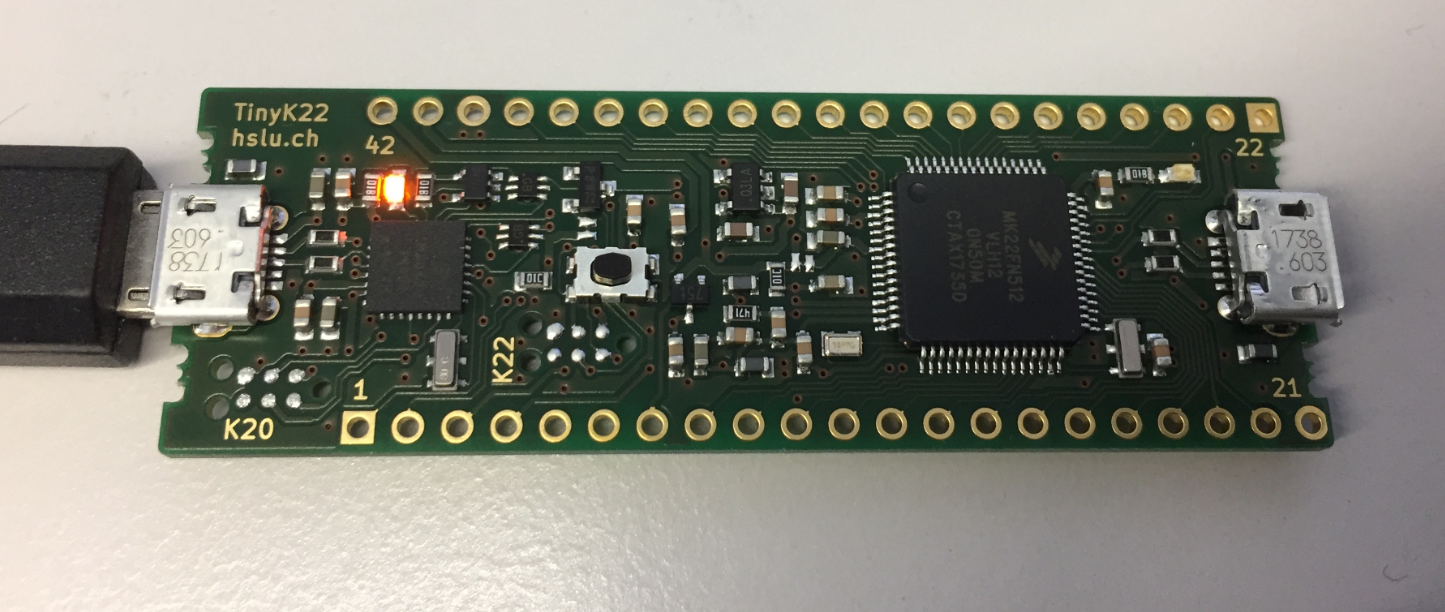
The tinyK22 board (see “tinyK22 Boards arrived“) gets rolled out at the Lucerne University of Applied Sciences and Arts, so I thought I write-up an article this weekend how to use that board with a Flash Resident Bootloader.

tinyK22 with USB HID Bootloader

tinyK22 with USB HID Bootloader

Continue reading

Debugging the Teensy 3.6 with Eclipse MCUXpresso IDE and CMSIS-DAP LPC-Link2

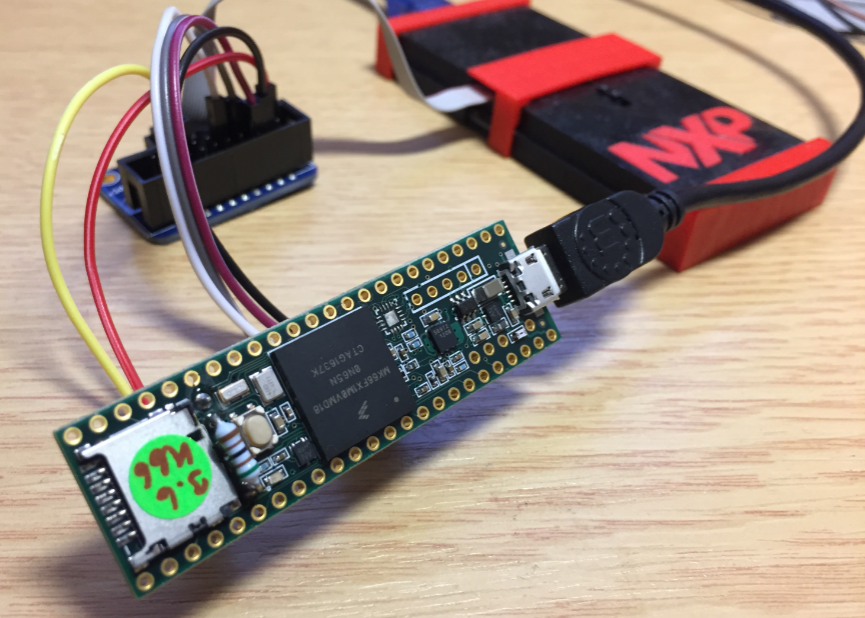
The Teensy boards are great, but as they are they are not really useful for real development, as they lack proper SWD debugging. In “Modifying the Teensy 3.5 and 3.6 for ARM SWD Debugging” I have found a way to get SWD debugging working, at that time with Kinetis Design Studio and the Segger J-Link. This article is about how debug the Teensy with free MCUXpresso IDE and the $20 NXP LPC-Link2 debug probe:

Teensy 3.6 with NXP LPC-Link2

Teensy 3.6 with NXP LPC-Link2

Continue reading

New Concept for 2018 Mini Sumo Roboter

Doing Mini Sumo robot competition is really fun, and there is yet another one coming to end the current university semester. For several years we have used our own sumo robot, and this is the one used in the course this year too. But for future and extended events we are exploring a new robot. I proudly present the concept of the next generation sumo robot for the year 2018:

Sumo Robot with Bluetooth module

Sumo Robot with Bluetooth module

Continue reading

MCUXpresso IDE V10.1.0 with i.MX RT1052 Crossover Processor

In “Eclipse MCUXpresso IDE 10.1 with integrated MCUXpresso Configuration Tools” I mentioned that I wanted to try the i.MX RT1050 processor. Well, finally my ordered board from Mouser arrived, right on time for the week-end, so I had a chance to use that ARM Cortex-M7 running at 600 MHz :-).

i.MX RT1050 EVK

i.MX RT1050 EVK

Continue reading

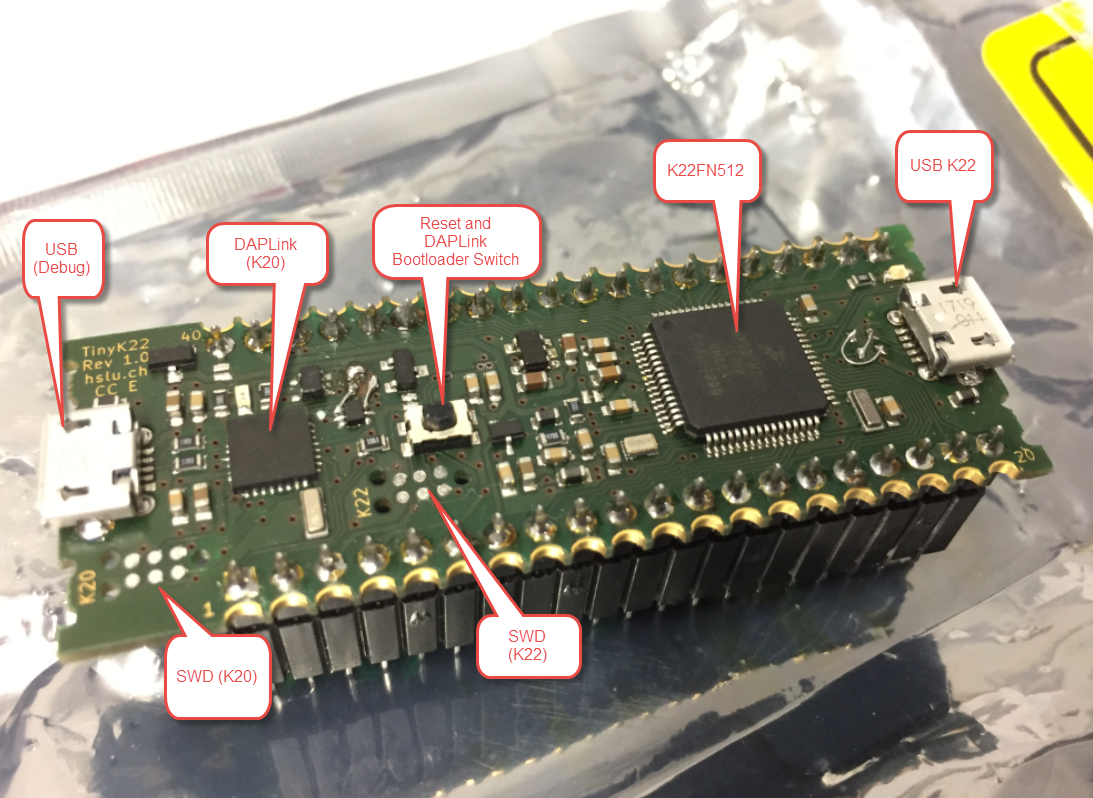
First tinyK22 Board with NXP K22FN512 ARM Cortex-M4F

The NXP Freedom boards are very popular. Many of them are inexpensive (less than $20), include a debug interface and can be easily extended with extra shields or boards. Especially the FRDM-KL25Z is very popular: I’m getting told because of Processor Expert and tutorials available on web sites like this one ;-).

Unfortunately there are no small or breadboard friendly Kinetis boards available. There is the NXP LPC800-DIP but with no onboard debugger and without Processor Expert support. We have the tinyK20, but projects tend to use more CPU power, FLASH and RAM space than what the tinyK20 board (50 MHz, 128 KByte FLASH, 16 KByte RAM) can provide. So we ended up designing the big brother of the first tinyK20: the tinyK22 with 120 MHz, 512 KByte of FLASH and 128 KByte of RAM.

tinyK22 Overview

tinyK22 Overview

Continue reading

Exploring a Microcontroller and Software and Tools for the next Project

I’m using many microcontroller in my projects. And a lot more are available out there in the ecosystem. Like many others, I tend to select what I am familiar with. But is this the correct approach to select the hardware and tools for a next project?

Microcontroller Boards

Microcontroller Boards

Continue reading