If using a bootloader with an application, one thing is to to merge the bootloader with the application into a single file. I do this with the ‘SRecord’ tool like this:
srec_cat bootloader.s19 application.s19 -o merged.s19

Combining S19 Files


If using a bootloader with an application, one thing is to to merge the bootloader with the application into a single file. I do this with the ‘SRecord’ tool like this:
srec_cat bootloader.s19 application.s19 -o merged.s19
Combining S19 Files
So far, the XML files I had to work on were very simple ones, so a normal text editor was fine. Now I’m tapping into the world of CMSIS-Packs (see “Are ARM CMSIS-Pack the Future of Software Components?“). And definitely this adds a complexity for which I better use some XML editing and checking tools. The ARM tutorial for CMSIS recommends either Notepad++ or Visual C++. But hey, Eclipse should be able to do that maybe even better right? So this is about adding an XML editor and XML checker to Eclipse.

Editing CMSIS-Pack .pdsc File in Eclipse
It has been a cold night with snowfall mostly in the higher mountains. For a very short time window opened up in the sky for the raising sun:

Winter Sunrise Reflections
It created nice reflections the water and ice on the ground: like fire on ice.
The following panorama picture is taken near the same spot as above in the “Sägel” nature preservation area, towards the Mythen peaks in the East:
To put the tinyK20 board with the NXP Kinetis K20 into bootloader mode, well someone could check the schematics, or follow this quick guide :-). In short, the pin PTB1 has to be pulled to Ground (GND) while powering the Kinetis K20. The pin PTB1 is on the outside row as below:
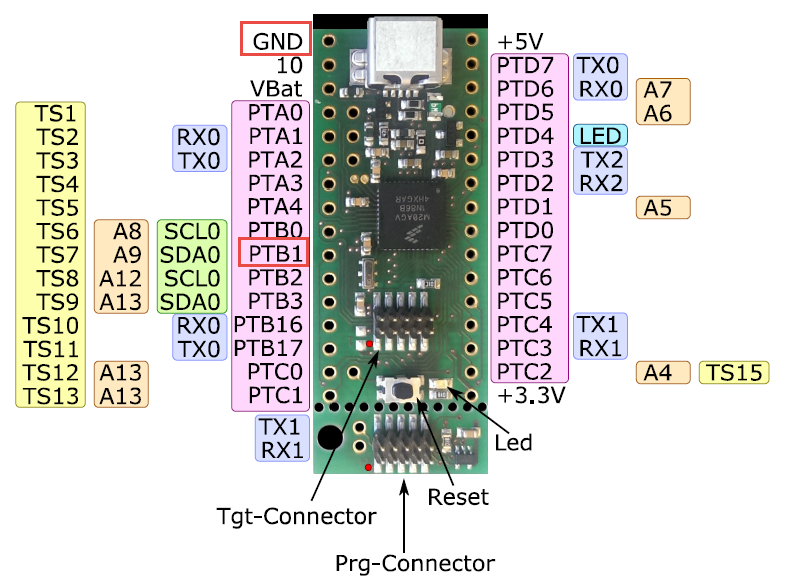
tinyK20 Bootloader Pins
I always have been amazed by the music videos created by the US band OK Go. To me they are legendary, fun to watch and full of engineering. The band just released a new video, taken in a ‘single shot’ with a plane flying parabolic maneuvers:

Micro Gravity
Watch the video:
I’m using Processor Expert components for nearly every Freescale (now NXP) projects: for S08, S12, ColdFire, DSC and especially all the different NXP Kinetis devices. Not only because it makes software development fast and easy and allows re-use of software, but as well because Processor Expert has a good way to pack and distribute software components. Unfortunately Processor Expert is not any more included for the new Kinetis devices (see “First NXP Kinetis SDK Release: SDK V2.0 with Online On-Demand Package Builder“). So I have looked into an alternative and hopefully vendor neutral way to build and distribute software packages using CMSIS-Pack.
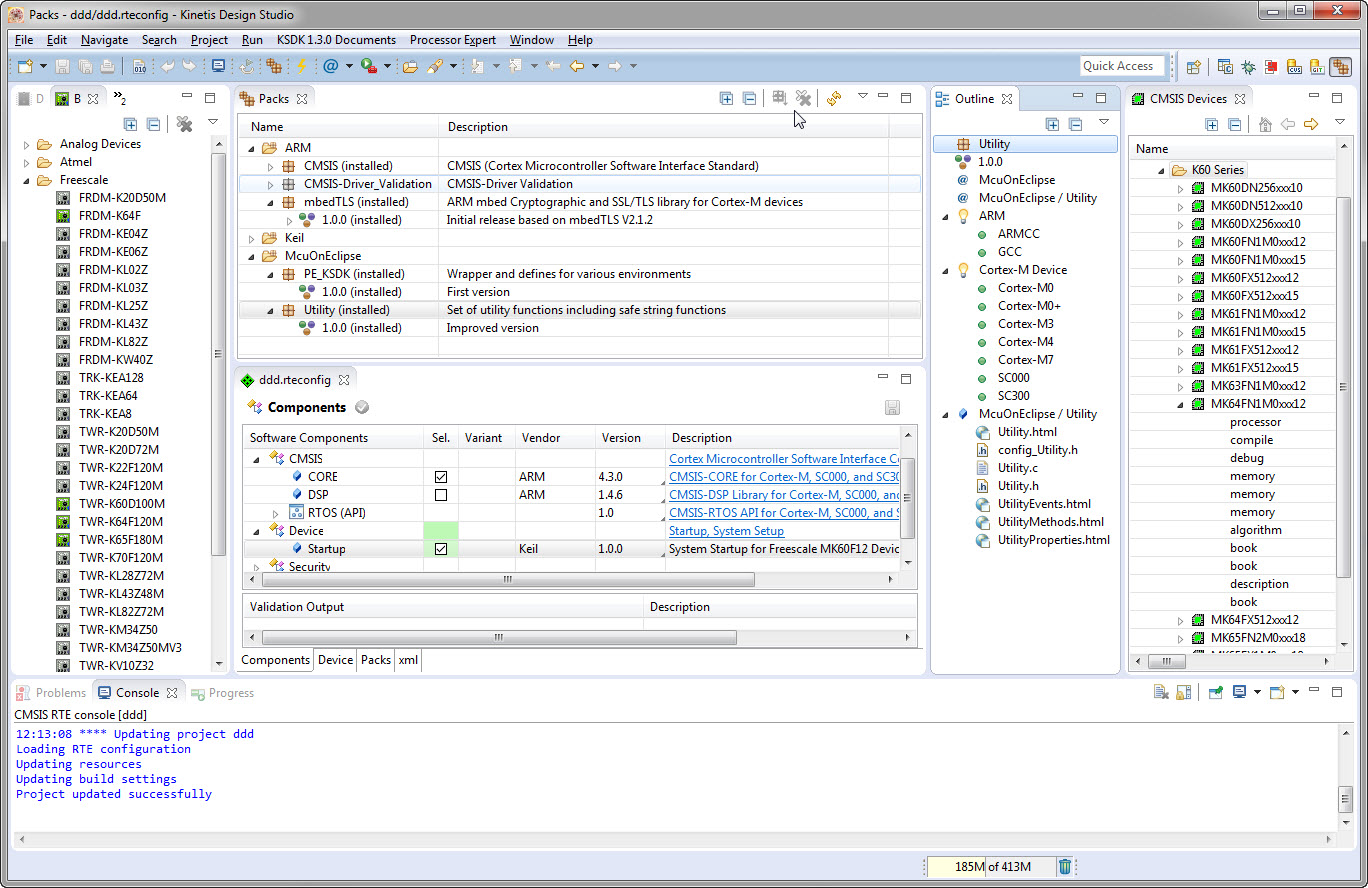
CMSIS-Pack in Eclipse
Overnight the higher areas received lots of snow, while it was raining in the lower areas, creating a ‘blue, white and green painting’. A new rain and snow weather front is coming, but there was a small blue sky window in the morning. With the sun coming up in my back, I captured the view towards the snow-covered Rigi mountain range:

Rigi, Snow and Green (click to enlarge)
Happy Snowing 🙂
New in this release:
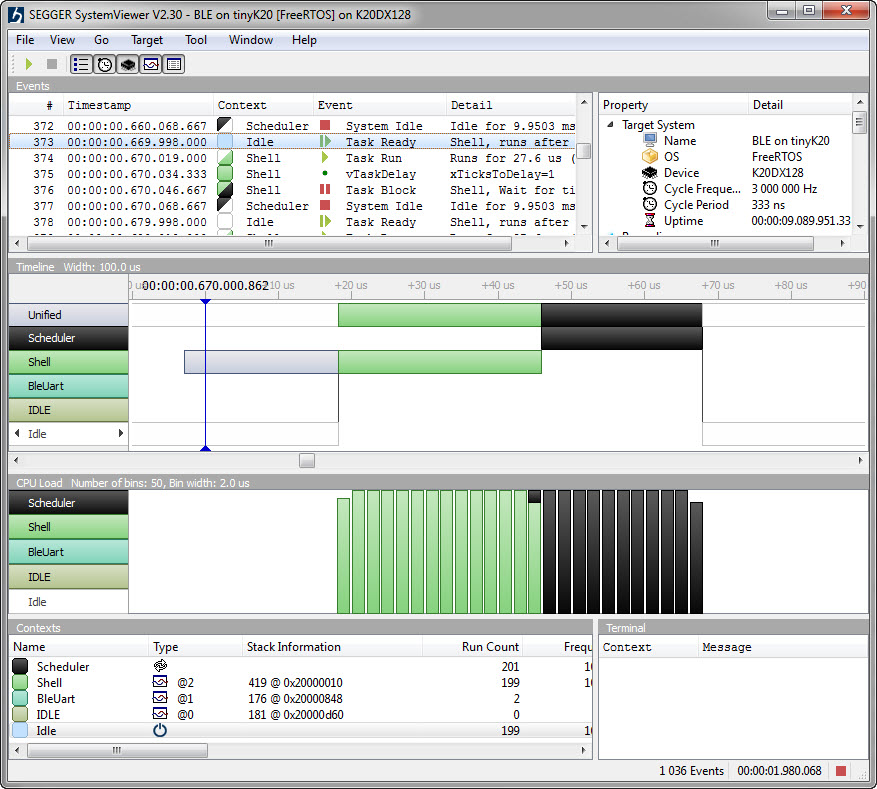
Segger SystemViewer V2.30
The Föhn Wind kept me up tonight: it was pretty strong with 90-110 km/h browsing through the central valleys of Switzerland. An amazing sunrise with colors I have rarely seen compensated for that restless night with a natural painting:

Morning Clouds with Föhn Wind
The clouds are arranged in lines: this because the Föhn Wind is building ‘standing wind waves over the mountains: if the wind goes up it, water condensate and builds the cloud lines.
Happy Föhning 🙂
In “openHAB RGB LED Light Cube with WS2812B and NXP Kinetis” I started experimenting Kinetis boards, a LED cube diffuser and Adafruit WS2812B NeoPixel LEDs. That worked well, but I was not to very happy about the visual effect. So here is my next version: I wanted to have control over each side of the cube. For this I have built a cube inside the cube with a 3D printed structure:

Bare LED Cube
 MCU on Eclipse