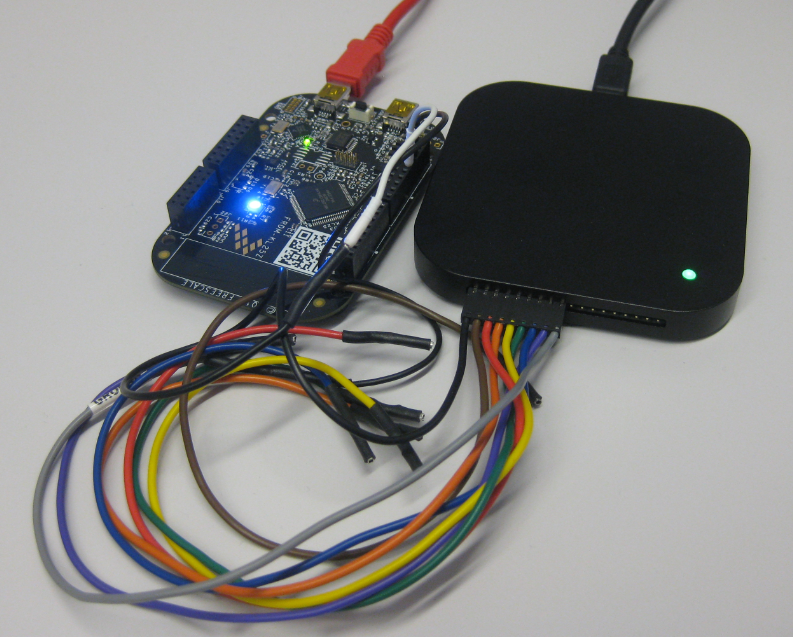
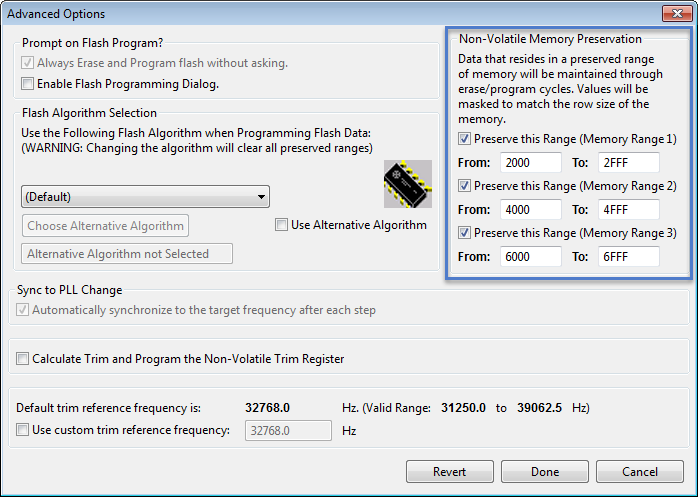
For my boot loaders I need the functionality that I can keep memory ranges from being erased while downloading the rest of the application. P&E provides a GDB server which interfaces with their probes (P&E Universal Multilinks, Tracelinks, …) and as well with the OpenSDA present on many of the Freescale evaluation boards. In CodeWarrior there is an option for ‘Advanced Programming Options’ which allows to preserve memory of the microcontroller FLASH (see “Programming part of flash“). However, that option or button is not present in the Eclipse version of the P&E GDB server (e.g. in Kinetis Design Studio). So how can I preserve some areas of FLASH in Eclipse with GDB?
Tag Archives: Processor Expert
Multi-Drive Support with FatFS
I admit: I’m sometimes a lazy person. In my projects, I only needed one ‘disk drive’ with the FatFS Processor Expert component: either a SD card or a USB MSD drive. But a reader of this blog wanted to use FatFS with multiple drives: using it with an SD card and a USB MSD drive. And actually FatFS does support this, I just had no need for it, thus I did not add anything special for it. But that reader let me think that I better add Multi-Drive support. Even if I do not need it now, that could be very handy in the future 🙂

FatFS Drive System (Source http://elm-chan.org/fsw/ff/en/appnote.html)
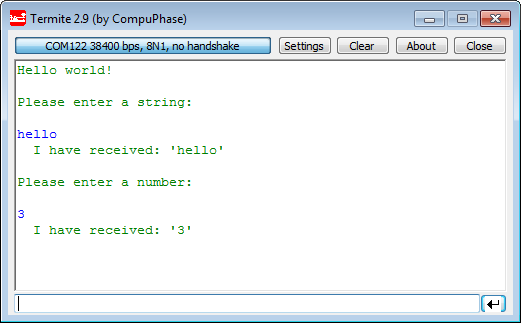
printf() and scanf() with GNU ARM Libraries
In “Semihosting with Kinetis Design Studio” I’m using the debugger with semihosting to output text with printf(). But how to use a physical serial connection instead?
This post is about how to enable and use printf() and scanf() with GNU ARM libraries. I show it both for the Freescale Kinetis Design Studio (KDS) and for stock Eclipse Kepler with the GNU GCC ARM Embedded (launchpad) toolchain and libraries. The principles are the same, just the details are different ;-).
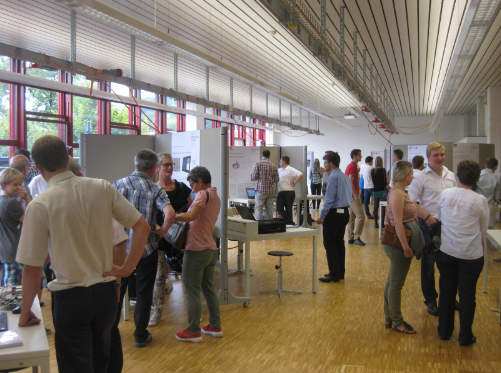
Showcase of Student Project Exhibition 2014 in Horw
Yesterday Friday afternoon, the students at the Lucerne University of Applied Sciences and Arts in Horw showcased their last semester project work to the public at the university. There were many, many interesting projects, so here are a few to give an idea what has been accomplished …
Snake Game on the FRDM-KL25Z with Nokia 5110 Display
So I have a graphics driver for a Nokia display (see “Zero Cost 84×48 Graphical LCD for the Freedom Board“), I have a joystick shield (see “JoyStick Shield with the FRDM Board“) and I do have a Freescale Freedom board: why not creating a simple game for it? Snake!
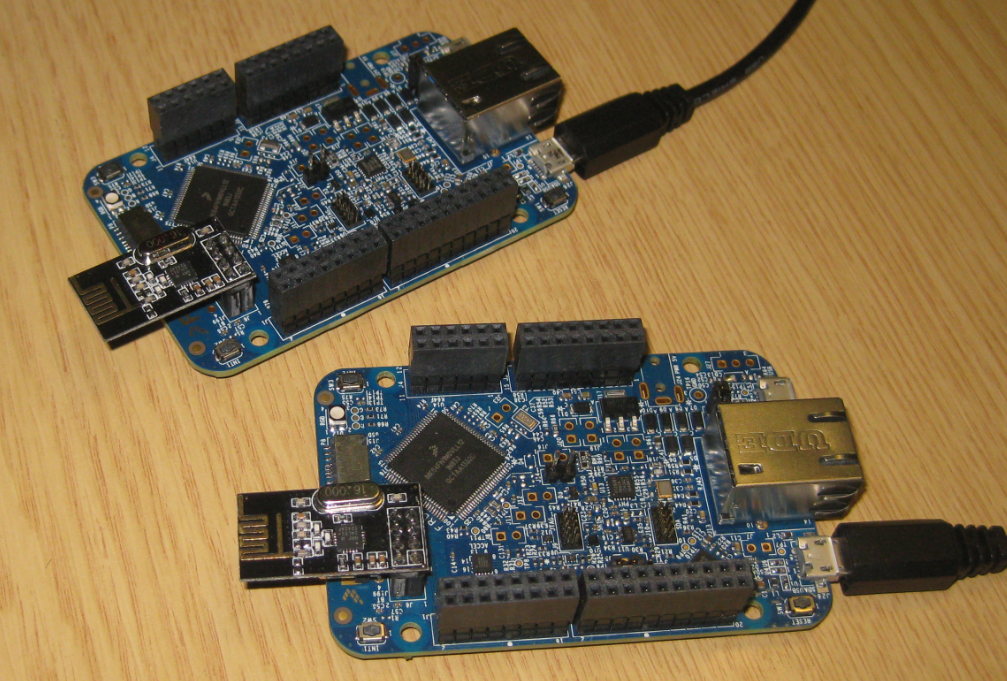
Tutorial: Nordic Semiconductor nRF24L01+ with the Freescale FRDM-K64F Board
For some time I’m using the Nordic Semiconductor nRF24L01+ transceiver successfully in many projects (see “Tutorial: Ultra Low Cost 2.4 GHz Wireless Transceiver with the FRDM Board“). Since that tutorial things evolved a lot with the introduced RNet Stack. To honor the popularity of the Nordic Semiconductor nRF24L01+, Freescale has put a socket on the FRDM-K64F board. So time to make a new step-by-step tutorial how to use the nRF24L01+ with the FRDM-K64F.
Finding Settings in Processor Expert Components
Processor Expert components are making things very easy to configure: go a component, use the component inspector and change a setting. However, with the devices getting more and more complex, the list of settings or properties get longer and longer. To the point that it is hard to find a setting.
For example, where are the settings for the PLL in the CPU component?
Switching between ‘tabs’ and ‘no-tabs’ UI in Processor Expert
Newer releases of Processor Expert (e.g. in Kinetis Design Studio (KDS)) come with a ‘graphical’ (or ‘tabbed’) view of the Component Inspector. The UI elements are different and ‘tabs’ are using:
I like much more the earlier ‘no-tabs’ view. Luckily, there is a setting to switch the view back.
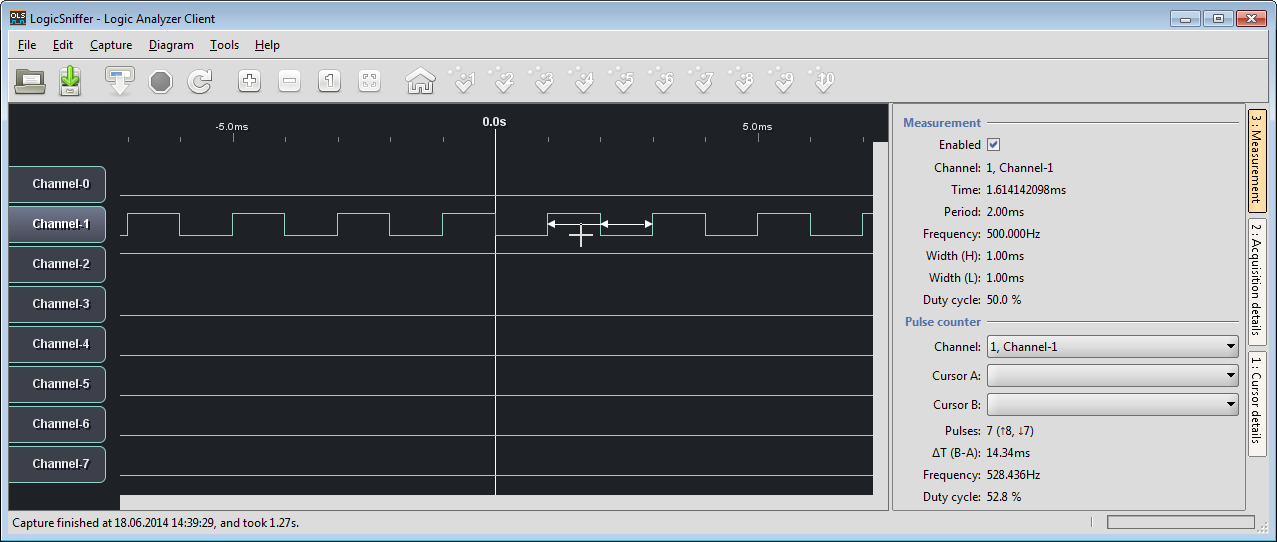
Updated Freedom Board Logic Analyzer with DMA
Question: How to build a low-cost logic open source logic analyzer for less than $15?
Answer: combine the Freedom KL25Z board with OLS!
Tutorial: PWM with DMA on ARM/Kinetis
For a project I need to change the PWM duty cycle after a PWM period is over. One way to do this is to have an interrupt at the end of the PWM period, and then set the new PWM duty (compare) register value in the interrupt. That works fine for ‘slow’ PWM frequencies, but if the PWM frequency is high, the CPU load is massively increasing. A better way is to use DMA (Direct Memory Access).