I’m using both the Freescale MC1320x and Nordic Semiconductor nRF24L01+ 2.4GHz in many projects. To make it even easier to use these transceivers in the RNet stack, I have updated it with several new functions.
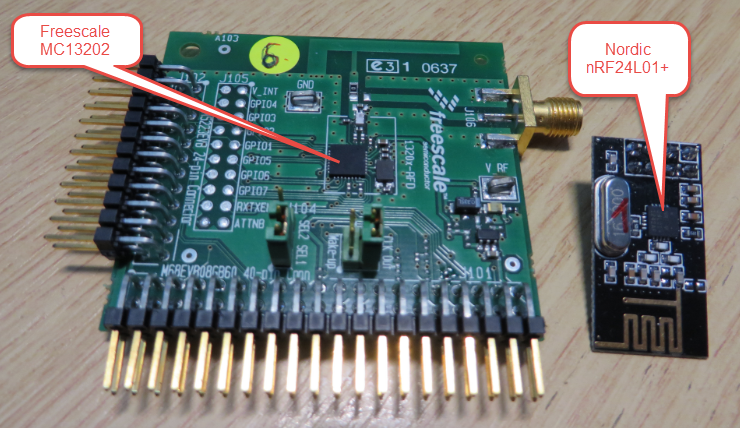
MC13202 and nRF24L01+

I’m using both the Freescale MC1320x and Nordic Semiconductor nRF24L01+ 2.4GHz in many projects. To make it even easier to use these transceivers in the RNet stack, I have updated it with several new functions.
MC13202 and nRF24L01+
Thanks to the GNU ARM Eclipse plugins from Liviu it is easy to build and debug projects for all the different ARM cores. But I need to specify the device name in the debug configuration:
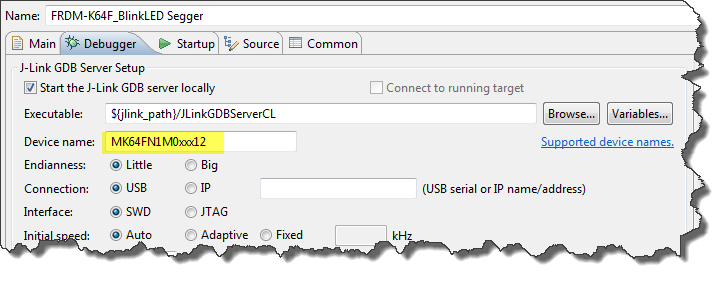
Device Name for Segger GDB Configuration
There must be an easier way for this? Yes, indeed, there is 🙂
Segger just has released their OpenSDAv2 firmware. The OpenSDAv2 firmware is different from the OpenSDAv1 as it is using a different memory map and bootloader. The OpenSDAv2 e.g. is present on the new FRDM-K64F board. The availability of the Segger firmware is definitely good news for any owner of the FRDM-K64F board: so far only the CMSIS-DAP firmware was available (on top of the mbed bootloader). With this, it was not possible to use the board with CodeWarrior, except with using an external P&E Multilink or Segger J-Link. With that new Segger J-Link OpenSDAv2 firmware, I can now use the FRDM-K64F with any IDE which supports the Segger J-Link :-).

FRDM-K64F with Segger OpenSDAv2 Firmware
The latest addition to my set of Arduino shields is a true fun thing: The ElecFreaks.com JoyStick Shield 🙂
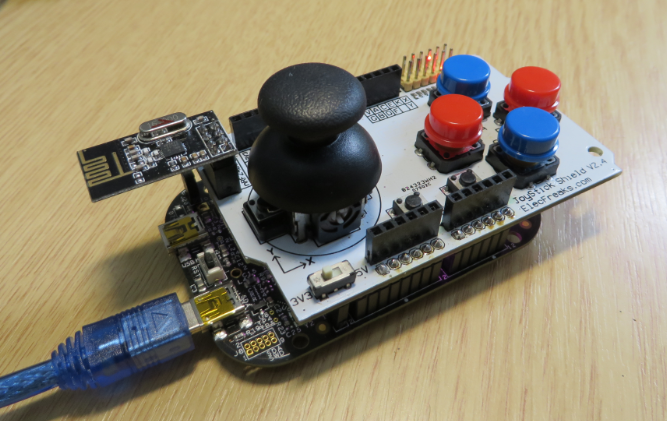
ElecFreaks.com Joystick Board with FRDM-KL25Z and nRF24L01+
I admit: my Ethernet Shield project got stuck because of too many urgent other priorities. I was not happy with the way the project was using configuration data from FLASH memory: I have now multiple ethernet shields in use, and configuring the IP address for each shield is a pain. I have not got DHCP working (yet), so why not using the SD card on the shield for configuration data? And right on time I received a tip from Marc about MinIni: perfect, exactly what I need!

Ethernet Shield with SD card
The new flagship of FRDM boards is the FRDM-K64F board. After FTF I have explored different ways debugging the board, and received many comments and questions about it (thanks!). Freescale announced the supports with the new Eclipse based Kinetis Design Studio (KDS). But until KDS is out, how can I use the FRDM-K64F board with CodeWarrior?

Debugging FRDM-K64F Board with CodeWarrior for MCU v10.6
The mbed for FRDM-K64F firmware (http://mbed.org/handbook/Firmware-FRDM-K64F) has great potential. Unfortunately it seems that edges are still very rough: It happens very often that my FRDM-K64F board gets locked up :-(. I can see that the target CPU is constantly resetting: the red reset LED is always on:
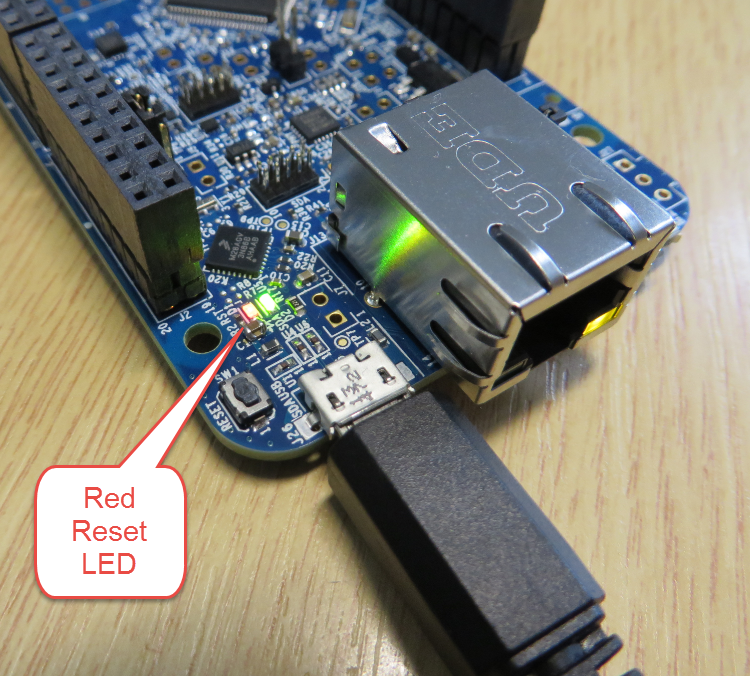
FRDM-K64F Red Reset LED always on
There has been a lot of new Freescale releases recently around FTF, and I’m trying to catch up. For me as a Processor Expert Lover, it is good news that there is now the new version 10.4 available. And it comes in different ways:

Microcontrollers Driver Suite v10.4
This gallery contains 13 photos.
It has been a very busy week so far here at the Freescale Technology Forum in Dallas. I barely had time to capture pictures. And to give you an impression: that conference site was HUGE in my view: Everything is … Continue reading
One question I have been asked several times here at FTF:
“How can I create an S19/Motorola S-Record with Eclipse?”
The answer depends on which Eclipse you are using. Actually it depends on which (ARM) build tools plugin you are using, as with Eclipse you have the freedom of choice.
And this is not only about S19/Binary (Flash Image), but covers ‘Extended Listing’ and ‘Print Size’:
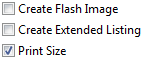
Additional Tool Options
 MCU on Eclipse