If doing embedded development, then the debugging solution is probably the most important single tool in the development chain. Because very debugging probe has its pros and cons, I usually have at least three different debug probes on my desk, simply to get the job done in all aspects.
What is true for the hardware debugging probes, is true for the gdb client and server side. I’m using mostly the P&E, SEGGER and CMSIS-DAP plugins (e.g. NXP LinkServer) and OpenOCD from the Eclipse IDE side. But there are more choices, for example pyOCD.
When developing with C or C++ an application, then you mostly focus on your own code. You don’t want to bother with the details how input/output functions like printf() or scanf(), and you might just use these functions and helpers and that’s it.
The implementation is part of the ‘C Standard Library’ (or C++ Standard Library). In the world of Linux, this is usually the ‘glibc’ or ‘GNU C Library, and one usually link with ‘libc’. That provides the implementation of printf(), or use ‘libm’ if using math functions like sin() or cos().
In the embedded world, things are much more complex, with plethora of choices, for example in the MCUXpresso IDE:
One little nasty assertion in the GNU standard library appeared a few days ago, kind out of nowhere, reporting “REENT malloc succeeded”:
Obviously it was caused by the call to srand() which sets the ‘seed’ for the standard library (pseudo) random number generator. The assertion happens as well later for calling the rand() function.
In many embedded applications, it is mandatory that memory allocation is static and not dynamic. Means that no calls to things like malloc() or free() shall be used in the application, because they might fail at runtime (out of memory, heap fragmentation).
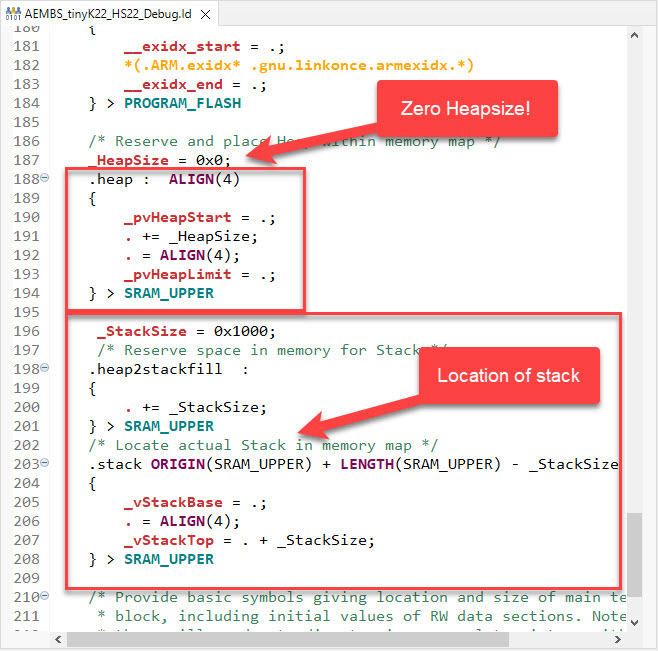
But when linking with 3rd party libraries or even with the C/C++ standard libraries, how to ensure no dynamic memory is used? The problem can occur as well for C++ objects, or a simple call to printf() which internally requires some dynamic memory allocated.
If using C++ on an embedded target, you depend on the constructors for global objects being called by the startup code. While in many cases an embedded system won’t stop, so you don’t need to call the global C++ destructors, this is still something to consider for a proper shutdown.
MCU vendors offer SDKs and configuration tools: that’s a good thing, because that way I can get started quickly and get something up and running ideally in a few minutes. But this gets you into a dependency on tools, SDK and configuration tools too: changing later from one MCU to another can be difficult and time consuming. So why not get started with a ‘bare’ project, using general available tools, just with a basic initialization (clocking, startup code, CMSIS), even with the silicon vendor provided IDE and basic support files?
In this case, I show how you easily can do this with CMake, make and Eclipse, without the (direct) need of an SDK.
In this time where many micro-controllers have 100+ weeks estimated delivery time, it makes sense to look at alternatives. So it is not a surprise that the Raspberry Pi RP2040 gets used more and more in projects. It is not only inexpensive, it is (at least for now) available which makes all the difference. The RP2040 is the first microcontroller from Raspberry Pi: a dual-core ARM Cortex-M0+ running up to 133 MHz, 264 KByte on-Chip RAM and up to 16 MByte external FLASH.
Raspberry Pi Pico with J-Link, with a NXP sensor board
It is a very versatile microcontroller, with a rich eco-system and set of tools. It can be easily used with C/C++ or MicroPython, and the Raspberry Pi Pico board only costs around $5. There are plenty of tutorials out there, for example how to use the Pico board as debug probe to debug another Pico board. While this is great, there is an easy way to use any existing J-Link and Eclipse IDE too, so this is what this article is about.
You might never heard about ROM Libraries, and you are probably not alone. Some might thing that this refers to the boot ROM modern MCUs have built in, which is kinda close. But the thing here is about to build your own (possibly constant) ROM library, program it to your device of choice, and then use it from the application running on the device.
So the concept is to have a (fixed, stable) part with code and data on your device, which can be used by a (possibly changing) application: Think about a stable LoRaWAN network stack in the ROM, with a changing application using it: Would that not be cool?
ROM Library Concept
This not only adds flexibility, but as well allows smaller updates, as only a part of the program has to be changed or updated.
The question is: how to create and use such a ROM Library with the normal GNU build tools?
I’m now in the middle of the university fall semester exam season with writing exams and grading student work, and the same time the new semester courses need to be prepared. With the global silicon and board shortage, this will be again a challenge to equip all the labs with the needed infrastructure. The good thing is that there is no shortage on software and tools side of the infrastructure: NXP released last week their new flagship Eclipse based IDE: the MCUXpresso IDE 11.5.0. Time to check it out for the upcoming lectures and classes….
NXP MCUXpresso IDE Version 11.5.0
Spoiler Alert: It has a new view for FreeRTOS lovers, plus new features for energy/power measurements!





 MCU on Eclipse