I’m pleased to announce a new release of the McuOnEclipse components, available on SourceForge. This release includes several bug fixes, extra support for the NXP S32 Design Studio and SDK and includes FreeRTOS V10.1.1.

SourceForge

I’m pleased to announce a new release of the McuOnEclipse components, available on SourceForge. This release includes several bug fixes, extra support for the NXP S32 Design Studio and SDK and includes FreeRTOS V10.1.1.
SourceForge
How can I open a project folder location in the system explorer?
Starting with Eclipse Oxygen, the project properties have a button for this in the Resource settings:

Show in System Explorer
By default, the NXP S32K144EVB and microcontroller is using a 5V supply voltage and logic levels which is great for noisy environment or any 5V devices. Many of my displays and sensors use 3.3V logic levels, so I would have to use a level shifter from 5V to 3.3V. There is another way: to change the board for 3.3V logic levels so I can use directly things like a SSD1306 display.
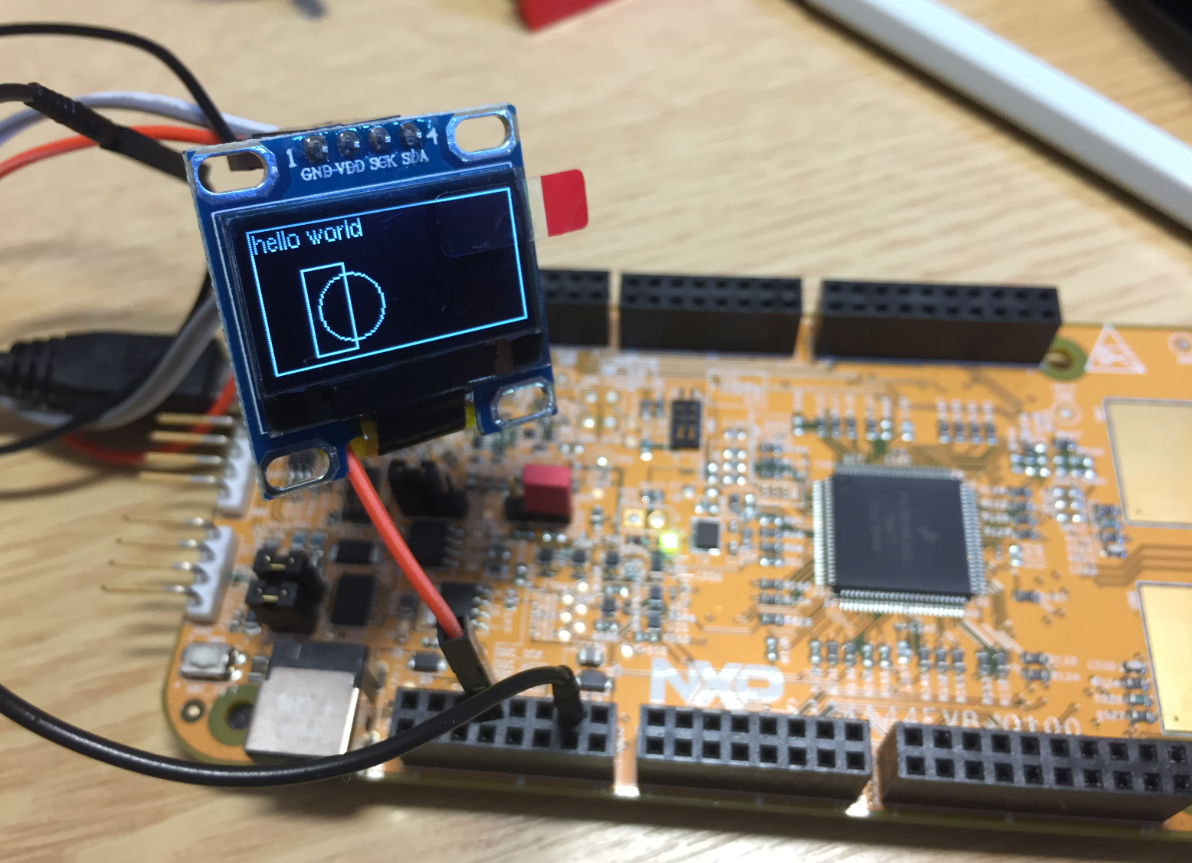
S32K144EVB with OLED SSD1306 using 3.3V Logic Levels
In “Tutorial: FreeRTOS 10.0.1 with NXP S32 Design Studio 2018.R1” I showed how to use a custom FreeRTOS with the S32 Design Studio (ARM). The OSIF (OS Interface) provides an operating system and services abstraction for the application which is used by other S32K SDK components:

OSIF in S32K for ARM Eclipse Project
In the C programming language it is good practice to pass values by reference (using a pointer), especially for large set of data. For example the following function takes a message string and pointer to integer data which then is printed to the console:
static void printData(const char *msg, const int *intBuf, size_t bufSize) {
  puts(msg); /* print message */
  for(int i=0; i<bufSize;i++) {
    printf("buf[%i] = %i\n", i, intBuf[i]);
  }
}
NXP not only sells general purpose microcontroller, but as well a portfolio of automotive devices which includes the S32K which is ARM Cortex based. For this device family, they offer the S32 Design Studio (or S32DS) with its own Eclipse distribution and SDK. The interesting part is that the S32DS includes Processor Expert (which is a bit different from the ‘mainstream’ Processor Expert). It comes with its own components for the S32K SDK which includes a component for FreeRTOS. But that component in S32DS 2018.R1 comes with an old V8.2.1 FreeRTOS component:

FreeRTOS 8.2.1 in S32DS 2018.R1
So what to do if I want to use the latest FreeRTOS (currently 10.0.1) with all the bells and whistles?
I’m pleased to announce that a new release of the McuOnEclipse components is available on SourceForge. This release includes several smaller bug fixes and initial component support for the NXP S32 Design Studio and SDK.
SourceForge
By default, the FreeRTOS threads do not show up with the SEGGER J-Link debug connection in the Eclipse based NXP S32 Design Studio IDE. But don’t worry: Here is how to get it working with SEGGER J-Link debug connection:

FreeRTOS Threads in Eclipse Debug View
 MCU on Eclipse