Category Archives: Freescale
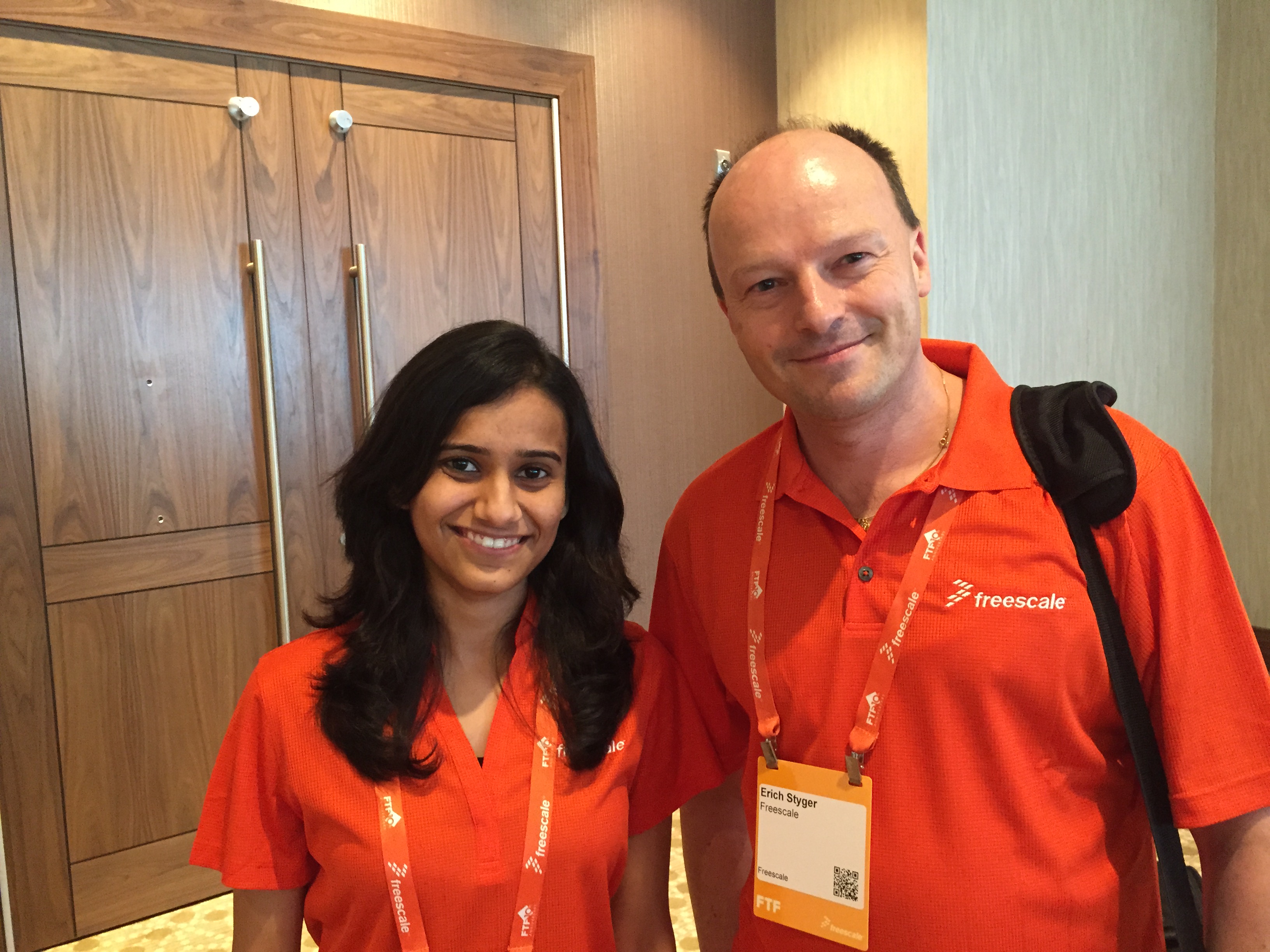
Say ‘Hello’ to Manya!
I have a problem, and I want to solve it. I’m documenting my journey, findings, tips and tricks in this blog. However as I’m progressing, things are getting too advanced for others who are beginners or new to the embedded world. For them, my latest tutorials might be simply too complex. For beginners my stuff is far too advanced. Yes, there is a compendium, and yes, anyone could start reading from the early days. But things like tools have changed on my journey: I moved up from CodeWarrior to Kinetis Design Studio, so my very early tutorials do not apply to the current tools any more. Should I reset and reboot myself? Update or rewrite articles (would be many!)? Luckily, I don’t have to! At the Freescale Technology Forum (FTF) in Austin this week, I have met a solution for my problem:
Say ‘hello’ to Manya 🙂
Impressions from Freescale Technology Forum 2015
With Freescale merged into NXP, I guess this was the last FTF (Freescale Technology Forum) after a history of 10 years. Maybe it will transform into a ‘NTF’, at least I hope that such an energizing event and conference will continue in the new NXP area. I was busy with delivering my own sessions, but had time to meet and greet and see a lot of interesting stuff. After visiting the TechLab several times and after all the discussions with other embedded enthusiasts I have now many cool projects in mind :-).
So what I do here is to share some impressions with pictures and videos. It will take me weeks to absorb everything. Not to talk about the huge email backlog I have now ;-). So enjoy:
tinyK20: New Board with micro-SD Card
Thanks for all the feedback and suggestions so far on the tinyK20 project! I’m proud to present the next iteration of the universal microcontroller & debugger board based on the Freescale Kinetis K20 USB microcontroller:
Code Coverage with gcov, launchpad tools and Eclipse Kinetis Design Studio V3.0.0
What makes Eclipse great: using open source tools there are a lot of tools and techniques available which usually are only provided for desktop development.
A while back I described how to do code coverage with Eclipse Kepler and the GNU ARM Embedded (launchpad) tools (see “Code Coverage for Embedded Target with Eclipse, gcc and gcov“). With Kinetis Design Studio out, time to do the same with that Eclipse distribution, especially as Freescale is now using the stock GNU ARM Embedded tools too.
Problem: undefined reference to ‘__end__’ if using Semihosting
In case you are running into the following GNU linker error about a missing __end__:
'Building target: MyProject.elf' 'Invoking: Cross ARM C++ Linker' ... toolchain/bin/../lib/gcc/arm-none-eabi/4.8.4/../../../../arm-none-eabi/lib/armv6-m/rdimon-crt0.o: In function `_start': (.text+0xdc): undefined reference to `__end__' collect2.exe: error: ld returned 1 exit status make: *** [MyProject.elf] Error 1
The GNU linker complains that rdimon-crt0.o needs the symbol __end__. This symbol marks the end of the user data/RAM section, and is needed by the rdimon library specs which is used with semihosting.
Merging NXP LPCXpresso IDE with Freescale Kinetis Design Studio, Processor Expert and Kinetis SDK
So NXP announced here a $40 Billion Merger with Freescale. Frequent readers of my blog will know that I’m using in my own and university projects many Freescale devices with Eclipse based tools (Eclipse Kepler/Luna, Emprog ThunderBench, Atollic TrueSTUDIO, Freescale CodeWarrior and of Freescale Kinetis Design Studio) in combination with Processor Expert. In a few projects I have used NXP devices with the CodeRed Eclipse base tools too. So I was curious how that merger of the two silicon companies could look like, if you merge the Freescale and NXP Eclipse based tools, and mix it with Processor Expert and the Freescale Kinetis SDK? The result looks like this:
Semihosting for Kinetis Design Studio V3.0.0 and GNU ARM Embedded (launchpad)
Freescale has released the v3.0.0 version of the Kinetis Design Studio: this one comes with a great positive change: instead of a custom toolchain, it is coming with the standard GNU ARM Embedded (launchpad) toolchain from ARM. Beside of better code density and less RAM needed, there is one change which affects semihosting. Previously, semihosting was enabled by default in the V2.0.0 libraries. Now semihosting needs to be turned on. This post is how to do this.
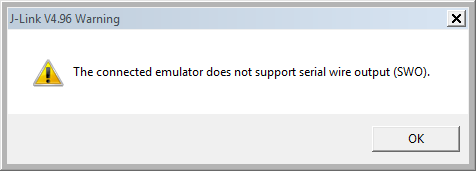
Solving “The connected emulator does not support serial wire output (SWO)” for Segger J-Link
SWO (Serial Wire Output) is a cool feature defined by ARM as part of the CoreSight debug block. However, not every debug connection supports SWO, as it requries extra pins routed from the microcontroller to the debug JTAG/SWD header.
If I’m using the Segger J-Link, and if my hardware does not support SWO, I will get a dialog telling me “The connected emulator does not support serial wire output (SWO).”
tinyK20 USB Thumb Drive Enclosure
In “tinyK20 Open Source ARM Debug/Universal Board – First Prototypes” I talked about using a USB thumb drive enclosure for the board, so here is the idea: