For a project I need to change the PWM duty cycle after a PWM period is over. One way to do this is to have an interrupt at the end of the PWM period, and then set the new PWM duty (compare) register value in the interrupt. That works fine for ‘slow’ PWM frequencies, but if the PWM frequency is high, the CPU load is massively increasing. A better way is to use DMA (Direct Memory Access).
Category Archives: CPU’s
Semihosting with Kinetis Design Studio
Semihosting is a technique to do printf() debugging through an active debug connection. So instead using a physical connection like RS-232 or USB CDC, the connection to the host machine is through the debugger. This post is about enabling and using semihosting with gcc and newlib/newlib-nano in Freescale Eclipse based Kinetis Design Studio (KDS) using the GNU ARM Eclipse plugins.
Configuration Data: Using the Internal FLASH instead of an external EEPROM
Many applications need to store persistent (non-volatile) data at runtime: configuration data, error logs, sensor data, calibration values, etc. The question is: where to store that data? If it is only a few kBytes, an SD card or similar is an overkill. Adding an external EEPROM? Sure, that works, but adds an extra part to the design. Some microcontroller have internal EEPROM. But what if not? Why not using the microprocessor internal flash memory?
How to Add Register Details View in Eclipse
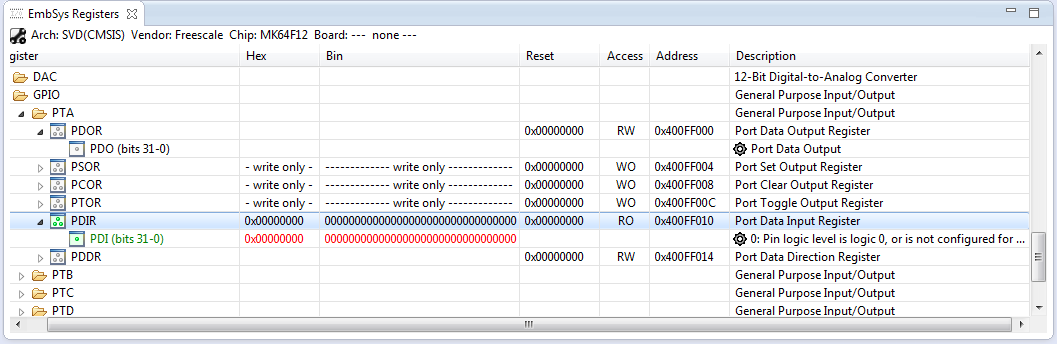
The standard Eclipse registers view only shows the core registers:
I think it would be great to have a view to see all the device peripheral registers too?
If you want the same, then this article is for you. It works both for stock Eclipse and Freescale Kinetis Design Studion (KDS) 🙂
Mini-Sumo Robot Competition May 2014 in Horw
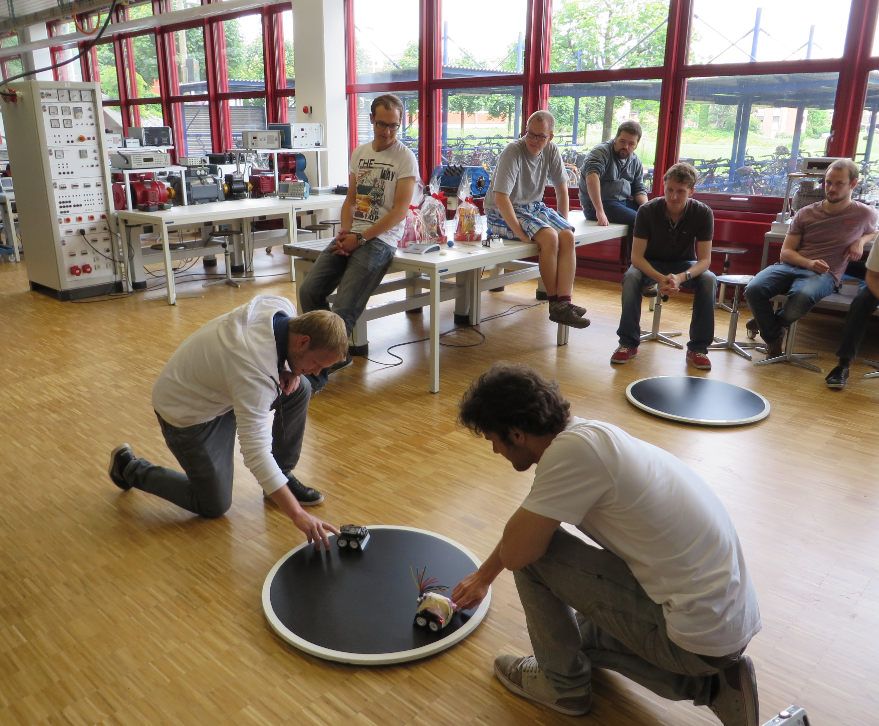
11 teams with a total of 14 robots participated at the May 2014 Mini-Sumo robot competition this week at the Lucerne University of Applied Sciences and Arts in Horw/Switzerland.
Tutorial: Data Logger with the FRDM-K64F Board
The Freescale FRDM-K64F is a great board for data logger applications: it has a powerful ARM Cortex M4F with 120 MHz, 1 MB Flash and 256 KByte RAM. Best of all: it already has a micro SD card socket on the board :-).
Constructing a Classroom IDE with Eclipse for ARM
For the next semester I will do things differently in my advanced embedded systems programming course (INTRO) at the University of Lucerne: Instead of using the Freescale provided CodeWarrior, we will use a DIY tool chain for ARM with Eclipse Kepler.
That way we we can offer students an open and convenient tool chain for their lab work, course assignments and own projects both at work and at home. So this post is about spending about 30 minutes to build your own tool chain which then can passed to students and coworkers so they have a complete toolchain installed in a few minutes.
Continue reading
Joystick Shield with nRF24L01 driving a Zumo Robot
With the Joystick shield I have a convenient way to drive and control a Zumo Robot without a wired connection:
While things started promising, there was a power supply problem at the end to be solved…
GNU ARM Eclipse & Segger J-Link Device Name Settings
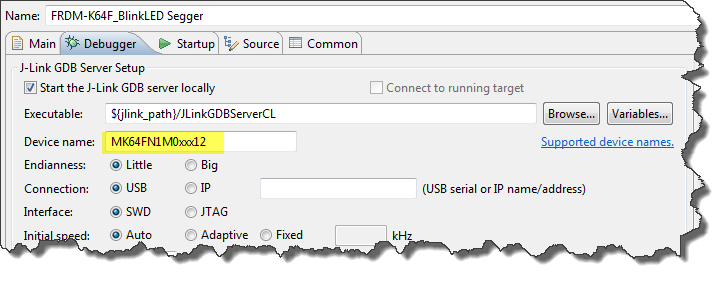
Thanks to the GNU ARM Eclipse plugins from Liviu it is easy to build and debug projects for all the different ARM cores. But I need to specify the device name in the debug configuration:
There must be an easier way for this? Yes, indeed, there is 🙂
Segger J-Link Firmware for OpenSDAv2
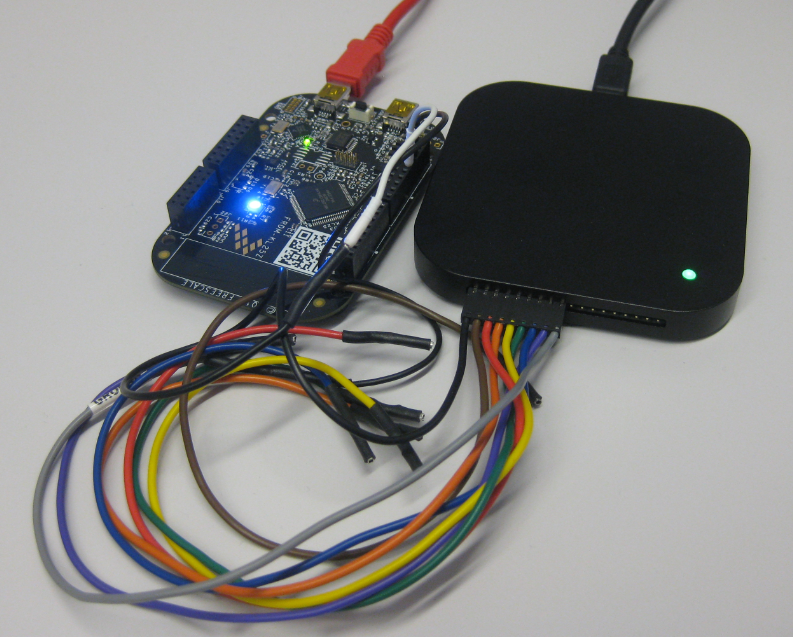
Segger just has released their OpenSDAv2 firmware. The OpenSDAv2 firmware is different from the OpenSDAv1 as it is using a different memory map and bootloader. The OpenSDAv2 e.g. is present on the new FRDM-K64F board. The availability of the Segger firmware is definitely good news for any owner of the FRDM-K64F board: so far only the CMSIS-DAP firmware was available (on top of the mbed bootloader). With this, it was not possible to use the board with CodeWarrior, except with using an external P&E Multilink or Segger J-Link. With that new Segger J-Link OpenSDAv2 firmware, I can now use the FRDM-K64F with any IDE which supports the Segger J-Link :-).