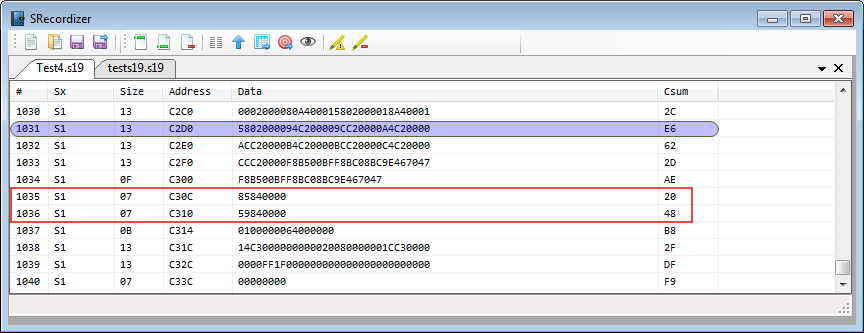
Many tool chains and linker are able to produce S19 files, such as with the GNU tools it is the ‘objcopy‘ which does this job (see “Binary (and S19) Files for the mbed Bootloader with Eclipse and GNU ARM Eclipse Plugins“). But these tools usually cannot handle the special cases. For example on the Freescale Kinetis K64F my serial bootloader (see “Serial Bootloader for the Freedom Board with Processor Expert“) had a problem with these lines in the S19 file:
Category Archives: Boards
Kinetis Drone: Frame Construction with Graupner Race Copter Alpha 250 Q
Yesterday I started with something I had in my mind for a very long time:
to build my own DIY drone based on a Kinetis 🙂
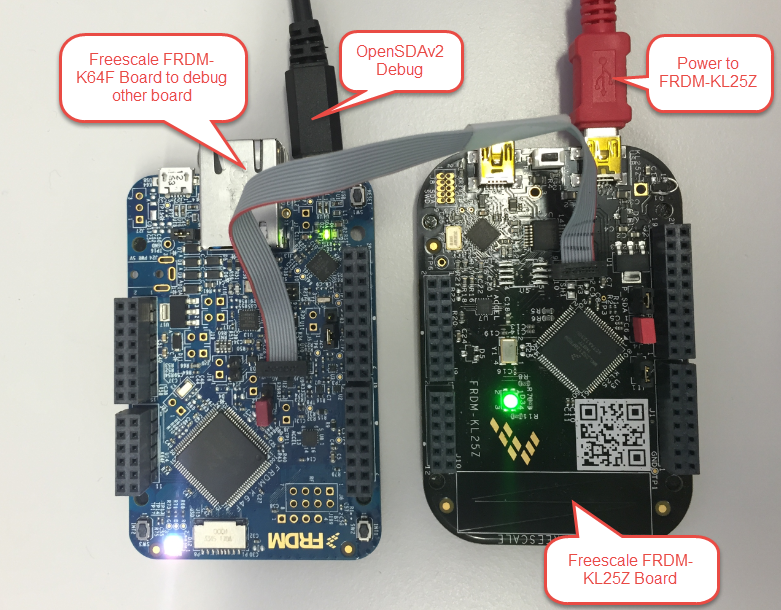
Using FRDM-K64F Board to debug another Kinetis Board
Given all the posts I already have published on a similar topic, this one will be a short one: how to use the Freescale FRDM-K64F board with OpenSDAv2 to debug another board:
Programming Kinetis with CodeWarrior from the DOS Shell
In “CodeWarrior Flash Programming from a DOS Shell” I showed how to program a device from the DOS shell. Because that example was for ColdFire and CodeWarrior for MCU10.2, here is the same for a Kinetis (FRDM-KL25Z) and CodeWarrior for MCU10.6. In my workspace (c:\tmp\wsp_10.6) I have a project folder (FRDM-KL25Z).
I’m using the ‘Flash Programmer’ to sneak the needed commands:
Batch Programming with GDB: Segger J-Link and P&E Multilink
I need to program several boards with a firmware: a number too small for serious batch/factory programming, but a number too high doing this with the debugger. I want this:
- Connect the board with the debug probe and power it
- Run a script to flash the program and run it
- Disconnect and restart step 1.
Tutorial: Using GNU Profiling (gprof) with ARM Cortex-M
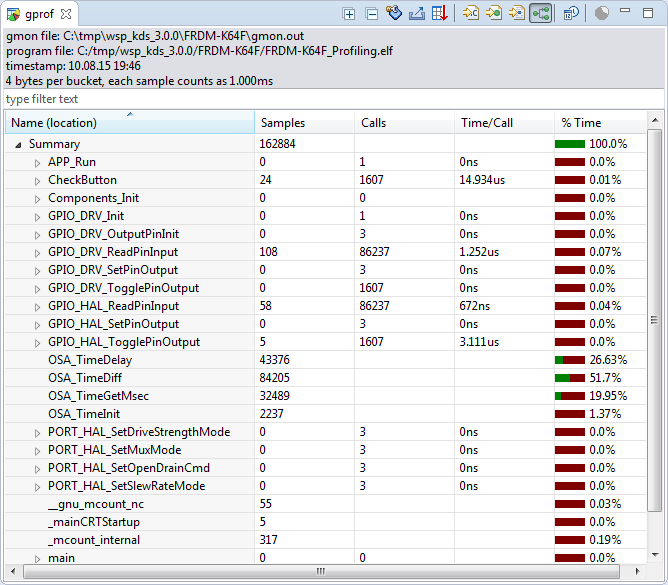
I have published a Sneak Preview how GNU gprof profiling looks for an embedded target ARM Cortex-M in an earlier post:

This tutorial explains how to profile an embedded application (no RTOS needed) on ARM Cortex-M devices with GNU gprof. Additionally I explain the inner workings to generate the data necessary for gprof.
Continue readingDebugging STM32F103RB NUCLEO Board with Segger J-Link
The STMicroelectronics STM32F103 (ARM Cortex-M3) Nucleo boards include the on-board ST-Link v2 circuit which allows to debug the board. This circuit is similar to the OpenSDA circuit found on Freescale boards. Unlike the Freescale OpenSDA, the ST-Link is only the ST-Link: it is not possible to load a P&E Multilink or Segger J-Link or firmware on it. Luckily, the ST-Link has a SWD connector, but this connector is a non-standard one. So how can I debug that board with an Eclipse based environment with GNU ARM Eclipse plugins and a Segger J-Link?
Using the Freescale Freedom (FRDM-KL43Z) to Debug other Boards
In “Unboxing the Freescale FRDM-KL43Z Board” I was using the FRDM-KL43Z board the first time. The FRDM-KL43Z board has an on-board debug interface (Kinetis K20, OpenSDA). In this post I show how to use the FRDM-KL43Z board to debug another ARM board.
Overview: From Snippets to Code Generation
To build an application for a modern microcontroller today is not a simple thing. Well, it depends what ‘simple’ means. But compared to the ‘old days of 8bit micro controllers’ (which are still in use!) developing for a complex 32bit device is definitely a different thing. Not only the complexity has changed, but as well the breath of tools and helpers. In my view, the only constant is ‘change’, and I have changed the way how to develop several times in my career. In this post I present several different techniques I’m using in my development.
Thanks to Erich and FRDM-K64F!! :)
It has been a long time since I wrote my last blog. I really want to apologize to you all for the delay, but I was busy with another project about the competitive analysis of Freescale with our competitors. I hope I can provide you guys later with some important findings from my research.
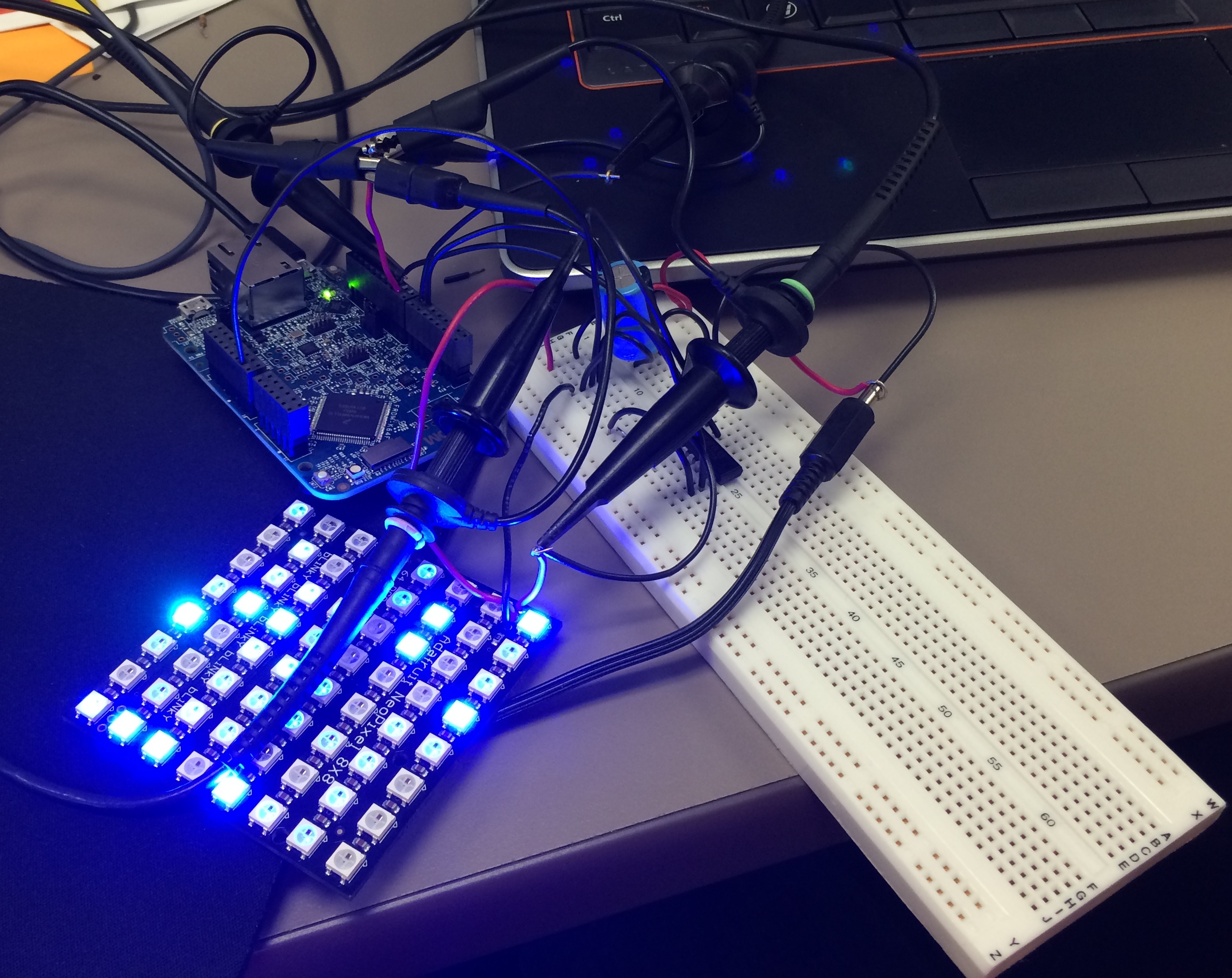
Well as far as my project for neopixels using FRDM-K64F is concerned, Erich wrote the wonderful tutorial for all of us to turn on the NeoMatrix. I tried my hands on that and I was indeed able to turn on the board but not in the way I wanted it to. 😦 So, it turns out that I got few LEDs turning blue or some turning green. I asked Erich about it and I got to know that it is because I screwed up with the timing signals. I was using an oscilloscope and not a logic analyzer but Erich’s recommendation was to use the Logic Analyzer. This was the result of my experiment following Erich’s tutorials.
Tutorial: Adafruit WS2812B NeoPixels with the Freescale FRDM-K64F Board – Part 1: Hardware