Using Legacy Devices with LinkServer

The Freescale K20DX128 MCU was one of the first ARM Cortex-M devices of that company (now NXP) back in 2012, and the FRDM-K20D50M board was the first ‘FRDM‘ board of a long and successful series of boards, starting back in 2013. I still have the K20 present in many of my designs. The challenge with ‘early’ or ‘legacy’ devices is that after a while, they are ‘not recommended’ any more, and it is hard to get support for them. So for example in newer tooling and software from NXP, there is no support for the K20.

MCU-Link (NXP, left) debugging FRDM-K20 (Freescale, right) board

So if you still have the K20 around, and need some newer tooling, then I have good news for you: It is possible to add that good-old-Kinetis to the list of supported LinkServer devices, so you are not stuck and can use newer debugging solutions for the K20.

Continue reading

Data Converter for MCUXpresso Energy Measurement Data

The combination of the NXP MCUXpresso IDE with the NXP MCU-Link Pro debug probe implements a nifty power and energy measurement tool (see New “MCU-Link Pro”: Debug Probe with Energy Measurement). The eclipse based IDE provides a dedicated view to inspect the data collected. It can export and import data, but it is in a binary format. In this article I present a way to export and then convert the data into .csv or any other format for processing or visualizing it in different ways.

Exporting data to gnuplot and csvplot

Using an open source command line tool, the binary data gets converted into a csv format, which then can be consumed by many tools, e.g. gnuplot.

Continue reading

Catchpoints: Unlimited Number of FLASH Breakpoints with GDB

Embedded hardware comes with limitations, and one if it is the given number of hardware breakpoints. Depending on your MCU, 4 or only 2 hardware breakpoints are available, making debugging and stepping in read-only memory (FLASH) a challenge.

Debugging NXP LPC845 with unlimited FLASH Breakpoints using MCU-Link

Did you know that one can have ‘unlimited’ number of breakpoints in FLASH, with the help of GDB? This is very useful for extended debugging, or if you want to use breakpoints for testing?

Continue reading

LinkServer for Microcontrollers

GDB is the de-facto debugging engine and debug connection for micro-controllers these days: it is versatile and with its client-server architecture very flexible and powerful, and pretty much every debug probe and vendor (PEMICRO, SEGGER, OpenOCD, pyOCD, …) offers it. But a GDB server or command line implementation was not available for the NXP LinkServer family of debug probes (LPC-Link, MCU-Link, MCU-Link Pro). This has changed now: LinkServer is available as command line tool and can be used as GDB Server:

LinkServer as GDB Server with Eclipse

With the new LinkServer package I do not only get a gdb server implementation: I have now a command line tool I can use for automation and all kind of different things: programming boards, erasing flash, and so on.

Continue reading

Different Laser-Cut Enclosures for the MCU-Link

The MCU-Link debug probe comes without an enclosure. To protect the hardware against ESD issues, I had created a 3D printed enclosure for it. That one worked fine, but takes some time to print it. If you have to build many enclosures for a full classroom setup, then a laser cutter is much faster. And to create some variations, I have decided to cut it with different materials and colors. To be environment friendly, extra glue is needed, and with recycled PMMA, different colors are possible too.

Different laser-cut enclosure: wood, and red, transparent, blue and green PMMA
Continue reading

ARM SWO ITM Console Bidirectional Standard I/O Retargeting

The ARM Cortex M architecture has many features which are underused, probably simply because engineers are not aware of it. SWO (Single Wire Output) is a single trace pin of the ARM Cortex-M CoreSight debug block. trace pin uses the ITM (Instruction Trace Macrocell) on ARM Cortex. It provides a serial output channel, at a high speed higher than the usual UART, because it is clocked at half or a quarter of the core clock frequency, depending on the core and implementation.

As such, it is an ideal high speed output channel to send text or data to the host. This is how it is usually used, but what is unknown to many: it can be used in a bidirectional way with the help of the debugger.

The topic of this article: how to redirect standard I/O like printf() or scanf() using the SWO ITM console: means both sending *and* receiving data over the SWO debug channel: that way I can use it as a kind of UART with a single pin only.

Continue reading

MCUXpresso IDE 11.6.0

With a steady release train, NXP has released last week a new and updated version of their flagship IDE: the version 11.6.0 of the MCUXpresso IDE.

NXP MCUXpresso IDE V11.6.0

And there are several new and cool features with that release, including a power & energy profiler and CMake support.

Continue reading

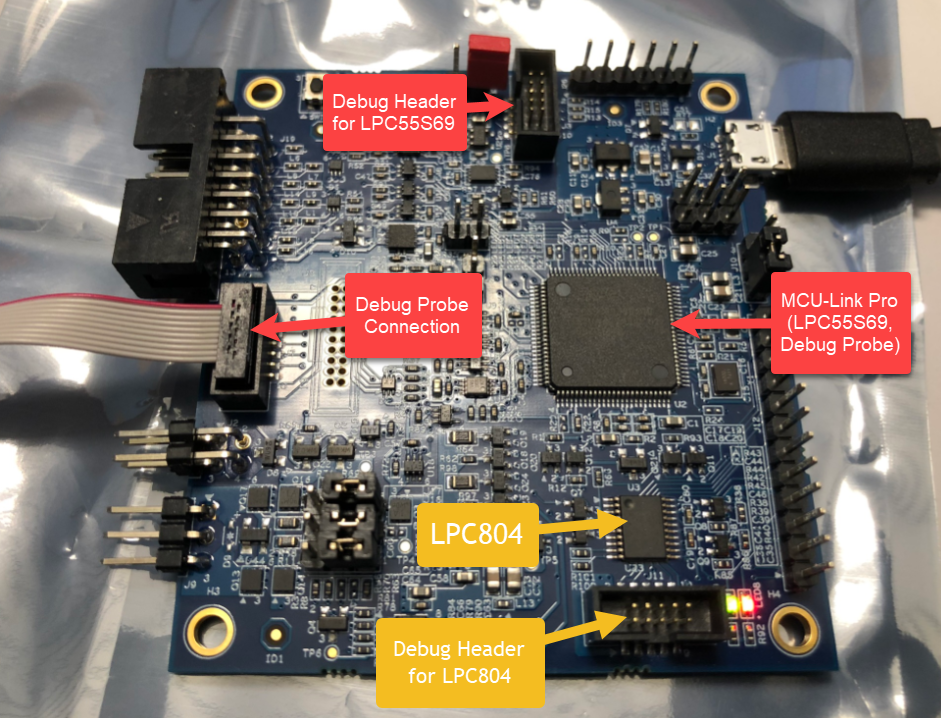
Debugging the LPC804 on the MCU-Link Pro with an external Debug Probe

The NXP MCU-Link Pro debug probe includes a LPC804 as an additional microcontroller on the board, including its debug header.

MCU-Link Pro Debug Probe Board

The question is: how to debug the on-board extra LPC804 microcontroller with an external debug probe?

Continue reading

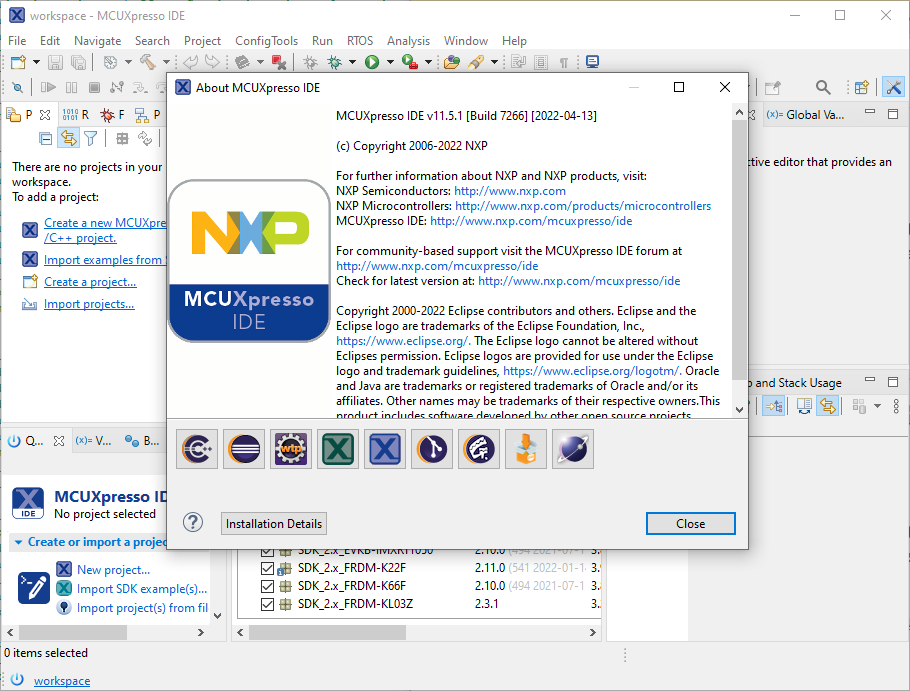
MCUXpresso IDE 11.5.0

I’m now in the middle of the university fall semester exam season with writing exams and grading student work, and the same time the new semester courses need to be prepared. With the global silicon and board shortage, this will be again a challenge to equip all the labs with the needed infrastructure. The good thing is that there is no shortage on software and tools side of the infrastructure: NXP released last week their new flagship Eclipse based IDE: the MCUXpresso IDE 11.5.0. Time to check it out for the upcoming lectures and classes….

NXP MCUXpresso IDE Version 11.5.0

Spoiler Alert: It has a new view for FreeRTOS lovers, plus new features for energy/power measurements!

Continue reading