Processor Expert components have an interesting concept: Events. Events are shown in green color with the ‘E’ (for Event):
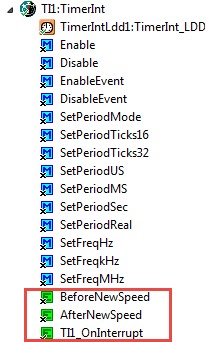
TimerInt Component with Events

Processor Expert components have an interesting concept: Events. Events are shown in green color with the ‘E’ (for Event):
TimerInt Component with Events
Freescale had announced at FTF back in April this year that they will use Kinetis Design Studio and the Kinetis SDK for all new Kinetis devices. The switch from CodeWarrior to Kinetis Design Studio (see “Comparing CodeWarrior with Kinetis Design Studio“) was not much of big deal for my projects (although CodeWarrior still has better features), and projects are rather easily portable. However, the move to the Kinetis SDK has been massively disruptive: Before it was easy to move projects from one device to another with Processor Expert, even from S08 to ColdFire to Kinetis. Now with the Kinetis SDK everything is very different. At least Freescale now officially supports FreeRTOS, and for myself as a big fan of that open source RTOS, that was some good news.

Blinking Red LED with FreeRTOS Task using Kinetis SDK, FreeRTOS and Processor Expert
So in this tutorial I’m showing how FreeRTOS can be used with the Kinetis Design Studio. That makes at least using the Kinetis SDK bit more familiar to me :-).
I think the biggest frustration point for any new or even seasoned engineer is the debugging phase: my application finally builds fine, but I’m not able to connect and download it to the target board :-(. In my view the debugging part is the most fragile part of the development process. I’m always very relieved if I can connect to a brand new board, because I know if it does not work, then the problem could be a very bad one, costing my several hours or even days to overcome it.

Remote Communication Error, what now?
Finally, the new Sumo robot is assembled, and up and moving :-):

Somo Robot Assembled
When I create a new Processor Expert project for a board I already have the components configured, then an easy way to transfer components from one project to another is to copy-paste the components. In the ‘source’ project I select the components I want to use, choose Copy (or CTRL+C shortcut on Windows):

Copy of Processor Expert Components
Finally, after several weeks delay, the new PCBs for the Mini Sumo Robots (see “Zumo Robot with WiFi and GPS”) arrived, and best of all: first test are all running fine :-).
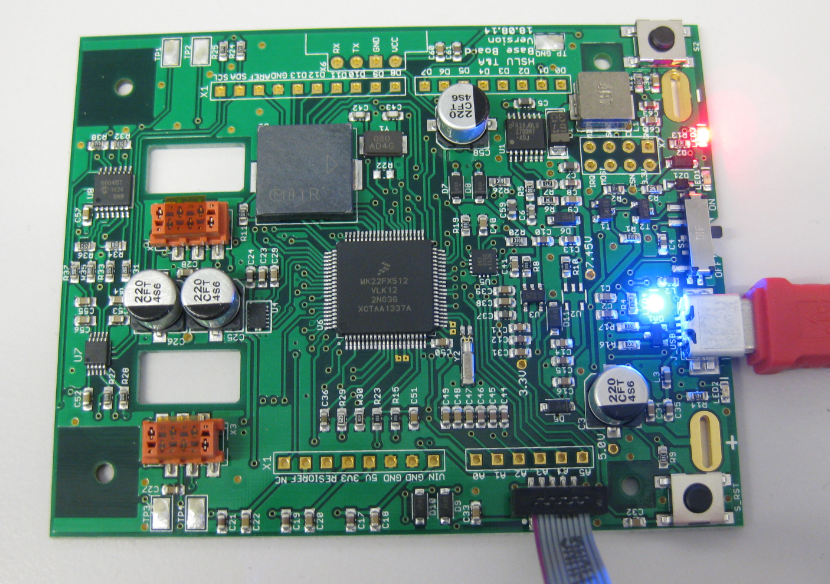
First PCB under Debug
How cool would it be to add WiFi support to any projects or IoT? Why not using WiFi with a microcontroller which has only few KBytes of RAM and FLASH. For less than US$5? Dreams came true, and intrigued by an article at Hack-A-Day, I searched a supplier for that ESP8266 module. And this evening I have found the four ESP8266 modules I have ordered for $4.50 each from ElectroDragon in my mailbox. Of course I did not want to wait for the week-end, so I hooked it up to my FRDM-KL25Z board.
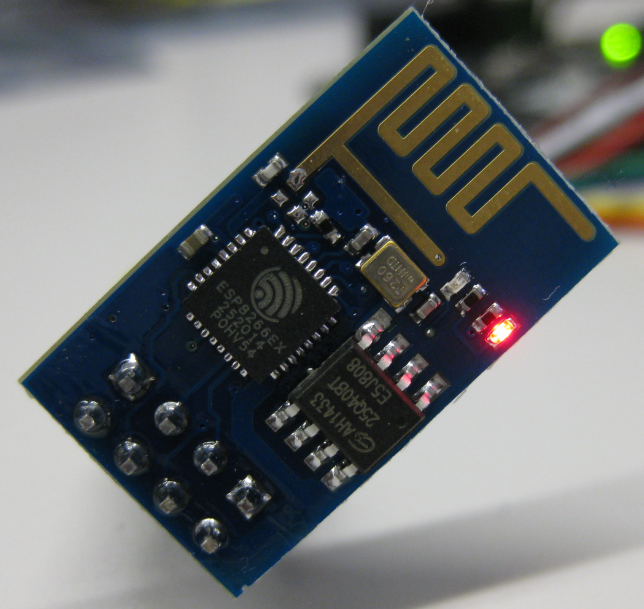
ESP8266 Module for US$ 4.50
The GNU Linker (ld) is very, very powerful. This time I wanted to put all my Processor Expert generated code into its own dedicated section. This is useful for example to have a bootloader or a library inside a special area in FLASH. It was not obvious to me how to do this with the linker, with some search on the internet and some trial and errors, I finally managed that. And as always with exploring things, I have learnt something :-). So here is how I’m able to put the code of arbitrary files into its own dedicated section.

Code Section for Generated Code
When using a bootloader (see “Serial Bootloader for the Freedom Board with Processor Expert“), then I usually protect the bootloader FLASH areas, so it does not get accidentally erased by the application ;-). When programming my boards with the P&E Multilink, then the P&E firmware will automatically unlock and erase the chip. That’s not the same if working with the Segger J-Link, as it but requires extra steps.

Protected FLASH Pages with Processor Expert
At FTF 2014, Freescale made the announcement that CodeWarrior won’t support all the new ARM Kinetis devices coming out in the future: they will be supported with the free-of-charge Kinetis Design Studio (KDS) instead. As for myself, this is a big shift from a well established CodeWarrior toolchain to something new. A question which came up recently several times in the forums and in other posts is: how do CodeWarrior and KDS compare with each other?

CW vs KDS
 MCU on Eclipse