From time to time it is good to do some cleanup work: what has grown organically sometimes needs some cuts and moves. The same applies to the McuOnEclipse GitHub repository (https://github.com/ErichStyger/mcuoneclipse) which has grown to 522 MByte, 8364 files and 1444 folders. I already moved out the Processor Expert component releases (see “McuOnEclipse Releases on SourceForge“). Time to cleanup and move something else: the Processor Expert component sources.
Tag Archives: software project
Updated McuOnEclipse Components: USB for KL24Z, FatFs v0.10c, Shell Backspace and FreeRTOS Trace Hook Configuration
I have received several requests to post a quick note when there is a new release (16-Nov-2014) of the McuOnEclipse components on SourceForge (see “McuOnEclipse Releases on SourceForge“). I have published today a new release, and with following major improvements:
- USB support for Kinetis KL24Z
- FatFs now features the latest Elm-Chan v0.10c release
- Backspace support in Shell
- Configuration item in FreeRTOS for Percepio Trace Hooks
NeoShield: WS2812 RGB LED Shield with DMA and nRF24L01+
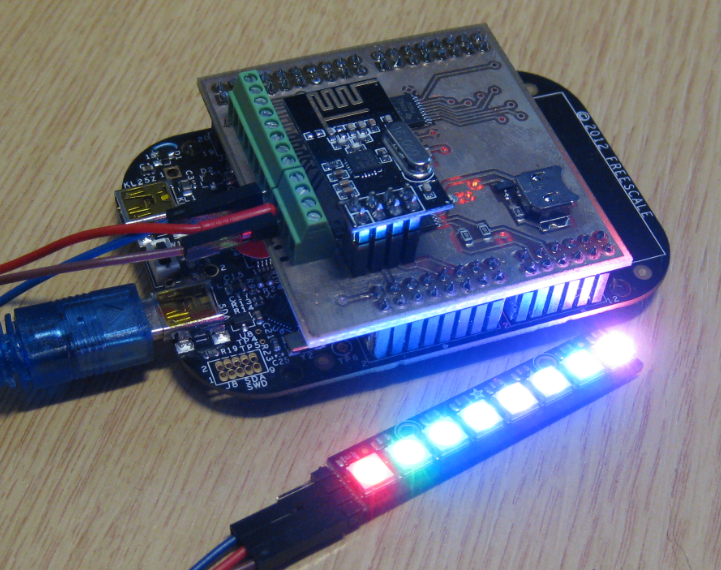
In my earlier post I used a hacked together shield for building a clock based on Adafruit’s NeoPixel/WS2812 (“LED Clock with Kitchen Hot Pan Protector“). The new design supports now 8 parallel data streams, integrated realtime clock and wireless connectivity with the nRF24L01+ module.
Processor Expert Events
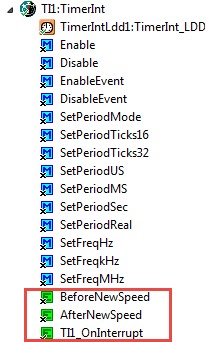
Processor Expert components have an interesting concept: Events. Events are shown in green color with the ‘E’ (for Event):
Tutorial: FreeRTOS with the Kinetis SDK and Processor Expert
Freescale had announced at FTF back in April this year that they will use Kinetis Design Studio and the Kinetis SDK for all new Kinetis devices. The switch from CodeWarrior to Kinetis Design Studio (see “Comparing CodeWarrior with Kinetis Design Studio“) was not much of big deal for my projects (although CodeWarrior still has better features), and projects are rather easily portable. However, the move to the Kinetis SDK has been massively disruptive: Before it was easy to move projects from one device to another with Processor Expert, even from S08 to ColdFire to Kinetis. Now with the Kinetis SDK everything is very different. At least Freescale now officially supports FreeRTOS, and for myself as a big fan of that open source RTOS, that was some good news.
So in this tutorial I’m showing how FreeRTOS can be used with the Kinetis Design Studio. That makes at least using the Kinetis SDK bit more familiar to me :-).
Export and Import Processor Expert Component Settings
When I create a new Processor Expert project for a board I already have the components configured, then an easy way to transfer components from one project to another is to copy-paste the components. In the ‘source’ project I select the components I want to use, choose Copy (or CTRL+C shortcut on Windows):
C++ with Kinetis Design Studio
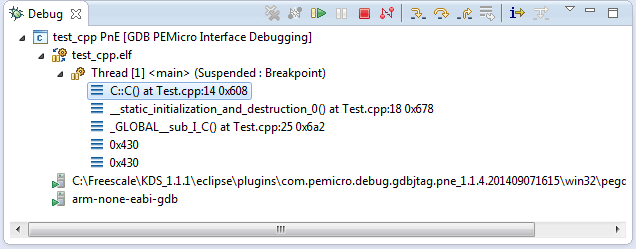
Unlike CodeWarrior, the Kinetis Design Studio (at least in V1.1.1) does not offer a choice between C and C++ projects. That makes sense with the GNU ARM Eclipse plugins, other than the CodeWarrior gcc integration, there is no need for setting up a special tool chain for C++ (see “Compiling C Files with GNU ARM G++“). While this is great, things are not perfect yet, so I’m providing in this post the information needed to properly setup a C++ project with Kinetis Design Studio V1.1.1.
McuOnEclipse Releases on SourceForge
When I started the McuOnEclipse project back in 2012, I did not expect that it would create that much of attention :-). So far I’m sharing the project files on GitHub (see “McuOnEclipse goes Git“). GitHub is excellent for sharing sources, but not a good way to share release (binary) files. It is somewhat ok for small/few files, and initially that worked well for the few Processor Expert files (see “Processor Expert Component *.PEupd Files on GitHub“). However, with the amount of components and binary releases, the GitHub repository gets bloated. So I’m performing some maintenance work, and so I’m moving binary releases to a new McuOnEclipse SourceForge site.
Putting Code of Files into Special Section with the GNU Linker
The GNU Linker (ld) is very, very powerful. This time I wanted to put all my Processor Expert generated code into its own dedicated section. This is useful for example to have a bootloader or a library inside a special area in FLASH. It was not obvious to me how to do this with the linker, with some search on the internet and some trial and errors, I finally managed that. And as always with exploring things, I have learnt something :-). So here is how I’m able to put the code of arbitrary files into its own dedicated section.
BBQ Smoker Monitoring Robot
I have to admit: I’m not a vegetarian. I love BBQ, and no offense to vegetarians! Today is perfect day for another BBQ session, and this time I plan to enhance it with electronics. No, not eating electronics, but doing BBQ with a little DIY electronic helper. There are different ways to cook meat on an open fire pit, and each region of the world has its own way to do it. Traditionally, in my area we are ‘grilling’ the meat: high temperature, for a few minutes, done! I like that ‘fast food way’ too, but there is an even better version: Slow food smoking!
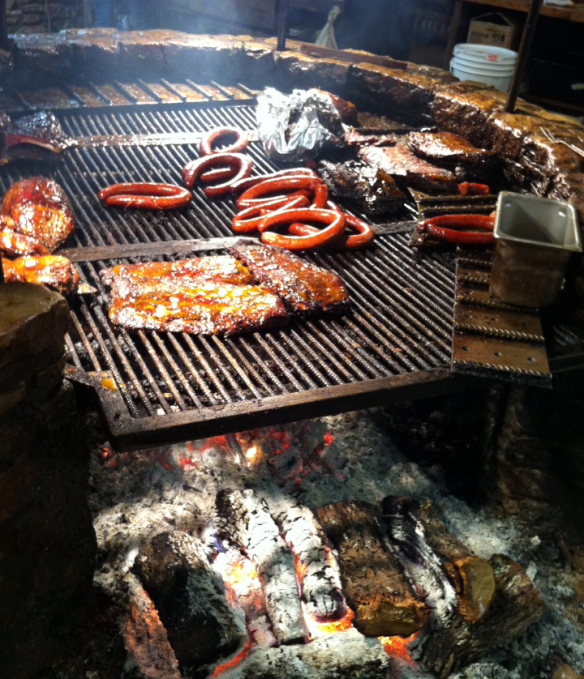
I’m gifted that I had the opportunity to experience the Texas BBQ culture: slowly cooking the meat, at low temperature, and ‘smoking’ it: Cooking the meat around 80°C prevents that it gets dry (because the water does not vaporize, see this article on Wikipedia). There are different ways how to do this, but I love the way how it is done at the Salt Lick in Austin/TX with an open fire pit: