The latest release of the NXP LinkServer supports ARM 64bit (Debian) besides Windows, Linux and MacOS. With this, I can now develop on an NXP i.MX board. Plus, this enables an inexpensive way for automated on-target tests and CI/CD.
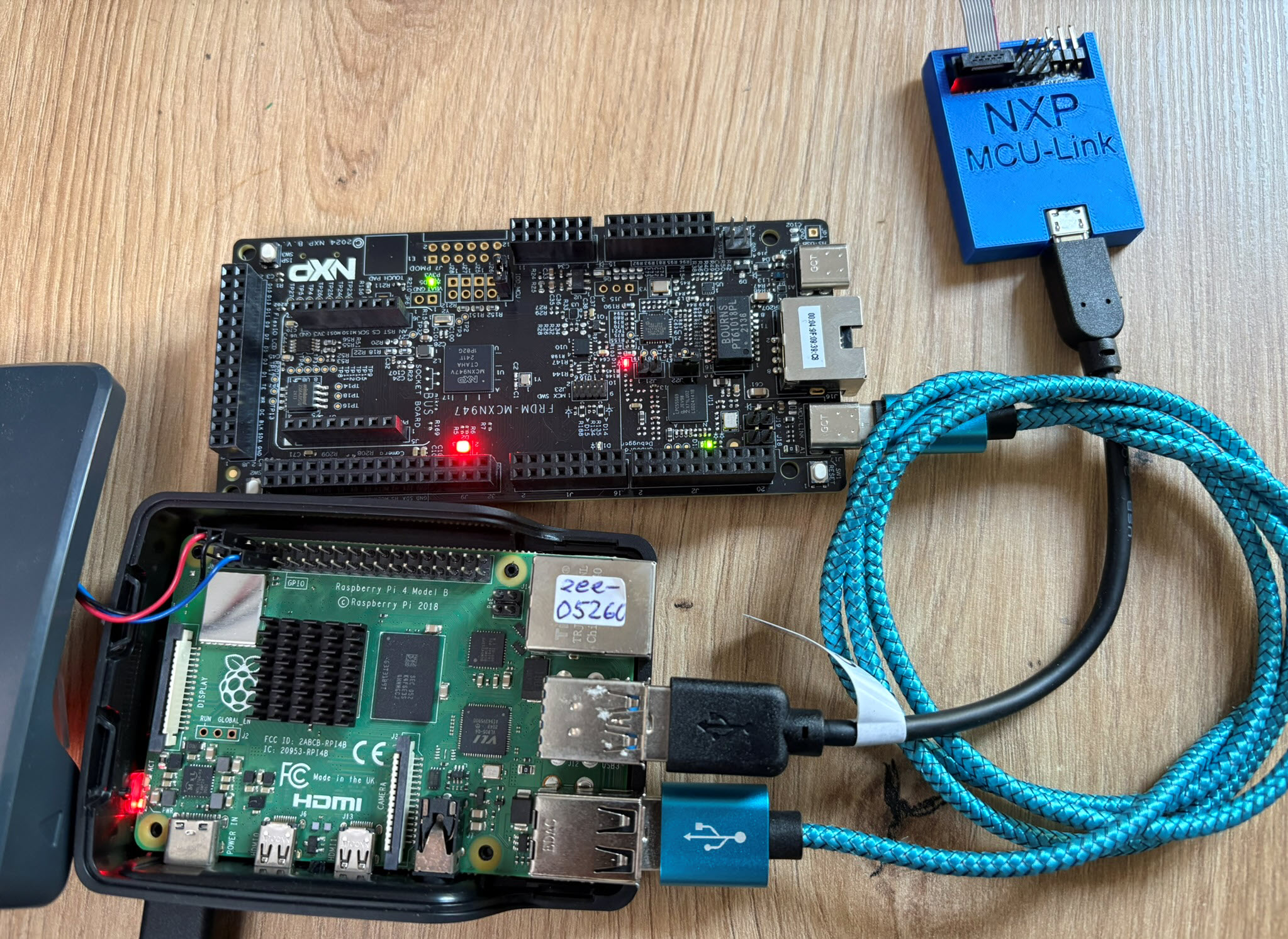

The latest release of the NXP LinkServer supports ARM 64bit (Debian) besides Windows, Linux and MacOS. With this, I can now develop on an NXP i.MX board. Plus, this enables an inexpensive way for automated on-target tests and CI/CD.
A few days ago, a reader of my blog sent me a message:
“Hi Erich, I am reading you since a lot of years. I think you are a pillar of my professional career. Thanks for this. Let me ask you now: what do you think about LLM and coding with LLM in embedded? My employer thinks it time to stop to hire people, because in 1/2 years everything will be substituted by AI. I am not on the same page. Are you using LLM for coding? What do you think about it? Thanks in advance.”
TL;DR: LLMs are changing and improving, making good engineering and education even more important. Studies show that AI can be useful, but productivity will not always increase. AI coding means more critical thinking and responsibility, not less. Engineering and education needs to adopt and change. This includes assessments and didactic, back to paper and defending the work. Learning how to learn is getting the critical skill in the age of AI.
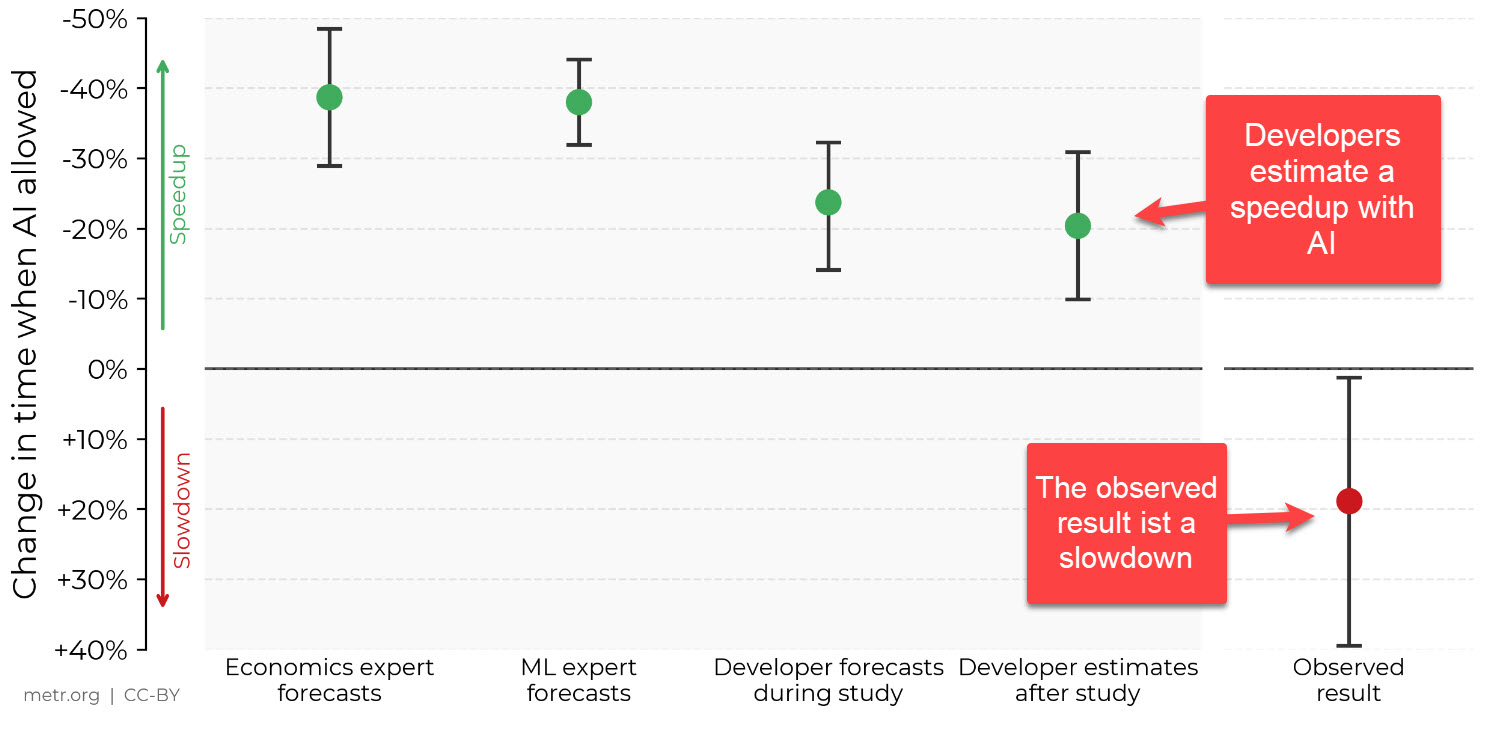
In this article I’ll have collected my thoughts and observations.
Continue readingThe Rust Programming Language makes its way into the Linux kernel, and is used for embedded tooling. What about using it for Embedded? In this article, I’ll show how you get started with Rust on the NXP LPC55S69-EVK:

Today’s projects and systems get more and more complex. Many systems include multiple MCUs, connected with a field bus or network, for example CAN. For example there can be up to 70 CAN nodes in modern cars. Such larger and connected systems are a challenge for debugging.
Traditional hardware debugging requires a hardware debug probe, connected with a dedicated SWD/JTAG debug cable to the target device. This needs dedicated pins on the target device plus physical access to the device itself. In many cases, this is not possible in the final product. The hardware debug probes, cables, pins and high speed signals are costly. And worse they can introduce new problems and are prone to interference.
If there is a field bus like CAN connecting all the MCUs, why not use it for hardware debugging? Hardware debugging meaning programming the FLASH memory, halt the MCU, inspect the memory and registers, and step through the code?
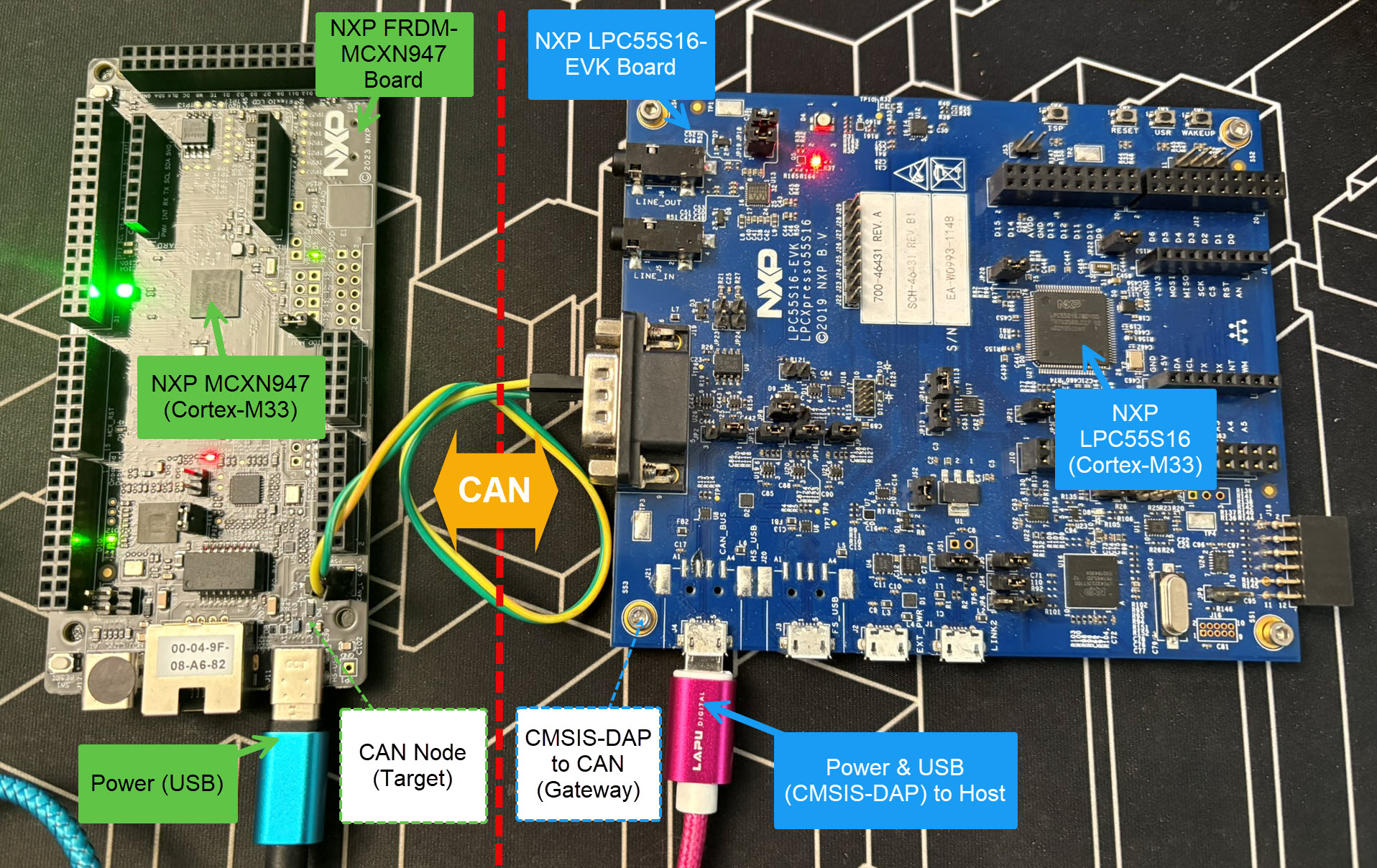
Yes, we can! With the help of a rather unknown hardware feature on ARM Cortex-M devices. We can use the ARM DebugMonitor Interrupt to control and debug the target system. As we would use a JTAG/SWD connection. Instead, we use the CAN bus :-).
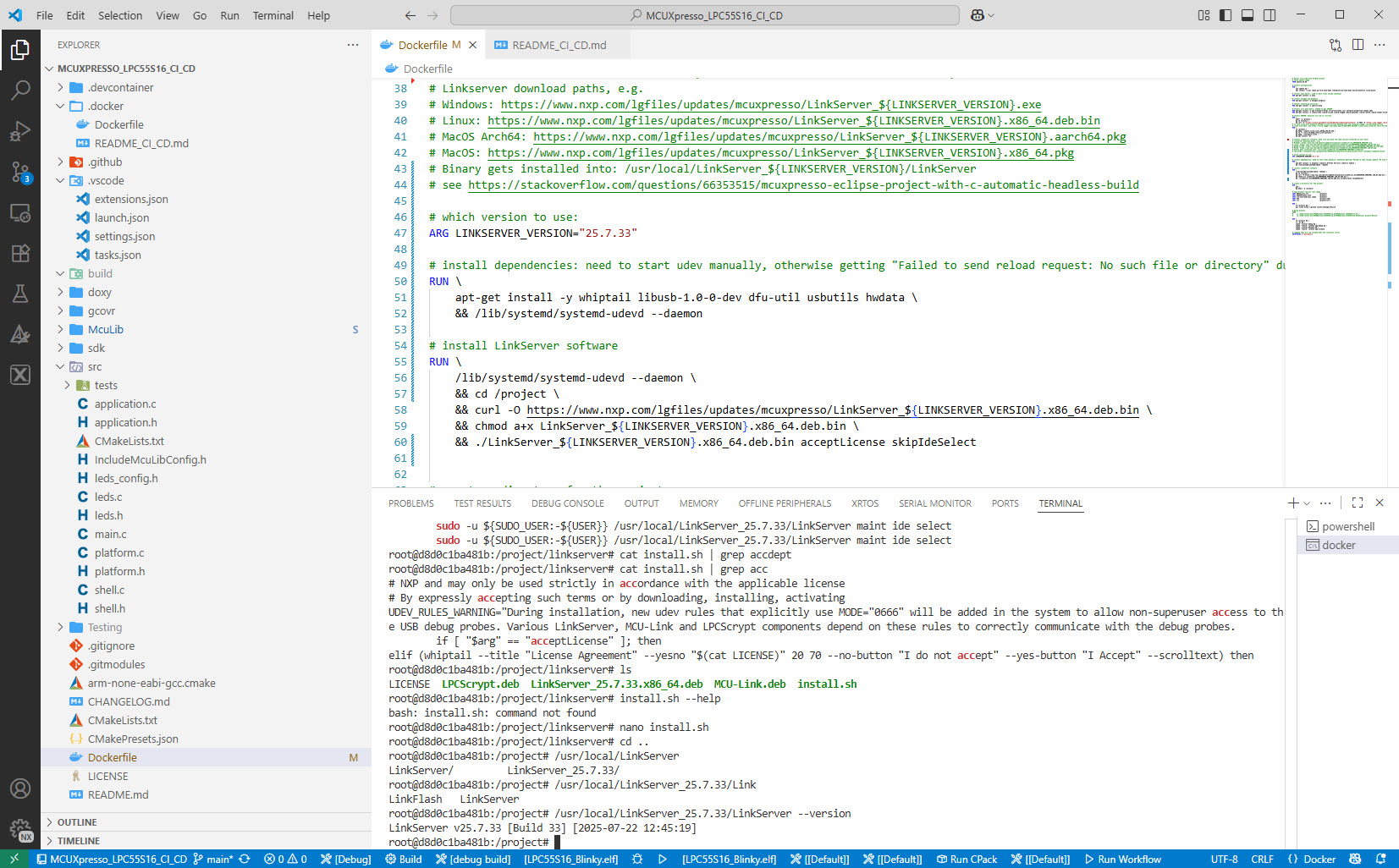
Continue readingI’m shifting more and more of my CI/CD testing infrastructure using the LinkServer runner. One reason is the LinkServer runner can run the test on-target. It can also collect GNO gcov coverage information at the same time. LinkServer is a suite of software tools for launching and managing GDB servers for NXP debug probes.
Cppcheck is a static analysis tool for C/C++. I have used it a lot for my Eclipse projects. And it runs with VS Code as well.

The NXP SDK is git based which is great. If I create a project with VS code, it references the SDK cloned locally.

A standalone project structure is needed if you want to easily share a project with your team. It’s also necessary for sharing inside a classroom environment. This article shows how to use an NXP SDK project in standalone mode.
Continue readingFreeRTOS has a great performance measurement feature built-in: Performance counters. At each context switch, the RTOS can do a bookkeeping of time spent in tasks. With this, it can estimate the runtime distribution between the tasks. A very useful feature to get a feeling what the tasks are doing.
But I noticed that with recent FreeRTOS versions, VS Code extension have issues showing the correct runtime counter values:

This is the second part describing how to use DevContainer for embedded applications with VS Code.
In Optimizing Embedded Development with VS Code and DevContainer I use VS Code with a docker ‘development’ container. The container is created with a recipe to install the development tools and SDK. With VS Code and DevContainer I have the same developer experience as I would develop locally on the host.
One thing not addressed in that earlier article is debugging. Using USB debug probes like a SEGGER J-Link or NXP MCU-Link is a challenge inside a container. This applies to any other debug probe as well.
The solution is to transform an USB based debug probe into one with a network connection:

In this article, I show how to do this.
Continue readingEmbedded System have a lifetime of 10 or 15 years. During that time the software and tools has to be maintained. This can be very challenging. Who knows if that compiler or tool used is still available in 10 years from now? Additionally installing and configuring the tool chain and environment for a new team member is difficult. Even worse: using a different host operating system for the cross development can produce different results or introduce issues.

One solution for all these problems is to use Docker images and containers. I can pack all the necessary tools and software into a virtual environment and container. But developing inside a container comes with many challenges. In this article I’ll show how Visual Studio Code or VS Code makes working with containers very easy. In this article I show how easy it is to use modern development tools and methodologies for embedded development.
Continue reading MCU on Eclipse