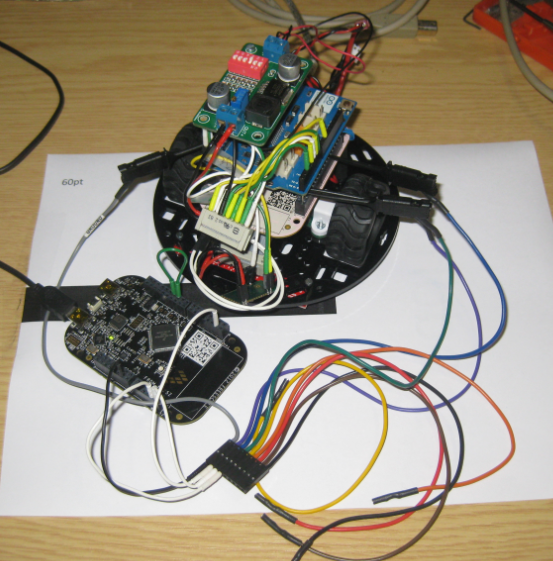
I love the Freescale Freedom boards because they are low-cost, and I do not need a special debug device, as they have the on-board OpenSDA. It is using a small Kinetis-K20 which acts as JTAG SWD debugging probe. Why not using the Freedom board to program another board?
Tag Archives: Debugging
Show it again! (How to re-enable hidden Dialogs in Eclipse)
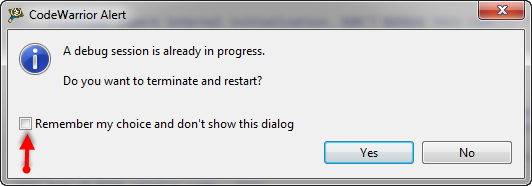
Eclipse has a nice feature to ‘shut up’ dialogs: In many dialogs I can select an option so that dialog does not show up again:
But what if I change my mind later on and what to have this dialog to show up again?
Stepping Backwards while Debugging: Move To Line
It happens to me many times: I’m stepping with the debugger through my code, and ups! I made one step too far!
What now? Restart the whole debugging session?
Actually, there is a way to go ‘backwards’ 🙂
Continue reading
First Steps with the P&E Tracelink
“As an engineer, you should ask for the best tools available. Spending money for better tools can make the difference between finding a problem quickly, or wasting days or weeks, and ultimately failing a project.” (unknown)
I had to learn it the hard way: some ‘hard-to-find-problems’ sometimes only can be found with some amount of luck, or with using a good trace solution. CodeWarrior already supports trace, such as using the MTB on the Cortex-M0+. But with this I’m limited to the on-chip trace buffer or on-chip RAM, which is better than nothing. But to solve the real hard problems, a bit of more power and memory is needed. And here where the P&E Tracelink comes into play: with 128 MByte trace buffer it would allow me to record a lot more trace data :-).
Freedom Logic Analyzer with DMA
The FRDM-KL25Z Open Source Logic Analyzer based on SUMP presented here was already very useful with the added trigger support. But it was not capable to do a sampling rate above a few hundred kHz. That’s ok for slower probing, but not for anything with a higher speed. Using DMA (Direct Memory Access) instead of timer based sampling can remove that limitation :-).
Freedom Logic Analyzer with Triggers
The first FRDM-KL25Z Freedom Logic Analyzer firmware was missing one important feature: Triggers! But this weekend the firmware has evolved a bit :-).
Triggers
Skipping Breakpoints
The challenge with small microcontroller like the ARM-Cortex-M0+ is that they have very limited debugging resources. As such, the number of hardware break points is very limited (see this post). For example for the KL25Z on the Freedom board, I only have 2 break points available if I want to do stepping:
Turning the Freedom Board into a Logic Analyzer
I think the most important tool for a firmware engineer is a Logic Analyzer. I always have one on my desk. Working in different locations, sometimes I forget to carry it with me. And for sure I would need it. To buy another one to compensate my laziness? Or maybe there is another solution? And here I stumbled over an article about the Logic Sniffer project recently: it is about an open source logic analyzer hardware and firmware project. What a cool idea! Why not using my FRDM-KL25Z Freedom board as a Logic Analyzer? Heck, that would be awesome 🙂
Live View for Variables and Memory
Debugging is usually a ‘stop-inspect-continue’ process. That does not work very well for watching a system which continuously changes its state. For this usually I toggle an LED, or write things to the console to watch with a human eye what is going on. But there is something very powerful in the CodeWarrior debugger too: to display variables and memory content while the target is running.
Debugging ARM Cortex-M0+ Hard Fault with MTB Trace
And here it is again: a Hard Fault exception raised by the ARM Cortex-M0+ on my Freedom board:
A reason for hard faults are for example dereferencing a NULL pointer. The issue with the ARM Cortex hard fault exception stack is: it is not easy to find out where in the code the problem is.I have created a Processor Expert component to help me to find the location of such an exception. With the Eclipse based CodeWarrior for MCU10.3 there is another way: Trace with the MTB (Micro Trace Buffer)!