Unknown's avatar

About Erich Styger

Embedded is my passion....

FreeRTOS Heap with Segmented Kinetis K SRAM

While working on a project for the FRDM-K20D50M, I faced a problem: I was running out of SRAM for my application. The GNU linker reports: “section `.bss’ will not fit in region `m_data'”: 😦

bss will not fit in region m_data

bss will not fit in region m_data

But my device has 16 KByte of SRAM, and I knew I use much less than 10 KByte. So what is the problem? Continue reading

Historic Win in Silverstone: Congratulations to the AMZ Formula Student Team!

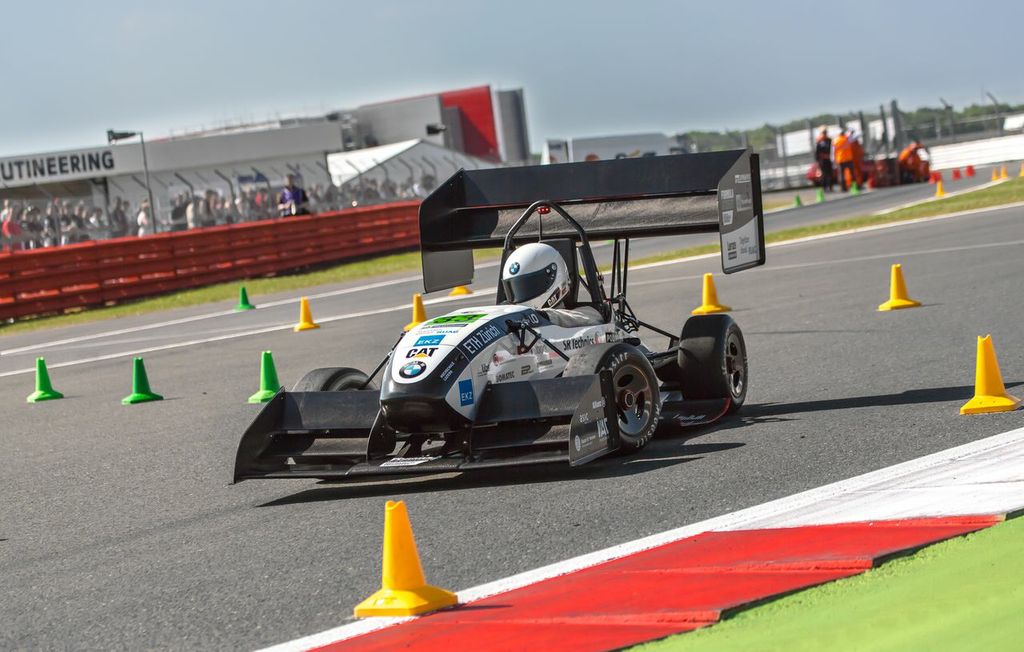
It has been a very successful racing week in Silverstone/UK: The AMZ Formula Student team, formed by students of the ETH Zurich and the Lucerne University of Applied Sciences and Arts, won the first overall place at this prestigious engineering event!

Julier in Silverstone (Picture: Benjamin Hildebrandt)

Julier in Silverstone (Picture: Benjamin Hildebrandt)

Continue reading

Yet another Bluetooth Firmware: BC04

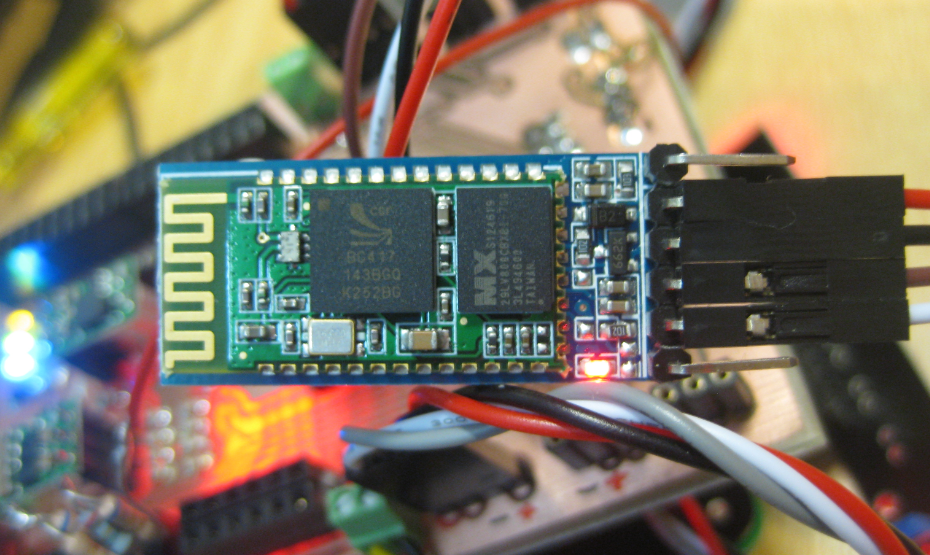
I was thinking that these common and cheap bluetooth modules have either HC-05 or HC-06 firmware (see this post). Well, I was wrong: there are more! Obviously there many more firmware images available on that British CSR BlueCore4-Ext chip. Mihai Surdeanu contacted me with an updated firmware for a module which has the “BC04” firmware on it. He was so gentle and has sent me an updated Processor Expert component which works with that BC04 firmware :-).

Continue reading

Low Power with FreeRTOS: Tickless Idle Mode

It took me a while to find the time to upgrade to FreeRTOS V7.4.2, but finally it is done :-). What caused me to move from V7.2 to V7.4 is a low power application on the FRDM-KL25Z board. V7.4 comes with two major new features: Queue Sets and Tickles Idle Mode (see this article). The last one if of interest here.

FreeRTOS runs an IDLE task. This one runs when there is no other active task. That task calls an optional Idle task hook which is a perfect place to put the microcontroller into low power mode:

Task T1 Running

Task T1 Running

Continue reading

Using the FRDM-KL25Z as USB Keyboard

I miss my old DELL laptop. Ok, the new one I received from IT services is not bad. It is faster and has a better screen. But I’m not really happy with the new keyboard. With the previous keyboard I was able to do a ‘PrtnScrn’ with a single key press. With the new one I need to press Fn + PrntScrn. And this is impossible to do with one hand:

Impossible to reach Prnt Scrn

Impossible to reach Fn+Prnt Scrn with one hand!

Yes, I have two hands ;-). But many times I need to do ‘print screen’ while having my other hand on the mouse :-(.What else can I do?

Continue reading

Using Keil µVision 4 (ARM-MDK) with Processor Expert Driver Suite

❗ This article has been written for the version 4 of µVision. There is an update for version 5 of µVision here: “Using Keil μVision 5 with Processor Expert

The good thing with using ARM microcontroller is: there are plenty of tool choices. Even myself, I’m using multiple different tool chains. And while I’m heavily using Eclipse, there are non-Eclipse tool chains which have their advantages too.

The cool thing with CodeWarrior is that beside of Eclipse based, it comes with Processor Expert integrated. And I’m using Processor Expert a lot in my projects. But using Processor Expert does not mean I’m limited to CodeWarrior or Eclipse. So I can use CodeRed or IAR as tool chain with it. And this post is about using Processor Expert with the µVision tool chain from Keil/ARM.

Keil uVision Splash Screen

Keil uVision Splash Screen

Continue reading

5V Generation from V_IN on the Freedom Board RevE

The Freescale Freedom boards like the FRDM-KL25Z feature an Arduino header so I can stack shields on it. Unfortunately, the Freedom board does not generate 5V if not connected to the USB cable. This makes it not possible to be used with many shields like the Adafruit Motor Shield: such shields expect that the Arduino board is providing 5V through the Arduino header (Pin 10 on J9 on the FRDM-KL25Z). So I had to do hardware changes to generate that 5V if I used my board disconnected from USB, e.g. running from batteries through V_IN (pin16 (P5-9V_IN) on the FRDM-KL25Z.

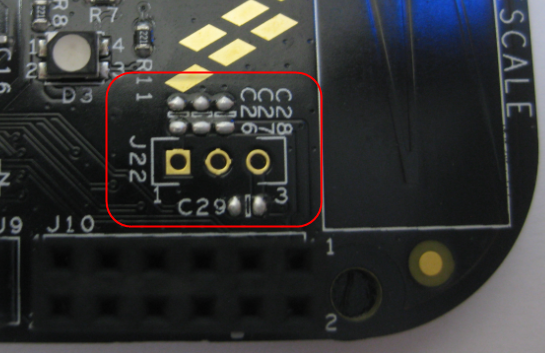
J22 with Capacitors on FRDM-KL25Z RevE

J22 with Capacitors on FRDM-KL25Z RevE

The good news is that the Rev.E of the Freedom FRDM-KL25Z board has now a header J22 to make things easier:

Continue reading

Using the HC-06 Bluetooth Module

After my first post using a Bluetooth module, things have evolved a bit. The challenge with these Bluetooth modules is: they look the same, but having different firmware. I did not fully realize that until I have ordered another bluetooth module from dx.com:

DX.com Bluetooth Module (HC-06)

DX.com Bluetooth Module (HC-06)

That module comes already on a carrier, so I assumed I can use the same driver as for my other module. I was wrong :-(.

Continue reading

Tutorial: Arduino Motor/Stepper/Servo Shield – Part 3: 74HCT595 Shift Register

For many projects, I have one common problem: I run out of I/O pins on my microcontroller :-(. Luckily, I’m not alone, and the industry has created solutions for this kind of problems. One is to use a shift register as the 74HCT595/SN74HC595 which gives me 8 extra output pins. All what I need to spend are are 3 GPIO pins. Not a bad deal: I spend 3 pins and I get 8 (or multiple of it) on return :-).

So why do I say this for this Arduino Motor/Stepper/Servo Shield tutorial? I have asked in this earlier post with a poll for the next topic (relais, motor or command line interface). Right now votes are mostly for relay. But before I can do relay (or DC motor), I need to first cover the 74HCT559. So here we go to have you ready for the next tutorial 🙂
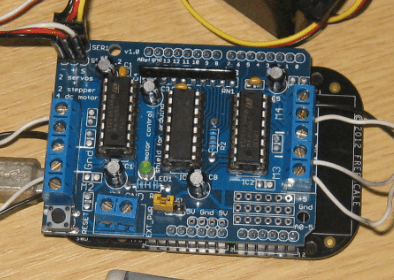
Arduino Motor Shield

Arduino Motor Shield with 74HC595

Continue reading

Bricking and Recovering FRDM-KL25Z Boards: Reset, SWD Clock and Low Power

I’m working with a student on building a small autonomous robot platform, based on the FRDM-KL25Z board. We integrated new software modules, compiled and linked, and then downloaded the application to the board. While debugging and stepping through the application startup, I had this:

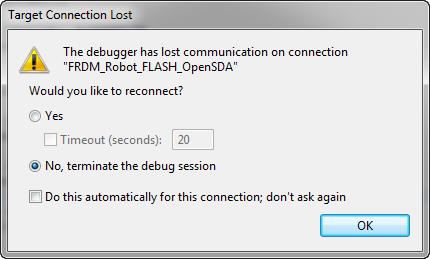
The Debugger has lost communication on connection

The Debugger has lost communication on connection

Outsch! That’s not good. Even worse, trying to connect again to the board failed :-(. What happened?

Continue reading