Pin Muxing: Using the NMI Pin as GPIO Pin

Many modern microcontroller have a cool feature: Pin Muxing. What it means is that I can ‘mux’ the pins for different purposes: such as I can use a SPI or I2C pin as GPIO (General Purpose Pin) or vice versa. In an ideal world, I would be able to ‘route’ or ‘mux’ pins freely around. In practice these ‘way switches’ are more or less limited.

In “Using the Reset Button on the Freedom Board as User Button” I muxed the FRDM-KL25Z reset pin as GPIO pin. The same approach can be used for muxing the NMI (Non-Maskable Interrupt) pin for the Freescale Kinetis devices. I’m showing it here how to do this with Processor Expert as this allows me to do this with a few mouse clicks.

NMI Pin Used as GPIO Pin


NMI Pin Used as GPIO Pin

Continue reading

Creating New Eclipse Debug Configuration

Eclipse is very powerful. To the point that you can do the same thing in multiple ways. I’m always learning new things, and recently I discovered a new way how to create a new launch or debug configuration.

So far I selected the item (e.g. GDB Hardware Debugging) and used the ‘New’ Icon:

New Debug Configuration with New Icon

New Debug Configuration with New Icon

Continue reading

Tutorial: User Interrupts with Processor Expert

I have been asked this question several times:

“How can I define my own interrupt vector with Processor Expert?”

So I think it deserves a short tutorial, if more than one person is asking this ;-).

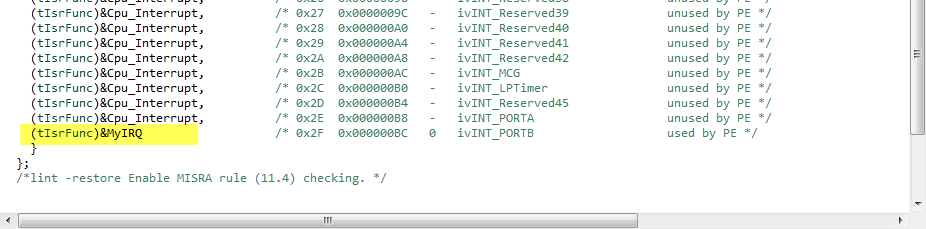
My user interrupt in the vector table

My user interrupt in the vector table

Continue reading

Processor Expert (Driver Suite/Plugins/KDS) V10.4 with new Component Inspector

There has been a lot of new Freescale releases recently around FTF, and I’m trying to catch up. For me as a Processor Expert Lover, it is good news that there is now the new version 10.4 available. And it comes in different ways:

Microcontrollers Driver Suite v10.4

Microcontrollers Driver Suite v10.4

Continue reading

The Zumo Bots at FTF 2014

I should have known it better, and I always teach my students that they should take the environment into account. And you know what? This time it was me who missed following that rule.

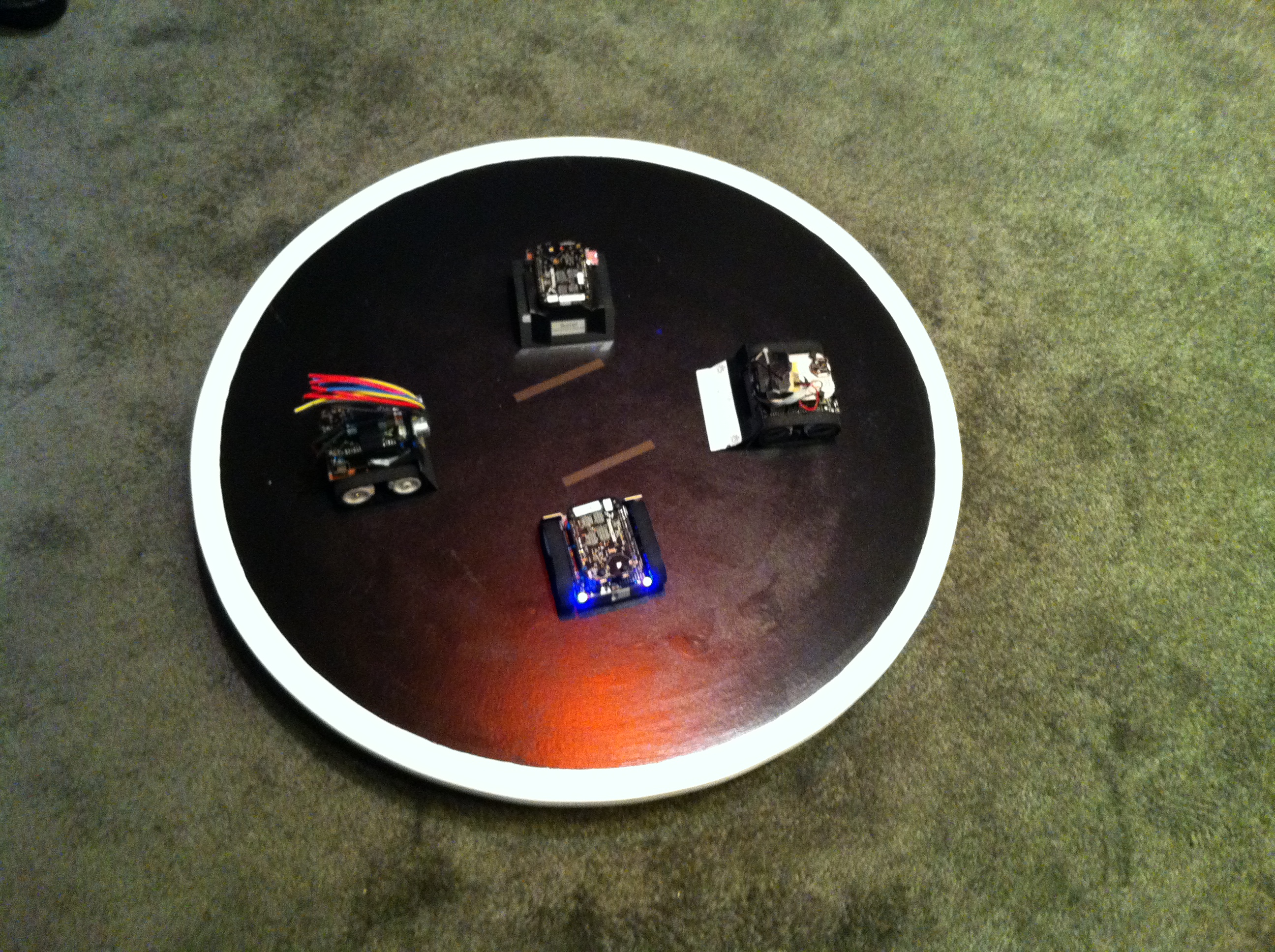
But from the beginning: For the Freescale Technology Forum (FTF) I brought 4 different Zumo Robots to show developing with the Freedom board and Processor Expert. Clark (thanks again, Clark!) has built and brought the Sumo Dojo, and I brought the bots:

Zumo Bots at FTF

Four Zumo Bots at FTF

Continue reading

GNU Additional Tools: Create Flash Image, Print Size and Extended Listing Options

One question I have been asked several times here at FTF:

“How can I create an S19/Motorola S-Record with Eclipse?”

The answer depends on which Eclipse you are using. Actually it depends on which (ARM) build  tools plugin you are using, as with Eclipse you have the freedom of choice.

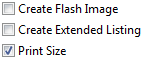
And this is not only about S19/Binary (Flash Image), but covers ‘Extended Listing’ and ‘Print Size’:

Additional Tool Options

Additional Tool Options

Continue reading

FTF: FRDM-K64F, Kinetis Design Studio and Kinetis SDK

I’m attending the Freescale Technology Forum (FTF) in Dallas this year: As they say here: “everything is bigger in Texas”, that’s the motto of this conference ;-). The conference is packed, and I have a hard time to keep up with all the things going on. My focus is obviously everything around Eclipse and ARM microcontroller. The conference started yesterday afternoon with hands-on labs, and I was in the one were Freescale presented the new ‘Kinetis Design Studio’: a free of charge/unlimited Eclipse tool chain based on Eclipse Kepler, GCC and GDB. Freescale presented their new software library ‘Kinetis SDK’. And: There is a new Freedom board which gets handed out to the attendees: the FRDM-K64F :-).

Texas Style Glass Coverage

Texas Style Glass Coverage

Continue reading

What Meetings feel like for Engineers

My students and everyone in my office know me: I’m a HUGE fan of Dilbert. There is rarely a lecture for which I do not have a Dilbert cartoon which shows the daily life of an engineer  in as few as 3 cartoons. Humor is a good way to reflect behaviour and to have a laugh, so usually I tell every week a fun story to the class. I collect fun stories from students, from my family, my peers, or from my life as teacher, researcher and engineer.

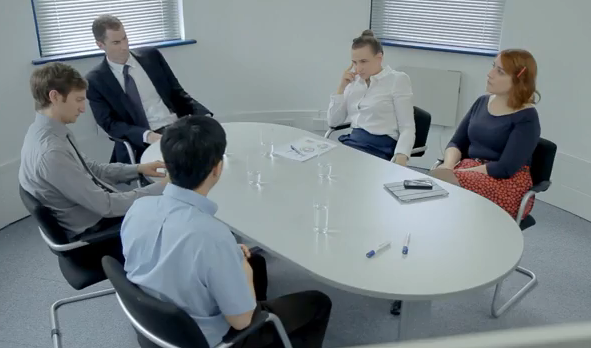
And here I share my newest fun story (a video this time): An engineer as ‘expert’ in a business/requirement meeting. The task is simple: create seven red lines. But the twist is that these lines must be perpendicular

The Meeting with the Expert

The Meeting with the Expert

Continue reading