XFormat, a Lightweight printf() and sprintf() Alternative

Frequent readers of this blog know that I do not like printf (see “Why I don’t like printf()“), because the standard printf() adds a lot of overhead and only causes troubles. But like small kids, engineers somehow get attracted by troubles ;-). Yes, printf() and especially sprintf() are handy for quick and dirty coding. The good news is that I have added a lightweight printf() and sprintf() implementation to my set of components: the XFormat component. And best of all: it supports floating point formatting :-).

XFormat Component
XFormat Component

Continue reading

Eclipse Performance Improvement Tip: Close Unused Projects

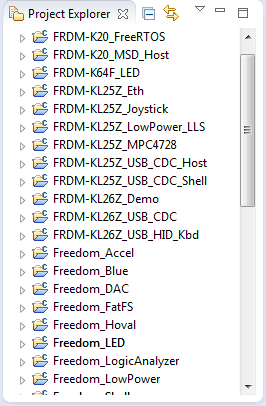
Eclipse is not the fastest and snappiest IDE of the world, but in my view the most versatile and open one. And as with any tool: using it the wrong way does not make it better. Sometimes I have students in my classes which complain that Eclipse is slow, even on a decent machine. Looking at their notebook screens and Eclipse workspace usually tells me right away what they are doing ‘wrong’: there are many, many projects open in the workspace, the most I have seen was more than 50 projects (yikes!!!)!

Many many projects open

Many many projects open

Continue reading

First Steps with the RIoT Board and Android

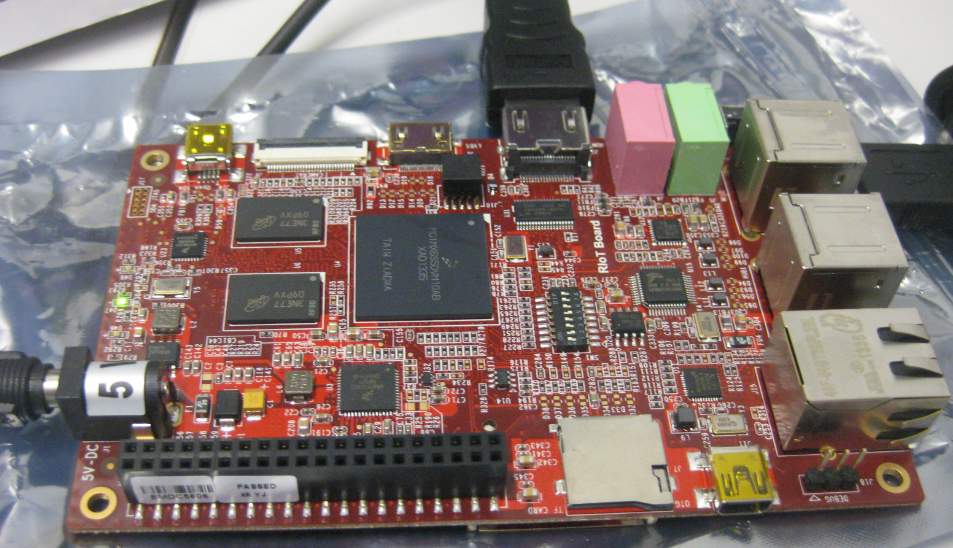
At the university we have several projects with internet connectivity running. Yes, there is a hype around IoT, and in my view many false perceptions around this what it could or should be. Anyway, for these projects in many cases the Raspberry Pi boards are used, and I use a model B board of the Raspy too. I’m very happy with the Raspy, but I wanted to explore different options, so I ordered a RIoT board two weeks ago. When I looked at it the first time, I was thinking that this board could be a better (although larger) board than the Raspberry Pi one: more USB, more GPIO, micro-SD card, more processing power:

RIoT Board

RIoT Board

Well, then this week the new Raspberry Pi B+ came out: more USB, more GPIO, but same processing power as the standard B model.

Continue reading

printf() and scanf() with GNU ARM Libraries

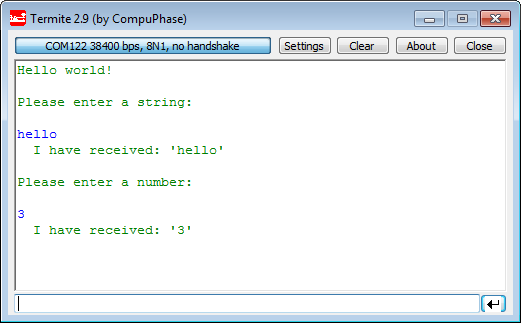
In “Semihosting with Kinetis Design Studio” I’m using the debugger with semihosting to output text with printf(). But how to use a physical serial connection instead?

printf() and scanf() in action

printf() and scanf() in action

This post is about how to enable and use printf() and scanf() with GNU ARM libraries. I show it both for the Freescale Kinetis Design Studio (KDS) and for stock Eclipse Kepler with the GNU GCC ARM Embedded (launchpad) toolchain and libraries. The principles are the same, just the details are different ;-).

Continue reading

Snake Game on the FRDM-KL25Z with Nokia 5110 Display

So I have a graphics driver for a Nokia display (see “Zero Cost 84×48 Graphical LCD for the Freedom Board“), I have a joystick shield (see “JoyStick Shield with the FRDM Board“) and I do have a Freescale Freedom board: why not creating a simple game for it? Snake!

Snake Game with FRDM-KL25Z Board

Snake Game with FRDM-KL25Z Board

Continue reading

Tutorial: DIY Kinetis SDK Project with Eclipse – Startup

This is the start of a multi-post tutorial about the Freescale Kinetis SDK, released back in April as beta version. The SDK a set of peripheral drivers, and will become the standard software foundation and drivers provided by Freescale for their ARM Cortex based devices. Similar what other vendors already do. While this is a good step, it is the same time very disruptive for my university projects with new Freescale Cortex-M devices. And with everything new (and beta), it needs time to learn. So this post is about creating a Do-It-Yourself Kinetis SDK project from scratch for Eclipse. This part is about the startup code: about everything to get the application started.

FRDM-K64F with SD, nRF24L01+ and HC-06 Bluetooth

FRDM-K64F with SD, nRF24L01+ and HC-06 Bluetooth

Continue reading

Tutorial: PWM with DMA on ARM/Kinetis

For a project I need to change the PWM duty cycle after a PWM period is over. One way to do this is to have an interrupt at the end of the PWM period, and then set the new PWM duty (compare) register value in the interrupt. That works fine for ‘slow’ PWM frequencies, but if the PWM frequency is high, the CPU load is massively increasing. A better way is to use DMA (Direct Memory Access).

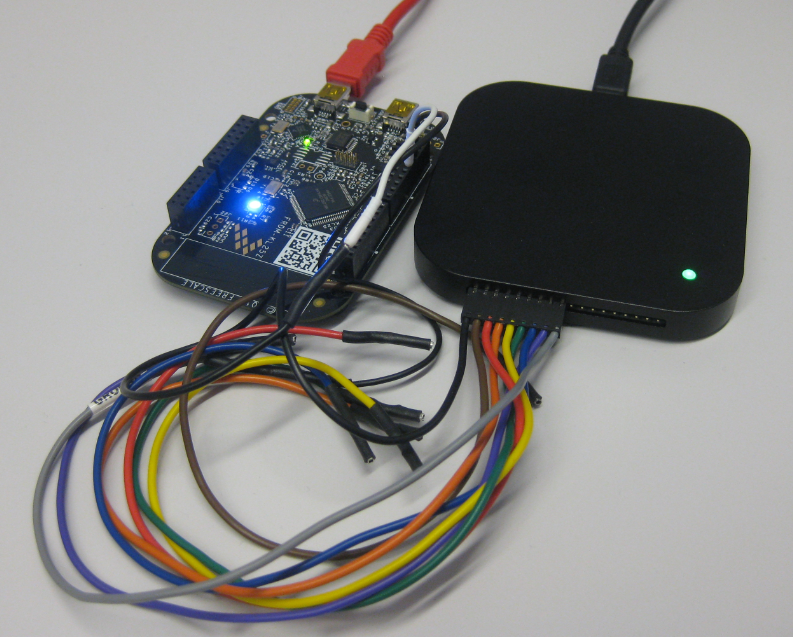
FRDM-KL25Z with DMA PWM and Logic Analyzer

FRDM-KL25Z with DMA PWM and Logic Analyzer

Continue reading

Tutorial: Freedom Board with Adafruit Ultimate GPS Data Logger Shield

Many times I start with a project and tutorial, only to get interrupted for emergency tasks and assignments. For a long time I wanted to add GPS (Global Positioning System) functionality to one of my projects. While I started a few months ago on this, it took me until this week-end to finish the at least the first part: a SD card data logger with GPS :-): I calculate global positioning and time information, can use it in Google maps and store it on a SD card:

Adafruit GPS Data Logger Shield on a FRDM-KL25Z Board

Adafruit GPS Data Logger Shield on a FRDM-KL25Z Board

Continue reading

How to Add Register Details View in Eclipse

The standard Eclipse registers view only shows the core registers:

Standard Registers View in Eclipse

Standard Registers View in Eclipse

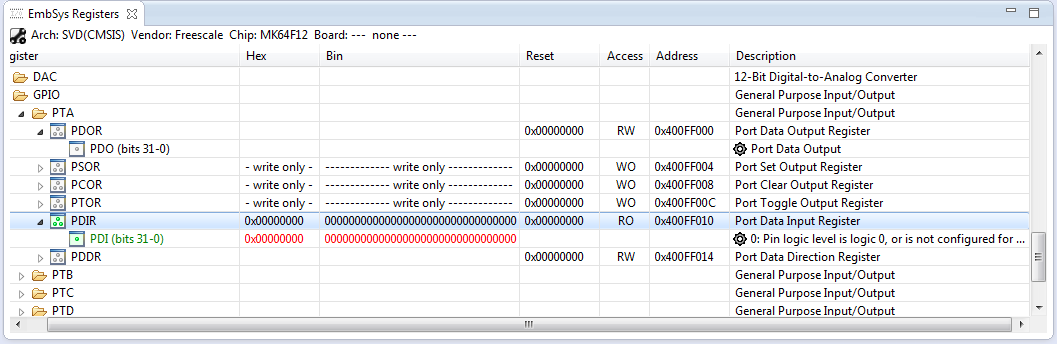
I think it would be great to have a view to see all the device peripheral registers too?

Embedded System Registers View

Embedded System Registers View

If you want the same, then this article is for you. It works both for stock Eclipse and Freescale Kinetis Design Studion (KDS) 🙂

Continue reading

Enhanced RNet Wireless Components and Communication Stack

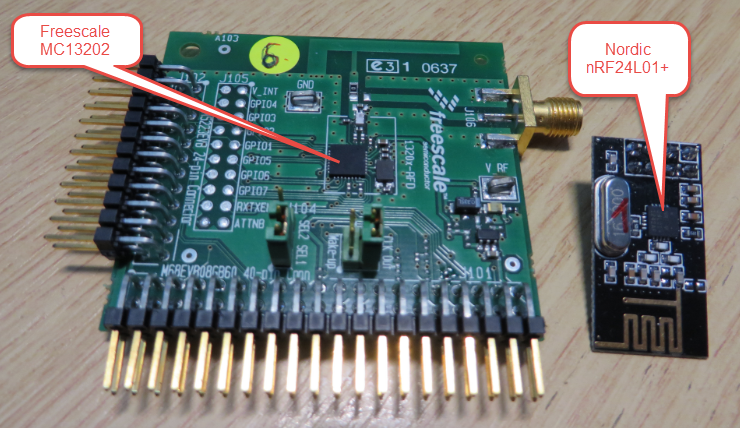
I’m using both the Freescale MC1320x and Nordic Semiconductor nRF24L01+ 2.4GHz in many projects. To make it even easier to use these transceivers in the RNet stack, I have updated it with several new functions.

MC13202 and nRF24L01+

MC13202 and nRF24L01+

Continue reading