The Eclipse IDE is in my view the best IDE in the world :-). But it is not the fastest one: All the functionality and comfort has a price, and such a Java and highly flexible IDE requires its resources. The Eclipse community is continuously addressing that concern, and for example the Eclipse Juno 4.2 IDE in CodeWarrior for MCU10.5 shows this nicely: things are much smoother compared to the Eclipse Indigo 3.7 in MCU10.4. But if you feel that you do not want to use Processor Expert because it is too slow, then I have a trick how to improve performance by a factor of 10 :-).
Tag Archives: Eclipse
Link Order: Using Multiple Definitions with ARM GNU Linker and Eclipse
Sometimes I have ‘multiple definitions’ in my projects: this means that I have functions defined in one source files, and I need to ‘overwrite’ one or more with a version in another source file. For example I have a source file with utility functions (Utility.c), and I want to overwrite some of these functions with a different implementation in a different file (MyUtility.c). How can I do this?
New CodeWarrior for MCU10.5
On Friday, Freescale has updated CodeWarrior for MCU10 from V10.4 to V10.5, available on http://www.freescale.com/cwmcu10. I have not had much time to use it over the week-end, but here is a list of the things which in my view will make me switch my projects over to 10.5 and use it in my university classes:
- Smaller: smaller setup and less disk space
- Faster: faster debugging and flashing
- Features: Eclipse Juno, detachable editor views, ‘unlimited’ breakpoints, simplified debugger attach/connect/download, and more.
USB for the Freescale ARM Kinetis KL46Z and K21D50M
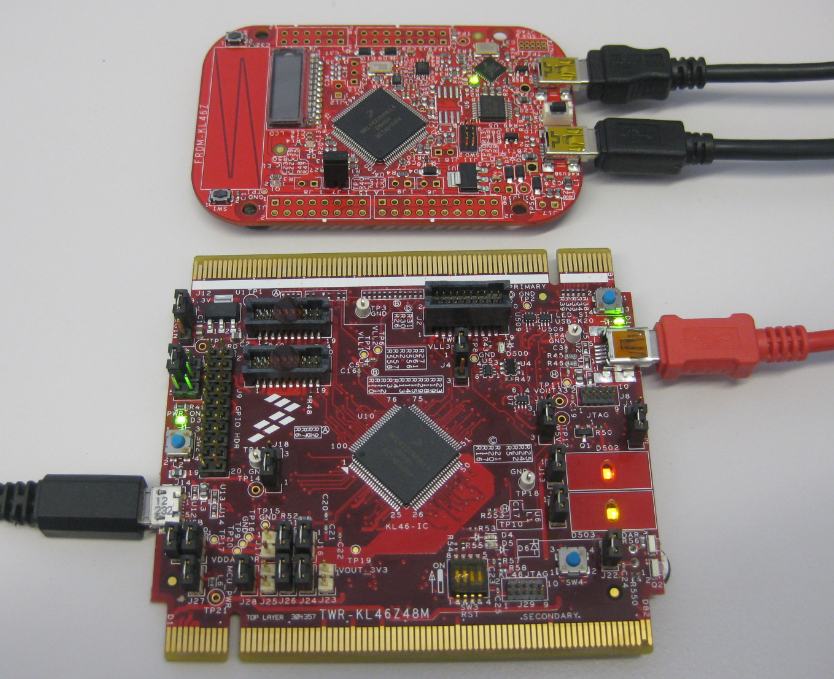
As I was so pleased with the FRDM-KL46Z board, that I have ordered the Tower version of it, the TWR-KL46Z48M:
What I missed so far was USB support for the KL46Z. So time to have a quick look at board(s) and to add USB support for it.
Installing eGit in Eclipse and CodeWarrior for MCU10.4
Git is now my favorite version control system. Git and GitHub are very powerful, it has (nearly) all features I can think about, and best of all: As a distributed version control system, I can work with it, even if disconnected from the network :-).
There are many standalone and IDE integration available for Git. Beside of using TortoiseGit, I’m using the eGit Eclipse integration. This post is about how to install eGit in Eclipse, particularly in CodeWarrior for MCU10.4.
Device Driver for Freescale MAG3110 Digital Magnetometer
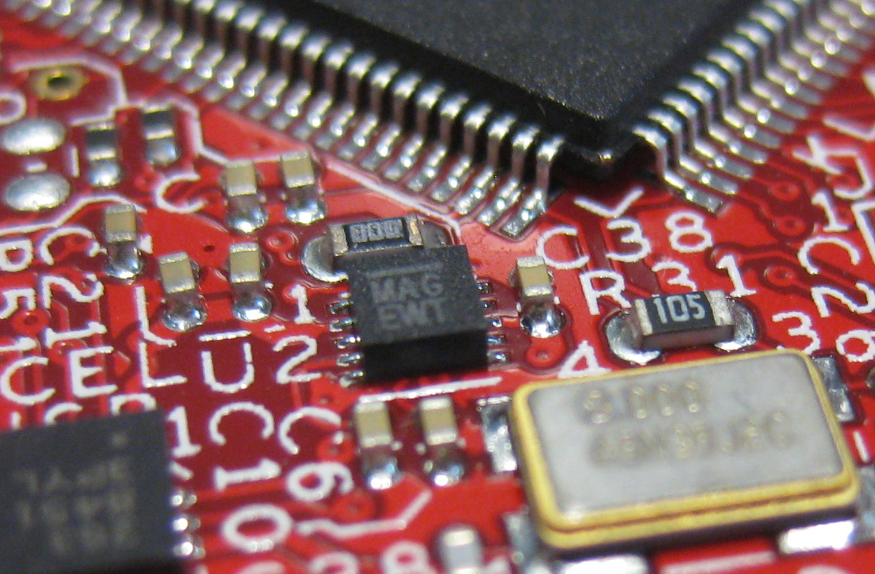
One of the ‘goodies’ of the FRDM-KL46Z is the Freescale MAG3110 magnetometer. The MAG3110 is a tiny 2×2 mm device:
What was missing so far is a Processor Expert component for it. This post is about closing this gap…
A new Freedom Board: FRDM-KL46Z
Freescale has added a new Freedom board: the FRDM-KL46Z:
My opinion? The best Freedom board so far, I love it!
DIY Free Toolchain for Kinetis: Part 6 – Linux Host with OpenOCD and CMSIS-DAP
For everyone who wants to build a Do-It-Yourself toolchain for Kinetis on Linux, I recommend to read the following excellent post by Karibe:
Setting up Linux opensource build and debug tools for freescale freedom board FRDM-KL25Z
He describes how to get OpenOCD with CMSIS-DAP working with Eclipse on Ubuntu to debug the FRDM-KL25Z board.
List of Tutorials
- Part 1: Setting up ARM GNU tool chain
- Part 2: Setting up Eclipse IDE
- Part 3: Setting up the debugger (P&E and Segger)
- Part 4: Setting up Processor Expert
- Part 5: Setting up FreeRTOS Kernel Awareness
- Part 6: Linux Host Support with OpenOCD and CMSIS-DAP
- Part 7: GNU ARM Eclipse Plugins
- Part 8: Processor Expert with GNU ARM Eclipse Plugins
- Part 9: DIY Free Toolchain for Kinetis: Part 9 – Express Setup in 8 Steps
- Part 10 – Project Creation with GNU ARM Eclipse 2.1.1
Happy Linuxing 🙂
DIY Free Toolchain for Kinetis: Part 5 – FreeRTOS Eclipse Kernel Awareness with GDB
So far I have covered in this tutorial series how to install ARM GNU gcc, adding Eclipse, followed by adding GNU GDB debugger, and then adding Processor Expert. I’m using FreeRTOS a lot in my projects, and luckily there is a Kernel Awareness Plugin available for FreeRTOS for GDB in Eclipse. This tutorial is about how to install and use it.
DIY Free Toolchain for Kinetis: Part 4 – Processor Expert for Eclipse
I covered in a previous tutorial how add ARM gcc to Kepler Eclipse to build a DYI toolchain. I’m using Processor Expert a *lot* in my project, because it simplifies and speeds up the development of my embedded applications. What is missing so far is how Processor Expert can be added to Eclipse. As Kepler is as of this writing the latest Eclipse version, this tutorial is using that version.
❗ Eclipse Luna is *NOT* supported in Processor Expert 10.4! Eclipse Luna is expected to be supported in Processor Expert 10.5 coming out in 2015! So if you are using Processor Expert 10.4, then make sure you are using Eclipse Kepler.