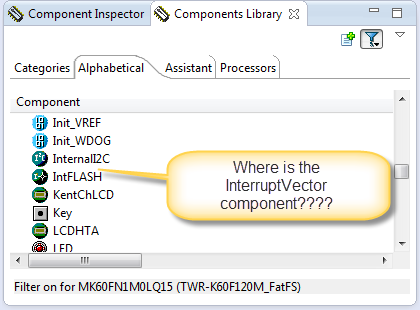
In case you are desperately looking a component in the components library view, but somehow it does not show up? For example I know there is component ‘InterruptVector’, but it is not present in the Components library view?
Tag Archives: CodeWarrior
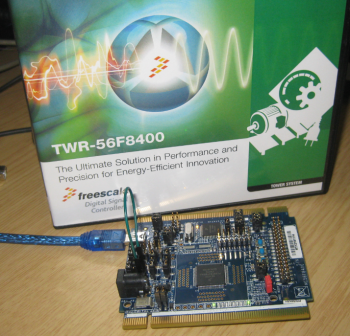
FreeRTOS for the Freescale DSC 56F8400 Core
Yes, I have been busy with all the different ARM Cortex Mx cores I’m using in my projects. But beside of the ‘ARM domination of the world’, there are other interesting processors out there. While the ARM cores have added DSP (Digital Signal Processing) capabilities blurring the boundaries between pure MCU and DSP processors, there is still a place (or niche?) for specialized DSP processors. The power of such processors is in the domain of fast signal processing, e.g. for intelligent power switches or for advanced motor control.
Workaround for Processor Expert ‘Components’ View Synchronization
CodeWarrior for MCU10.5 comes with a new Eclipse and new Processor Expert. Things are working very well so far. But I have spotted an issue which seems to be related to the new Eclipse Juno used: sometimes the Processor Expert ‘Components’ view is not correctly showing the current project used.
S-Record Manipulation with GNU objcopy and Burner Utility
In my earlier post “S-Record Generation with gcc for ARM/Kinetis” I documented how to have the ARM GNU gcc toolchain to produce a S19 (Motorola (or now Freescale) S-Record) file. Here are a few more tips on that subject:
- Changing length of S-Records
- Only using 32bit addresses
- Combining S19 files
Eclipse Command Line Code Generation with Processor Expert
Eclipse based IDE’s have typically one limitation: the IDE has not much scripting capabilities. Yes, I can use things like JUnit for testing, but if it comes to build and debug C/C++ applications, then support gets really rare. An exception to this is CodeWarrior for MCU which features a command line version of the IDE which can be used for test automation as I used it in one of my tutorials. What I missed so far is to have a command line interface for Processor Expert to generate code. This is now possible with CodeWarrior for MCU10.5 :-).
Link Order: Using Multiple Definitions with ARM GNU Linker and Eclipse
Sometimes I have ‘multiple definitions’ in my projects: this means that I have functions defined in one source files, and I need to ‘overwrite’ one or more with a version in another source file. For example I have a source file with utility functions (Utility.c), and I want to overwrite some of these functions with a different implementation in a different file (MyUtility.c). How can I do this?
Changing Initialization Sequence in Processor Expert
Now I have implemented a watchdog with Processor Expert for my system. But what I have found out? I ended up with a looping system, and the watchdog did not fire 😦
What went wrong?
Overview of ARM Microcontrollers and Tools
In this semester course, students (and myself too, of course :-)) are building a Mini Sumo Robot. That robot is using the Freescale FRDM-KL25Z board with an ARM Cortex-M0+ on it. Today I’ll give an introduction to the ARM core to the class, and timing is right: this morning I have found an excellent overview about ARM microcontroller and tools written by Jay Carlson.: Getting Started with ARM Microcontrollers.
New CodeWarrior for MCU10.5
On Friday, Freescale has updated CodeWarrior for MCU10 from V10.4 to V10.5, available on http://www.freescale.com/cwmcu10. I have not had much time to use it over the week-end, but here is a list of the things which in my view will make me switch my projects over to 10.5 and use it in my university classes:
- Smaller: smaller setup and less disk space
- Faster: faster debugging and flashing
- Features: Eclipse Juno, detachable editor views, ‘unlimited’ breakpoints, simplified debugger attach/connect/download, and more.
USB for the Freescale ARM Kinetis KL46Z and K21D50M
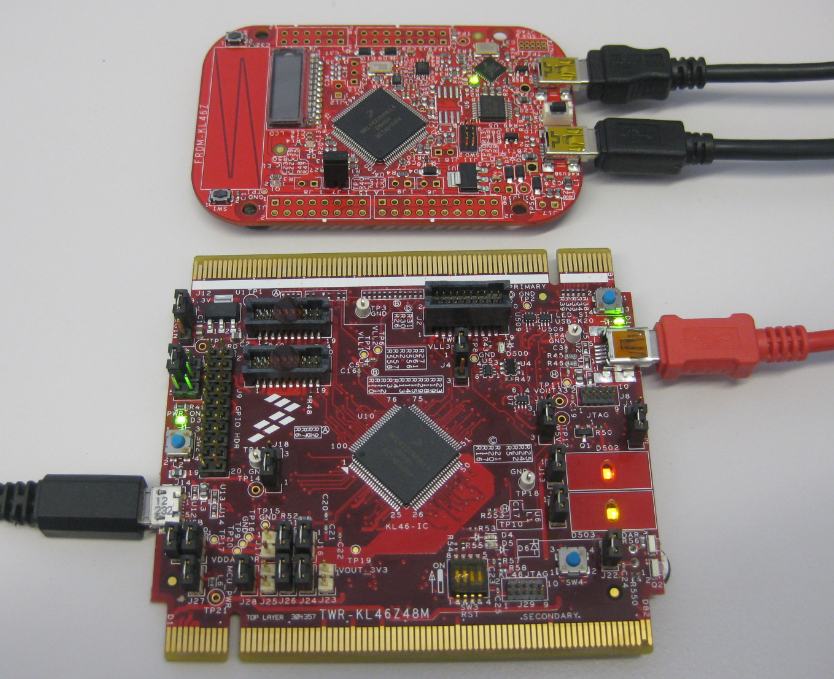
As I was so pleased with the FRDM-KL46Z board, that I have ordered the Tower version of it, the TWR-KL46Z48M:
What I missed so far was USB support for the KL46Z. So time to have a quick look at board(s) and to add USB support for it.