There is now an example project available on GitHub which runs FreeRTOS on the FRDM-KL05Z board:

FRDM-KL25Z Board with FreeRTOS

There is now an example project available on GitHub which runs FreeRTOS on the FRDM-KL05Z board:
FRDM-KL25Z Board with FreeRTOS
Eclipse is a good IDE. At a first glance, it does the job. Good enough. At least for myself, I was not that much excited when I used it the first time. I came from the Microsoft Visual Studio world, and have used many other proprietary IDE’s. So Eclipse was just ‘yet another one’. But what Eclipse makes really great is the incredible wealth of functionality which is not visible right away. Yes, this is the same for any other software tool: it takes time to explore, and once you know things well, you do not want to switch or even consider something different. Same for me.
The other thing is: after some time, I get used to things, and I do not appreciate it that much any more. Only until someone reminds me that maybe things are not that well-known? This is what happened to me two days ago: I did some editing in Eclipse, while a colleague was watching me doing this. Then he said something like this
“Hey, what did you do? What was that?!? How did you do that?”
I do not remember his exact words, as I was surprised as well. I did not do anything special? Kinda standard Eclipse thing. Well, maybe not.
Because my first line following robot was this week at the Embedded World conference in Nürnberg, I have constructed another one around the Freedom FRDM-KL25Z board. It is based on Pololu part items and the Arduino motor shield, plus using a Bluetooth module I have used in an ealier post.
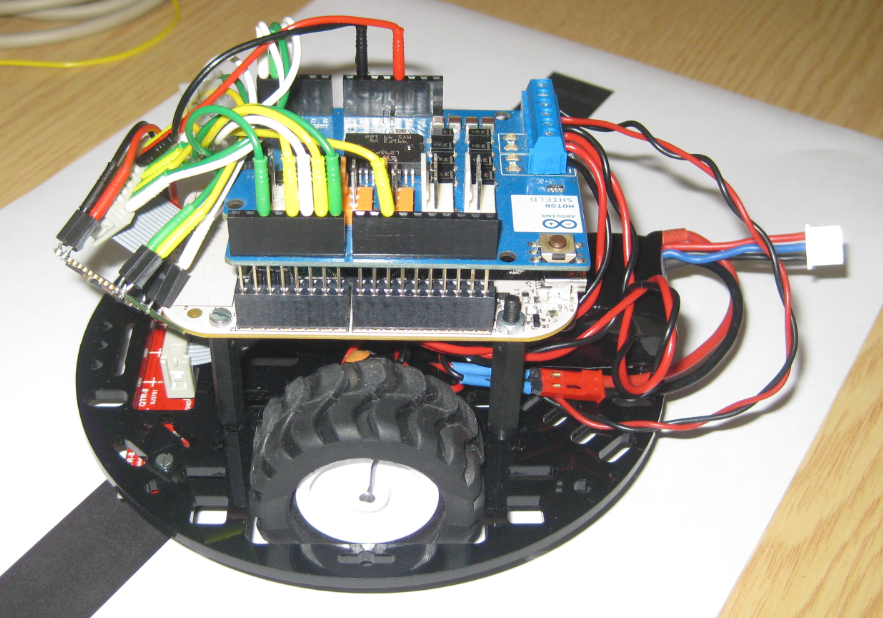
Pololu Line Following Robot with FRDM-KL25Z
Sometimes I’m looking for a functionality, and I cannot find it. But this does not mean that it does not exist ;-).
The Eclipse preference pages have a great filter text field: If I want to change a setting which has something to do with ‘color’, I can enter that text and it will show me all setting pages having something to do with ‘color’:

Eclipse Preference Filter
Sometimes things take longer than anticipated. And this is definitely the case for my USB MSD Host project where I wanted to use a USB memory stick with the Freedom FRDM-KL25Z board.

Memory Stick attached to the Freedom Board
But finally, I have things working. At least most of the time ….
When I create a new project for the KL05Z with Processor Expert, then it shows up as 48 pin LQFP package in the project:

48pin LQFP Package in Components View
However, when I look at my board, it has a KL05Z32 in a LQFP package with 32 pins:

FRDM-KL05Z Board
The first FRDM-KL25Z Freedom Logic Analyzer firmware was missing one important feature: Triggers! But this weekend the firmware has evolved a bit :-).

Trigger Settings
After working on an ADC example, a DAC one was missing. Julio E. Fajardo is a reader of this blog, and he was so kind to send me an example project for the FRDM-KL25Z. The example is able to produce produce different waveforms with the DAC. The project has two examples which they are enabled/disabled in main(). One example waveform the sawtooth:
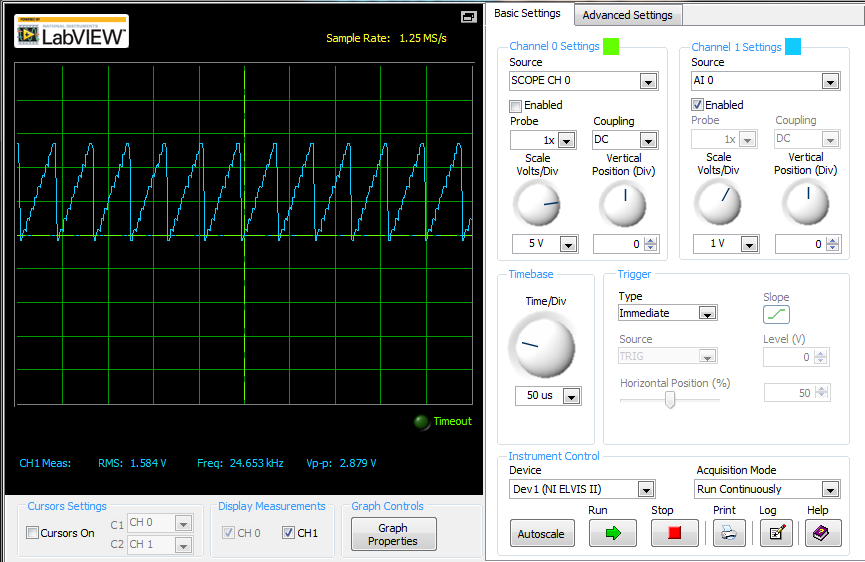
Sawtooth_FDRM_DAC
The challenge with small microcontroller like the ARM-Cortex-M0+ is that they have very limited debugging resources. As such, the number of hardware break points is very limited (see this post). For example for the KL25Z on the Freedom board, I only have 2 break points available if I want to do stepping:

No more hardware break points available
I’m using serial communication in different flavors for my project: with the shell, with OpenSDA USB CDC, to use printf(), and with the Bluetooth module. Processor Expert is a big helper, but as for any software, it is not bug free. And there is a problem with Processor Expert in CodeWarrior for MCU10.3 in respect with Baud settings for a serial interface.
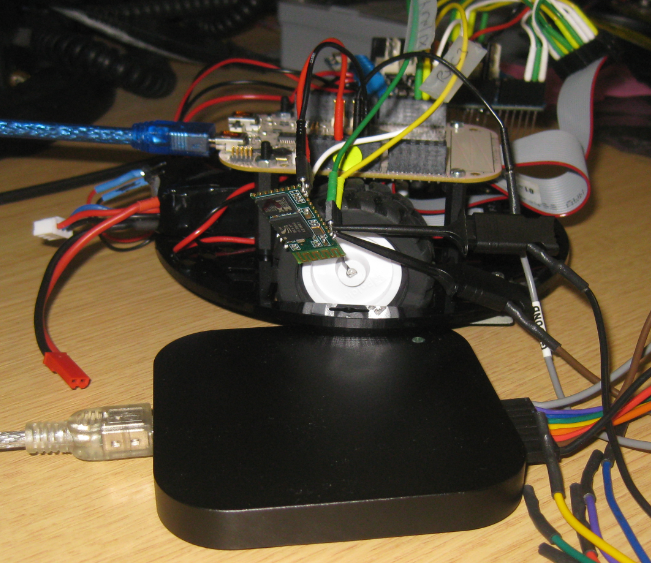
Probing the Bluetooth Module Serial Connection
 MCU on Eclipse