After having imported the repository with the SDK, it is now time to create a first project.


After having imported the repository with the SDK, it is now time to create a first project.
The ridge path linking the Fronalpstock and Klingenstock peak is one of the must stunning high trails in the central part of Switzerland. With views to many lakes and other peaks. With a duration of around 2 hours hiking time, and 400 meters up and down, it is a medium mountain hiking trail.

In a previous article I have installed the MCUXpresso extension and used the MCUXpresso Installer to install the necessary development tools.
In this article I’m going to import the SDK.

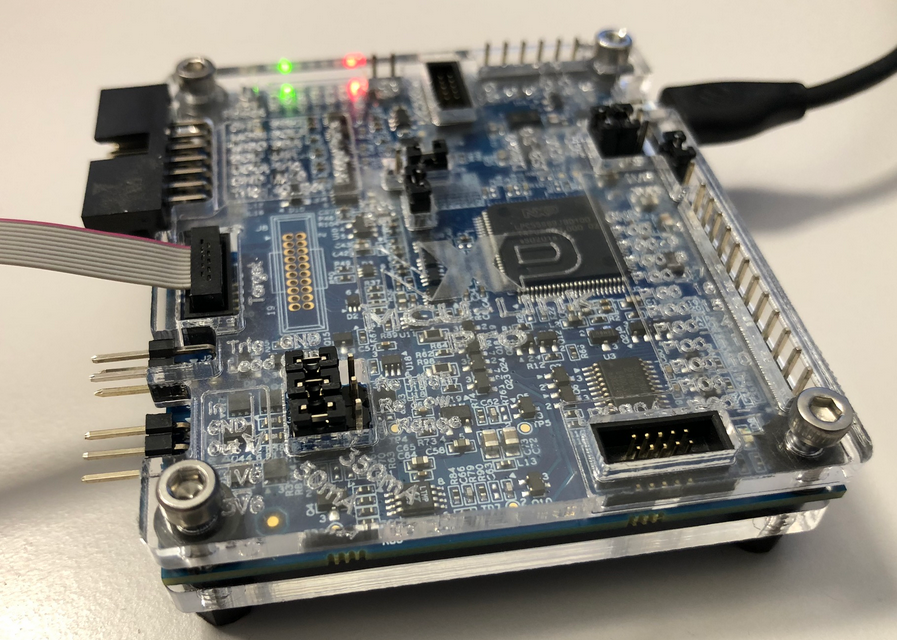
With “Adding RGBW Wings and Enclosure to a Debug Probe” I have a really shiny enclosure for the MCU-Link Pro Enclosure.
But I did not had enough time to replicate this for a full set of classroom hardware. The original card boxes from NXP showed already after one semester severe wear, so I have to setup something more robust: a box to store all the cables, and an enclosure to protect the PCB, for 40 units.
3D printing would take to much time, so I ended up with buying storage boxes and creating an laser-cut acrylic (PMMA) enclosure for the debug probe itself:
Dealing with and debugging distributed systems, I end up with multiple debug probes and target boards on my desk. When starting a debugging session, it can be hard to identify a debug probe by its serial number. What I do in such a situation: put a color stick on the debug probe and have it assigned a nickname.

That nickname then shows up during the debug connection, and I’m sure I connect to the right probe and board that way.
Continue readingVS Code is managing its extensions (see VS Code: MCUXpresso Extension). But to make it usable for embedded development, you need more tools: compiler, linker, debugger, libraries, build system, debug probe support, …
For the experts, this is not a big deal: you know where to get them, and you install them, as shown with another tutorial. But for a class full of students or newcomers to VS Code, this can be a a time consuming and daunting task.
To make the installation easier, NXP has released a ‘dependency checker and installer’ along with their VS Code extension, which makes the setup much easier and simpler.

“There is no such thing as a free lunch.”
https://en.wikipedia.org/wiki/No_such_thing_as_a_free_lunch
And this applies to VS Code and many of its extensions. You agree to the licensing conditions, and you pay with your data.
VS Code source code is MIT licensed, but the binaries you can download and install have telemetry built in: you are giving Microsoft your usage data in return for using VS Code.
If you are concerned about this, and looking for free and libre open source binaries of VS Code, then have a look at MIT-Licensed VSCodium.

In essence, VS Code is only a text editor, although with very nice features. An editor which can be enhanced with so called extensions. With the right set of extensions, VS Code can be specialized for web development, or even LaTeX documenting. Or as in the case of this article series, for embedded development.

Now about the biggest reason why everyone loves VS Code: colors!
Seriously, one of the first things you might change is the color theme, and VS Code features this in the getting started:

This is another article in my series about Visual Studio Code. After having it installed (see VS Code: IDE Installation), this one is about starting the IDE
I can start the IDE from the shortcut (if created during the installation) or by typing code in console/command prompt shell (e.g. Windows PowerShell). To be able to use the code command requires VS Code to be present in the PATH.

 MCU on Eclipse