I’m getting my head more and more around CMake and its features. After having so many issues with VS Code dealing with CMake Kits, I have found feature in CMake which really is a game changer for me: CMake Presets.
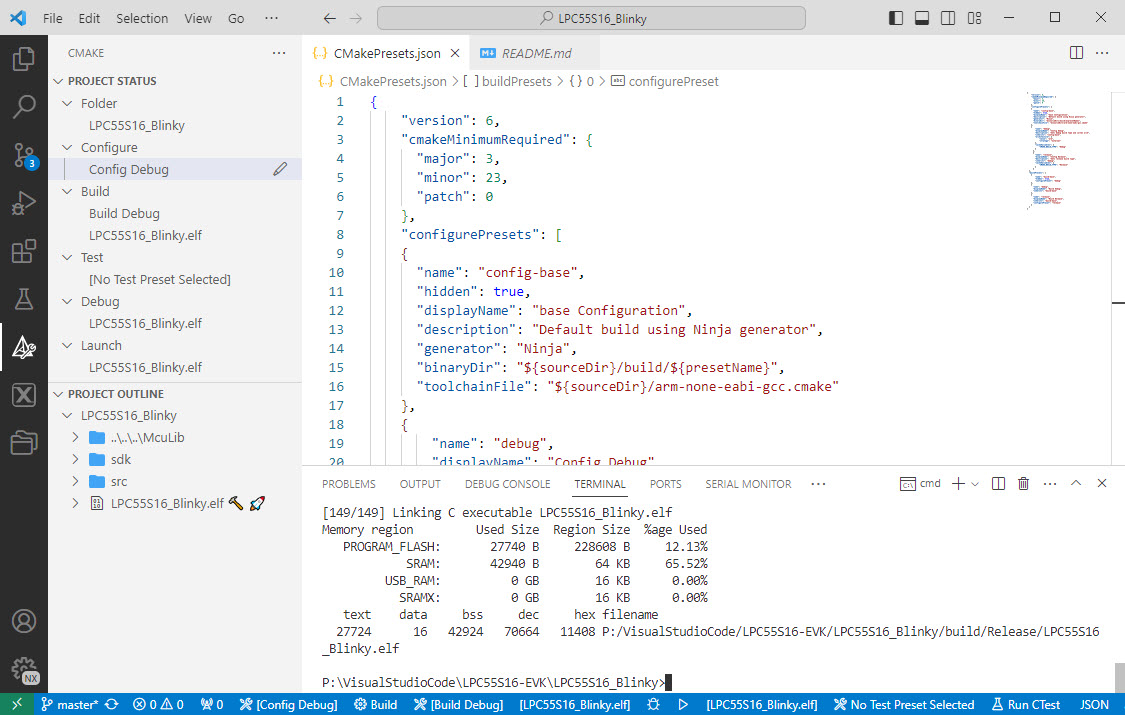

I’m getting my head more and more around CMake and its features. After having so many issues with VS Code dealing with CMake Kits, I have found feature in CMake which really is a game changer for me: CMake Presets.
I’m working recently on a new lecture module using the Raspberry Pi Pico (RP2040) board, which highlights several aspects of modern software engineering, including DevOps and CI/CD. An important part of any CI/CD pipeline is testing. For a host application, one could pass arguments to the application, e.g. ‘myapp --test=module1‘, or let it read such information from a configuration file which describes the tests. Or write GNU gcov data to a file to collect coverage information.
Unfortunately, a normal embedded application has no argv[], and many system have no file system. A solution to this problem would be using semihosting with file I/O. Unfortunately for the Raspberry Pi Pico SDK 1.5.1 for the RP2040, there is no semihosting file I/O implemented :-(.
I have now implemented and added file I/O to the SDK, making it possible for the RP2040 to access and use files on the host, among other things. This greatly extends the capabilities of the device, and is very useful for testing, including gathering test coverage information.
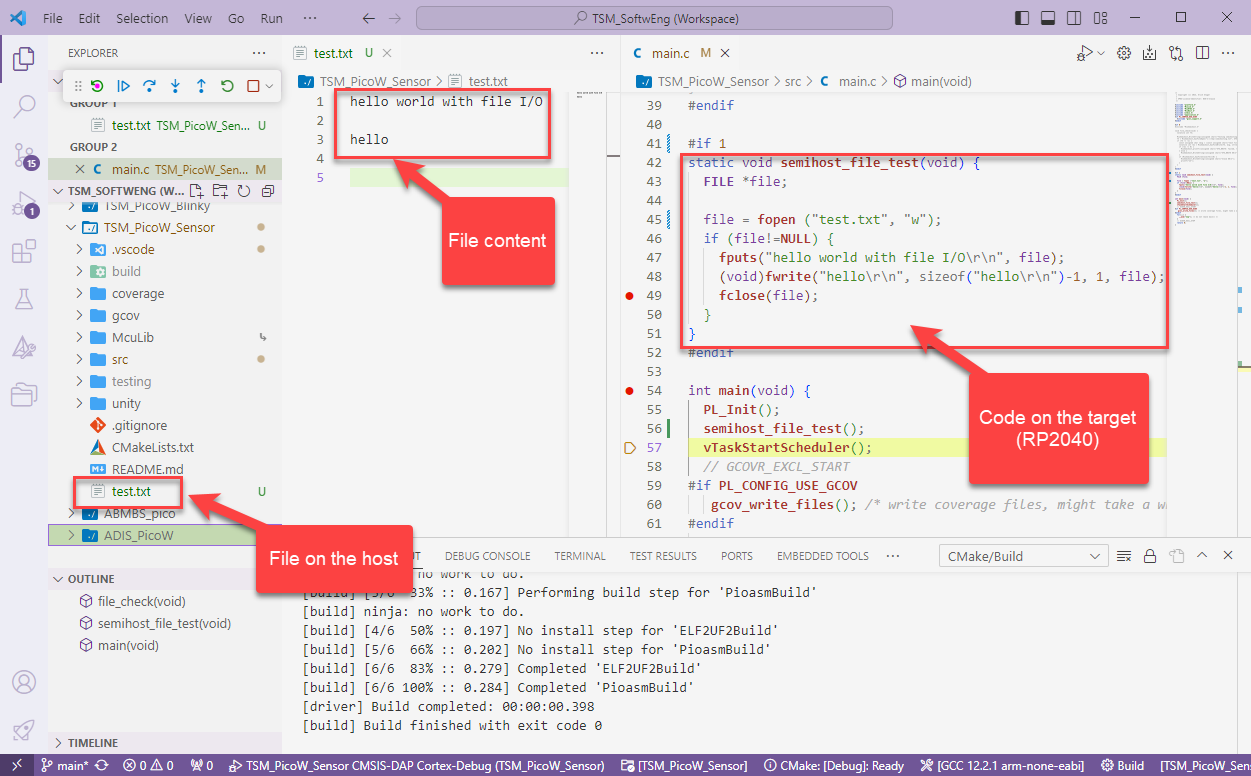
With semihosting I can use standard I/O function like printf() and I can read and write data on the host through the debug connection. If used with care, this is a great feature especially for unit testing.
In the OOP world, global objects get initialized with a constructor and destroyed at the end with a destructor. Interestingly, the GNU gcc has attributes to mark functions as constructor and destructors, which can greatly simply system startup and shutdown, even if not using C++.

With the GNU gcc compiler, I can mark functions with an attribute, so they get called before entering main() or after exit of main(). The attribute works both in C and C++, but it especially useful in C to initialize modules in an automated way.
Continue reading“Our highest priority is to satisfy the customer
Agile Manifesto, https://agilemanifesto.org/principles.html
through early and continuous delivery
of valuable software.”
It is interesting to see that modern tools and agile development workflows are getting more and more into the embedded world. CI/CD is a strategy where code changes to an application get automatically integrated, tested and released automatically into a production environment.

Developing for an embedded target means using a certain version of GNU compiler, debugger and other tools. The challenge gets bigger if working with multiple different tool chains and environments.

Conda is package, dependency and environment management tool. While it is heavily used for Python and Data Science development, it is surprisingly working very well to set up and managing environments for embedded development. Conda is great for managing non-Python dependencies and setups.
Continue readingGoing with the factory default can be fine. But an upgrade could give a performance boost plus added functionality. Many of the NXP i.MX RT evaluation boards have an LPC4322 based debug circuit on it. One example for this is the i.MX RT1010 board.

On such boards, one of the first steps I do is: upgrading the firmware and change it to a better option: improved speed, SWO support plus avoiding issues with the USB MSD device.
Continue readingIn my previous article I showed how to import, build and debug MCUXpresso SDK projects in VS Code. In my lectures and labs we are using a robot based on the NXP Kinetis K22FX512 ARM Cortex-M4F microcontroller, and there is only the v2.13.0 SDK available.

The software on the robot uses the latest NXP MCUXpresso SDK v2.3.1. The he Eclipse based MCUXpresso IDE 11.8.0 works fine with all the 2.x SDKs, up to the latest 2.13.0 one.
Continue readingWe have a project imported, have built it, time to debug it on the hardware.

In a previous article I have imported an example project. Now I want to compile and build it.
Traditionally, the build action inside VS Code is somewhat hidden. There is a keyboard shortcut, but recent additions to VS Code making the build action more accessible.

 MCU on Eclipse