The FRDM-KL25Z tracked robot from my earlier post has gone trough several upgrades:

Tracked Robot with Ultrasonic Sensor

The FRDM-KL25Z tracked robot from my earlier post has gone trough several upgrades:
Tracked Robot with Ultrasonic Sensor
Last Thursday the new Formula Student race car named ‘julier’ had its rollout to the public at Sauber Motorsports in Hinwil, Switzerland. Again a fully electrical racing car, but this time with 4-wheel drive, improved aero-pack and electronics, and able to get from 0 to 100 km/h in 2.6 seconds!
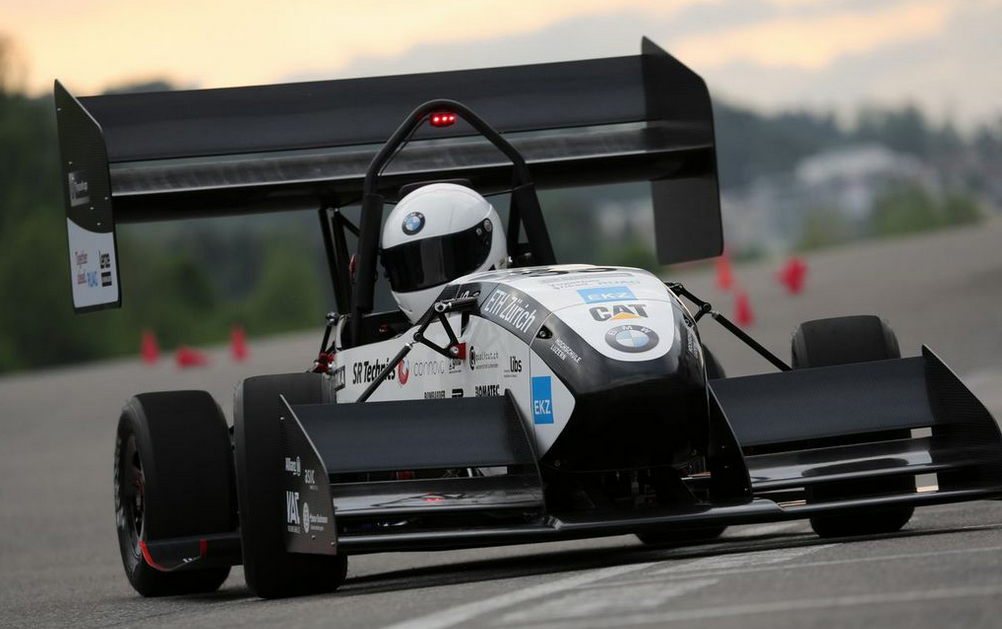
Julier racing (Source Benjamin Hildebrandt)
Beside of USBDM, there is another Open Source implementation of a debug interface for the Freedom Board OpenSDA: CMSIS-DAP.
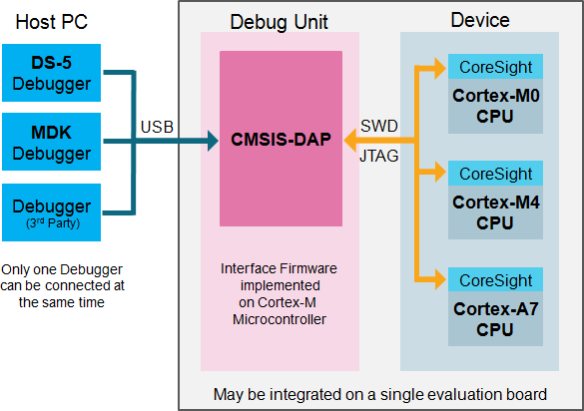
CMSIS-DAP (Source: http://nimblemachines.com/cmsis-dap/)
CMSIS-DAP stands for ‘Cortex Microcontroller Software Interface Standard – Debug Access Port’) has been published by ARM Inc. With this, there is an open source alternative to proprietary implementation (e.g. P&E OpenSDA or Segger OpenSDA).
Beside of the ARM MDK IDE, CMSIS-DAP is supported by Coocox and IAR. And IAR is what I’m using in this post.
Looks like there is some movement on the ‘OpenSDA Front’: After CodeRed has released their RedProbe OpenSDA firmware, now Segger has released an OpenSDA firmware.
With this, I get a low-cost debugging solution similar to the well-known J-Link run control devices. The OpenSDA Segger Firmware is something like a J-Link-lite.

FRDM-KL25Z with Segger OpenSDA Debug Firmware
Yesterday was a great day: The book “Software Engineering for Embedded Systems” finally arrived 🙂 :

Software Engineering for Embedded Systems
Why I’m excited about this? Because I had the honor to contribute a chapter to that book 🙂
My other robots based on the FRDM-KL25Z use Bluetooth as connectivity. This one is using a Freescale IEEE802.15.4/ZigBee/SMAC module:

Robot with SRB MC13213 Board as Remote Controller
With my Pololu line following robot I had strange problems with the sensor array: the sensor values were very unreliable. Until I have found the problem: Instead of the expected 3.3V, my FRDM-KL25Z RevD board provided 2.8V instead 3.3V on the P3V3 Arduino header pin:
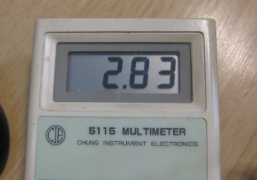
Measured 2.8V on P3V3
And that voltage even was lower the more current I needed :-(. Luckily there is an easy hardware fix for this.
As with any software drivers: they are never perfect. The same applies to the Processor Expert components delivered in CodeWarrior for MCU10 or the DriverSuite too. That’s why I have created many more components which are available on GitHub here. All these components are using other components to reach the hardware. But what if a functionality is not exposed through the low-level component? Or what if I want direct access to the hardware? Up to now I had to choose either the Processor Expert way, or to do it in the ‘traditional’ way using an SDK like CMSIS or vendor supplied header files.
With MCU10.4, I noticed that there is another way: PDD (Physical Device Driver).

PDD in the Components View
Usually I do *not* use floating point numbers in my projects. For this, I select ‘None’ during the project creation in CodeWarrior for MCU:

No Floating Point Selected
But what if I need to change my mind later? How to change such a ‘no-floating-point-needed’ project to one with floating point format support?

 MCU on Eclipse