Looks like a flood of new Freedom boards is coming out 🙂 : I have found out about this new one: The FRDM-KE02Z.

FRDM-KE02Z Board

Looks like a flood of new Freedom boards is coming out 🙂 : I have found out about this new one: The FRDM-KE02Z.
FRDM-KE02Z Board
For many projects I need to store configuration or sensor data. For this I’m using either an SD card or program the internal flash memory of the microcontroller. Using the internal flash is a good thing as it does not need an external component. However, the typical number of programming cycles is limited to 10k-50k which is a limiting factor if data has to be recorded over a long time or very often. That’s why I’m using the very popular external 24xx external EEPROM devices from Microchip.

24LC512 connected to FRDM-KL25Z
I love the Freedom boards, like the most recent FRDM-KL46Z for about US$15. But if I think that the ‘Freedom’ board is to big, cost too much and has too much on it, then here is one which is built for only US$5 :-): The MC HCK (pronounced “McHack”):

MC HCK Board Assembled (Source: http://mchck.org/blog/2013-08-06-self-built-mchck-for-5-dollars/)
One of the ‘goodies’ of the FRDM-KL46Z is the Freescale MAG3110 magnetometer. The MAG3110 is a tiny 2×2 mm device:
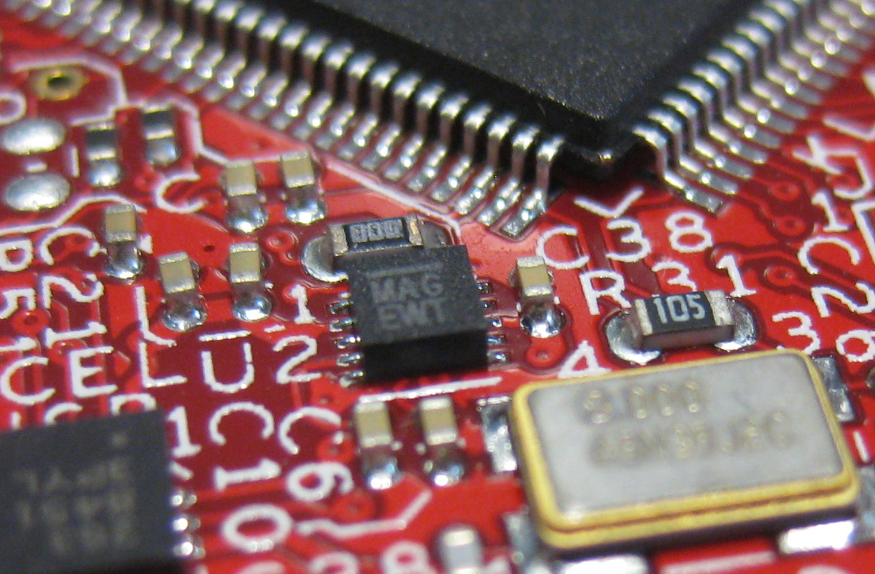
MAG3110 on FRDM-KL46Z
What was missing so far is a Processor Expert component for it. This post is about closing this gap…
Freescale has added a new Freedom board: the FRDM-KL46Z:

FRDM-KL46Z with Box
My opinion? The best Freedom board so far, I love it!
For everyone who wants to build a Do-It-Yourself toolchain for Kinetis on Linux, I recommend to read the following excellent post by Karibe:
Setting up Linux opensource build and debug tools for freescale freedom board FRDM-KL25Z
He describes how to get OpenOCD with CMSIS-DAP working with Eclipse on Ubuntu to debug the FRDM-KL25Z board.
Happy Linuxing 🙂
So far I have covered in this tutorial series how to install ARM GNU gcc, adding Eclipse, followed by adding GNU GDB debugger, and then adding Processor Expert. I’m using FreeRTOS a lot in my projects, and luckily there is a Kernel Awareness Plugin available for FreeRTOS for GDB in Eclipse. This tutorial is about how to install and use it.

Queues and Tasks
I finally completed my project turning the FRDM-KL25Z board into a USB mouse device :-). The form factor and the capabilities of the Freedom board makes it a great board for implementing it as a ‘custom mouse’. All what I need is the USB stack running on it and have it acting as USB HID Mouse device.
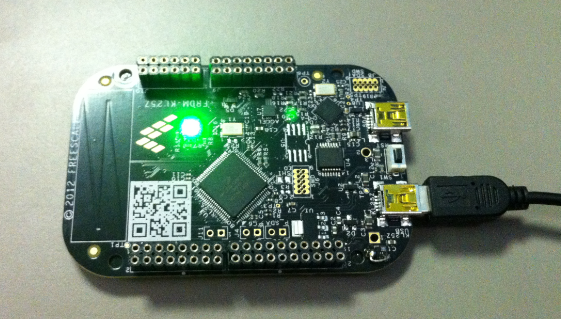
FRDM-KL25Z enumerated as USB HID Mouse Device
A week ago, the updated FreeRTOS V7.5.0 has been released on FreeRTOS.org. So time to have my Processor Expert FreeRTOS component updated as well :-).

FreeRTOS V7.5.0
This is the third part of a tutorial series how to ‘do-it-yourself’ a tool chain for the Freescale Kinetis microcontroller, with the FRDM-KL25Z as example. The tool chain is using GNU ARM gcc plus Eclipse Kepler release. So far I have the following parts:
So far things are very generic. But with debugging it means different hardware, and different hardware connections. And for this connection we need a GDB Server.
Eclipse CDT features a GNU Debugger (GDB), and this is what I want to use here: debugging my microcontroller with GDB inside Eclipse. In order to debug the microcontroller, I need two other things: a GDB Server and a Debug Probe.

GDB with GDB Server
 MCU on Eclipse