Automatic Variable, Expression and Memory Display with GDB and Eclipse

One of the great features in CodeWarrior for MCU10.x is the ability to read memory/variables while running (see “Live View for Variables and Memory“). This technology of ‘live view’ is based on the CodeWarrior debugger engine. How can I do something like this with stock GDB and Eclipse? What I need is a periodic update of variables/expressions/memory while the program on the board is running, without the need to stop the board with the debugger first:

periodic auto-display output

periodic auto-display output

Continue reading

FreeRTOS Continuous Trace Streaming

Key to successfully implementing embedded applications these days is to have detailed visibility into what is going on with the application on the board. For this, I’m using the FreeRTOS+Trace from Percepio to inspect the runtime behaviour. Stop-Mode debugging is very useful, but visibility into the runtime is even more important. FreeRTOS+Trace is a tool to accomplish this, but it requires to dump the data off the target to the host (see “Updated Percepio Tracealyzer and Trace Library to Version V2.7.0“). Usually, I’m using the GDB debugger for this, and that works for shorter trace sequences like a few seconds. Yes, I can combine them, but it painful to stop, dump and continue. So what if I could collect trace for several minutes or hours without the need to stop the application? Why not stream the data to the host directly?

So here is it: I’m now able to get almost unlimited trace streaming off the target, witout user intervention. I can trace my application for hours 🙂

Trace Recording

Trace Recording for almost one hour

Continue reading

Tutorial: Using Processor Expert and FreeRTOS with Kinetis SDK V1.2

Freescale has released the new Kinetis SDK v1.2 back in May. Because of the changes in v1.2, previous applications (or my tutorials) do not work any more :-(. So time to write a new tutorial: how I can use Processor Expert with FreeRTOS for the Kinetis SDK v1.2.

Blinky Task with FreeRTOS and Kinetis SDK in KDS v3.0.0

Blinky Task with FreeRTOS and Kinetis SDK in KDS v3.0.0

Continue reading

Using Segger Real Time Terminal (RTT) with Eclipse

I have used semihosting more and more in my projects. However, there are several disadvantage of using it:

  • Without special handlers, it only works with an active debug connection going on. Without a debugger attached, the application blocks otherwise.
  • Because it needs debugger interactions, it is rather slow (only several hundreds of bytes per second)

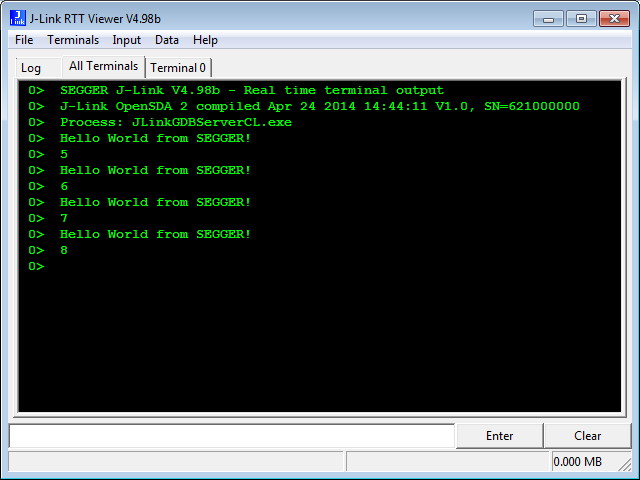
The good news is that Segger supports with their debug probes a faster approach with what they name Real Time Terminal (RTT). And it even runs without a debugger attached to the board: all what I need is a Segger J-Link probe (or Segger J-Link OpenSDA) plus a telnet client.

Segger RTT Viewer

Segger RTT Viewer

Continue reading

Processor Expert Component Repositories

Processor Expert for Kinetis v3.0.0 (which is part of Freescale Kinetis Design Studio v3.0.0, KDS) has now the concept of ‘repositories’ for the components.

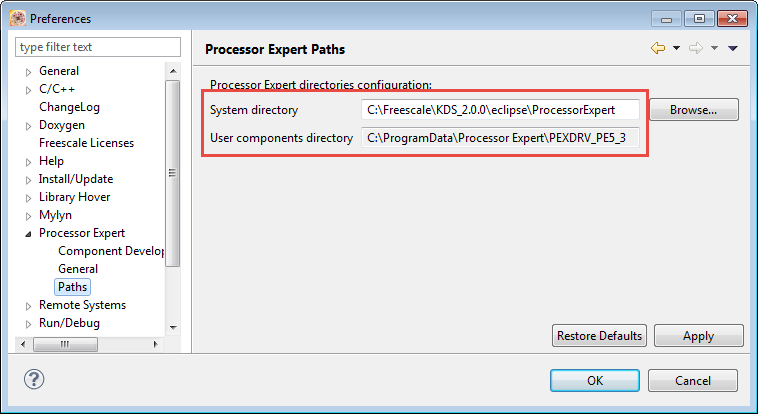
Previously, Processor Expert was able to use two paths for its components (e.g. in KDS v2.0.0):

  1. The ‘System‘ directory inside the Eclipse installation
  2. The ‘User‘ directory: a fixed path, global for all installations

These directories are listed in the workspace settings (menu Window > Preferences > Processor Expert > Paths):

Processor Expert Paths in v2.0.0

Processor Expert Paths in v2.0.0

Continue reading

Debugging ARM Cortex-M Hard Faults with GDB Custom Command

In “A Processor Expert Component to Help with Hard Faults” I’m using a C handler with some assembly code, created with Processor Expert, to help me with debugging hard faults on ARM Cortex-M. Inspired by a GNU gdb script here, I have now an alternative way. As this approach is using the GDB command line approach, it works both with an Eclipse GUI and with using GDB in command line mode only :-).

GDB script to debug ARM Hard Faults
Continue reading

Open Source Static Code Analysis: Cppcheck with Eclipse

I have a challenge for you: Can you spot the problem in the following source?

TMOUT1_CounterHandle TMOUT1_GetCounter(TMOUT1_CounterType nofTicks)
{
  TMOUT1_CounterHandle handle;
  CS1_CriticalVariable();
  handle = 0;
  if (nofTicks==0) {
    nofTicks = 1; /* wait at least for one tick, otherwise will timeout immediately */
  }
  CS1_EnterCritical();
  while (!TMOUT1_FreeCounters[handle] && handle<TMOUT1_NOF_COUNTERS) {
    handle++;
  }
  if (handle<TMOUT1_NOF_COUNTERS) {
    TMOUT1_FreeCounters[handle]=FALSE;
    TMOUT1_Counters[handle] = nofTicks;
  }
  CS1_ExitCritical();
  if (handle==TMOUT1_NOF_COUNTERS) {
    return TMOUT1_OUT_OF_HANDLE;
  }
  return handle;
}

No? Well, I have not spotted the problem the first time neither. However, a reader of this blog did: he used a cool tool named ‘cppcheck’: that tool reported the following:

Continue reading

How to Reset an ARM Cortex-M with Software

There are cases when I need to do a reset of the device by software. For example I have loaded the application image with the bootloader, and then I need to perform a reset of the microcontroller to do a restart. As a human user I can press the reset button on the board. But how to do this from the software and application running on the board, without user manual intervention? Or if I simply want to reset the system for whatever reason?

Performing a Software System Reset with Kinetis Design Studio
Continue reading

Hello World!! :)

Hello to all the amazing viewers of this fantastic blog! I am Manya Rastogi, a Master’s student at Texas A&M University pursuing Electrical Engineering. This summer, I got a wonderful opportunity to intern at Freescale, as a Technical Product Marketer for the Kinetis Microcontrollers.
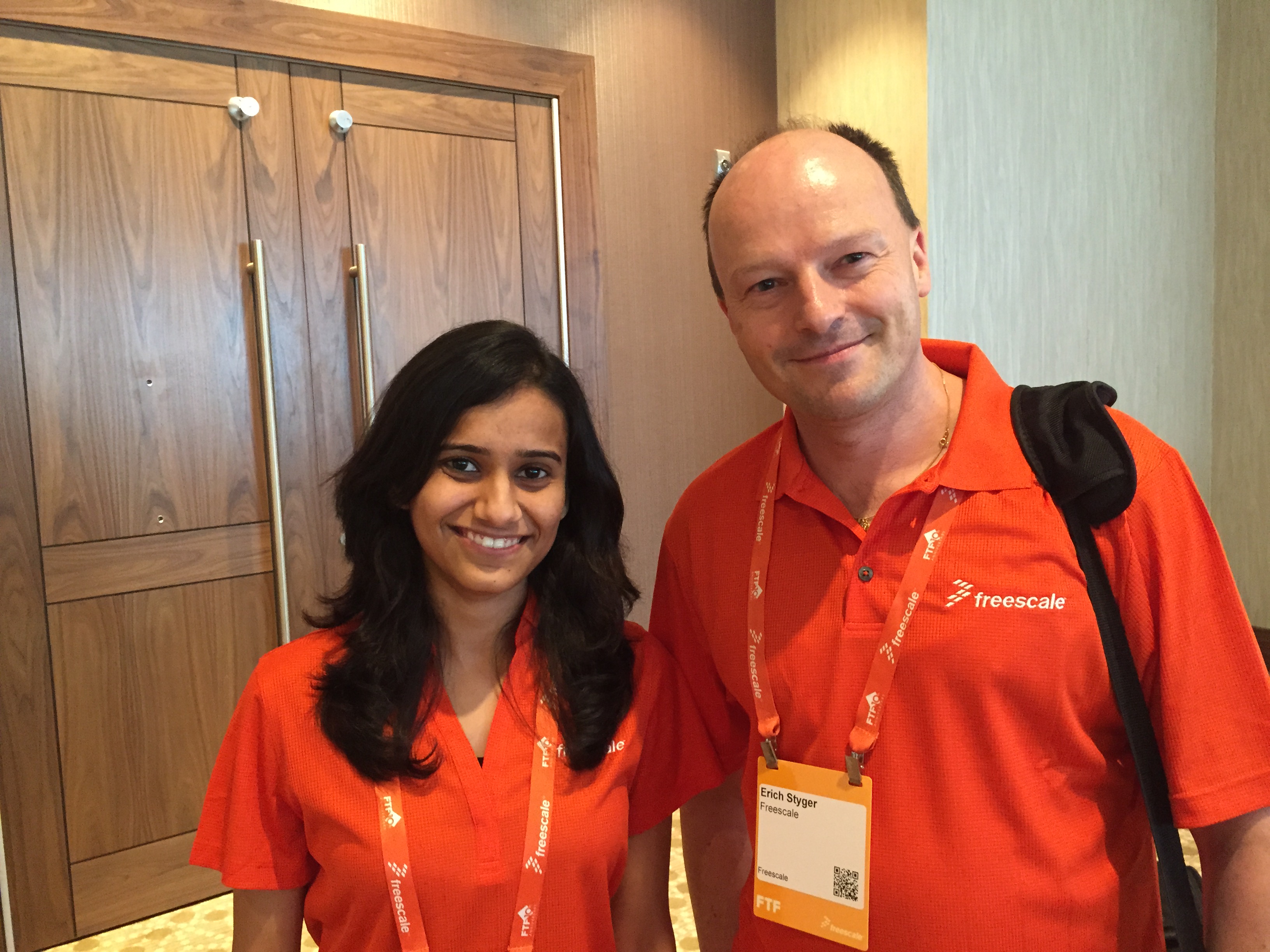
Freescale gave me the great chance to attend the Freescale Technology Forum 2015, where I met Erich, a very talented engineer and blogger.  I am really grateful to him for giving me the chance to be his guest blogger.

Continue reading

Say ‘Hello’ to Manya!

I have a problem, and I want to solve it. I’m documenting my journey, findings, tips and tricks in this blog. However as I’m progressing, things are getting too advanced for others who are beginners or new to the embedded world. For them, my latest tutorials might be simply too complex. For beginners my stuff is far too advanced. Yes, there is a compendium, and yes, anyone could start reading from the early days. But things like tools have changed on my journey: I moved up from CodeWarrior to Kinetis Design Studio, so my very early tutorials do not apply to the current tools any more. Should I reset and reboot myself? Update or rewrite articles (would be many!)? Luckily, I don’t have to! At the Freescale Technology Forum (FTF) in Austin this week, I have met a solution for my problem:

Say ‘hello’ to Manya 🙂

Say hello to Manya, my new Guest Blogger

Say hello to Manya, my new Guest Blogger

Continue reading