Eclipse based IDE’s have typically one limitation: the IDE has not much scripting capabilities. Yes, I can use things like JUnit for testing, but if it comes to build and debug C/C++ applications, then support gets really rare. An exception to this is CodeWarrior for MCU which features a command line version of the IDE which can be used for test automation as I used it in one of my tutorials. What I missed so far is to have a command line interface for Processor Expert to generate code. This is now possible with CodeWarrior for MCU10.5 :-).
Tag Archives: Processor Expert
Tutorial: Using the FRDM-KL25Z as Low Power Board
The FRDM-KL25Z is a great board: inexpensive (around US$15), small form factor, has easily accessible pins, and has a low power (capable, at least) microcontroller, and comes with an embedded debugging interface. So why not using this board right away ‘as is’ for a low power battery operated device? Great idea, you think? Yes, I thought too. Only to find out that the board needs 20 mA out of the box.
The good news is: It is possible on a week-end to get this 150 times better down to 132 μA, with an RTOS running all the time :-). I invite you to join a journey with board modifications, jumpers, schematics and many multi-meter pictures ;-)….
How to Avoid Slow Processor Expert Projects
The Eclipse IDE is in my view the best IDE in the world :-). But it is not the fastest one: All the functionality and comfort has a price, and such a Java and highly flexible IDE requires its resources. The Eclipse community is continuously addressing that concern, and for example the Eclipse Juno 4.2 IDE in CodeWarrior for MCU10.5 shows this nicely: things are much smoother compared to the Eclipse Indigo 3.7 in MCU10.4. But if you feel that you do not want to use Processor Expert because it is too slow, then I have a trick how to improve performance by a factor of 10 :-).
Changing Initialization Sequence in Processor Expert
Now I have implemented a watchdog with Processor Expert for my system. But what I have found out? I ended up with a looping system, and the watchdog did not fire 😦
What went wrong?
Overview of ARM Microcontrollers and Tools
In this semester course, students (and myself too, of course :-)) are building a Mini Sumo Robot. That robot is using the Freescale FRDM-KL25Z board with an ARM Cortex-M0+ on it. Today I’ll give an introduction to the ARM core to the class, and timing is right: this morning I have found an excellent overview about ARM microcontroller and tools written by Jay Carlson.: Getting Started with ARM Microcontrollers.
Optimized BitIO_LDD Programming with Processor Expert
In my tutorial “Bits and Pins with Kinetis” I showed how to use the BitIO_LDD approach for Bit I/O access. I do not like this LDD (logical device driver) approach for several reasons:
- It requires an extra ‘device handle’ passed to the functions, even if such a device handle is not needed or desired.
- The code efficiency/size is negatively impacted by this.
Luckily, there is a way to hack around this 🙂
Optimized FreeRTOS: Stack Check and SysTick for ARM Cortex Cores
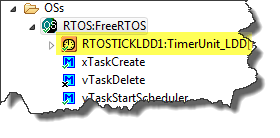
The ARM Cortex specification includes the ‘SysTick’ (System Tick Timer): a dedicated system timer which is intended to be used as time base for an RTOS. While technically it would be possible to use any periodic interrupt timer, I’m using as well the SysTick for my FreeRTOS ARM ports. And because Processor Expert includes a nice timer interface, I’m using the TimerUnit_LDD:
While this is great for flexibility, it has its price in efficiency. That TimerUnit_LDD adds overhead. So I want to get rid of the TimerUnit_LDD and use a more efficient way.
Continue reading
USB for the Freescale ARM Kinetis KL46Z and K21D50M
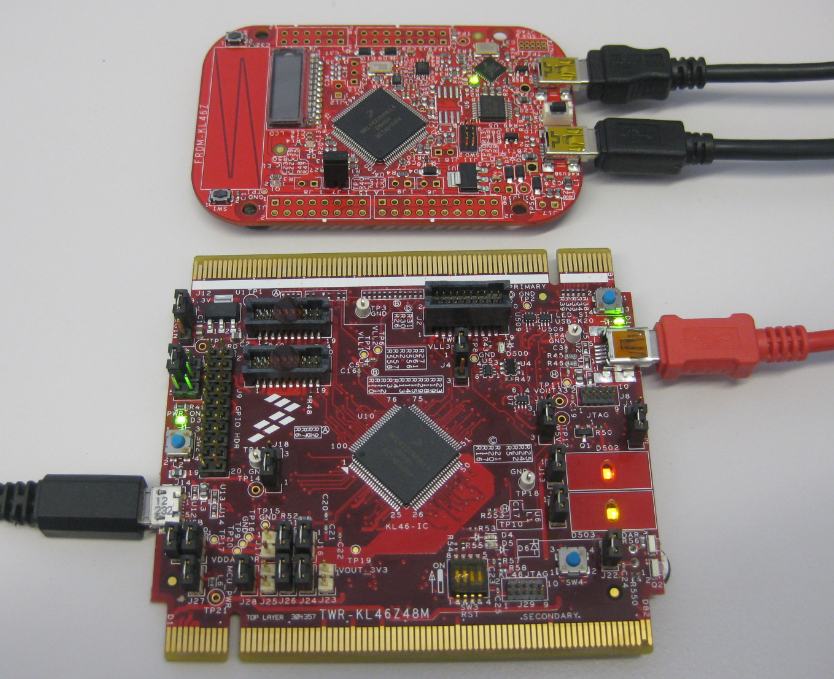
As I was so pleased with the FRDM-KL46Z board, that I have ordered the Tower version of it, the TWR-KL46Z48M:
What I missed so far was USB support for the KL46Z. So time to have a quick look at board(s) and to add USB support for it.
Driver for Microchip 24xx Serial EEPROM
For many projects I need to store configuration or sensor data. For this I’m using either an SD card or program the internal flash memory of the microcontroller. Using the internal flash is a good thing as it does not need an external component. However, the typical number of programming cycles is limited to 10k-50k which is a limiting factor if data has to be recorded over a long time or very often. That’s why I’m using the very popular external 24xx external EEPROM devices from Microchip.
Device Driver for Freescale MAG3110 Digital Magnetometer
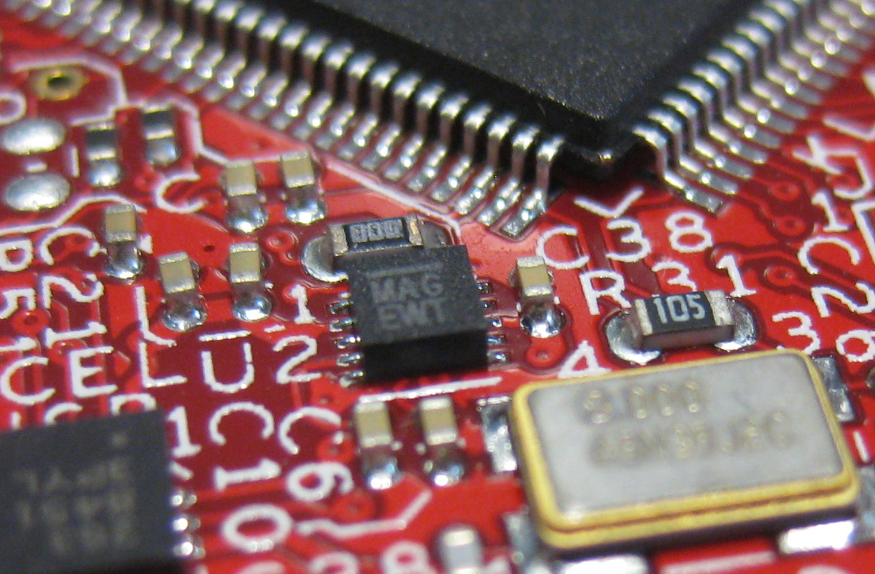
One of the ‘goodies’ of the FRDM-KL46Z is the Freescale MAG3110 magnetometer. The MAG3110 is a tiny 2×2 mm device:
What was missing so far is a Processor Expert component for it. This post is about closing this gap…