Using the FRDM-KL25Z as USB Keyboard

I miss my old DELL laptop. Ok, the new one I received from IT services is not bad. It is faster and has a better screen. But I’m not really happy with the new keyboard. With the previous keyboard I was able to do a ‘PrtnScrn’ with a single key press. With the new one I need to press Fn + PrntScrn. And this is impossible to do with one hand:

Impossible to reach Prnt Scrn

Impossible to reach Fn+Prnt Scrn with one hand!

Yes, I have two hands ;-). But many times I need to do ‘print screen’ while having my other hand on the mouse :-(.What else can I do?
Continue reading

5V Generation from V_IN on the Freedom Board RevE

The Freescale Freedom boards like the FRDM-KL25Z feature an Arduino header so I can stack shields on it. Unfortunately, the Freedom board does not generate 5V if not connected to the USB cable. This makes it not possible to be used with many shields like the Adafruit Motor Shield: such shields expect that the Arduino board is providing 5V through the Arduino header (Pin 10 on J9 on the FRDM-KL25Z). So I had to do hardware changes to generate that 5V if I used my board disconnected from USB, e.g. running from batteries through V_IN (pin16 (P5-9V_IN) on the FRDM-KL25Z.

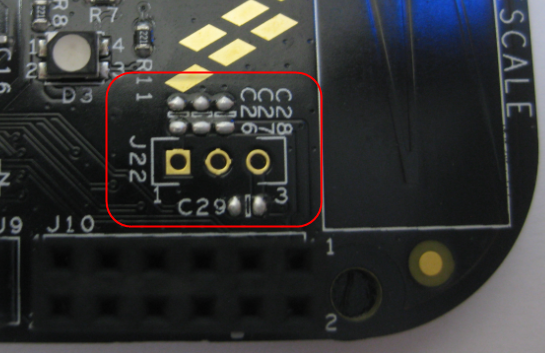
J22 with Capacitors on FRDM-KL25Z RevE

J22 with Capacitors on FRDM-KL25Z RevE

The good news is that the Rev.E of the Freedom FRDM-KL25Z board has now a header J22 to make things easier:

Continue reading

Using the HC-06 Bluetooth Module

After my first post using a Bluetooth module, things have evolved a bit. The challenge with these Bluetooth modules is: they look the same, but having different firmware. I did not fully realize that until I have ordered another bluetooth module from dx.com:

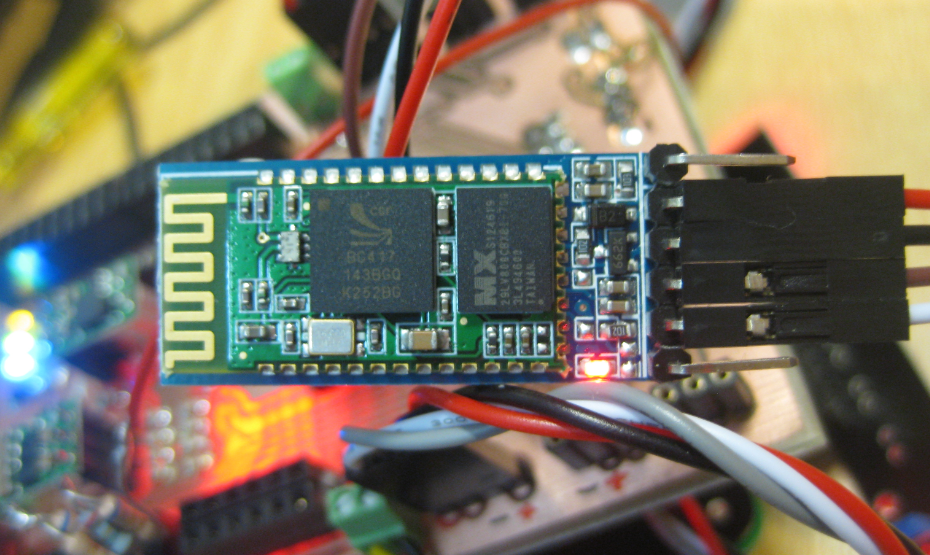
DX.com Bluetooth Module (HC-06)

DX.com Bluetooth Module (HC-06)

That module comes already on a carrier, so I assumed I can use the same driver as for my other module. I was wrong :-(.

Continue reading

Bricking and Recovering FRDM-KL25Z Boards: Reset, SWD Clock and Low Power

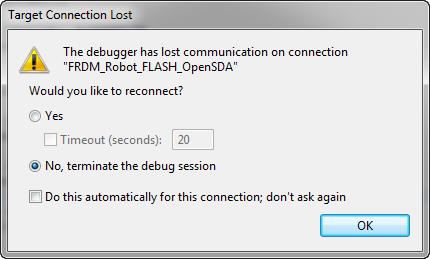
I’m working with a student on building a small autonomous robot platform, based on the FRDM-KL25Z board. We integrated new software modules, compiled and linked, and then downloaded the application to the board. While debugging and stepping through the application startup, I had this:

The Debugger has lost communication on connection

The Debugger has lost communication on connection

Outsch! That’s not good. Even worse, trying to connect again to the board failed :-(. What happened?

Continue reading

FRDM-KL25Z RevE Board arrived

About a year ago I started to use the FRDM-KL25Z board (RevD). Finally, I had it in my hands: the RevE board from Mouser 🙂 Using the RevD board, I faced several problems:

  1. 3.3V supply voltage drop because of low-cost diode D1 (see this post)
  2. Hard to use USB host mode, as no 5V supplied to the USB bus (see this post)
  3. No 5V generated from V_IN (see this post)

The good news: all of them have been improved 🙂 in the FRDM-KL25Z RevE Schematics:

FRDM-KL25Z RevE Board

FRDM-KL25Z RevE Board

Continue reading

Tutorial: Arduino Motor/Stepper/Servo Shield – Part 2: Timed Servo Moves

You have decided: More than 52% voted in Part 1 that the next topic should be Timed Servo Moves. So here we go :-).

This is about how to move the servos over time, instead of moving it to the given position as fast as possible. I’m using a linear approach here: moving the servos linearly over time.

Moving Servo Motors

Moving Servo Motors

Continue reading

Tutorial: Arduino Motor/Stepper/Servo Shield – Part 1: Servos

This post starts a small (or larger?) series of tutorials using the Arduino Motor/Stepper/Servo Shield with the FRDM-KL25Z board. That motor shield is probably one of the most versatile on the market, and features 2 servo and 4 motor connectors for DC or stepper motors. That makes it a great shield for any robotic project :-).

Arduino Motor Stepper Servo Shield with FRDM-KL25Z

Arduino Motor Stepper Servo Shield with FRDM-KL25Z

Continue reading

Character LCD with 4 Lines

Character LCD’s (like 2 lines with 16 characters each) as in this post are easy to use. Much easier to use compared to full graphical LCDs.

The ones I’m using have either 1 or 2 lines, but I saw that there are 4 line displays too. So far my LCD component only supports one or two lines.

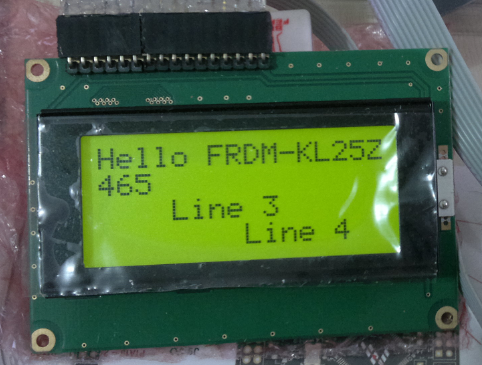
4 Line LCD

4 Line LCD (Source: Ezequiel Bazotti)

Continue reading

Freedom Board with Segger OpenSDA Debug Firmware

Looks like there is some movement on the ‘OpenSDA Front’: After CodeRed has released their RedProbe OpenSDA firmware, now Segger has released an OpenSDA firmware.

With this, I get a low-cost debugging solution similar to the well-known J-Link run control devices. The OpenSDA Segger Firmware is something like a J-Link-lite.

FRDM-KL25Z with Segger OpenSDA Debug Firmware

FRDM-KL25Z with Segger OpenSDA Debug Firmware

Continue reading