One of the most important aspects for developing complex realtime applications is get insights into what is going on the target. Segger just has released a free tool which gives an incredible useful insight view and visualization:
Category Archives: Processor Expert
McuOnEclipse Components: 08-Nov-2015 Release
Time is flying fast, time for another McuOnEclipse components release on SourceForge with the following main changes and features:
- New component for Segger RTT makes adding a console communication interface super easy (and fast!)
- RTT support for the command line Shell component
- RTT component used for Percepio FreeRTOS Tracing
- Updated USB component, support for USB CDC blocking/waiting and endpoint configuration
- Updated FreeRTOS to V8.2.3, memory heap selection improved and setting for time slicing
- RingBuffer implements a Delete() method
- Extended Kinetis SDK support in components, added by default
Tutorial: lwip with FreeRTOS and the Freescale FRDM-K64F Board
This tutorial is about how to create a lwIP project with FreeRTOS using the Kinetis SDK V1.3.0 with Kinetis Design Studio on the Freescale FRDM-K64F board.
Overview: Processor Expert
In “Overview: From Snippets to Code Generation” I discussed several tools used in my development process. On tool which helps me a lot to get things done is Processor Expert. In this post I’ll give an overview about this tool and reasoning for the pros and cons of using it.
McuOnEclipse Components: 17-Oct-2015 Release
On SourceForge I have published an update of the McuOnEclipse software components, with following major changes:
- FreeRTOS updated to version V8.2.2 which comes with TLS (Thread Local Storage) support and GDB debug helpers.
- Percepio Trace updated to V3.0.2 with the release of Segger Real Time Terminal (RTT) for continuous trace streaming.
- FSL_USB_Stack with alternate USB initialization to deal with an issue in combination with the Kinetis SDK v1.3.0
- GenericI2C and GenericSWI2C have added support for custom I2C bus handling.
Playing Tetris with a FRDM-KL43Z Board
How about to use the Freescale FRDM-KL43Z board (see “Unboxing the Freescale FRDM-KL43Z Board“) to play a Tetris game?
Kinetis Drone: Sensor Fusion Toolbox
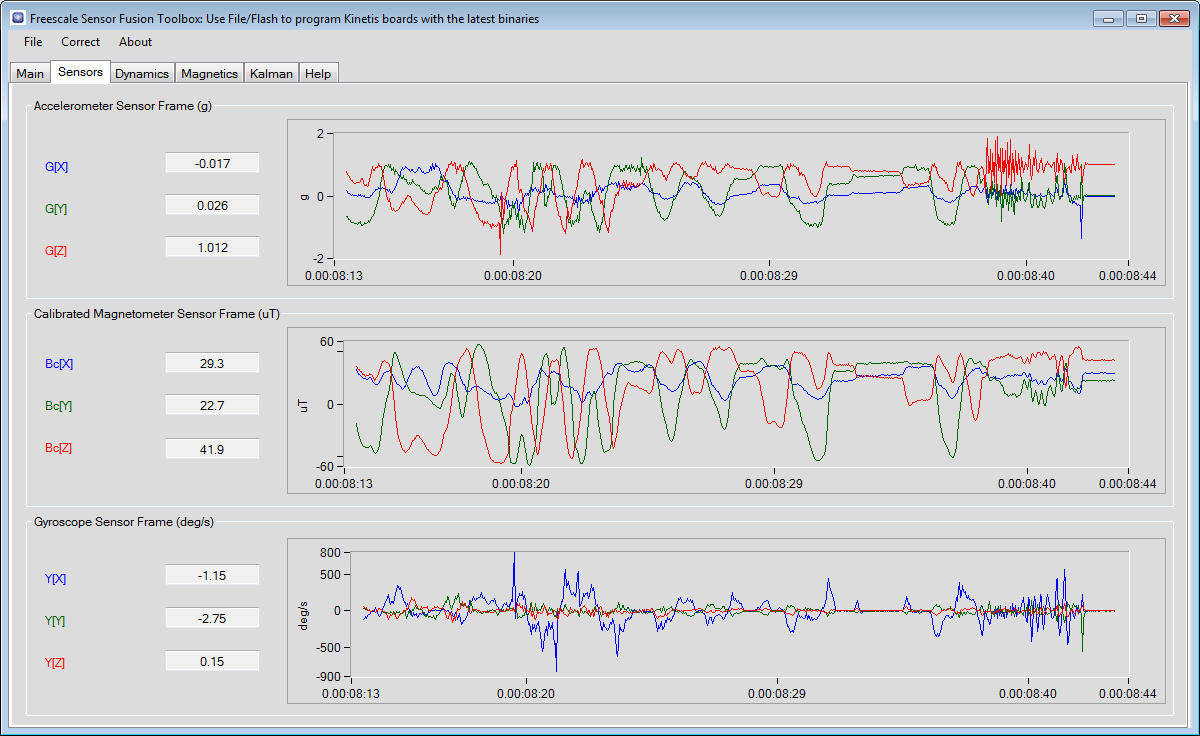
Flying a quadrocopter without some sensor and microcontroller intelligence will be a challenge. Definitely I will need some intelligent sensor data to help me out :-). Luckily, there is a Freescale ‘Sensor Fusion Toolbox’ and Library which gives me a nice start and visibility into the sensors I plan to use:
FreeRTOS ARM Thread Debugging with Eclipse and GDB
FreeRTOS is probably the most popular RTOS used and I love it: it is efficient, has a lot of features, simple and easy to use. But despite its popularity, debugging it with open source tools as with Eclipse and GDB is really not that user-friendly: debugging threads/tasks is a pain compared to commercial solutions. For my university classes this semester I was looking for something easy to use by my students. Finally I managed to use a GDB helper which makes things easier now: I can switch task threads in Eclipse with GDB now 🙂
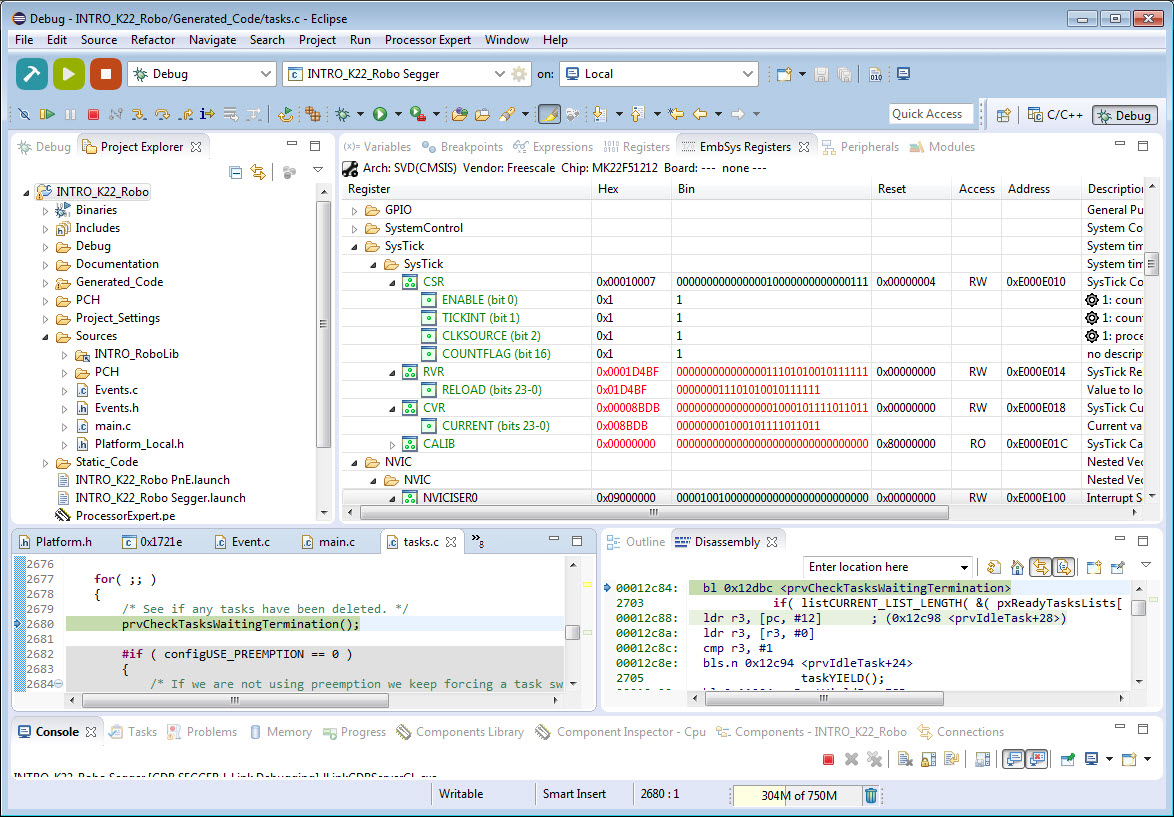
Freescale CMSIS-SVD Register Files with Eclipse MARS and EmbSysRegView
In “How to Add Register Details View in Eclipse” I showed how to add the Register detail support in Eclipse using the EmbSysRegView plugin. This was for Luna/Mars, and for the version v0.2.4 of the plugins.
Since then, there is a new version of Eclipse (MARS, see “Going to Mars: Building a DIY Eclipse IDE for ARM Embedded Microcontrollers“) and the EmbSysRegView plugin has been updated to v2.0.5. Makes everything much simple, so here is an updated post with the details how to add register detail view to Eclipse Mars.
Overview: From Snippets to Code Generation
To build an application for a modern microcontroller today is not a simple thing. Well, it depends what ‘simple’ means. But compared to the ‘old days of 8bit micro controllers’ (which are still in use!) developing for a complex 32bit device is definitely a different thing. Not only the complexity has changed, but as well the breath of tools and helpers. In my view, the only constant is ‘change’, and I have changed the way how to develop several times in my career. In this post I present several different techniques I’m using in my development.