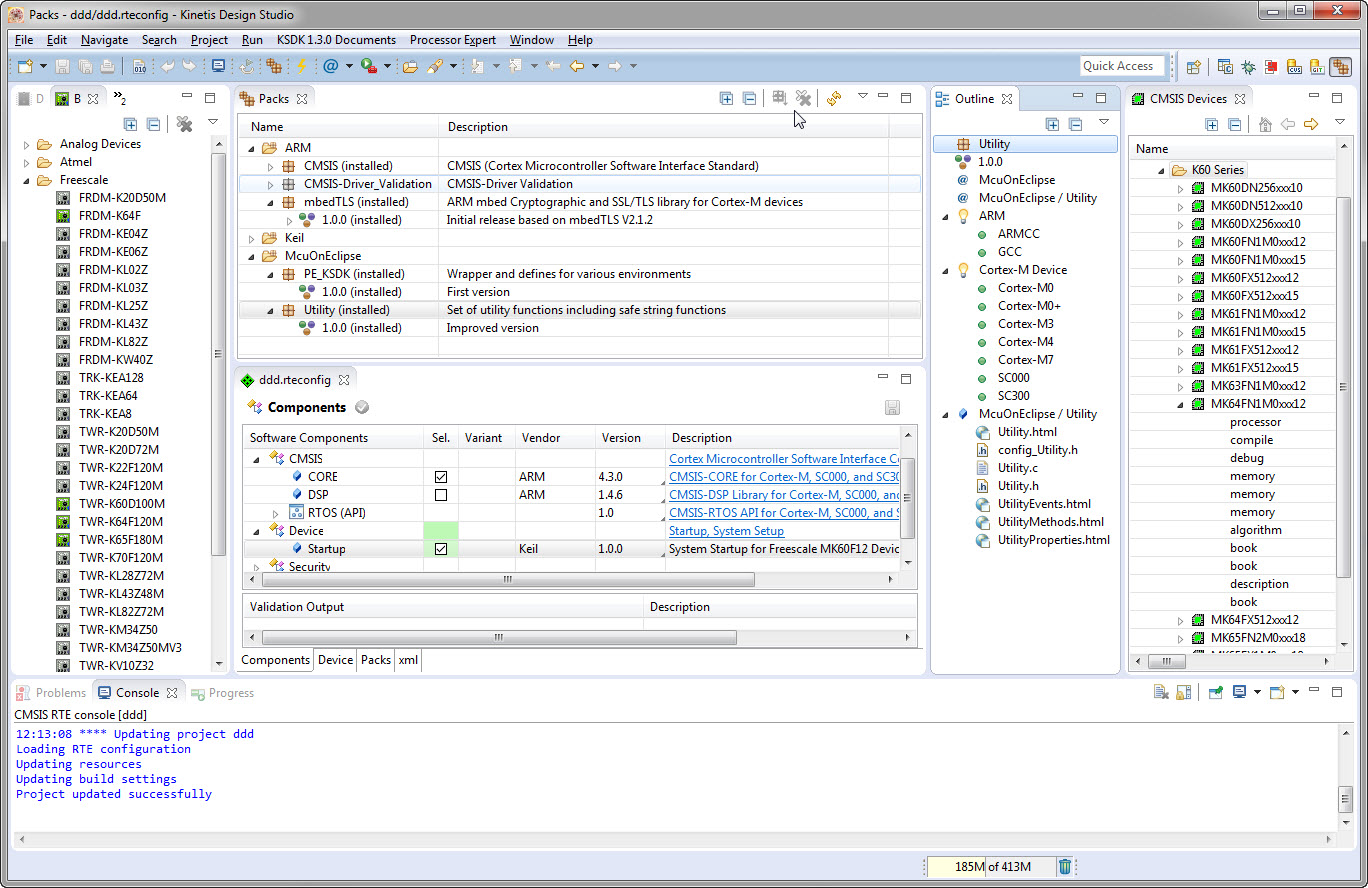
I’m using Processor Expert components for nearly every Freescale (now NXP) projects: for S08, S12, ColdFire, DSC and especially all the different NXP Kinetis devices. Not only because it makes software development fast and easy and allows re-use of software, but as well because Processor Expert has a good way to pack and distribute software components. Unfortunately Processor Expert is not any more included for the new Kinetis devices (see “First NXP Kinetis SDK Release: SDK V2.0 with Online On-Demand Package Builder“). So I have looked into an alternative and hopefully vendor neutral way to build and distribute software packages using CMSIS-Pack.
Category Archives: KDS
McuOnEclipse Components: 7-Feb-2016 Release
New in this release:
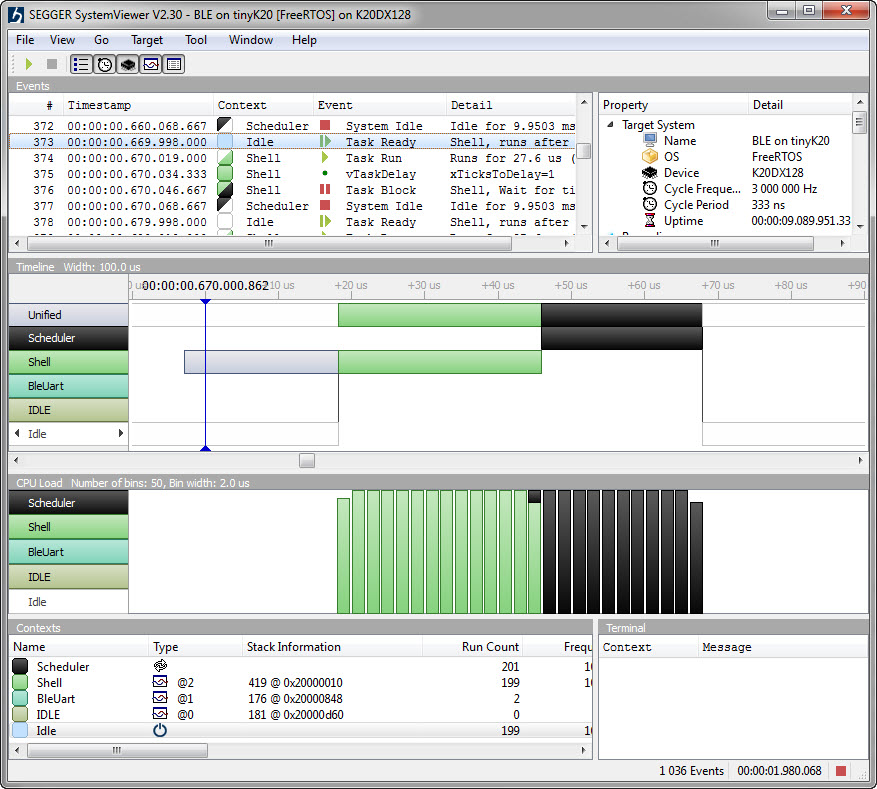
- Segger SystemViewer: Upgraded to V2.30, added stack high-water mark
- Segger RTT: fixed BASEPRI issue on Cortex M4 for critical sections
- Utility: Fixed issue with Utility module and Kinetis SDK (usage of ‘byte’)
- USB CDC: property to specify USB device current usage, new status getter functions.
Tutorial: Bare-Metal Shell for Kinetis
I have been asked to provide a command line shell example for a bare-metal (no RTOS) application, so here we go!
Having a way to communicate to the firmware on a board is essential for most of my projects: it is simply, incredibly helpful and easy to do (see “A Shell for the Freedom KL25Z Board“). This tutorial shows how to add a simple command line shell to the NXP Freedom board which then can be extended as necessary.
First NXP Kinetis SDK Release: SDK V2.0 with Online On-Demand Package Builder
There are plenty of different software packages available for microcontroller these days from all the silicon vendors. Finding a good software package is one challenge, getting what I really need is another one. Freescale is now part of NXP since December 2015, so this is probably the first release of the former Freescale part now as NXP: The NXP Kinetis SDK Version 2.0.
It comes with an interesting distribution way: instead of downloading huge packages with all-and-everything in it, I can build it ‘on demand’ online and get what I need, on demand from a web-based front end:
Debug Multiple Boards with GDB at the Same Time
Many times it is very useful to debug multiple boards at the same time. For example if I’m debugging a communication stack between two boards: that way I can debug the protocol on both sides. Eclipse is a great framework which allows that. This post shows how to debug multiple boards (e.g. the NXP Freedom boards) in parallel from the same Eclipse IDE using GDB and the Segger J-Link:
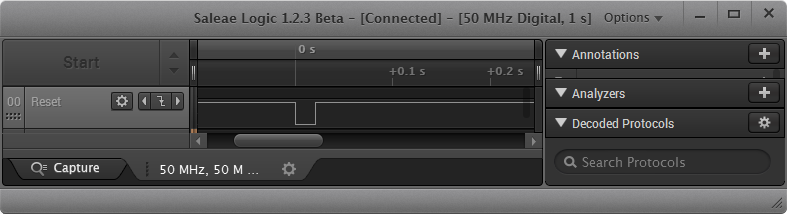
Hardware Reset for ARM Cortex-M with Segger J-Link and Kinetis Design Studio
The reset and signal line of a microcontroller is probably the most important signal to a microcontroller. And if things go wrong, then a first thing to check is the reset line. So having control over reset is an important aspect for embedded development. You would think that if you download a program to a microcontroller, the debug probe would put the device into reset at the start with a short pulse like this:
McuOnEclipse Release 10-Jan-2016
With the start of the new year 2016 I have published a new McuOnEclipse component release with the following major updates:
- Updated Segger SystemView and Real Time Transfer (RTT): added terminal functions and extra interfaces
- Improved USB CDC with serial number handing
- FreeRTOS TaskList shell command
- USB Stack: added MSD Host support for MCF52259, added support for K24FN120 and for the 100 MHz K20 devices
- New NEOMatrix component for Adafruit NeoPixel Matrix displays
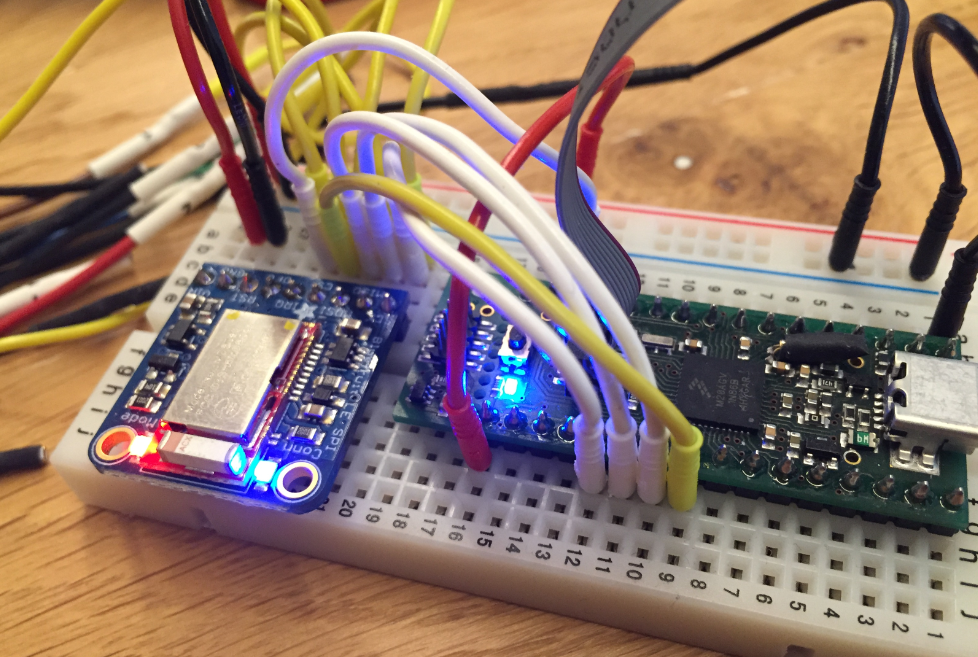
How to Add Bluetooth Low Energy (BLE) Connection to ARM Cortex-M
In many of my embedded projects I’m using successfully the Nordic Semiconductor nRF24L01+ (see “Tutorial: Nordic Semiconductor nRF24L01+ with the Freescale FRDM-K64F Board“) and the HC-06 Bluetooth transceivers (see “Getting Bluetooth Working with JY-MCU BT_BOARD V1.06“) for wireless communication. However, the nRF24L01+ is using a proprietary protocol, and the HC-06 does not work with Apple products (it does very well with Android devices). To close that gap I decided to add Bluetooth Low Energy (BLE, or Bluetooth 4.x). So this post is about how to add Bluetooth Low Energy (BLE) to NXP (formerly Freescale) Kinetis devices:
Renaming Eclipse CDT Projects
When I create a project in Eclipse (e.g. in Kinetis Design Studio with the GNU ARM Eclipse plugins), I have to specify the name of the project during creation time:
But what if I change my mind later on and want to use a different name? How to rename the project?
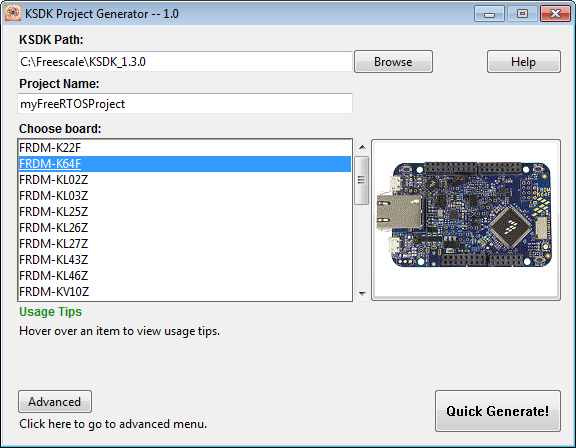
Tutorial: FreeRTOS Projects with Kinetis SDK V1.3 and the SDK Project Generator
This tutorial describes how to create a Kinetis SDK V1.3 project using the Freescale project generator in Kinetis Design Studio.