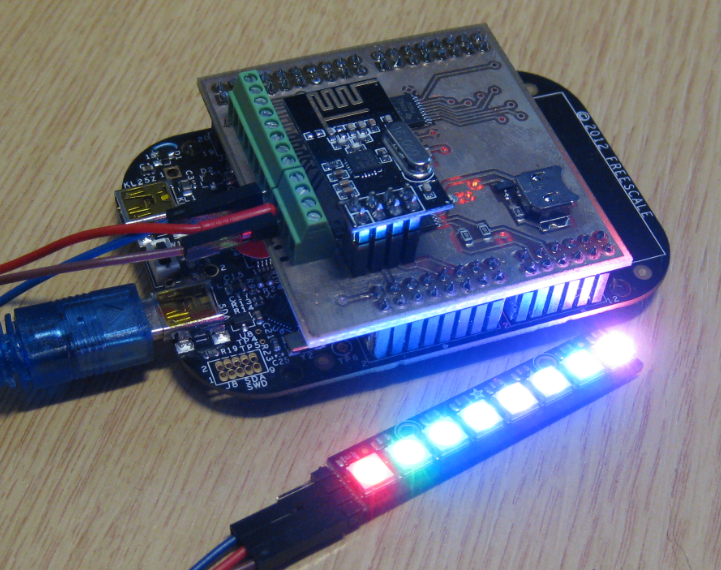
In my earlier post I used a hacked together shield for building a clock based on Adafruit’s NeoPixel/WS2812 (“LED Clock with Kitchen Hot Pan Protector“). The new design supports now 8 parallel data streams, integrated realtime clock and wireless connectivity with the nRF24L01+ module.
Tag Archives: software
Processor Expert Events
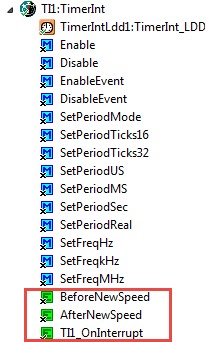
Processor Expert components have an interesting concept: Events. Events are shown in green color with the ‘E’ (for Event):
Export and Import Processor Expert Component Settings
When I create a new Processor Expert project for a board I already have the components configured, then an easy way to transfer components from one project to another is to copy-paste the components. In the ‘source’ project I select the components I want to use, choose Copy (or CTRL+C shortcut on Windows):
C++ with Kinetis Design Studio
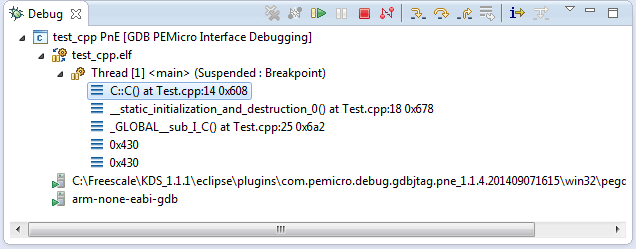
Unlike CodeWarrior, the Kinetis Design Studio (at least in V1.1.1) does not offer a choice between C and C++ projects. That makes sense with the GNU ARM Eclipse plugins, other than the CodeWarrior gcc integration, there is no need for setting up a special tool chain for C++ (see “Compiling C Files with GNU ARM G++“). While this is great, things are not perfect yet, so I’m providing in this post the information needed to properly setup a C++ project with Kinetis Design Studio V1.1.1.
McuOnEclipse Releases on SourceForge
When I started the McuOnEclipse project back in 2012, I did not expect that it would create that much of attention :-). So far I’m sharing the project files on GitHub (see “McuOnEclipse goes Git“). GitHub is excellent for sharing sources, but not a good way to share release (binary) files. It is somewhat ok for small/few files, and initially that worked well for the few Processor Expert files (see “Processor Expert Component *.PEupd Files on GitHub“). However, with the amount of components and binary releases, the GitHub repository gets bloated. So I’m performing some maintenance work, and so I’m moving binary releases to a new McuOnEclipse SourceForge site.
User Interrupt on NMI Pin with Kinetis and ExtInt Component
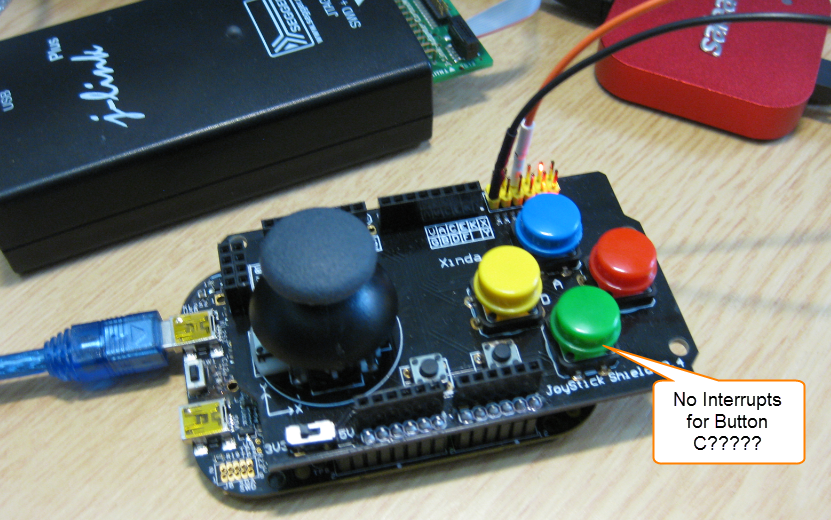
While my beef brisket (see “My First DIY Smoked Beef Brisket: Day 1“) is smoking on ;-), I have time to investigate a problem I was running on in my lecture on Friday: For the Joystick shield (see “JoyStick Shield with the FRDM Board“) on the FRDM-KL25Z board, I wanted to use an interrupt if I press the green button:
However, that did not work :-(.
Comparing CodeWarrior with Kinetis Design Studio
At FTF 2014, Freescale made the announcement that CodeWarrior won’t support all the new ARM Kinetis devices coming out in the future: they will be supported with the free-of-charge Kinetis Design Studio (KDS) instead. As for myself, this is a big shift from a well established CodeWarrior toolchain to something new. A question which came up recently several times in the forums and in other posts is: how do CodeWarrior and KDS compare with each other?
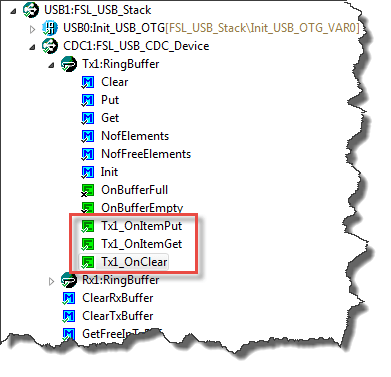
RingBuffer Component with Put/Get/Clear Events
Sometimes I have a good idea how to extend one of my Processor Expert components with an extra feature, but then I step back because why implementing more than I need at the moment? Until another user of the component simply asks for the same thing, and here we go: if one or more can take advantage of a feature, that’s definitely a strong argument to add it :-). This happened with the RingBuffer Processor Expert component I’m using in many projects. And a reader of this blog asked to add some extra event methods: when an item is added or removed to the buffer.
Automatic Documentation Generation: Doxygen with Processor Expert
One really cool thing with Processor Expert is: it does not only generate the source code for me, it generates as well documentation :-). I’m a believer of the ‘single source’ approach: if I have to document a software project, then the software itself shall be the source of the documentation. And for this I love Doxygen: see “5 Best Eclipse Plugins: #1 (Eclox with Doxygen, Graphviz and Mscgen)“. Doxygen is a compiler which compiles my source files, and instead of object files it creates documentation files for me :-).
GNU Libs with Debug Information: Rebuilding the GNU ARM Libraries
With my DIY tool chain (see “Constructing a Classroom IDE with Eclipse for ARM“) I get a complete tool chain. I do not need to build that tool chain from the sources for Windows, as all the binaries are nicely pre-compiled and made available. But there is one issue I face from time to time: as the libraries provided by ARM do not come with sources and debug information enabled, I end up with that “No source available for …” message in the debugger:
The solution is to grab the C/C++ library sources from the ARM launchpad site and get it built locally the way I need it.