I’m maintaining and hosting now more than 100 different Processor Expert components on GitHub. Instead to deal with CDE (Component Development Environment, that’s the SDK to create your own components), most users simply download and install the PEupd files. If you deal with normal source files, and if spot something you want (or need to change), then you can easily do this. But what if you want or need to change something in that code which comes with the PEupd file(s)?
Tag Archives: software project
FRDM with Arduino Ethernet Shield R3, Part 2: Ping
In Part 1 of this series I have covered the SD card on the Arduino Ethernet shield. In Part 2 I’m hooking up the board to the network and will be able to ping it 🙂
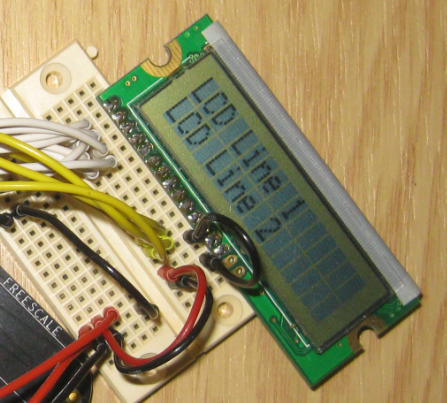
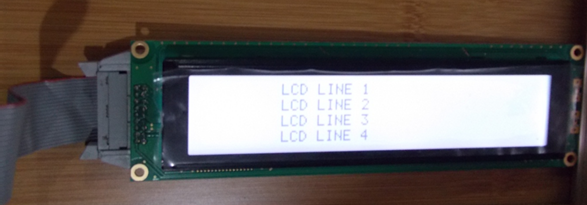
Character LCD with 4 Lines and up to 64 Characters per Line
Character based LCD displays are great: they are inexpensive, and it is rather simple to use them compared to graphical displays. Yes, they only can display text and custom symbols, but this is usually what I need. And pretty much all character displays are using the Hitachi HD44780 protocol, so it is a de-facto industry standard.
These displays have one big disadvantage: they need to be compatible with the original Hitachi interface and protocol. First display were mostly one line only, and had only few characters, typically up to 16. The protocol worked either with one or two lines on the display. Today’s display have usually two lines, with 16 characters. But what if I need more?
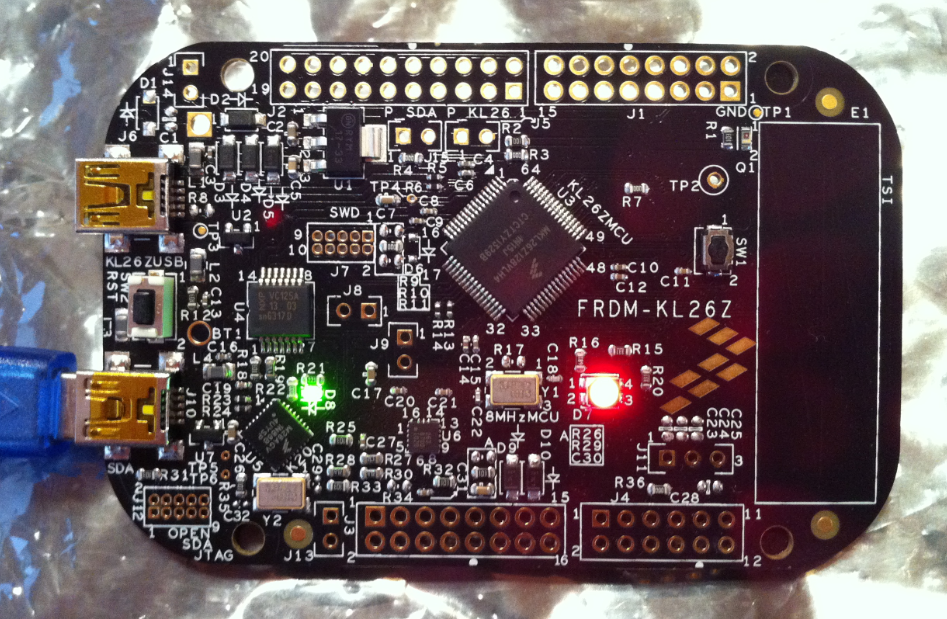
Review: New FRDM-KL26Z Board
I probably would have missed the fact that Freescale has released a new Freedom board, if I would not have visited my local distributor site to order a replacement for one of my first FRDM-KL25Z boards. So surprise, surprise: there is a new Freedom board: the FRDM-KL26Z!
So instead ordering again a FRDM-KL25Z, I decided to order that new FRDM-KL26Z instead. And it arrived right before Christmas, and now I had time to check it out. Nope, I did *not* use it as a blinking gadget on a Christmas tree, even if that would have been a nice idea ;-).
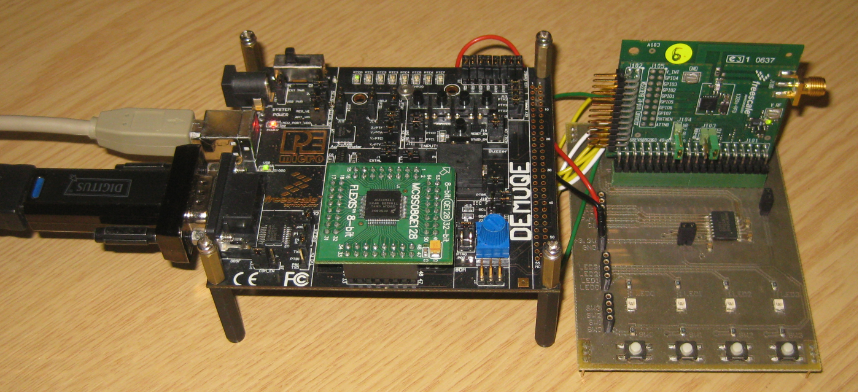
RNet Stack for 8bit MC9S08QE128 Microcontroller and MC13201 Transceiver
I admit: I have used ARM Cortex cores a lot in the recent months. Yes, I think with the ‘ARM domination of the world’ over time the ARM core will blast away probably all other cores, except for niche players? Still, there are reasons to use non-ARM cores, and even if it is just that I have a board at hand :-).
DIY Free Toolchain for Kinetis: Part 7 – GNU ARM Eclipse Plugins
Tired by the tool chains provided by your silicon vendor? Do you want to use a free and open tool chain? Then you probably followed by “DIY Free Toolchain” series already. In “DIY Free Toolchain for Kinetis: Part 2 – Eclipse IDE” I used the standard GNU Eclipse plugins. As mentioned in above post, there is an even better and more powerful plugin available: the GNU ARM Eclipse plug-ins. There is a dedicated blog site which provides excellent documentation and direct access to new and frequent releases. And these days there is a true a Christmas gift for every Eclipse lover: the version 1.1.7 with the addition of J-Link debugger plugin :-).
RNet: optional ACK, Dynamic Payload and Extended nRF24L01+ Driver
Time to write an update about the RNet Wireless Stack. The stack has been successfully used for the Sumo Robots as wireless controller. In the last week, there has been a lot smaller and larger extensions for it. And because the nRF24L01+ modules are so inexpensive, I bunkered more than 50, with 20 still left to be deployed:
INTRO Mini Sumo Tournament 2013: Lots of Fun!
It was Friday the 13th, and it was Sumo Battle Day :-). After 3 months of tinkering, hacking and creatively improving the Mini Sumo Bots, finally the the course tournament took place.
Get Ready
With using a different room, every team had a chance to warm up and recalibrate the sensors for the new environment.
The time was used to apply last-minute changes and improvements too, plus to record the last Robo Portraits.
Sumo Robot Portraits
If you are familiar with battle games, then typically there is portrait of the machinery you can use. Or if you have every watched ‘competitive’ sports, then every player can have an opportunity to present himself to the audience. So here we go…
Zumo Robot Last Tuning Tips
Tomorrow will the STD (Sumo Tournament Day)! Here are a few last tips and tricks to be prepared for that Sumo Tournament using the Pololu Zumo Robot chassis:
Battery Inertia
If two robots crash into each other, there can be quite some force. What I have observed is that it can be strong enough to temporarily disconnects the batteries from their spring contacts. I use pieces of plastic parts to keep the batteries tight and in place.