In my earlier tutorial I showed how to install the necessary SDK tools. In this article I’m going to install the SDK sources. For this I’m going to use west. This is a command-line ‘meta-repository’ tool.
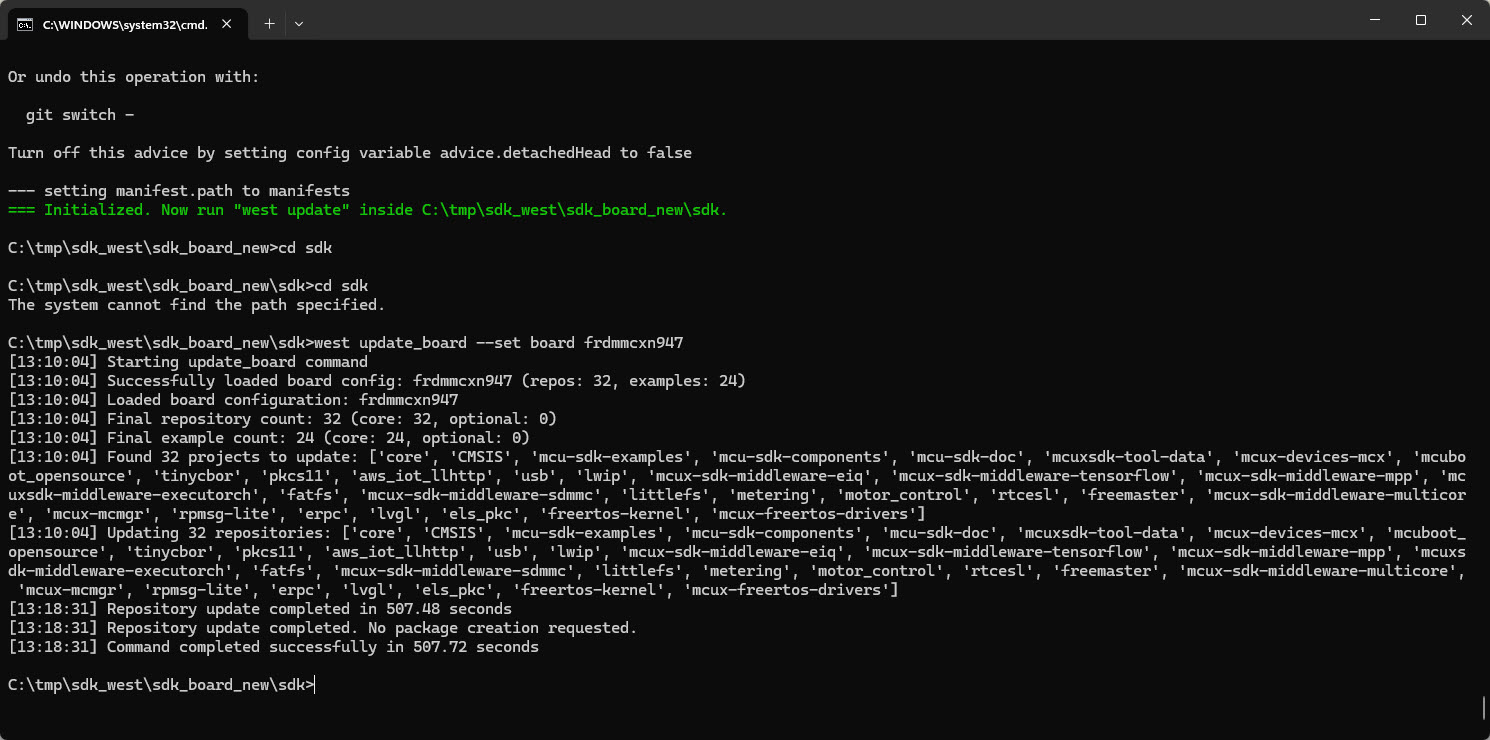

In my earlier tutorial I showed how to install the necessary SDK tools. In this article I’m going to install the SDK sources. For this I’m going to use west. This is a command-line ‘meta-repository’ tool.
The engineering and development landscape is constantly changing. This includes the embedded tooling and SDKs.
Back in the year 2017 I have used the version 2 (see Tutorial: Using Eclipse with NXP MCUXpresso SDK v2 and Processor Expert). Back then, it was Eclipse with make. Now we are in 2026 and things have changed to VS Code, cmake, ninja, python and west.
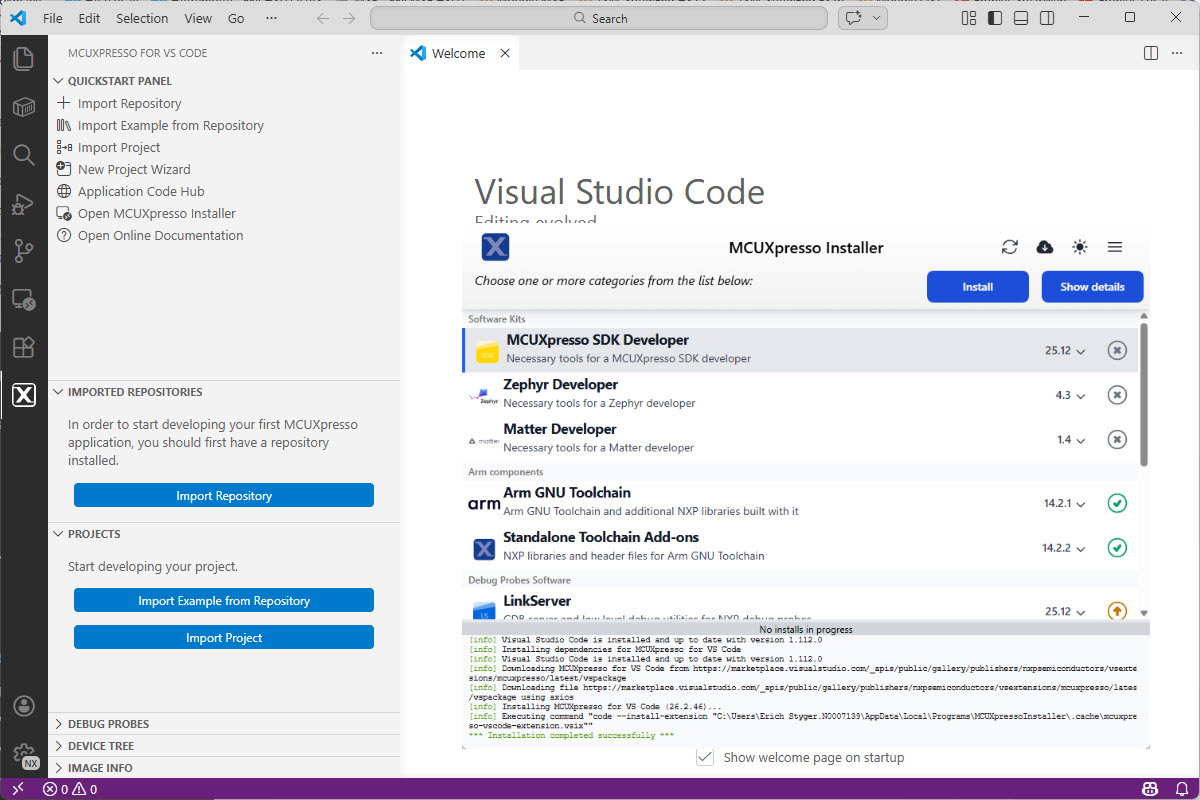
Luckily, although more and different tools are needed these days, the installation experience has improved significantly. It has shifted from installing multiple different tools to a streamlined installation process.
Continue readingThe silicon shortage is still going on. While the NXP Kinetis KE devices might not be my first choice, they still seem to be available, in at least in lower quantities. This has been recognized by others, as I’m getting more and more questions and requests for the KE and KV family. This is why I un-dusted my old FRDM-KE02Z to be used with the latest MCUXpresso SDK and IDE.

And in case you want to use that board or device with semihosting, I have you covered.
Continue readingI’m now in the middle of the university fall semester exam season with writing exams and grading student work, and the same time the new semester courses need to be prepared. With the global silicon and board shortage, this will be again a challenge to equip all the labs with the needed infrastructure. The good thing is that there is no shortage on software and tools side of the infrastructure: NXP released last week their new flagship Eclipse based IDE: the MCUXpresso IDE 11.5.0. Time to check it out for the upcoming lectures and classes….

Continue readingSpoiler Alert: It has a new view for FreeRTOS lovers, plus new features for energy/power measurements!
Split-flap displays are electromechanical display devices, which were common in airports or railway stations a few years ago.Unfortunately, most of them are gone and replaced by LED displays. Why not create a DIY version of it?

LoRaWAN is getting more an more popular, both for terrestrial and increasingly with low-orbit satellite systems. The ‘Long Range’ in ‘LoRa’ makes it an ideal solution for low-power and low data rate applications. For a university research project we selected the Semtech SX1261/62 transceiver together with the NXP LPC55S16 mikrocontroller. Because the board used for that project is not available for the public (yet), I share here how you can run the LoRaWAN stack with the NXP LPC55S16-EVK.

It has been a while since my last MetaClockClock, and with the continued shortage of electronics on the market I had no chance to order new parts. But I still had some remaining parts, and with the modular design of the ’round’ clocks I was able to build up another one, but this time with even less than the usual minimum of 24 clocks:
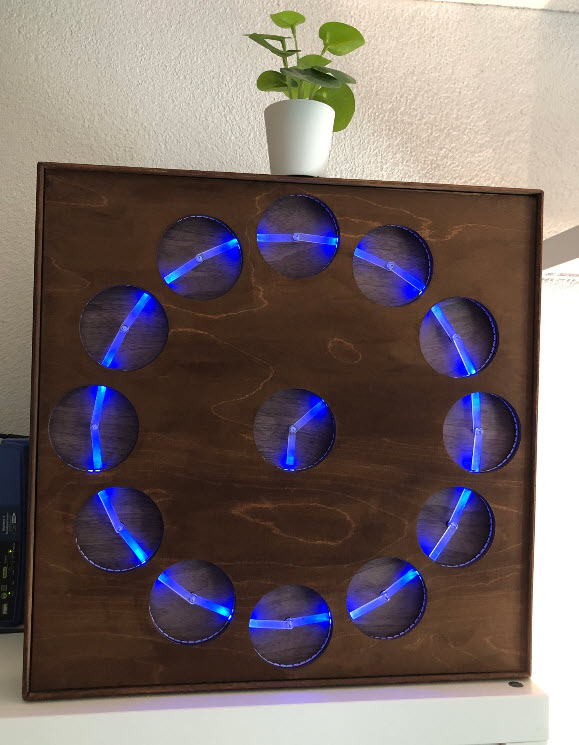
So if you are up to build a MetaClockClock with less clocks, this might be the way for you.
Continue readingAs time flies by, my projects are evolving. My lab projects get used over multiple semesters, and the MCUXpresso projects by default use the SDK version used at that time.

This is great because I do want to have control over what SDK is used. But from time to time it makes sense to upgrade a project to a newer version. In this post I’ll show how an existing project can be upgraded to use a new SDK.
Continue readingThe NXP Kinetis devices implement a UID (Unique ID) for each device, using the ‘Unique Identification Register) which is part of the SIM (System Integration Module):

SIM Unique ID (NXP K22P144M120SF5RM.pdf Reference Manual)
While this number should be unique, I was wondering last week why students in the labs reported the same UID for multiple robots in the lab. So maybe this number is not so unique as it should be?
Continue reading
Having visibility and insights into a running system is highly valuable or critical: not only for optimizations but as well to verify the system design and behavior. In Getting Started with Microsoft Azure RTOS (aka ThreadX) I showed how to quickly run Azure RTOS. This article is about getting trace out of an ThreadX application and show it in TraceX.
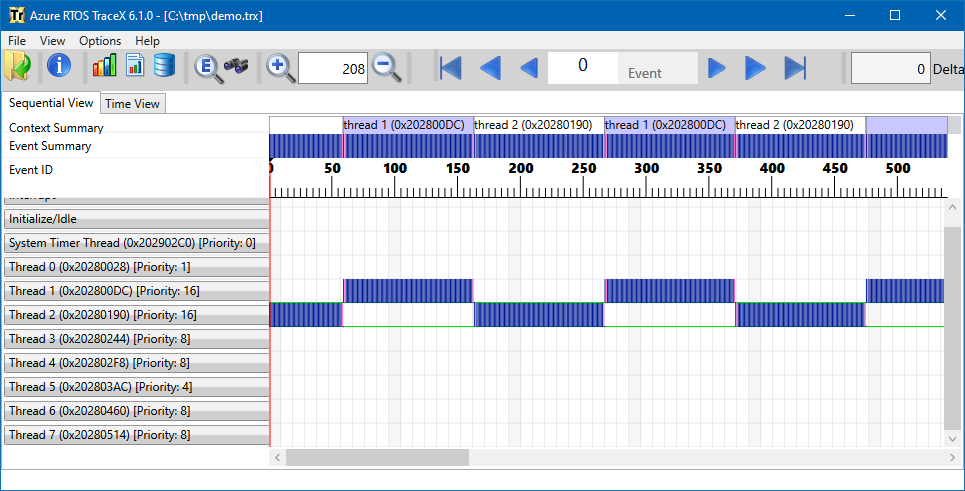
Azure RTOS TraceX
 MCU on Eclipse