Debugging STM32F103RB NUCLEO Board with Segger J-Link

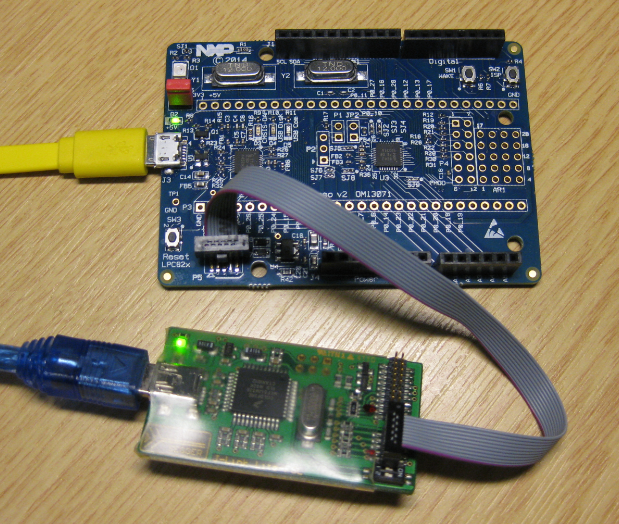
The STMicroelectronics STM32F103 (ARM Cortex-M3) Nucleo boards include the on-board ST-Link v2 circuit which allows to debug the board. This circuit is similar to the OpenSDA circuit found on Freescale boards. Unlike the Freescale OpenSDA, the ST-Link is only the ST-Link: it is not possible to load a P&E Multilink or Segger J-Link or firmware on it. Luckily, the ST-Link has a SWD connector, but this connector is a non-standard one. So how can I debug that board with an Eclipse based environment with GNU ARM Eclipse plugins and a Segger J-Link?

Connected J-Link with Nucleo Board

Connected J-Link with Nucleo Board
Continue reading

GNU Static Stack Usage Analysis

Stack overflows are a big problem: If I see a system crash, the first thing usually is I try to increase the stack size to see if the problem goes away. The GNU linker can check if my global variables fit into RAM. But it cannot know how much stack I need. So how cool would it be to have a way to find out how much stack I need?

Static Stack Usage Analysis with GNU

Static Stack Usage Analysis with GNU

And indeed, this is possible with the GNU tools (e.g. I’m using it with the GNU ARM Embedded (launchpad) 4.8 and 4.9 compilers :-). But it seems that this ability is not widely known?

Continue reading

Using the Freescale Freedom (FRDM-KL43Z) to Debug other Boards

In “Unboxing the Freescale FRDM-KL43Z Board” I was using the FRDM-KL43Z board the first time. The FRDM-KL43Z board has an on-board debug interface (Kinetis K20, OpenSDA). In this post I show how to use the FRDM-KL43Z board to debug another ARM board.

FRDM-KL43Z Board debugging custom (tinyK20) Board

FRDM-KL43Z Board debugging custom (tinyK20) Board

Continue reading

Overview: From Snippets to Code Generation

To build an application for a modern microcontroller today is not a simple thing. Well, it depends what ‘simple’ means. But compared to the ‘old days of 8bit micro controllers’ (which are still in use!) developing for a complex 32bit device is definitely a different thing. Not only the complexity has changed, but as well the breath of tools and helpers. In my view, the only constant is ‘change’, and I have changed the way how to develop several times in my career. In this post I present several different techniques I’m using in my development.

Processor Expert CPU View

Processor Expert CPU View

Continue reading

Thanks to Erich and FRDM-K64F!! :)

It has been a long time since I wrote my last blog. I really want to apologize to you all for the delay, but I was busy with another project about the competitive analysis of Freescale with our competitors. I hope I can provide you guys later with some important findings from my research.

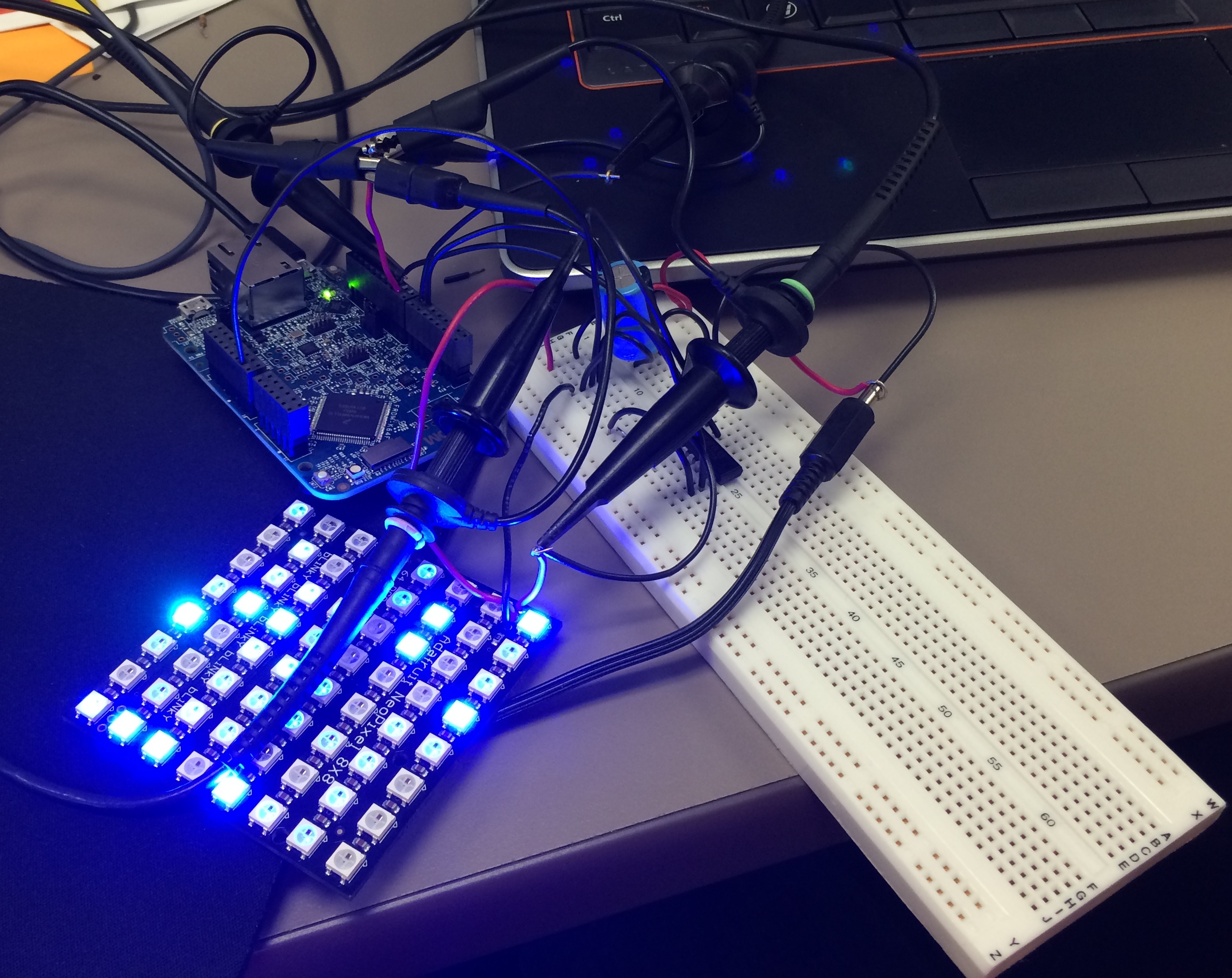
Well as far as my project for neopixels using FRDM-K64F is concerned, Erich wrote the wonderful tutorial for all of us to turn on the NeoMatrix. I tried my hands on that and I was indeed able to turn on the board but not in the way I wanted it to. 😦 So, it turns out that I got few LEDs turning blue or some turning green. I asked Erich about it and I got to know that it is because I screwed up with the timing signals. I was using an oscilloscope and not a logic analyzer but Erich’s recommendation was to use the Logic Analyzer. This was the result of my experiment following Erich’s tutorials.

Tutorial: Adafruit WS2812B NeoPixels with the Freescale FRDM-K64F Board – Part 1: Hardware

IMG_1246

The Hardware

Continue reading

Board Take-Over: Using Segger J-Link to Debug NXP

So NXP has announced that they want to take over Freescale (see this press release). In an earlier post I experimented how Freescale tools could be used in NXP tools, see “Merging NXP LPCXpresso IDE with Freescale Kinetis Design Studio, Processor Expert and Kinetis SDK“. Just for fun, I want to do the acquisition the other way round: Using Freescale (now NXP) software and tools to build and debug the LPC824 from NXP :-).

Debugging the NXP LPC824 with Freescale J-Link Lite

Debugging the NXP LPC824 with Freescale based J-Link Lite

Continue reading

Part 2: Barbecue Beef Brisket Texas Style – The Rub

It’s 5:15am, and started the fire in the smoker. Until it warms up, time to apply the rub to the brisket.

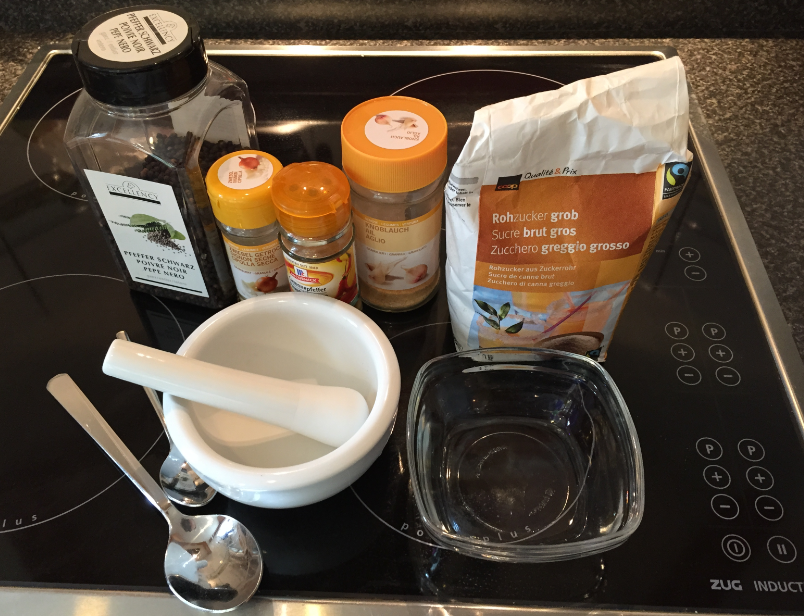
I have learned that Brisket is the national food of the Republic of Texas. I decided that this time I will do the rub differently: salting the meat the day before (see “Part 1: Barbecue Beef Brisket Texas Style – The Meat and the Salt“), and applying the rub (without any salt) just before putting the meat into the smoker. I’m using a variation of Texas “Dalmatian Rub”: salt (applied before), coarsely cracked black pepper with a few spices.

Rub Ingredients

Rub Ingredients

Continue reading