Recovering FRDM-K64F mbed Board

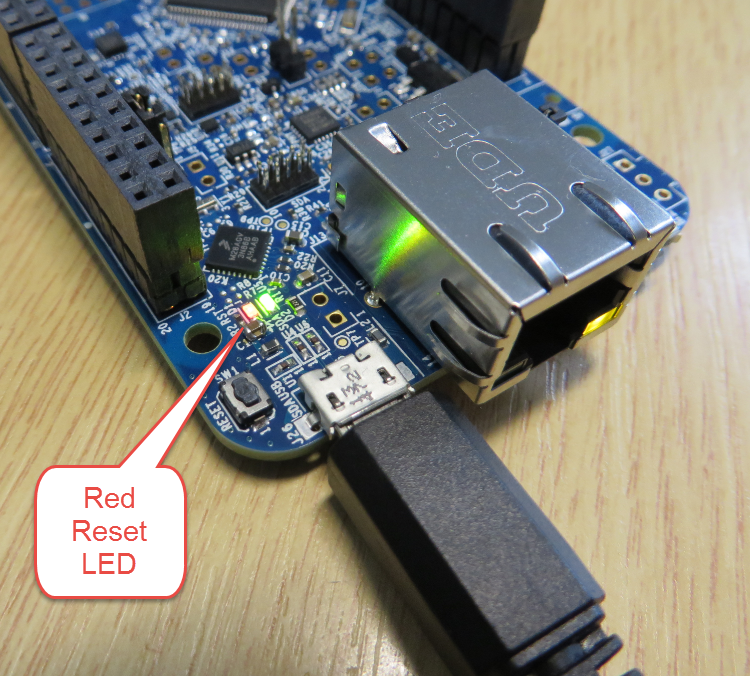
The mbed for FRDM-K64F firmware (http://mbed.org/handbook/Firmware-FRDM-K64F) has great potential. Unfortunately it seems that edges are still very rough: It happens very  often that my FRDM-K64F board gets locked up :-(. I can see that the target CPU is constantly resetting: the red reset LED is always on:

FRDM-K64F Red Reset LED always on

FRDM-K64F Red Reset LED always on

Continue reading

GNU Linker, can you NOT Initialize my Variable?

my students sometimes are afraid to ask questions, although I urge them ask any question. In my opinion there are no ‘dumb’ questions: only questioning things let us think and learn new things. I see that many readers of this blog are *not* afraid to comment or ask questions. The WordPress statistics shows 5’687 questions/comments for this blog (thank you all!), and the spam filter protected me from 202,341 items (ok, these *are* dumb) :-).

The ‘question of the week’ comes from Andy. That question caused me some serious head scratching, but the same time I have learned something important and useful for my next project: how to tell the ARM GNU linker *not* to initialize variables?
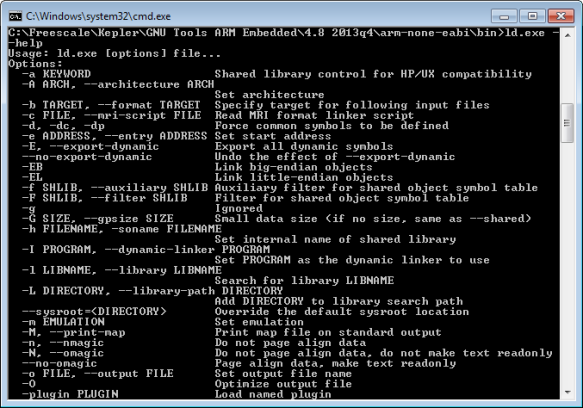
GNU ARM Embedded Linker Options

GNU ARM Embedded Linker Options

Continue reading

Pin Muxing: Using the NMI Pin as GPIO Pin

Many modern microcontroller have a cool feature: Pin Muxing. What it means is that I can ‘mux’ the pins for different purposes: such as I can use a SPI or I2C pin as GPIO (General Purpose Pin) or vice versa. In an ideal world, I would be able to ‘route’ or ‘mux’ pins freely around. In practice these ‘way switches’ are more or less limited.

In “Using the Reset Button on the Freedom Board as User Button” I muxed the FRDM-KL25Z reset pin as GPIO pin. The same approach can be used for muxing the NMI (Non-Maskable Interrupt) pin for the Freescale Kinetis devices. I’m showing it here how to do this with Processor Expert as this allows me to do this with a few mouse clicks.

NMI Pin Used as GPIO Pin

NMI Pin Used as GPIO Pin

Continue reading

Creating New Eclipse Debug Configuration

Eclipse is very powerful. To the point that you can do the same thing in multiple ways. I’m always learning new things, and recently I discovered a new way how to create a new launch or debug configuration.

So far I selected the item (e.g. GDB Hardware Debugging) and used the ‘New’ Icon:

New Debug Configuration with New Icon

New Debug Configuration with New Icon

Continue reading

Tutorial: User Interrupts with Processor Expert

I have been asked this question several times:

“How can I define my own interrupt vector with Processor Expert?”

So I think it deserves a short tutorial, if more than one person is asking this ;-).

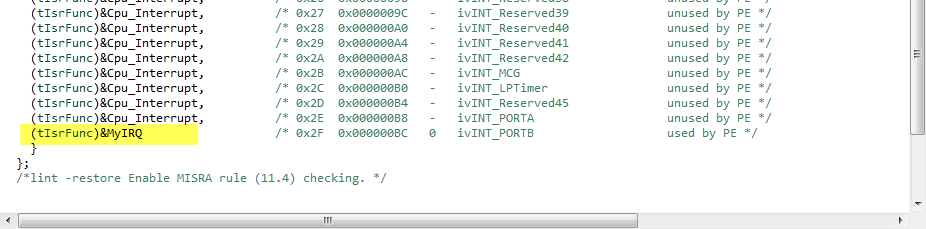
My user interrupt in the vector table

My user interrupt in the vector table

Continue reading

Processor Expert (Driver Suite/Plugins/KDS) V10.4 with new Component Inspector

There has been a lot of new Freescale releases recently around FTF, and I’m trying to catch up. For me as a Processor Expert Lover, it is good news that there is now the new version 10.4 available. And it comes in different ways:

Microcontrollers Driver Suite v10.4

Microcontrollers Driver Suite v10.4

Continue reading

The Zumo Bots at FTF 2014

I should have known it better, and I always teach my students that they should take the environment into account. And you know what? This time it was me who missed following that rule.

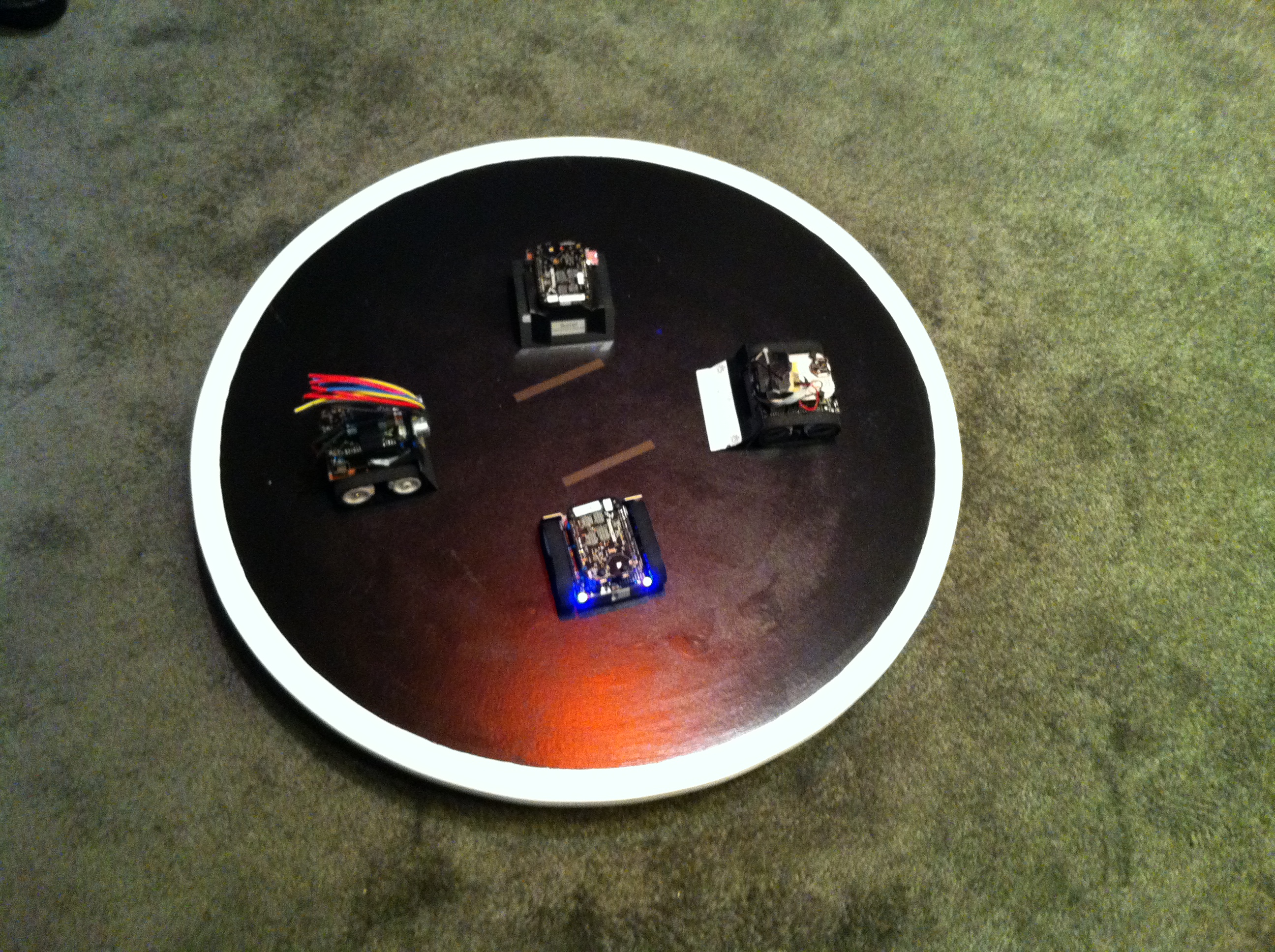
But from the beginning: For the Freescale Technology Forum (FTF) I brought 4 different Zumo Robots to show developing with the Freedom board and Processor Expert. Clark (thanks again, Clark!) has built and brought the Sumo Dojo, and I brought the bots:

Zumo Bots at FTF

Four Zumo Bots at FTF

Continue reading

GNU Additional Tools: Create Flash Image, Print Size and Extended Listing Options

One question I have been asked several times here at FTF:

“How can I create an S19/Motorola S-Record with Eclipse?”

The answer depends on which Eclipse you are using. Actually it depends on which (ARM) build  tools plugin you are using, as with Eclipse you have the freedom of choice.

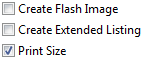
And this is not only about S19/Binary (Flash Image), but covers ‘Extended Listing’ and ‘Print Size’:

Additional Tool Options

Additional Tool Options

Continue reading

Getting Bluetooth Working with JY-MCU BT_BOARD V1.06

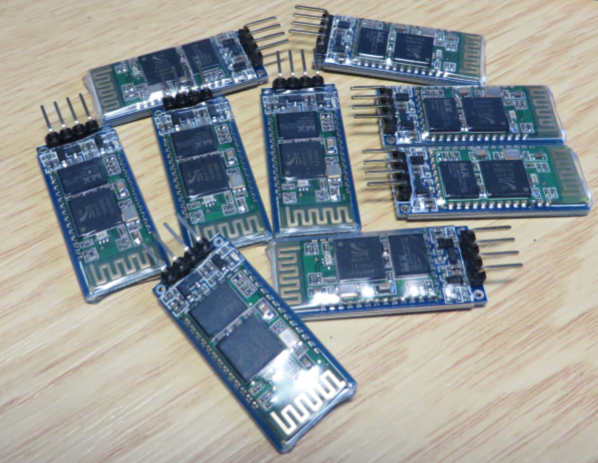
For my embedded course at the University of Lucerne of Applied Sciences and Arts I needed more Bluetooth modules for the Zumo/Sumo robots. I run out of stock as the modules are getting popular and are used in many student projects. So I ordered a handful more from DX/DealExtreme of the same HC-06 type/part number I already ordered a while back. I expected that they will work as the modules I had ordered from DX half a year ago. Was that naïve? Probably. Because they did *not* work, and caused me to reverse engineer the modules and to apply a hardware fix to get them working….

Set of JY-MCU Bluetooth Modules

Set of JY-MCU Bluetooth Modules

Continue reading

Serial Terminal View with Eclipse Kepler

Nearly all of my projects have built-in command line support: using a serial connection, I can send commands or inspect the system status. For this I have my command line Shell which works over serial-to-Bluetooth, serial-to-USB, USB CDC or with a physical serial (COM) port. But what I need on the host system is a Terminal program: I can use either an external program. There are many ones available (Tera TermPuTTY, …) where Termite is my favorite one. But it is possible to extend Eclipse so it has its own Terminal view too :-).

Eclipse Terminal View

Eclipse Terminal View

Continue reading