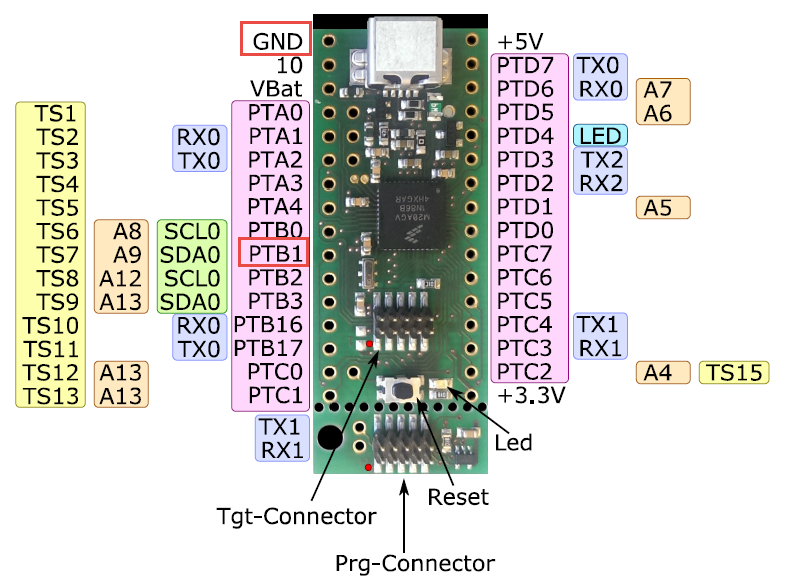
To put the tinyK20 board with the NXP Kinetis K20 into bootloader mode, well someone could check the schematics, or follow this quick guide :-). In short, the pin PTB1 has to be pulled to Ground (GND) while powering the Kinetis K20. The pin PTB1 is on the outside row as below:
Category Archives: CPU’s
Are ARM CMSIS-Pack the Future of Software Components?
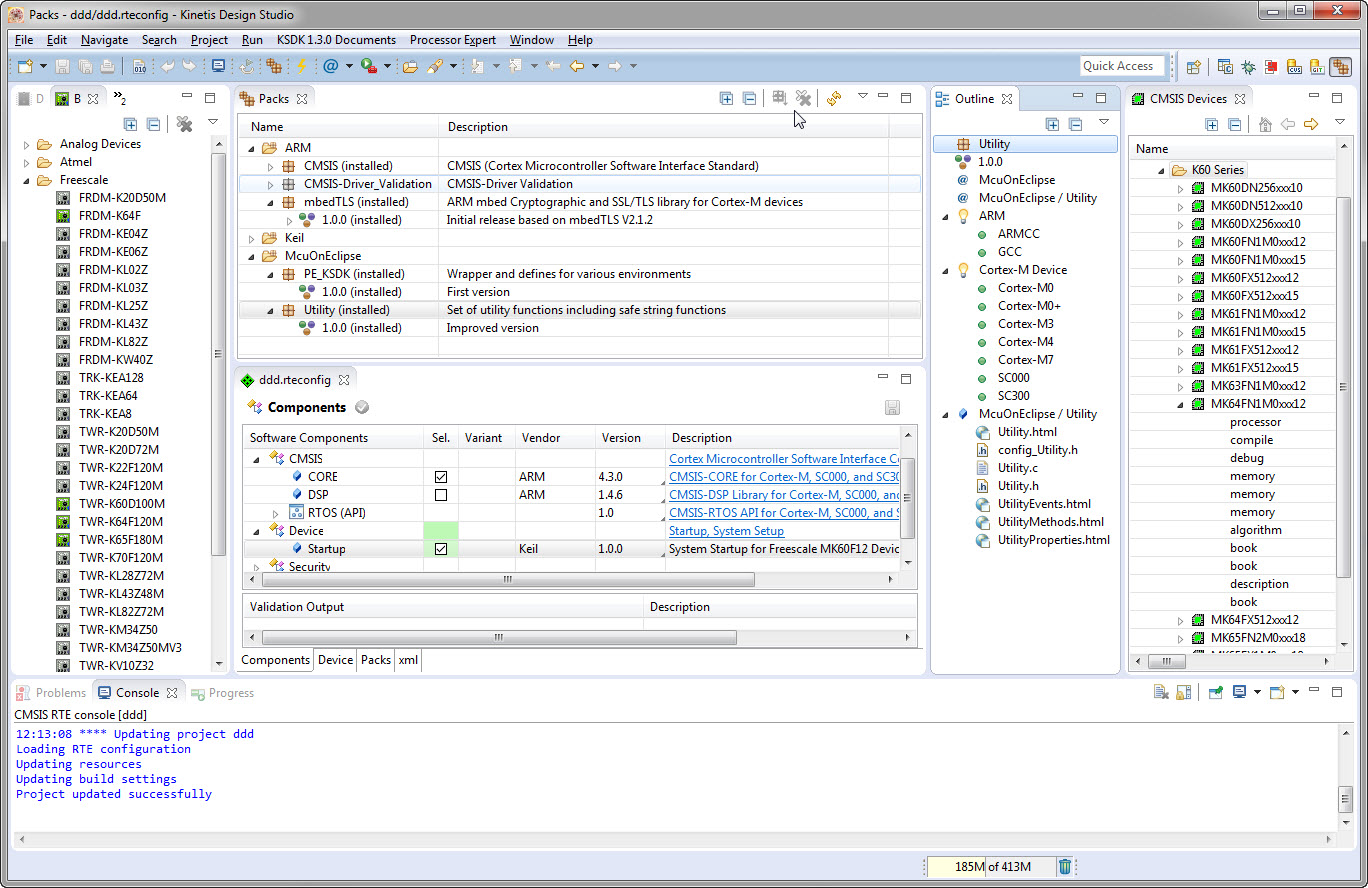
I’m using Processor Expert components for nearly every Freescale (now NXP) projects: for S08, S12, ColdFire, DSC and especially all the different NXP Kinetis devices. Not only because it makes software development fast and easy and allows re-use of software, but as well because Processor Expert has a good way to pack and distribute software components. Unfortunately Processor Expert is not any more included for the new Kinetis devices (see “First NXP Kinetis SDK Release: SDK V2.0 with Online On-Demand Package Builder“). So I have looked into an alternative and hopefully vendor neutral way to build and distribute software packages using CMSIS-Pack.
McuOnEclipse Components: 7-Feb-2016 Release
New in this release:
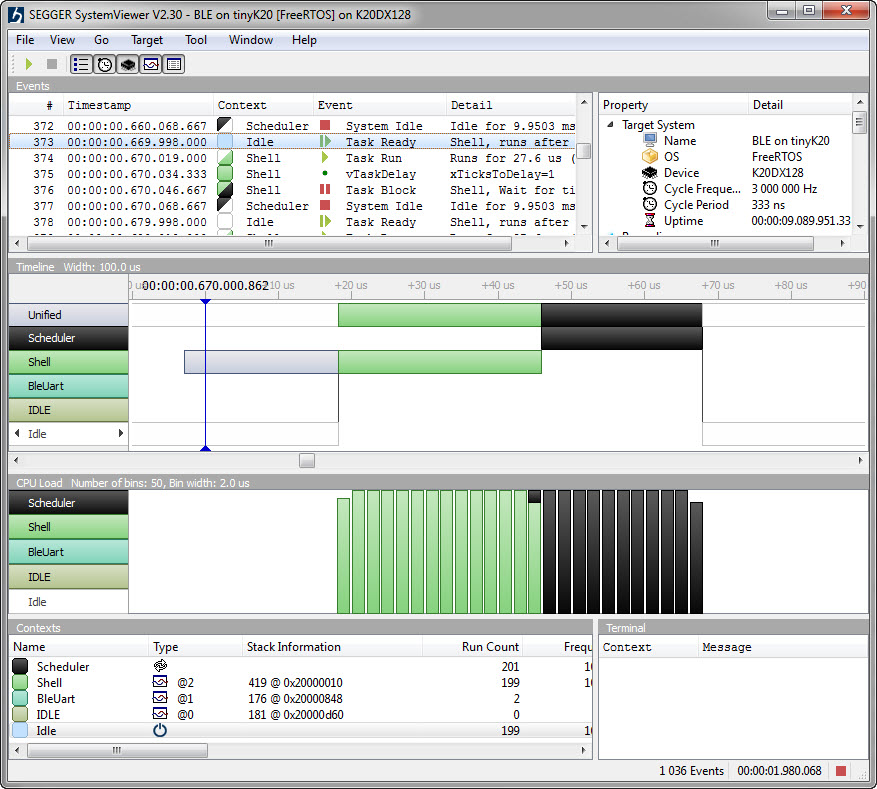
- Segger SystemViewer: Upgraded to V2.30, added stack high-water mark
- Segger RTT: fixed BASEPRI issue on Cortex M4 for critical sections
- Utility: Fixed issue with Utility module and Kinetis SDK (usage of ‘byte’)
- USB CDC: property to specify USB device current usage, new status getter functions.
Kinetis Lava LED Light Cube
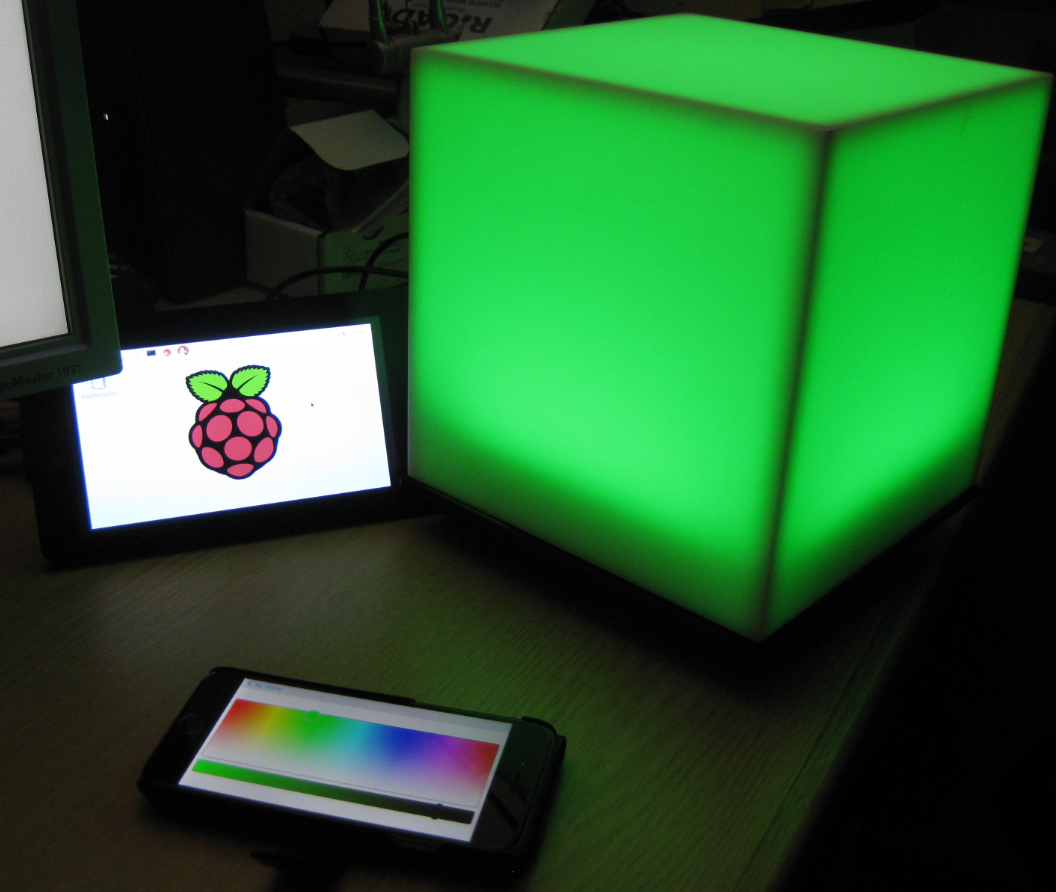
In “openHAB RGB LED Light Cube with WS2812B and NXP Kinetis” I started experimenting Kinetis boards, a LED cube diffuser and Adafruit WS2812B NeoPixel LEDs. That worked well, but I was not to very happy about the visual effect. So here is my next version: I wanted to have control over each side of the cube. For this I have built a cube inside the cube with a 3D printed structure:
Tutorial: Bare-Metal Shell for Kinetis
I have been asked to provide a command line shell example for a bare-metal (no RTOS) application, so here we go!
Having a way to communicate to the firmware on a board is essential for most of my projects: it is simply, incredibly helpful and easy to do (see “A Shell for the Freedom KL25Z Board“). This tutorial shows how to add a simple command line shell to the NXP Freedom board which then can be extended as necessary.
openHAB RGB LED Light Cube with WS2812B and NXP Kinetis
From my earlier work to use the NXP Kinetis with openHAB (see “Controlling NXP Freedom Board RGB LED with openHAB and Raspberry Pi“) it was only a small step to control a 20x20x20 cm light cube with 256 Adafruit WS2812 NeoPixels:
First NXP Kinetis SDK Release: SDK V2.0 with Online On-Demand Package Builder
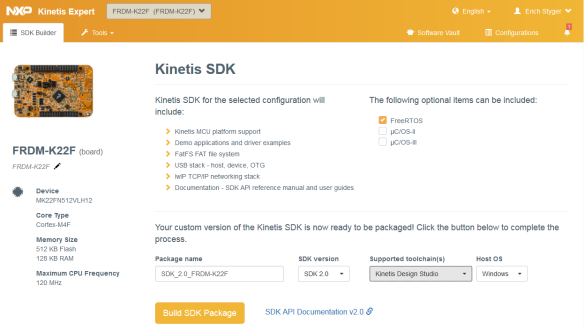
There are plenty of different software packages available for microcontroller these days from all the silicon vendors. Finding a good software package is one challenge, getting what I really need is another one. Freescale is now part of NXP since December 2015, so this is probably the first release of the former Freescale part now as NXP: The NXP Kinetis SDK Version 2.0.
It comes with an interesting distribution way: instead of downloading huge packages with all-and-everything in it, I can build it ‘on demand’ online and get what I need, on demand from a web-based front end:
Controlling NXP Freedom Board RGB LED with openHAB and Raspberry Pi
In “Blinky LED with openHAB on Raspberry Pi” I have used openHAB on a Raspberry Pi to control an LED attached to the Pi, and in “Controlling NXP Freedom Board RGB LED with openHAB and Raspberry Pi” I have explored how to connect a NXP Freedom Board over USB CDC to the Raspberry Pi. In this article I’m going to combine both: to control the LED on a NXP Freedom board remotely with openHAB on the Raspberry Pi.
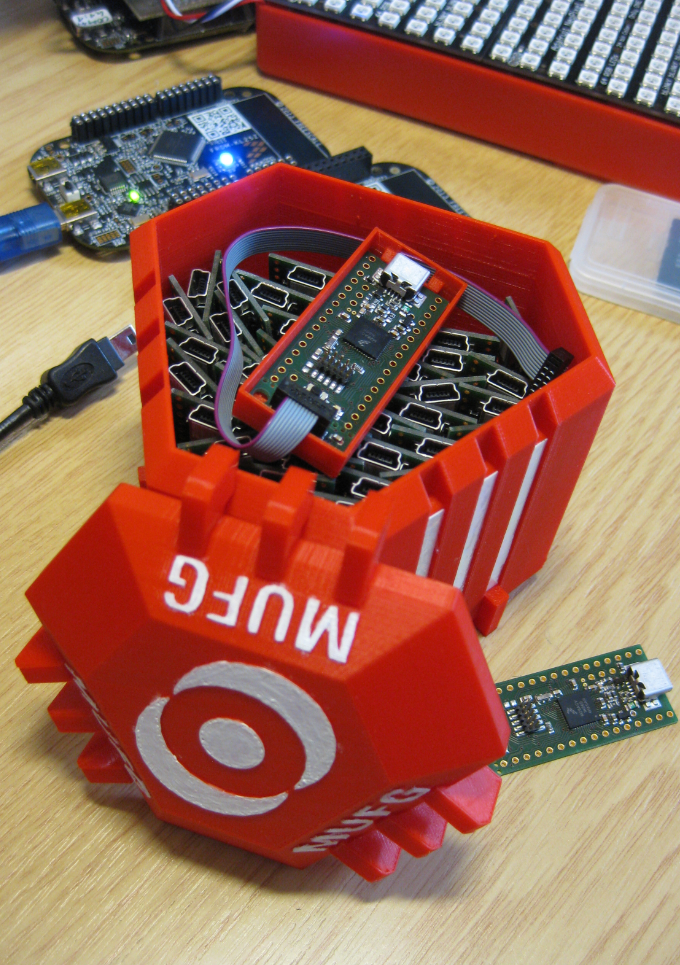
3D Printed Magical MUFG Capsule to Duplicate NXP Kinetis K20 Boards
Show Floating Point Variable Bytes in Eclipse CDT
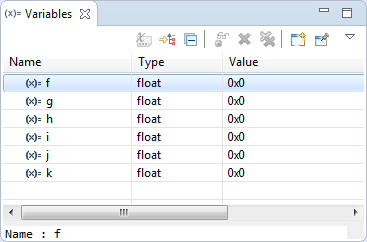
My preferred variable format in Eclipse is hexadecimal (see “Debugging Variables in Hexadecimal with Eclipse“). However, this does not work well with floating point variables:
The above view shows all variables having the value 0x0 (zero), but that’s actually not really true.