The latest FreeRTOS V11 release includes an interesting feature: a heap protector feature, which can help detect memory corruption early at runtime.


The latest FreeRTOS V11 release includes an interesting feature: a heap protector feature, which can help detect memory corruption early at runtime.
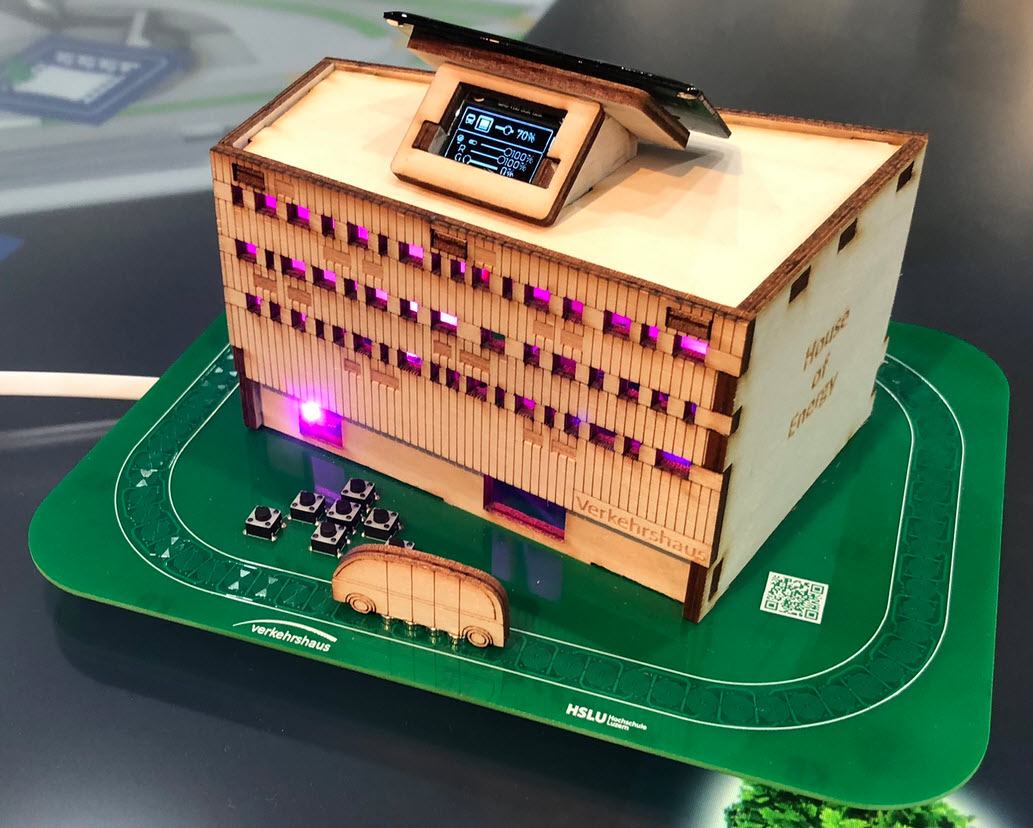
The ‘Verkehrshaus der Schweiz‘, the ‘Swiss Museum of Transport’ is Switzerland’s most popular museum.
In April 2023, it opened up a new building and the ‘Experience Energy!’ exhibition. For the opening event we created a unique construction kit to explore energy: from harvesting to storing and up to distributing and using energy.
Maybe you are using a multi-core device in your projects, but have not tapped into multi-core usage yet? FreeRTOS V11.0 is out, and the big news is that it has finally Symmetric Multi-Processing (SMP) integrated into the mainline. This greatly simplifies FreeRTOS usage, as I finally can use the same RTOS for my SMP targets and boards, and I can easily switch between single-core and multi-core applications.

Clock projects are cool. LED projects are cool too. And if it moves, the better. So why not building a moving pixel LED mechatronics clock? A matrix with addressable RGB LEDs, each can change color and is moved by a tiny stepper motor, to let pixels stand out?

The new year 2024 is coming, so time to close the current year with a new release: I’m pleased to announce a new release of the Processor Expert components, available on SourceForge and GitHub.

In many of my embedded projects I need persistent data or storage for settings. If using an SD card, then FatFS is usually my choice for the file system. But if using an external FLASH memory device, then my preferred choice is usually LittleFS: it is a little fail-safe filesystem, designed for micro-controllers, which I’m using with external flash memory devices.
In the case where there is enough MCU flash, or if there is no external FLASH device available in a design, it can use the MCU internal FLASH as storage storage too. This is the topic of this article:

We all should know it: dynamic memory usage can be dangerous. There can be memory fragmentation, use-after-free, out-of-memory and memory leaks. While I do prefer static memory allocation for embedded systems, using a dynamic memory allocation in some applications is not avoidable or just makes sense.
In one of my lecture modules we develop a ‘Boulder’ game, where the player has to collect underground diamonds and avoid moving monsters:

I’ll show you have FreeRTOS memory usage can be tracked and monitored.
Continue readingWhen something goes wrong in an embedded system, a watchdog timer is the last line of defense against a blocked or malfunctioning system. A watchdog is a special timer which needs to be ‘kicked’ in a special way, otherwise the timer will run out and reset the system.
For example, a watchdog is an important safety feature in the E-Vehicle charging controller with Raspberry Pi Pico-W RP2040:

The Raspberry Pi Pico RP2040 is a very versatile microcontroller. It is not the least expensive or the most powerful microcontroller, but it is one which is available and has an excellent software and tool ecosystem.
This article shows how to use the Raspberry Pi Pico-W with BLE and optional WiFi, running with FreeRTOS.

One of the biggest fears of embedded systems developers are stack overflows. FreeRTOS includes a cool feature to monitor and catch task stack overflows. But what about the MSP (Main Stack Pointer) on ARM, or the interrupt stack? What if not using an RTOS and running a bare-metal application?

There is a simple way monitoring stack usage at runtime, and for this I want to share the routines and what is now available inside the McuArm module.
Continue reading MCU on Eclipse