Tutorial: Bare-Metal Shell for Kinetis

I have been asked to provide a command line shell example for a bare-metal (no RTOS) application, so here we go!

Having a way to communicate to the firmware on a board is essential for most of my projects: it is simply, incredibly helpful and easy to do (see “A Shell for the Freedom KL25Z Board“). This tutorial shows how to add a simple command line shell to the NXP Freedom board which then can be extended as necessary.

Console Application

Console Application

Continue reading

Controlling NXP Freedom Board RGB LED with openHAB and Raspberry Pi

In “Blinky LED with openHAB on Raspberry Pi” I have used openHAB on a Raspberry Pi to control an LED attached to the Pi, and in “Controlling NXP Freedom Board RGB LED with openHAB and Raspberry Pi” I have explored how to connect a NXP Freedom Board over USB CDC to the Raspberry Pi. In this article I’m going to combine both: to control the LED on a NXP Freedom board remotely with openHAB on the Raspberry Pi.

ColorPicker with openHAB and FRDM-KL25Z

ColorPicker with openHAB and FRDM-KL25Z

Continue reading

Show Floating Point Variable Bytes in Eclipse CDT

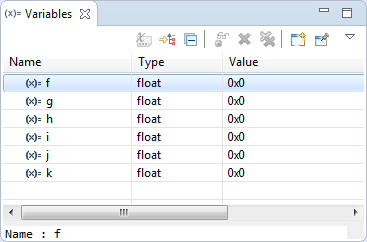
My preferred variable format in Eclipse is hexadecimal (see “Debugging Variables in Hexadecimal with Eclipse“). However, this does not work well with floating point variables:

Floating Point Variables in Eclipse Variables View

Floating Point Variables in Eclipse Variables View

The above view shows all variables having the value 0x0 (zero), but that’s actually not really true.

Continue reading

Debug Multiple Boards with GDB at the Same Time

Many times it is very useful to debug multiple boards at the same time. For example if I’m debugging a communication stack between two boards: that way I can debug the protocol on both sides. Eclipse is a great framework which allows that. This post shows how to debug multiple boards (e.g. the NXP Freedom boards) in parallel from the same Eclipse IDE using GDB and the Segger J-Link:

Two NXP Freedom Boards debugged at the same time

Two NXP Freedom Boards debugged at the same time

Continue reading

Hardware Reset for ARM Cortex-M with Segger J-Link and Kinetis Design Studio

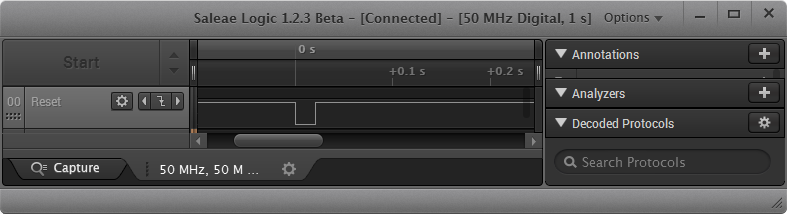
The reset and signal line of a microcontroller is probably the most important signal to a microcontroller. And if things go wrong, then a first thing to check is the reset line. So having control over reset is an important aspect for embedded development. You would think that if you download a program to a microcontroller, the debug probe would put the device into reset at the start with a short pulse like this:

Reset Signal in Logic Analyzer

Reset Signal in Logic Analyzer

Continue reading

How to Add Bluetooth Low Energy (BLE) Connection to ARM Cortex-M

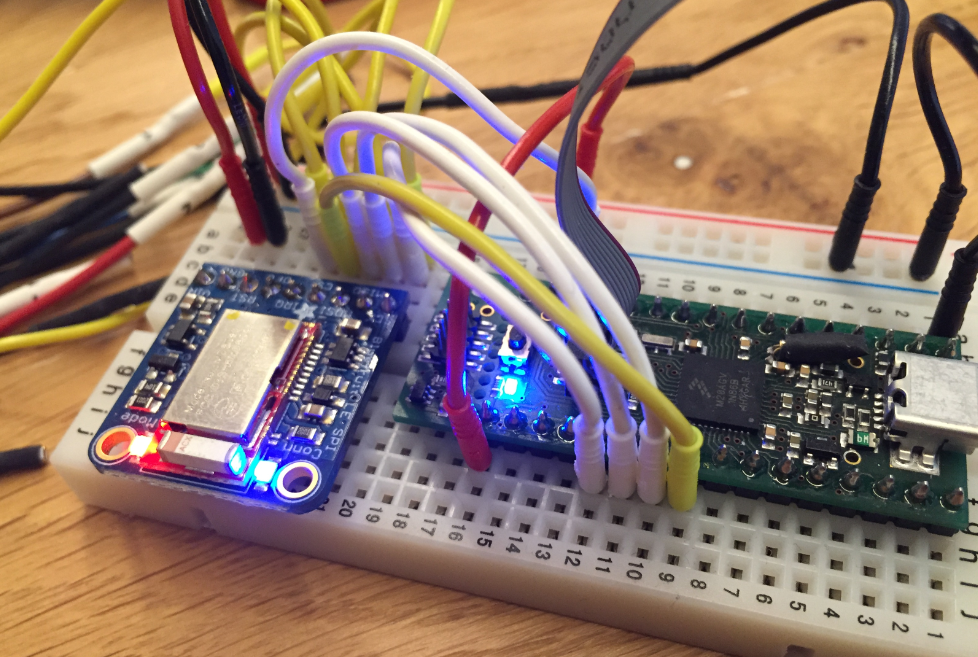
In many of my embedded projects I’m using successfully the Nordic Semiconductor nRF24L01+ (see “Tutorial: Nordic Semiconductor nRF24L01+ with the Freescale FRDM-K64F Board“) and the HC-06 Bluetooth transceivers (see “Getting Bluetooth Working with JY-MCU BT_BOARD V1.06“) for wireless communication. However, the nRF24L01+ is using a proprietary protocol, and the HC-06 does not work with Apple products (it does very well with Android devices). To close that gap I decided to add Bluetooth Low Energy (BLE, or Bluetooth 4.x). So this post is about how to add Bluetooth Low Energy (BLE) to NXP (formerly Freescale) Kinetis devices:

BLE Enabled Kinetis

BLE Enabled Kinetis

Continue reading

Renaming Eclipse CDT Projects

When I create a project in Eclipse (e.g. in Kinetis Design Studio with the GNU ARM Eclipse plugins), I have to specify the name of the project during creation time:

Project Name in Eclipse

Project Name in Eclipse

But what if I change my mind later on and want to use a different name? How to rename the project?

Continue reading

Blinky LED with openHAB on Raspberry Pi

In my earlier post I showed how I have installed the open source openHAB home automation system (see “Installing openHAB Home Automation on Raspberry Pi“). In this post I show how to control a local LED on the Raspberry Pi with openHAB home automation system: how to control any GPIO pin on the Raspberry Pi from remote:

Controlling the LED with openHAB

Controlling the LED with openHAB

Continue reading