Review of CodeWarrior for MCU10.4

Freescale has released this week an updated version of CodeWarrior: version 10.4. I’m usually not switching a tools version in the middle of a university semester. Unless I see a real benefit, and the risk is low. Well, I have used it now for a few days, and I have decided to move my projects from 10.3 to 10.4. Why? Read on…

CW for MCU10.4

CW for MCU10.4

Continue reading

Serial Bootloader for the Freedom Board with Processor Expert

Bootloaders are a very useful thing: it allows programming an application file without a debugger. This makes it ideal for upgrading a system in the field.

Usually, there are application notes and examples from silicon vendors available. But typically they are for a certain microcontroller, and hard to change it to another system without a lot knowledge about its implementation. What I need for a project based on the FRDM-KL25Z is a bootloader which shall be small and portable. As I’m using Processor Expert to keep my applications portable across different microcontroller families: why not create a bootloader with Processor Expert components?  With the Processor Expert drivers available, things can get a lot simpler compared to the ‘traditional’ approach. With less than 10 KByte footprint?

Serial Bootloader made with Processor Expert

Serial Bootloader made with Processor Expert

Continue reading

USB CDC with the FRDM-K20D50M

Good news for everyone owning the FRDM-K20D50M board: I have extended the FSL_USB_Stack with USB CDC device class support for the K20D50M :-).

USB CDC Test Application with the FRDM-K20D50M

USB CDC Test Application with the FRDM-K20D50M

Continue reading

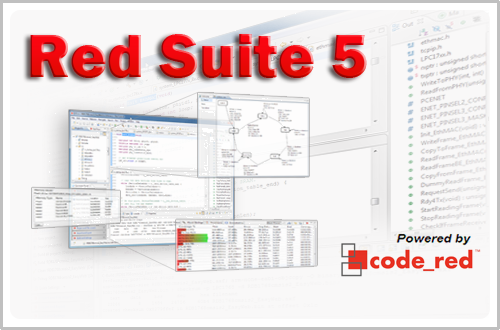
Red Suite 5: Eclipse Juno, Processor Expert and unlimited FRDM-KL25Z

❗ UPDATE: Code Red Technologies have been acquired May 1st 2013 by NXP, see this press release. According to this, they will not continue to support non-NXP architectures after May 2014. 😦

You probably know this already: I’m a fan of Eclipse, Processor Expert and the Freedom board. As for tool chains I use CodeWarrior for MCU10.x (Eclipse based, 64 KByte free limit) and IAR (32 KByte limit) with the Processor Expert Driver Suite.

And I have added a new Eclipse based solution: Red Suite 5 from Code Red Technologies. They released a new Red Suite 5 (v5.2.2 build 2108) which caught my attention when reading the release notes:

  1. Eclipse Juno SR2: New Eclipse Look & Feel 🙂
  2. Added integration for Processor Expert 🙂 🙂
  3. Non-expiring 128k (!!!) limit when used with the Freescale FRDM boards 🙂 🙂 🙂
Red Suite 5 Eclipse Startup

Red Suite 5 Eclipse Startup

Continue reading

A new Freedom Board: FRDM-K20D50M with ARM Cortex M4

Freescale/Farnell/Element14 announced last week a new Freedom Board: the FRDM-K20D50M :-). As you can expect, I was not able to resist, and ordered one from my local Farnell store right away. So I did my first steps with it on this sunny and wonderful weekend (yes! we skipped Spring Time and entered Summer Time right away!).

I do not need to compare the board with the previous Freedom boards, as I have found an article here. I a nutshell: I get pretty much the same as with the FRDM-KL25Z, but instead of an ARM Cortex-M0+, it has an ARM Cortex-M4!

The new FRDM-K20D50M Board

The new FRDM-K20D50M Board

Continue reading

Extended Driver for the MMA8451Q Accelerometer

In “Tutorial: Accelerating the KL25Z Freedom Board” I used the MMA8451Q accelerometer on the FRDM-KL25Z board in a very primitive way: I’m reading directly some low-level registers from the device through an I2C low-level component. No calibrating, no special device feature setting, only raw values. Since then, things have been evolved: In “Tutorial: Creating a Processor Expert Component for an Accelerometer” I started to create a driver for this accelerometer, and since then a lot more functionality has been added.

Tracing Accelerometer Values to the Shell

Traced Accelerometer Values to the Shell

Continue reading

Tutorial: Creating a Processor Expert Component for an Accelerometer

If you are a frequent reader of this blog, then you know: I’m a big fan of Processor Expert components. While there are many Processor Expert components delivered with CodeWarrior, it lacks many components and device drivers beside of the normal on-chip peripherals. But value gets added to an embedded project with all the external devices, sensors and actuators. That’s why I have created many more components which are available on my GitHub site. Readers of this blog have asked several times to create a tutorial on how to create a Processor Expert component. So why not working on that on a long Easter weekend full of cold rain and snow?

So here we go: a tutorial how to create a Processor Expert component for the MMA8451Q accelerometer found on the FRDM-KL25Z board:

MMA8451Q Accelerometer on the FRDM-KL25Z Board

MMA8451Q Accelerometer on the FRDM-KL25Z Board

Continue reading

Copy of Processor Expert Components

Many times I have Processor Expert components carefully configured in one project, and then I want to have the same thing in another project. There is actually an easy way to carry out this: to copy components from one project to another.

Continue reading

Version Control with Processor Expert Projects

Using a version control system for software development is a standard procedure today. While things are pretty clear for ‘standard’ Eclipse projects, it is not that easy for Processor Expert projects. I’m using Processor Expert projects with Git and SVN (Subversion). I want to share here tips how to use Processor Expert projects with a version control system. Screenshots and vocabulary are for TortoiseGit and Git, but applicable to any other VCS (Version Control System).

Git Repositories View in Eclipse

Git Repositories View in Eclipse

Continue reading

Maze solving FRDM-KL25Z Robot goes backward for Dead-Ends

The maze solving robot based on the Freedom FRDM-KL25Z and Pololu Zumo shield has new features:

  1. For dead-end paths, instead turning around, the robot is driving backward
  2. Higher speed for going forward/backward/turns
  3. In the finish area, the robot turns around
  4. It reverts the solution path, so the robot can directly run from the finish area to the start
FRDM-KL25Z Robot on Practice Area

FRDM-KL25Z Robot on Practice Area

Continue reading