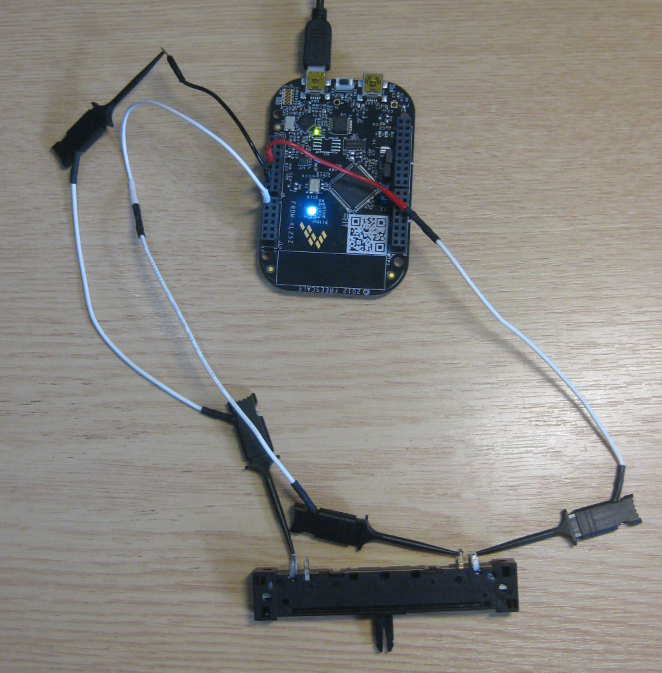
Unlike other boards from Freescale, the FRDM-KL25Z has no potentiometer or analog components on it. But in many applications an ADC conversion is needed, so here we go with a tutorial reading in an external potentiometer with Eclipse, CodeWarrior and Processor Expert. For this tutorial I have a 10k Ohm linear potentiometer connected to the Freedom board:
Zumo Line Following with FRDM-KL25Z
With the Zumo I have a base platform for cool robotics applications. So why not build a line following robot with this? Especially as Pololu offers a reflectance sensor array for it. The result is: I have a line following robot 🙂
It turned out that things were not working out of the box with the FRDM-KL25Z board. So if you want to do the same thing, here are some tips how to make it working with the Freedom board.
Tutorial: Printf() with (and without) Processor Expert
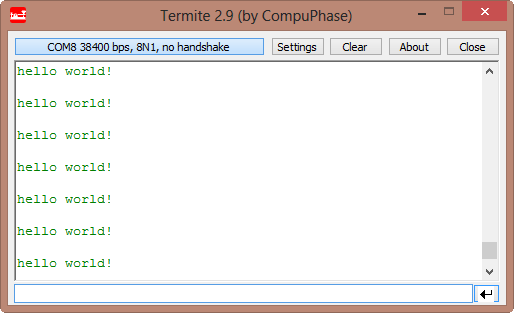
In this post I tapped into how to print messages to a console using the Kinetis/Freedom board. I’m not a fan of printf() for multiple reasons: It is simply a bad thing for embedded systems programming. But as many have asked for it, here is how to say “hello” from the Freedom Board using printf():
Top 10 Customization of Eclipse Settings
The great thing with Eclipse is that you can configure a lot. In general, I’m happy with most of the defaults in Eclipse and CodeWarrior. Here are my top 10 things I change in Eclipse to make it even better:
Turning the Freedom Board into a Logic Analyzer
I think the most important tool for a firmware engineer is a Logic Analyzer. I always have one on my desk. Working in different locations, sometimes I forget to carry it with me. And for sure I would need it. To buy another one to compensate my laziness? Or maybe there is another solution? And here I stumbled over an article about the Logic Sniffer project recently: it is about an open source logic analyzer hardware and firmware project. What a cool idea! Why not using my FRDM-KL25Z Freedom board as a Logic Analyzer? Heck, that would be awesome 🙂
Line Numbers in Eclipse
Either you hate it, or you love it: Line numbers in the Eclipse Editor:
Personally, I love it!
Eclipse Workspace Tips
Usually, one of the first things I see if I launch Eclipse is this dialog:
Actually, that ‘workspace’ thing is one of the most important things in Eclipse to understand. To mess around it can cause a lot of pain. So I have collected some ‘lessons learned’ around workspaces.
Tutorial: IAR + FreeRTOS + Freedom Board
Maybe Eclipse is ‘too much’, and you are looking for something different? The cool thing with Processor Expert is that while this is Eclipse based, you can use it easily with other tool chains like IAR Embedded Workbench. So you have the choice, and I have explored things a little with porting FreeRTOS for Cortex-M0+ to IAR :-).
In this tutorial I’m showing how use IAR with FreeRTOS and the Freedom FRDM-KL25Z Board, using Processor Expert components.
The Freedom Zumo Robot
The cool thing with the Freedom board is: there are many exciting Arduino boards out there which want to be used with the FRDM-KL25Z. I have spent most of my last week-end with creating a little black beauty:
Eclipse Spell Checker
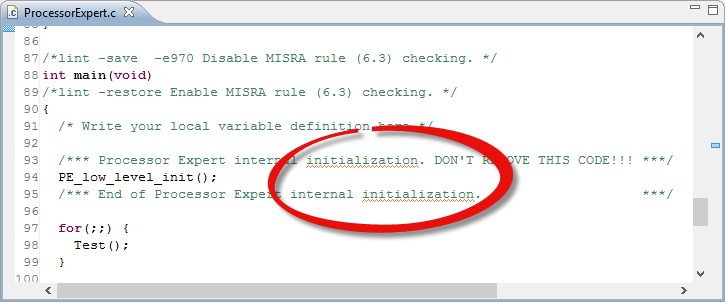
One of the nice things of modern IDE’s are: they offer many extras for free. Many times it is related to programming and coding. But I love as well the ones which makes things easier and better which is not directly related to the executed code. One thing Eclipse offers is an on-the-fly spell-checking, similar to Microsoft Word:
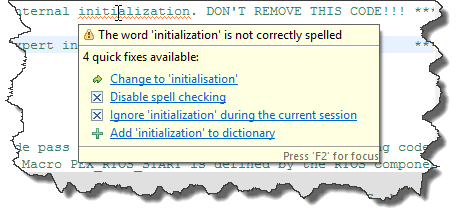
Hovering over the text offers me to correct the flagged error:
But wait: is that example not spelled correctly?