VS Code: Telemetry-free VSCodium

“There is no such thing as a free lunch.”

https://en.wikipedia.org/wiki/No_such_thing_as_a_free_lunch

And this applies to VS Code and many of its extensions. You agree to the licensing conditions, and you pay with your data.

VS Code source code is MIT licensed, but the binaries you can download and install have telemetry built in: you are giving Microsoft your usage data in return for using VS Code.

If you are concerned about this, and looking for free and libre open source binaries of VS Code, then have a look at MIT-Licensed VSCodium.

https://vscodium.com
Continue reading

VS Code: Getting Started, literally

This is another article in my series about Visual Studio Code. After having it installed (see VS Code: IDE Installation), this one is about starting the IDE

I can start the IDE from the shortcut (if created during the installation) or by typing code in console/command prompt shell (e.g. Windows PowerShell). To be able to use the code command requires VS Code to be present in the PATH.

Starting VS Code
Continue reading

VS Code: Uninstall completely

Nothing has to last forever, and VS Code might not be the right thing for everyone. VS Code can go overboard with all the extensions and things it had proposed to install. Up to a point that one needs to get re-started again. Or because you tasted VS Code, but you did not like it.

That’s OK, you can uninstall it, after you have installed it (see VS Code: IDE Installation). The catch is: the uninstall does not a full removal, as settings and extensions do not get removed.

This article shows how to fully uninstall VS Code.

Continue reading

Using Legacy Devices with LinkServer

The Freescale K20DX128 MCU was one of the first ARM Cortex-M devices of that company (now NXP) back in 2012, and the FRDM-K20D50M board was the first ‘FRDM‘ board of a long and successful series of boards, starting back in 2013. I still have the K20 present in many of my designs. The challenge with ‘early’ or ‘legacy’ devices is that after a while, they are ‘not recommended’ any more, and it is hard to get support for them. So for example in newer tooling and software from NXP, there is no support for the K20.

MCU-Link (NXP, left) debugging FRDM-K20 (Freescale, right) board

So if you still have the K20 around, and need some newer tooling, then I have good news for you: It is possible to add that good-old-Kinetis to the list of supported LinkServer devices, so you are not stuck and can use newer debugging solutions for the K20.

Continue reading

Data Converter for MCUXpresso Energy Measurement Data

The combination of the NXP MCUXpresso IDE with the NXP MCU-Link Pro debug probe implements a nifty power and energy measurement tool (see New “MCU-Link Pro”: Debug Probe with Energy Measurement). The eclipse based IDE provides a dedicated view to inspect the data collected. It can export and import data, but it is in a binary format. In this article I present a way to export and then convert the data into .csv or any other format for processing or visualizing it in different ways.

Exporting data to gnuplot and csvplot

Using an open source command line tool, the binary data gets converted into a csv format, which then can be consumed by many tools, e.g. gnuplot.

Continue reading

LinkServer Scripting, and how to Recover MCUs with a Script

The MCU-Link is an inexpensive CMSIS-DAP debug probe from NXP. It can be used as a GDB server debug probe, and as such it includes scripting support. This scripting can be very useful in some cases where the MCU cannot be accessed by a normal debug session. This happens for example if students are not pay attention what binary they flash to which device, causing an MCU to potentially get ‘bricked’.

NXP MCU-Link debug probe connected to Sumo Robot
Continue reading

GNU Linker Wizardry: Wrapping printf() with Timestamps

If one is using a dedicated logger module like the McuLog, then you don’t have to worry or care about timestamp support. But if your application is using normal printf() calls for for logging purpose, you will face issues to adding timestamps to it. You might consider to change all prinft() calls. This might be a lot of work, or not possible in all cases if you cannot change the source code.

But there is a really cool feature of the GNU linker to solve that problem. It allows to ‘wrap’ around any symbol or function, including the ones in the standard library. That way I can add my mode to the printf() code as a wrapper, for example adding a timestamp for every call.

In the example below you can see this in action:

printf() calls with added timestamps

In this article I’ll show how you can wrap any function with custom code.

Continue reading

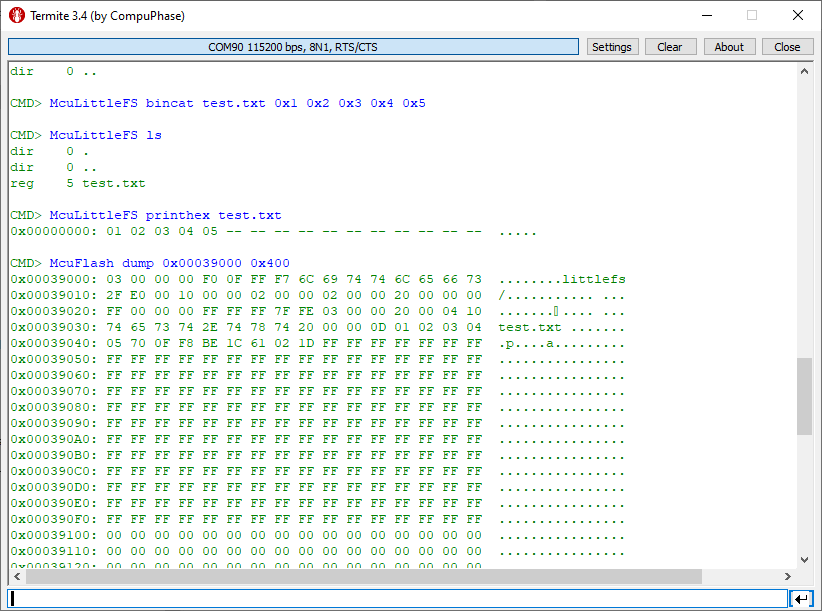
LittleFS File System with MCU Internal FLASH Memory

In many of my embedded projects I need persistent data or storage for settings. If using an SD card, then FatFS is usually my choice for the file system. But if using an external FLASH memory device, then my preferred choice is usually LittleFS: it is a little fail-safe filesystem, designed for micro-controllers, which I’m using with external flash memory devices.

In the case where there is enough MCU flash, or if there is no external FLASH device available in a design, it can use the MCU internal FLASH as storage storage too. This is the topic of this article:

LittleFS File System Data
Continue reading