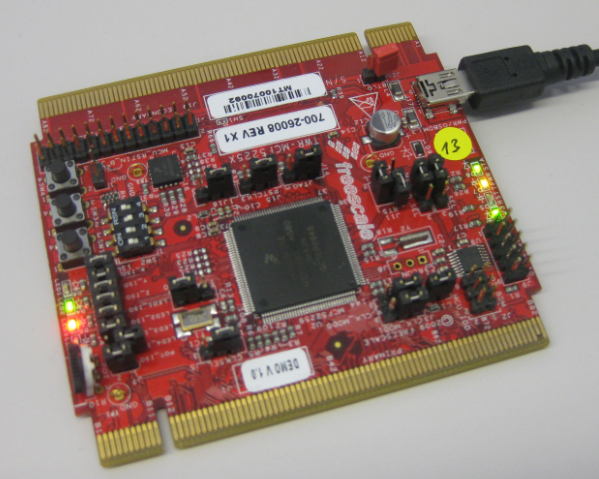
I understand the challenges of board vendors: they produce many boards, and typically they have an early/first firmware version on it. And when that board gets shipped to customers, that firmware typically is old and outdated :-(. Same for the RIoT board I have received: I was desperately trying some advanced features, only to realize that the firmware on the board is an older one from this year. So time to update the Android on that board.
Category Archives: Tips & Tricks
Exclude Source Files from Build in Eclipse
Sometimes I have source files in my project which I do not want to get compiled (or excluded from build). Because as I’m using the ‘managed make’, all source files matching certain extensions (like *.c) are automatically included into the build.
To exclude a file from build, I right-click on it to get to the properties. There I can select a check box to have it excluded from the build:
Terminal Connection to the RIoT Board
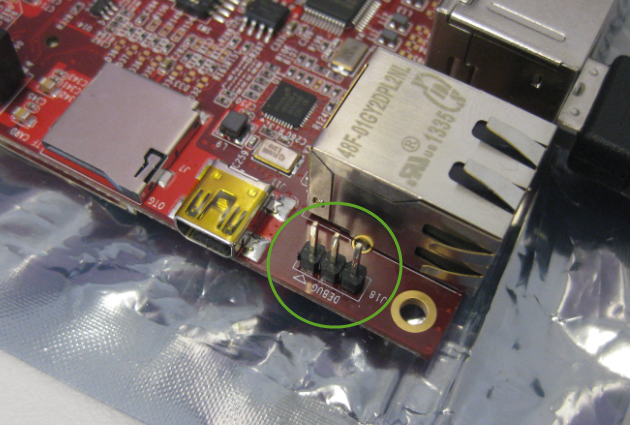
I admit: I love command line interfaces. Because that gives me usually much more control than any GUI (Graphical User Interface). I like the fact that they have put a UART interface on the RIoT board:
Preserving Memory Ranges with Eclipse and P&E GDB Server
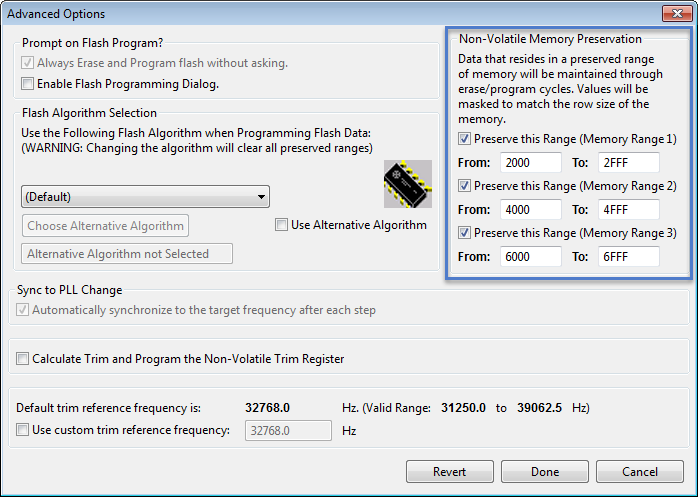
For my boot loaders I need the functionality that I can keep memory ranges from being erased while downloading the rest of the application. P&E provides a GDB server which interfaces with their probes (P&E Universal Multilinks, Tracelinks, …) and as well with the OpenSDA present on many of the Freescale evaluation boards. In CodeWarrior there is an option for ‘Advanced Programming Options’ which allows to preserve memory of the microcontroller FLASH (see “Programming part of flash“). However, that option or button is not present in the Eclipse version of the P&E GDB server (e.g. in Kinetis Design Studio). So how can I preserve some areas of FLASH in Eclipse with GDB?
Listing Code and Data Size for each Source File with GNU and Eclipse
I have used the ‘classic’ CodeWarrior IDE for years, before I moved over to Eclipse some years ago. And as with any IDE or tool switch, things are different in the ‘new world’. In summary, I don’t want to go back anyway, and Eclipse is my development tool of choice now. But from time to time I get challenged about something like “hey, this was possible in the previous tool, so how can I do the same in Eclipse?”. As a fan of Eclipse, this then gets my attention as I feel that Eclipse can do it, and it can do it better. 😉
So what about this one: In CodeWarrior the project view lists code and data size for each source file:
UART printf() for the FRDM-K64F Board and Kinetis Design Studio
I had great plans for this Saturday: to work on really cool project. But as so many times, things turned out to be different. Maybe you have read my recent posts about printf()? A colleague wanted to use that article to the same thing with the Kinetis Design Studio on the FRDM-K64F board. I used the FRDM-KL25Z board, so I expected this to work out of the box for him too. Well, turned out that I was wrong about this, and my Saturday was used for debugging and googling about a printf() problem 😦
While things work as expected for the FRDM-KL25Z (ARM Cortex-M0+) and using the standard GNU GCC ARM Embedded from the launchpad, the application traps on the K64F (ARM Cortex-M4F) in initialise_monitor_handles() with KDS:
Switching ARM GNU Tool Chain and Libraries in Kinetis Design Studio
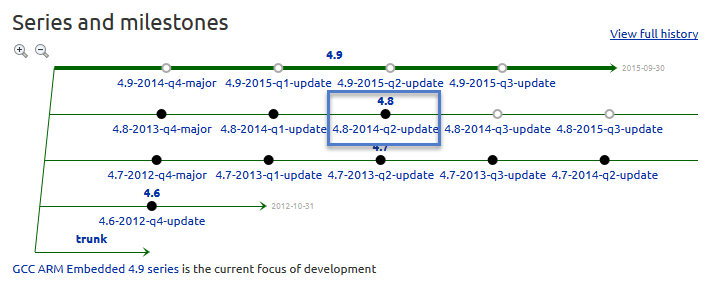
The Freescale Kinetis Design Studio (KDS) V1.0.1 beta is using a different GNU ARM toolchain than the ARM Inc. supported one on launchpad (GCC ARM Embedded). Additionally, KDS is using newlib 1.19 and newlib-nano 1.0, while there just has been a new release of the GCC ARM Embedded a month ago with the 4.8.4 update 2 release in June this year. So how to upgrade KDS to the latest and greatest GCC ARM Embedded?
printf() and scanf() with GNU ARM Libraries
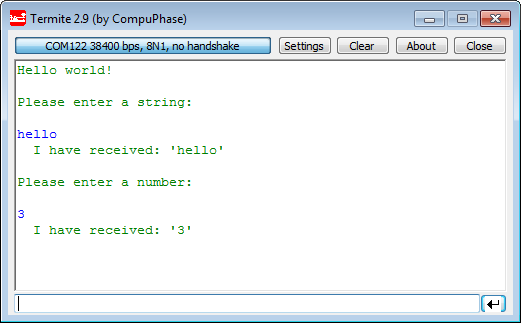
In “Semihosting with Kinetis Design Studio” I’m using the debugger with semihosting to output text with printf(). But how to use a physical serial connection instead?
This post is about how to enable and use printf() and scanf() with GNU ARM libraries. I show it both for the Freescale Kinetis Design Studio (KDS) and for stock Eclipse Kepler with the GNU GCC ARM Embedded (launchpad) toolchain and libraries. The principles are the same, just the details are different ;-).
Step-by-Step: Updating OSBDM/OSJTAG Debug Firmware
While new Freescale boards come with the OpenSDA debug firmware, I still students using boards with the OSBDM/OSJTAG. And with new CodeWarrior tools, it might be that there is a new OSBDM/OSJTAG firmware, and when I download to a board with an older firmware, the tool will prompt me to update the firmware. To me, after doing this several times, not a big deal. But for someone who sees this the first time, it might not be that easy. So to avoid any further questions, here we go with a step-by-step tutorial how to update the OSBDM/OSJTAG firmware.
Replicating an Eclipse Update Site for Offline Usage
In my post “Constructing a Classroom IDE with Eclipse for ARM” I outlined how to build a DIY Eclipse distribution. That way I can build an archive/zip and distribute to my students: it saves them a lot of time, and they do not need to download things from the internet themselves, as I can give them the thing on a memory stick. But what if I want them to give them the update site files for offline usage too? For example CodeWarrior has an online update site:
How can I make a local copy of it to use in my classroom?