Tutorial: Using Processor Expert and FreeRTOS with Kinetis SDK V1.2

Freescale has released the new Kinetis SDK v1.2 back in May. Because of the changes in v1.2, previous applications (or my tutorials) do not work any more :-(. So time to write a new tutorial: how I can use Processor Expert with FreeRTOS for the Kinetis SDK v1.2.

Blinky Task with FreeRTOS and Kinetis SDK in KDS v3.0.0

Blinky Task with FreeRTOS and Kinetis SDK in KDS v3.0.0

Continue reading

Getting started with Kinetis FRDM- K64F: New and Better!! :)

Hello all!

Here is my second blog about the Kinetis MCU development boards, introducing you to the new and more informative Getting Started process for Kinetis FRDM-K64F from Freescale. As a part of my internship I got the amazing opportunity to play with the ‘New Getting Started’ process and the most recent box of the FRDM-K64F development board from Freescale.

Freescale have been working all along to make the life of its customers easier. So, at the FTF 2015 we launched the new website:

http://www.freescale.com/webapp/sps/site/prod_summary.jsp?code=FRDM-K64F&tab=In-Depth_Tab

This website is for the new Getting started process for FRDM K-64F. This website will tell you all that you will need to start the FRDM K-64F development board. Continue reading

Using Segger Real Time Terminal (RTT) with Eclipse

I have used semihosting more and more in my projects. However, there are several disadvantage of using it:

  • Without special handlers, it only works with an active debug connection going on. Without a debugger attached, the application blocks otherwise.
  • Because it needs debugger interactions, it is rather slow (only several hundreds of bytes per second)

The good news is that Segger supports with their debug probes a faster approach with what they name Real Time Terminal (RTT). And it even runs without a debugger attached to the board: all what I need is a Segger J-Link probe (or Segger J-Link OpenSDA) plus a telnet client.

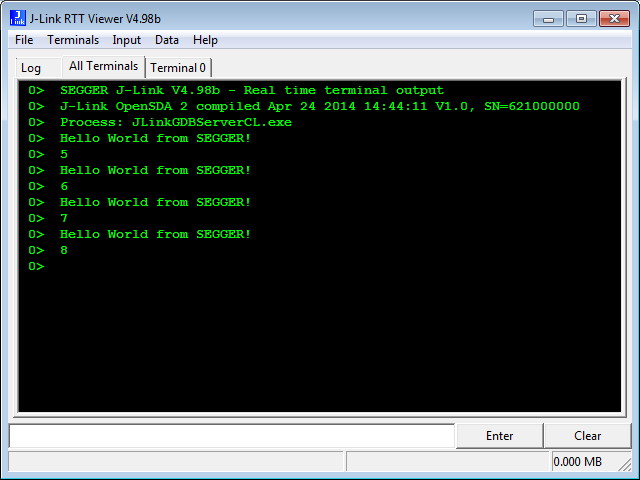
Segger RTT Viewer

Segger RTT Viewer

Continue reading

Processor Expert Component Repositories

Processor Expert for Kinetis v3.0.0 (which is part of Freescale Kinetis Design Studio v3.0.0, KDS) has now the concept of ‘repositories’ for the components.

Previously, Processor Expert was able to use two paths for its components (e.g. in KDS v2.0.0):

  1. The ‘System‘ directory inside the Eclipse installation
  2. The ‘User‘ directory: a fixed path, global for all installations

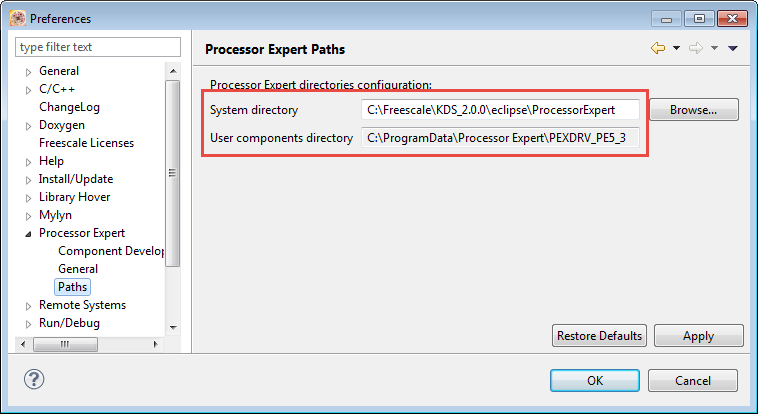
These directories are listed in the workspace settings (menu Window > Preferences > Processor Expert > Paths):

Processor Expert Paths in v2.0.0

Processor Expert Paths in v2.0.0

Continue reading

McuOnEclipse Components: 05-July-2015 Release

I know: A new McuOnEclipse Processor Expert components release was long overdue. But I have been extremely busy in the last months, but now the university semester is over, and I have finally some spare time to catch up on a lot of things. So here we go: there is a new component release available on SourceForge (https://sourceforge.net/projects/mcuoneclipse/files/PEx%20Components/): Components 2015-07-05.zip

McuOneEclipse Components on SourceForge

McuOneEclipse Components on SourceForge

Continue reading

Debugging ARM Cortex-M Hard Faults with GDB Custom Command

In “A Processor Expert Component to Help with Hard Faults” I’m using a C handler with some assembly code, created with Processor Expert, to help me with debugging hard faults on ARM Cortex-M. Inspired by a GNU gdb script here, I have now an alternative way. As this approach is using the GDB command line approach, it works both with an Eclipse GUI and with using GDB in command line mode only :-).

GDB script to debug ARM Hard Faults
Continue reading

Open Source Static Code Analysis: Cppcheck with Eclipse

I have a challenge for you: Can you spot the problem in the following source?

TMOUT1_CounterHandle TMOUT1_GetCounter(TMOUT1_CounterType nofTicks)
{
  TMOUT1_CounterHandle handle;
  CS1_CriticalVariable();
  handle = 0;
  if (nofTicks==0) {
    nofTicks = 1; /* wait at least for one tick, otherwise will timeout immediately */
  }
  CS1_EnterCritical();
  while (!TMOUT1_FreeCounters[handle] && handle<TMOUT1_NOF_COUNTERS) {
    handle++;
  }
  if (handle<TMOUT1_NOF_COUNTERS) {
    TMOUT1_FreeCounters[handle]=FALSE;
    TMOUT1_Counters[handle] = nofTicks;
  }
  CS1_ExitCritical();
  if (handle==TMOUT1_NOF_COUNTERS) {
    return TMOUT1_OUT_OF_HANDLE;
  }
  return handle;
}

No? Well, I have not spotted the problem the first time neither. However, a reader of this blog did: he used a cool tool named ‘cppcheck’: that tool reported the following:

Continue reading

How to Reset an ARM Cortex-M with Software

There are cases when I need to do a reset of the device by software. For example I have loaded the application image with the bootloader, and then I need to perform a reset of the microcontroller to do a restart. As a human user I can press the reset button on the board. But how to do this from the software and application running on the board, without user manual intervention? Or if I simply want to reset the system for whatever reason?

Performing a Software System Reset with Kinetis Design Studio
Continue reading

Freescale Kinetis CAD Footprints and Symbols for Eagle/Altium/etc

One question I have received many times:

“Where can I find the Eagle footprint for Kinetis device XYZ?”

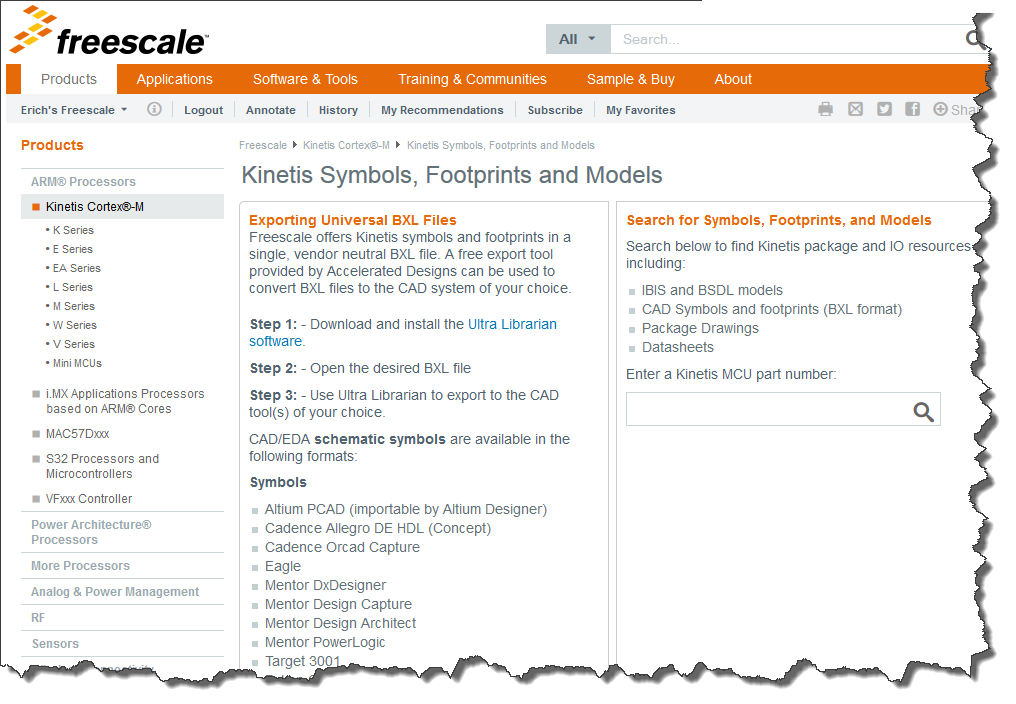
(replace Eagle with Altium or any other CAD/PCB Layout/Schematics program). So far I had to point either to Google, or to the symbols I have used in my design. Finally, Freescale has now a site where footprints can be downloaded :-):

Kinetis Footprints

Kinetis Footprints

Continue reading

Tutorial: Using Kinetis Design Studio V3.0.0 with IAR and Keil IDE’s

Freescale Kinetis Design Studio V3.0.0 came out early May this year. One of the new cool features is that it includes the Processor Expert V3.0.0 with an extended New Project Wizard. With this wizard I’m able to create and use Processor Expert projects with IAR Embedded Workbench and Keil MDK :-).

Kinetis Design Studio, Keil MDK and IAR Embedded Workbench

Kinetis Design Studio, Keil MDK and IAR Embedded Workbench

Continue reading